forked from tangger/lerobot
Compare commits
112 Commits
test/robot
...
user/miche
| Author | SHA1 | Date | |
|---|---|---|---|

|
36714a14a7 | ||
|
|
68b8e274dd | ||
|
|
1a7b4ec890 | ||
|
|
1c9eccd279 | ||
|
|
7551260104 | ||
|
|
95758cb867 | ||
|
|
2ecc34ceb9 | ||
|
|
8598e80718 | ||
|
|
6fa3e5f9ad | ||
|
|
b7bd13570f | ||
|
|
f899edb57f | ||
|
|
17ec837a7a | ||
|
|
9e3c8461ca | ||
|
|
1f23ef7889 | ||
|
|
41219fe81e | ||
|
|
5081c145dc | ||
|
|
25b88f3b86 | ||
|
|
d711e20b5f | ||
|
|
700f00c014 | ||
|
|
584cad808e | ||
|
|
d8a1758122 | ||
|
|
1df9ee4f2d | ||
|
|
5b4a7aa81d | ||
|
|
ef8d943e54 | ||
|
|
42a038173f | ||
|
|
546719137a | ||
|
|
3ffe0cf0f4 | ||
|
|
ff82367c62 | ||
|
|
ff47c0b0d3 | ||
|
|
befa1fe9af | ||
|
|
446f434a8e | ||
|
|
2f3370e42f | ||
|
|
7ae368e983 | ||
|
|
36711d766a | ||
|
|
c9e50bb9b1 | ||
|
|
95de8e273d | ||
|
|
b07d95f0dd | ||
|
|
d9a70376d8 | ||
|
|
0c32008466 | ||
|
|
c462a478c7 | ||
|
|
459f22ed30 | ||
|
|
dc086dc21f | ||
|
|
b9217b06db | ||
|
|
6868c88ef1 | ||
|
|
a1d16fb400 | ||
|
|
a7db3959f5 | ||
|
|
b5f89439ff | ||
|
|
d51374ce12 | ||
|
|
b63738674c | ||
|
|
12525242ce | ||
|
|
7d5a9530f7 | ||
|
|
e0527b4a6b | ||
|
|
efb1982eec | ||
|
|
2211209be5 | ||
|
|
506821c7df | ||
|
|
f1c8bfe01e | ||
|
|
7c89bd1018 | ||
|
|
367dfe51c6 | ||
|
|
e856ffc91e | ||
|
|
9aabe212ea | ||
|
|
42618f4bd6 | ||
|
|
36576c958f | ||
|
|
322a78a378 | ||
|
|
d75b44f89f | ||
|
|
1fb03d4cf2 | ||
|
|
7d2970fdfe | ||
|
|
8105efb338 | ||
|
|
c1d4bf4b63 | ||
|
|
86df8a433d | ||
|
|
956c547254 | ||
|
|
be965019bd | ||
|
|
a0a50de8c9 | ||
|
|
c86dace4c2 | ||
|
|
472a7f58ad | ||
|
|
068efce3f8 | ||
|
|
df7310ea40 | ||
|
|
100f54ee07 | ||
|
|
c2f7af3339 | ||
|
|
a1b5d0faf2 | ||
|
|
d6498150bf | ||
|
|
31c34a4a49 | ||
|
|
b1cfb6a710 | ||
|
|
4a43c83522 | ||
|
|
0a4e9e25d0 | ||
|
|
3bb5ed5e91 | ||
|
|
c5bca1cf0f | ||
|
|
35de91ef2b | ||
|
|
ee306e2f9b | ||
|
|
bae3b02928 | ||
|
|
5b4adc00bb | ||
|
|
22fbc9ea4a | ||
|
|
ca74a13d61 | ||
|
|
18a4598986 | ||
|
|
dc54d357ca | ||
|
|
08ec971086 | ||
|
|
b53d6e0ff2 | ||
|
|
70b652f791 | ||
|
|
7b68bfb73b | ||
|
|
7e0f20fbf2 | ||
|
|
def42ff487 | ||
|
|
c9af8e36a7 | ||
|
|
ed66c92383 | ||
|
|
668d493bf9 | ||
|
|
67f4d7ea7a | ||
|
|
4b0c88ff8e | ||
|
|
b19fef9d18 | ||
|
|
1612e00e63 | ||
|
|
c3bc136420 | ||
|
|
1020bc3108 | ||
|
|
7fcf638c0d | ||
|
|
e35546f58e | ||
|
|
1aa8d4ac91 |
@@ -1,17 +1,3 @@
|
||||
# Copyright 2024 The HuggingFace Inc. team. All rights reserved.
|
||||
#
|
||||
# Licensed under the Apache License, Version 2.0 (the "License");
|
||||
# you may not use this file except in compliance with the License.
|
||||
# You may obtain a copy of the License at
|
||||
#
|
||||
# http://www.apache.org/licenses/LICENSE-2.0
|
||||
#
|
||||
# Unless required by applicable law or agreed to in writing, software
|
||||
# distributed under the License is distributed on an "AS IS" BASIS,
|
||||
# WITHOUT WARRANTIES OR CONDITIONS OF ANY KIND, either express or implied.
|
||||
# See the License for the specific language governing permissions and
|
||||
# limitations under the License.
|
||||
|
||||
# Misc
|
||||
.git
|
||||
tmp
|
||||
@@ -73,7 +59,7 @@ pip-log.txt
|
||||
pip-delete-this-directory.txt
|
||||
|
||||
# Unit test / coverage reports
|
||||
!tests/artifacts
|
||||
!tests/data
|
||||
htmlcov/
|
||||
.tox/
|
||||
.nox/
|
||||
|
||||
15
.gitattributes
vendored
15
.gitattributes
vendored
@@ -1,21 +1,6 @@
|
||||
# Copyright 2024 The HuggingFace Inc. team. All rights reserved.
|
||||
#
|
||||
# Licensed under the Apache License, Version 2.0 (the "License");
|
||||
# you may not use this file except in compliance with the License.
|
||||
# You may obtain a copy of the License at
|
||||
#
|
||||
# http://www.apache.org/licenses/LICENSE-2.0
|
||||
#
|
||||
# Unless required by applicable law or agreed to in writing, software
|
||||
# distributed under the License is distributed on an "AS IS" BASIS,
|
||||
# WITHOUT WARRANTIES OR CONDITIONS OF ANY KIND, either express or implied.
|
||||
# See the License for the specific language governing permissions and
|
||||
# limitations under the License.
|
||||
*.memmap filter=lfs diff=lfs merge=lfs -text
|
||||
*.stl filter=lfs diff=lfs merge=lfs -text
|
||||
*.safetensors filter=lfs diff=lfs merge=lfs -text
|
||||
*.mp4 filter=lfs diff=lfs merge=lfs -text
|
||||
*.arrow filter=lfs diff=lfs merge=lfs -text
|
||||
*.json !text !filter !merge !diff
|
||||
tests/artifacts/cameras/*.png filter=lfs diff=lfs merge=lfs -text
|
||||
tests/artifacts/cameras/*.bag filter=lfs diff=lfs merge=lfs -text
|
||||
|
||||
14
.github/ISSUE_TEMPLATE/bug-report.yml
vendored
14
.github/ISSUE_TEMPLATE/bug-report.yml
vendored
@@ -1,17 +1,3 @@
|
||||
# Copyright 2024 The HuggingFace Inc. team. All rights reserved.
|
||||
#
|
||||
# Licensed under the Apache License, Version 2.0 (the "License");
|
||||
# you may not use this file except in compliance with the License.
|
||||
# You may obtain a copy of the License at
|
||||
#
|
||||
# http://www.apache.org/licenses/LICENSE-2.0
|
||||
#
|
||||
# Unless required by applicable law or agreed to in writing, software
|
||||
# distributed under the License is distributed on an "AS IS" BASIS,
|
||||
# WITHOUT WARRANTIES OR CONDITIONS OF ANY KIND, either express or implied.
|
||||
# See the License for the specific language governing permissions and
|
||||
# limitations under the License.
|
||||
|
||||
name: "\U0001F41B Bug Report"
|
||||
description: Submit a bug report to help us improve LeRobot
|
||||
body:
|
||||
|
||||
26
.github/workflows/build-docker-images.yml
vendored
26
.github/workflows/build-docker-images.yml
vendored
@@ -1,17 +1,3 @@
|
||||
# Copyright 2024 The HuggingFace Inc. team. All rights reserved.
|
||||
#
|
||||
# Licensed under the Apache License, Version 2.0 (the "License");
|
||||
# you may not use this file except in compliance with the License.
|
||||
# You may obtain a copy of the License at
|
||||
#
|
||||
# http://www.apache.org/licenses/LICENSE-2.0
|
||||
#
|
||||
# Unless required by applicable law or agreed to in writing, software
|
||||
# distributed under the License is distributed on an "AS IS" BASIS,
|
||||
# WITHOUT WARRANTIES OR CONDITIONS OF ANY KIND, either express or implied.
|
||||
# See the License for the specific language governing permissions and
|
||||
# limitations under the License.
|
||||
|
||||
# Inspired by
|
||||
# https://github.com/huggingface/peft/blob/main/.github/workflows/build_docker_images.yml
|
||||
name: Builds
|
||||
@@ -22,8 +8,6 @@ on:
|
||||
schedule:
|
||||
- cron: "0 1 * * *"
|
||||
|
||||
permissions: {}
|
||||
|
||||
env:
|
||||
PYTHON_VERSION: "3.10"
|
||||
|
||||
@@ -41,14 +25,11 @@ jobs:
|
||||
|
||||
- name: Set up Docker Buildx
|
||||
uses: docker/setup-buildx-action@v3
|
||||
with:
|
||||
cache-binary: false
|
||||
|
||||
- name: Check out code
|
||||
uses: actions/checkout@v4
|
||||
with:
|
||||
lfs: true
|
||||
persist-credentials: false
|
||||
|
||||
- name: Login to DockerHub
|
||||
uses: docker/login-action@v3
|
||||
@@ -79,14 +60,11 @@ jobs:
|
||||
|
||||
- name: Set up Docker Buildx
|
||||
uses: docker/setup-buildx-action@v3
|
||||
with:
|
||||
cache-binary: false
|
||||
|
||||
- name: Check out code
|
||||
uses: actions/checkout@v4
|
||||
with:
|
||||
lfs: true
|
||||
persist-credentials: false
|
||||
|
||||
- name: Login to DockerHub
|
||||
uses: docker/login-action@v3
|
||||
@@ -111,13 +89,9 @@ jobs:
|
||||
steps:
|
||||
- name: Set up Docker Buildx
|
||||
uses: docker/setup-buildx-action@v3
|
||||
with:
|
||||
cache-binary: false
|
||||
|
||||
- name: Check out code
|
||||
uses: actions/checkout@v4
|
||||
with:
|
||||
persist-credentials: false
|
||||
|
||||
- name: Login to DockerHub
|
||||
uses: docker/login-action@v3
|
||||
|
||||
23
.github/workflows/build_documentation.yml
vendored
23
.github/workflows/build_documentation.yml
vendored
@@ -1,23 +0,0 @@
|
||||
name: Build documentation
|
||||
|
||||
on:
|
||||
workflow_dispatch:
|
||||
push:
|
||||
paths:
|
||||
- "docs/**"
|
||||
branches:
|
||||
- main
|
||||
- doc-builder*
|
||||
- v*-release
|
||||
|
||||
|
||||
jobs:
|
||||
build: # zizmor: ignore[excessive-permissions] We follow the same pattern as in Transformers
|
||||
uses: huggingface/doc-builder/.github/workflows/build_main_documentation.yml@main
|
||||
with:
|
||||
commit_sha: ${{ github.sha }}
|
||||
package: lerobot
|
||||
additional_args: --not_python_module
|
||||
secrets:
|
||||
token: ${{ secrets.HUGGINGFACE_PUSH }}
|
||||
hf_token: ${{ secrets.HF_DOC_BUILD_PUSH }}
|
||||
19
.github/workflows/build_pr_documentation.yml
vendored
19
.github/workflows/build_pr_documentation.yml
vendored
@@ -1,19 +0,0 @@
|
||||
name: Build PR Documentation
|
||||
|
||||
on:
|
||||
pull_request:
|
||||
paths:
|
||||
- "docs/**"
|
||||
|
||||
concurrency:
|
||||
group: ${{ github.workflow }}-${{ github.head_ref || github.run_id }}
|
||||
cancel-in-progress: true
|
||||
|
||||
jobs:
|
||||
build: # zizmor: ignore[excessive-permissions] We follow the same pattern as in Transformers
|
||||
uses: huggingface/doc-builder/.github/workflows/build_pr_documentation.yml@main
|
||||
with:
|
||||
commit_sha: ${{ github.event.pull_request.head.sha }}
|
||||
pr_number: ${{ github.event.number }}
|
||||
package: lerobot
|
||||
additional_args: --not_python_module
|
||||
16
.github/workflows/nightly-tests.yml
vendored
16
.github/workflows/nightly-tests.yml
vendored
@@ -1,17 +1,3 @@
|
||||
# Copyright 2024 The HuggingFace Inc. team. All rights reserved.
|
||||
#
|
||||
# Licensed under the Apache License, Version 2.0 (the "License");
|
||||
# you may not use this file except in compliance with the License.
|
||||
# You may obtain a copy of the License at
|
||||
#
|
||||
# http://www.apache.org/licenses/LICENSE-2.0
|
||||
#
|
||||
# Unless required by applicable law or agreed to in writing, software
|
||||
# distributed under the License is distributed on an "AS IS" BASIS,
|
||||
# WITHOUT WARRANTIES OR CONDITIONS OF ANY KIND, either express or implied.
|
||||
# See the License for the specific language governing permissions and
|
||||
# limitations under the License.
|
||||
|
||||
# Inspired by
|
||||
# https://github.com/huggingface/peft/blob/main/.github/workflows/nightly.yml
|
||||
name: Nightly
|
||||
@@ -21,8 +7,6 @@ on:
|
||||
schedule:
|
||||
- cron: "0 2 * * *"
|
||||
|
||||
permissions: {}
|
||||
|
||||
# env:
|
||||
# SLACK_API_TOKEN: ${{ secrets.SLACK_API_TOKEN }}
|
||||
jobs:
|
||||
|
||||
74
.github/workflows/quality.yml
vendored
74
.github/workflows/quality.yml
vendored
@@ -1,29 +1,15 @@
|
||||
# Copyright 2024 The HuggingFace Inc. team. All rights reserved.
|
||||
#
|
||||
# Licensed under the Apache License, Version 2.0 (the "License");
|
||||
# you may not use this file except in compliance with the License.
|
||||
# You may obtain a copy of the License at
|
||||
#
|
||||
# http://www.apache.org/licenses/LICENSE-2.0
|
||||
#
|
||||
# Unless required by applicable law or agreed to in writing, software
|
||||
# distributed under the License is distributed on an "AS IS" BASIS,
|
||||
# WITHOUT WARRANTIES OR CONDITIONS OF ANY KIND, either express or implied.
|
||||
# See the License for the specific language governing permissions and
|
||||
# limitations under the License.
|
||||
|
||||
name: Quality
|
||||
|
||||
on:
|
||||
workflow_dispatch:
|
||||
workflow_call:
|
||||
pull_request:
|
||||
branches:
|
||||
- main
|
||||
push:
|
||||
branches:
|
||||
- main
|
||||
|
||||
permissions: {}
|
||||
|
||||
env:
|
||||
PYTHON_VERSION: "3.10"
|
||||
|
||||
@@ -33,9 +19,7 @@ jobs:
|
||||
runs-on: ubuntu-latest
|
||||
steps:
|
||||
- name: Checkout Repository
|
||||
uses: actions/checkout@v4
|
||||
with:
|
||||
persist-credentials: false
|
||||
uses: actions/checkout@v3
|
||||
|
||||
- name: Set up Python
|
||||
uses: actions/setup-python@v4
|
||||
@@ -46,27 +30,55 @@ jobs:
|
||||
id: get-ruff-version
|
||||
run: |
|
||||
RUFF_VERSION=$(awk '/repo: https:\/\/github.com\/astral-sh\/ruff-pre-commit/{flag=1;next}/rev:/{if(flag){print $2;exit}}' .pre-commit-config.yaml)
|
||||
echo "ruff_version=${RUFF_VERSION}" >> $GITHUB_OUTPUT
|
||||
echo "RUFF_VERSION=${RUFF_VERSION}" >> $GITHUB_ENV
|
||||
|
||||
- name: Install Ruff
|
||||
env:
|
||||
RUFF_VERSION: ${{ steps.get-ruff-version.outputs.ruff_version }}
|
||||
run: python -m pip install "ruff==${RUFF_VERSION}"
|
||||
run: python -m pip install "ruff==${{ env.RUFF_VERSION }}"
|
||||
|
||||
- name: Ruff check
|
||||
run: ruff check --output-format=github
|
||||
run: ruff check
|
||||
|
||||
- name: Ruff format
|
||||
run: ruff format --diff
|
||||
|
||||
typos:
|
||||
name: Typos
|
||||
|
||||
poetry_check:
|
||||
name: Poetry check
|
||||
runs-on: ubuntu-latest
|
||||
steps:
|
||||
- name: Checkout Repository
|
||||
uses: actions/checkout@v4
|
||||
with:
|
||||
persist-credentials: false
|
||||
uses: actions/checkout@v3
|
||||
|
||||
- name: typos-action
|
||||
uses: crate-ci/typos@v1.29.10
|
||||
- name: Install poetry
|
||||
run: pipx install "poetry<2.0.0"
|
||||
|
||||
- name: Poetry check
|
||||
run: poetry check
|
||||
|
||||
|
||||
poetry_relax:
|
||||
name: Poetry relax
|
||||
runs-on: ubuntu-latest
|
||||
steps:
|
||||
- name: Checkout Repository
|
||||
uses: actions/checkout@v3
|
||||
|
||||
- name: Install poetry
|
||||
run: pipx install "poetry<2.0.0"
|
||||
|
||||
- name: Install poetry-relax
|
||||
run: poetry self add poetry-relax
|
||||
|
||||
- name: Poetry relax
|
||||
id: poetry_relax
|
||||
run: |
|
||||
output=$(poetry relax --check 2>&1)
|
||||
if echo "$output" | grep -q "Proposing updates"; then
|
||||
echo "$output"
|
||||
echo ""
|
||||
echo "Some dependencies have caret '^' version requirement added by poetry by default."
|
||||
echo "Please replace them with '>='. You can do this by hand or use poetry-relax to do this."
|
||||
exit 1
|
||||
else
|
||||
echo "$output"
|
||||
fi
|
||||
|
||||
33
.github/workflows/test-docker-build.yml
vendored
33
.github/workflows/test-docker-build.yml
vendored
@@ -1,29 +1,15 @@
|
||||
# Copyright 2024 The HuggingFace Inc. team. All rights reserved.
|
||||
#
|
||||
# Licensed under the Apache License, Version 2.0 (the "License");
|
||||
# you may not use this file except in compliance with the License.
|
||||
# You may obtain a copy of the License at
|
||||
#
|
||||
# http://www.apache.org/licenses/LICENSE-2.0
|
||||
#
|
||||
# Unless required by applicable law or agreed to in writing, software
|
||||
# distributed under the License is distributed on an "AS IS" BASIS,
|
||||
# WITHOUT WARRANTIES OR CONDITIONS OF ANY KIND, either express or implied.
|
||||
# See the License for the specific language governing permissions and
|
||||
# limitations under the License.
|
||||
|
||||
# Inspired by
|
||||
# https://github.com/huggingface/peft/blob/main/.github/workflows/test-docker-build.yml
|
||||
name: Test Dockerfiles
|
||||
|
||||
on:
|
||||
pull_request:
|
||||
branches:
|
||||
- main
|
||||
paths:
|
||||
# Run only when DockerFile files are modified
|
||||
- "docker/**"
|
||||
|
||||
permissions: {}
|
||||
|
||||
env:
|
||||
PYTHON_VERSION: "3.10"
|
||||
|
||||
@@ -36,28 +22,29 @@ jobs:
|
||||
steps:
|
||||
- name: Check out code
|
||||
uses: actions/checkout@v4
|
||||
with:
|
||||
persist-credentials: false
|
||||
|
||||
- name: Get changed files
|
||||
id: changed-files
|
||||
uses: tj-actions/changed-files@3f54ebb830831fc121d3263c1857cfbdc310cdb9 #v42
|
||||
uses: tj-actions/changed-files@v44
|
||||
with:
|
||||
files: docker/**
|
||||
json: "true"
|
||||
|
||||
- name: Run step if only the files listed above change # zizmor: ignore[template-injection]
|
||||
- name: Run step if only the files listed above change
|
||||
if: steps.changed-files.outputs.any_changed == 'true'
|
||||
id: set-matrix
|
||||
env:
|
||||
ALL_CHANGED_FILES: ${{ steps.changed-files.outputs.all_changed_files }}
|
||||
run: |
|
||||
echo "matrix=${{ steps.changed-files.outputs.all_changed_files}}" >> $GITHUB_OUTPUT
|
||||
|
||||
|
||||
build_modified_dockerfiles:
|
||||
name: Build modified Docker images
|
||||
needs: get_changed_files
|
||||
runs-on:
|
||||
group: aws-general-8-plus
|
||||
if: needs.get_changed_files.outputs.matrix != ''
|
||||
if: ${{ needs.get_changed_files.outputs.matrix }} != ''
|
||||
strategy:
|
||||
fail-fast: false
|
||||
matrix:
|
||||
@@ -65,13 +52,9 @@ jobs:
|
||||
steps:
|
||||
- name: Set up Docker Buildx
|
||||
uses: docker/setup-buildx-action@v3
|
||||
with:
|
||||
cache-binary: false
|
||||
|
||||
- name: Check out code
|
||||
uses: actions/checkout@v4
|
||||
with:
|
||||
persist-credentials: false
|
||||
|
||||
- name: Build Docker image
|
||||
uses: docker/build-push-action@v5
|
||||
|
||||
135
.github/workflows/test.yml
vendored
135
.github/workflows/test.yml
vendored
@@ -1,28 +1,15 @@
|
||||
# Copyright 2024 The HuggingFace Inc. team. All rights reserved.
|
||||
#
|
||||
# Licensed under the Apache License, Version 2.0 (the "License");
|
||||
# you may not use this file except in compliance with the License.
|
||||
# You may obtain a copy of the License at
|
||||
#
|
||||
# http://www.apache.org/licenses/LICENSE-2.0
|
||||
#
|
||||
# Unless required by applicable law or agreed to in writing, software
|
||||
# distributed under the License is distributed on an "AS IS" BASIS,
|
||||
# WITHOUT WARRANTIES OR CONDITIONS OF ANY KIND, either express or implied.
|
||||
# See the License for the specific language governing permissions and
|
||||
# limitations under the License.
|
||||
|
||||
name: Tests
|
||||
|
||||
on:
|
||||
pull_request:
|
||||
branches:
|
||||
- main
|
||||
paths:
|
||||
- "lerobot/**"
|
||||
- "tests/**"
|
||||
- "examples/**"
|
||||
- ".github/**"
|
||||
- "pyproject.toml"
|
||||
- ".pre-commit-config.yaml"
|
||||
- "poetry.lock"
|
||||
- "Makefile"
|
||||
- ".cache/**"
|
||||
push:
|
||||
@@ -33,16 +20,10 @@ on:
|
||||
- "tests/**"
|
||||
- "examples/**"
|
||||
- ".github/**"
|
||||
- "pyproject.toml"
|
||||
- ".pre-commit-config.yaml"
|
||||
- "poetry.lock"
|
||||
- "Makefile"
|
||||
- ".cache/**"
|
||||
|
||||
permissions: {}
|
||||
|
||||
env:
|
||||
UV_VERSION: "0.6.0"
|
||||
|
||||
jobs:
|
||||
pytest:
|
||||
name: Pytest
|
||||
@@ -53,7 +34,6 @@ jobs:
|
||||
- uses: actions/checkout@v4
|
||||
with:
|
||||
lfs: true # Ensure LFS files are pulled
|
||||
persist-credentials: false
|
||||
|
||||
- name: Install apt dependencies
|
||||
# portaudio19-dev is needed to install pyaudio
|
||||
@@ -61,19 +41,25 @@ jobs:
|
||||
sudo apt-get update && \
|
||||
sudo apt-get install -y libegl1-mesa-dev ffmpeg portaudio19-dev
|
||||
|
||||
- name: Install uv and python
|
||||
uses: astral-sh/setup-uv@v5
|
||||
with:
|
||||
enable-cache: true
|
||||
version: ${{ env.UV_VERSION }}
|
||||
python-version: "3.10"
|
||||
- name: Install poetry
|
||||
run: |
|
||||
pipx install poetry && poetry config virtualenvs.in-project true
|
||||
echo "${{ github.workspace }}/.venv/bin" >> $GITHUB_PATH
|
||||
|
||||
- name: Install lerobot (all extras)
|
||||
run: uv sync --all-extras
|
||||
# TODO(rcadene, aliberts): python 3.12 seems to be used in the tests, not python 3.10
|
||||
- name: Set up Python 3.10
|
||||
uses: actions/setup-python@v5
|
||||
with:
|
||||
python-version: "3.10"
|
||||
cache: "poetry"
|
||||
|
||||
- name: Install poetry dependencies
|
||||
run: |
|
||||
poetry install --all-extras
|
||||
|
||||
- name: Test with pytest
|
||||
run: |
|
||||
uv run pytest tests -v --cov=./lerobot --durations=0 \
|
||||
pytest tests -v --cov=./lerobot --durations=0 \
|
||||
-W ignore::DeprecationWarning:imageio_ffmpeg._utils:7 \
|
||||
-W ignore::UserWarning:torch.utils.data.dataloader:558 \
|
||||
-W ignore::UserWarning:gymnasium.utils.env_checker:247 \
|
||||
@@ -88,63 +74,66 @@ jobs:
|
||||
- uses: actions/checkout@v4
|
||||
with:
|
||||
lfs: true # Ensure LFS files are pulled
|
||||
persist-credentials: false
|
||||
|
||||
- name: Install apt dependencies
|
||||
run: sudo apt-get update && sudo apt-get install -y ffmpeg
|
||||
|
||||
- name: Install uv and python
|
||||
uses: astral-sh/setup-uv@v5
|
||||
- name: Install poetry
|
||||
run: |
|
||||
pipx install poetry && poetry config virtualenvs.in-project true
|
||||
echo "${{ github.workspace }}/.venv/bin" >> $GITHUB_PATH
|
||||
|
||||
# TODO(rcadene, aliberts): python 3.12 seems to be used in the tests, not python 3.10
|
||||
- name: Set up Python 3.10
|
||||
uses: actions/setup-python@v5
|
||||
with:
|
||||
enable-cache: true
|
||||
version: ${{ env.UV_VERSION }}
|
||||
python-version: "3.10"
|
||||
|
||||
- name: Install lerobot
|
||||
run: uv sync --extra "test"
|
||||
- name: Install poetry dependencies
|
||||
run: |
|
||||
poetry install --extras "test"
|
||||
|
||||
- name: Test with pytest
|
||||
run: |
|
||||
uv run pytest tests -v --cov=./lerobot --durations=0 \
|
||||
pytest tests -v --cov=./lerobot --durations=0 \
|
||||
-W ignore::DeprecationWarning:imageio_ffmpeg._utils:7 \
|
||||
-W ignore::UserWarning:torch.utils.data.dataloader:558 \
|
||||
-W ignore::UserWarning:gymnasium.utils.env_checker:247 \
|
||||
&& rm -rf tests/outputs outputs
|
||||
|
||||
end-to-end:
|
||||
name: End-to-end
|
||||
runs-on: ubuntu-latest
|
||||
env:
|
||||
MUJOCO_GL: egl
|
||||
steps:
|
||||
- uses: actions/checkout@v4
|
||||
with:
|
||||
lfs: true # Ensure LFS files are pulled
|
||||
persist-credentials: false
|
||||
# TODO(aliberts, rcadene): redesign after v2 migration / removing hydra
|
||||
# end-to-end:
|
||||
# name: End-to-end
|
||||
# runs-on: ubuntu-latest
|
||||
# env:
|
||||
# MUJOCO_GL: egl
|
||||
# steps:
|
||||
# - uses: actions/checkout@v4
|
||||
# with:
|
||||
# lfs: true # Ensure LFS files are pulled
|
||||
|
||||
- name: Install apt dependencies
|
||||
# portaudio19-dev is needed to install pyaudio
|
||||
run: |
|
||||
sudo apt-get update && \
|
||||
sudo apt-get install -y libegl1-mesa-dev ffmpeg portaudio19-dev
|
||||
# - name: Install apt dependencies
|
||||
# # portaudio19-dev is needed to install pyaudio
|
||||
# run: |
|
||||
# sudo apt-get update && \
|
||||
# sudo apt-get install -y libegl1-mesa-dev portaudio19-dev
|
||||
|
||||
- name: Install uv and python
|
||||
uses: astral-sh/setup-uv@v5
|
||||
with:
|
||||
enable-cache: true
|
||||
version: ${{ env.UV_VERSION }}
|
||||
python-version: "3.10"
|
||||
# - name: Install poetry
|
||||
# run: |
|
||||
# pipx install poetry && poetry config virtualenvs.in-project true
|
||||
# echo "${{ github.workspace }}/.venv/bin" >> $GITHUB_PATH
|
||||
|
||||
- name: Install lerobot (all extras)
|
||||
run: |
|
||||
uv venv
|
||||
uv sync --all-extras
|
||||
# - name: Set up Python 3.10
|
||||
# uses: actions/setup-python@v5
|
||||
# with:
|
||||
# python-version: "3.10"
|
||||
# cache: "poetry"
|
||||
|
||||
- name: venv
|
||||
run: |
|
||||
echo "PYTHON_PATH=${{ github.workspace }}/.venv/bin/python" >> $GITHUB_ENV
|
||||
# - name: Install poetry dependencies
|
||||
# run: |
|
||||
# poetry install --all-extras
|
||||
|
||||
- name: Test end-to-end
|
||||
run: |
|
||||
make test-end-to-end \
|
||||
&& rm -rf outputs
|
||||
# - name: Test end-to-end
|
||||
# run: |
|
||||
# make test-end-to-end \
|
||||
# && rm -rf outputs
|
||||
|
||||
19
.github/workflows/trufflehog.yml
vendored
19
.github/workflows/trufflehog.yml
vendored
@@ -1,23 +1,10 @@
|
||||
# Copyright 2024 The HuggingFace Inc. team. All rights reserved.
|
||||
#
|
||||
# Licensed under the Apache License, Version 2.0 (the "License");
|
||||
# you may not use this file except in compliance with the License.
|
||||
# You may obtain a copy of the License at
|
||||
#
|
||||
# http://www.apache.org/licenses/LICENSE-2.0
|
||||
#
|
||||
# Unless required by applicable law or agreed to in writing, software
|
||||
# distributed under the License is distributed on an "AS IS" BASIS,
|
||||
# WITHOUT WARRANTIES OR CONDITIONS OF ANY KIND, either express or implied.
|
||||
# See the License for the specific language governing permissions and
|
||||
# limitations under the License.
|
||||
|
||||
on:
|
||||
push:
|
||||
|
||||
name: Secret Leaks
|
||||
|
||||
permissions: {}
|
||||
permissions:
|
||||
contents: read
|
||||
|
||||
jobs:
|
||||
trufflehog:
|
||||
@@ -27,8 +14,6 @@ jobs:
|
||||
uses: actions/checkout@v4
|
||||
with:
|
||||
fetch-depth: 0
|
||||
persist-credentials: false
|
||||
|
||||
- name: Secret Scanning
|
||||
uses: trufflesecurity/trufflehog@main
|
||||
with:
|
||||
|
||||
16
.github/workflows/upload_pr_documentation.yml
vendored
16
.github/workflows/upload_pr_documentation.yml
vendored
@@ -1,16 +0,0 @@
|
||||
name: Upload PR Documentation
|
||||
|
||||
on: # zizmor: ignore[dangerous-triggers] We follow the same pattern as in Transformers
|
||||
workflow_run:
|
||||
workflows: [ "Build PR Documentation" ]
|
||||
types:
|
||||
- completed
|
||||
|
||||
jobs:
|
||||
build: # zizmor: ignore[excessive-permissions] We follow the same pattern as in Transformers
|
||||
uses: huggingface/doc-builder/.github/workflows/upload_pr_documentation.yml@main
|
||||
with:
|
||||
package_name: lerobot
|
||||
secrets:
|
||||
hf_token: ${{ secrets.HF_DOC_BUILD_PUSH }}
|
||||
comment_bot_token: ${{ secrets.COMMENT_BOT_TOKEN }}
|
||||
20
.gitignore
vendored
20
.gitignore
vendored
@@ -1,17 +1,3 @@
|
||||
# Copyright 2024 The HuggingFace Inc. team. All rights reserved.
|
||||
#
|
||||
# Licensed under the Apache License, Version 2.0 (the "License");
|
||||
# you may not use this file except in compliance with the License.
|
||||
# You may obtain a copy of the License at
|
||||
#
|
||||
# http://www.apache.org/licenses/LICENSE-2.0
|
||||
#
|
||||
# Unless required by applicable law or agreed to in writing, software
|
||||
# distributed under the License is distributed on an "AS IS" BASIS,
|
||||
# WITHOUT WARRANTIES OR CONDITIONS OF ANY KIND, either express or implied.
|
||||
# See the License for the specific language governing permissions and
|
||||
# limitations under the License.
|
||||
.dev
|
||||
# Logging
|
||||
logs
|
||||
tmp
|
||||
@@ -63,10 +49,6 @@ share/python-wheels/
|
||||
*.egg
|
||||
MANIFEST
|
||||
|
||||
# uv/poetry lock files
|
||||
poetry.lock
|
||||
uv.lock
|
||||
|
||||
# PyInstaller
|
||||
# Usually these files are written by a python script from a template
|
||||
# before PyInstaller builds the exe, so as to inject date/other infos into it.
|
||||
@@ -78,7 +60,7 @@ pip-log.txt
|
||||
pip-delete-this-directory.txt
|
||||
|
||||
# Unit test / coverage reports
|
||||
!tests/artifacts
|
||||
!tests/data
|
||||
htmlcov/
|
||||
.tox/
|
||||
.nox/
|
||||
|
||||
@@ -1,29 +1,7 @@
|
||||
# Copyright 2024 The HuggingFace Inc. team. All rights reserved.
|
||||
#
|
||||
# Licensed under the Apache License, Version 2.0 (the "License");
|
||||
# you may not use this file except in compliance with the License.
|
||||
# You may obtain a copy of the License at
|
||||
#
|
||||
# http://www.apache.org/licenses/LICENSE-2.0
|
||||
#
|
||||
# Unless required by applicable law or agreed to in writing, software
|
||||
# distributed under the License is distributed on an "AS IS" BASIS,
|
||||
# WITHOUT WARRANTIES OR CONDITIONS OF ANY KIND, either express or implied.
|
||||
# See the License for the specific language governing permissions and
|
||||
# limitations under the License.
|
||||
|
||||
exclude: "tests/artifacts/.*\\.safetensors$"
|
||||
exclude: ^(tests/data)
|
||||
default_language_version:
|
||||
python: python3.10
|
||||
repos:
|
||||
##### Meta #####
|
||||
- repo: meta
|
||||
hooks:
|
||||
- id: check-useless-excludes
|
||||
- id: check-hooks-apply
|
||||
|
||||
|
||||
##### Style / Misc. #####
|
||||
- repo: https://github.com/pre-commit/pre-commit-hooks
|
||||
rev: v5.0.0
|
||||
hooks:
|
||||
@@ -35,40 +13,26 @@ repos:
|
||||
- id: check-toml
|
||||
- id: end-of-file-fixer
|
||||
- id: trailing-whitespace
|
||||
|
||||
- repo: https://github.com/adhtruong/mirrors-typos
|
||||
rev: v1.31.1
|
||||
hooks:
|
||||
- id: typos
|
||||
args: [--force-exclude]
|
||||
|
||||
- repo: https://github.com/asottile/pyupgrade
|
||||
rev: v3.19.1
|
||||
rev: v3.19.0
|
||||
hooks:
|
||||
- id: pyupgrade
|
||||
|
||||
exclude: '^(.*_pb2_grpc\.py|.*_pb2\.py$)'
|
||||
- repo: https://github.com/astral-sh/ruff-pre-commit
|
||||
rev: v0.11.5
|
||||
rev: v0.8.2
|
||||
hooks:
|
||||
- id: ruff
|
||||
args: [--fix]
|
||||
- id: ruff-format
|
||||
|
||||
|
||||
##### Security #####
|
||||
- repo: https://github.com/python-poetry/poetry
|
||||
rev: 1.8.0
|
||||
hooks:
|
||||
- id: poetry-check
|
||||
- id: poetry-lock
|
||||
args:
|
||||
- "--check"
|
||||
- "--no-update"
|
||||
- repo: https://github.com/gitleaks/gitleaks
|
||||
rev: v8.24.3
|
||||
rev: v8.21.2
|
||||
hooks:
|
||||
- id: gitleaks
|
||||
|
||||
- repo: https://github.com/woodruffw/zizmor-pre-commit
|
||||
rev: v1.5.2
|
||||
hooks:
|
||||
- id: zizmor
|
||||
|
||||
- repo: https://github.com/PyCQA/bandit
|
||||
rev: 1.8.3
|
||||
hooks:
|
||||
- id: bandit
|
||||
args: ["-c", "pyproject.toml"]
|
||||
additional_dependencies: ["bandit[toml]"]
|
||||
|
||||
@@ -129,71 +129,38 @@ Follow these steps to start contributing:
|
||||
|
||||
🚨 **Do not** work on the `main` branch.
|
||||
|
||||
4. for development, we advise to use a tool like `poetry` or `uv` instead of just `pip` to easily track our dependencies.
|
||||
Follow the instructions to [install poetry](https://python-poetry.org/docs/#installation) (use a version >=2.1.0) or to [install uv](https://docs.astral.sh/uv/getting-started/installation/#installation-methods) if you don't have one of them already.
|
||||
4. for development, we use `poetry` instead of just `pip` to easily track our dependencies.
|
||||
If you don't have it already, follow the [instructions](https://python-poetry.org/docs/#installation) to install it.
|
||||
|
||||
Set up a development environment with conda or miniconda:
|
||||
```bash
|
||||
conda create -y -n lerobot-dev python=3.10 && conda activate lerobot-dev
|
||||
```
|
||||
|
||||
If you're using `uv`, it can manage python versions so you can instead do:
|
||||
```bash
|
||||
uv venv --python 3.10 && source .venv/bin/activate
|
||||
```
|
||||
|
||||
To develop on 🤗 LeRobot, you will at least need to install the `dev` and `test` extras dependencies along with the core library:
|
||||
|
||||
using `poetry`
|
||||
```bash
|
||||
poetry sync --extras "dev test"
|
||||
```
|
||||
|
||||
using `uv`
|
||||
```bash
|
||||
uv sync --extra dev --extra test
|
||||
poetry install --sync --extras "dev test"
|
||||
```
|
||||
|
||||
You can also install the project with all its dependencies (including environments):
|
||||
|
||||
using `poetry`
|
||||
```bash
|
||||
poetry sync --all-extras
|
||||
```
|
||||
|
||||
using `uv`
|
||||
```bash
|
||||
uv sync --all-extras
|
||||
poetry install --sync --all-extras
|
||||
```
|
||||
|
||||
> **Note:** If you don't install simulation environments with `--all-extras`, the tests that require them will be skipped when running the pytest suite locally. However, they *will* be tested in the CI. In general, we advise you to install everything and test locally before pushing.
|
||||
|
||||
Whichever command you chose to install the project (e.g. `poetry sync --all-extras`), you should run it again when pulling code with an updated version of `pyproject.toml` and `poetry.lock` in order to synchronize your virtual environment with the new dependencies.
|
||||
Whichever command you chose to install the project (e.g. `poetry install --sync --all-extras`), you should run it again when pulling code with an updated version of `pyproject.toml` and `poetry.lock` in order to synchronize your virtual environment with the new dependencies.
|
||||
|
||||
The equivalent of `pip install some-package`, would just be:
|
||||
|
||||
using `poetry`
|
||||
```bash
|
||||
poetry add some-package
|
||||
```
|
||||
|
||||
using `uv`
|
||||
```bash
|
||||
uv add some-package
|
||||
```
|
||||
|
||||
When making changes to the poetry sections of the `pyproject.toml`, you should run the following command to lock dependencies.
|
||||
using `poetry`
|
||||
```bash
|
||||
poetry lock
|
||||
poetry lock --no-update
|
||||
```
|
||||
|
||||
using `uv`
|
||||
```bash
|
||||
uv lock
|
||||
```
|
||||
|
||||
|
||||
5. Develop the features on your branch.
|
||||
|
||||
As you work on the features, you should make sure that the test suite
|
||||
@@ -228,7 +195,7 @@ Follow these steps to start contributing:
|
||||
git commit
|
||||
```
|
||||
|
||||
Note, if you already committed some changes that have a wrong formatting, you can use:
|
||||
Note, if you already commited some changes that have a wrong formatting, you can use:
|
||||
```bash
|
||||
pre-commit run --all-files
|
||||
```
|
||||
@@ -291,7 +258,7 @@ sudo apt-get install git-lfs
|
||||
git lfs install
|
||||
```
|
||||
|
||||
Pull artifacts if they're not in [tests/artifacts](tests/artifacts)
|
||||
Pull artifacts if they're not in [tests/data](tests/data)
|
||||
```bash
|
||||
git lfs pull
|
||||
```
|
||||
|
||||
250
Makefile
250
Makefile
@@ -1,25 +1,11 @@
|
||||
# Copyright 2024 The HuggingFace Inc. team. All rights reserved.
|
||||
#
|
||||
# Licensed under the Apache License, Version 2.0 (the "License");
|
||||
# you may not use this file except in compliance with the License.
|
||||
# You may obtain a copy of the License at
|
||||
#
|
||||
# http://www.apache.org/licenses/LICENSE-2.0
|
||||
#
|
||||
# Unless required by applicable law or agreed to in writing, software
|
||||
# distributed under the License is distributed on an "AS IS" BASIS,
|
||||
# WITHOUT WARRANTIES OR CONDITIONS OF ANY KIND, either express or implied.
|
||||
# See the License for the specific language governing permissions and
|
||||
# limitations under the License.
|
||||
|
||||
.PHONY: tests
|
||||
|
||||
PYTHON_PATH := $(shell which python)
|
||||
|
||||
# If uv is installed and a virtual environment exists, use it
|
||||
UV_CHECK := $(shell command -v uv)
|
||||
ifneq ($(UV_CHECK),)
|
||||
PYTHON_PATH := $(shell .venv/bin/python)
|
||||
# If Poetry is installed, redefine PYTHON_PATH to use the Poetry-managed Python
|
||||
POETRY_CHECK := $(shell command -v poetry)
|
||||
ifneq ($(POETRY_CHECK),)
|
||||
PYTHON_PATH := $(shell poetry run which python)
|
||||
endif
|
||||
|
||||
export PATH := $(dir $(PYTHON_PATH)):$(PATH)
|
||||
@@ -34,109 +20,171 @@ build-gpu:
|
||||
|
||||
test-end-to-end:
|
||||
${MAKE} DEVICE=$(DEVICE) test-act-ete-train
|
||||
${MAKE} DEVICE=$(DEVICE) test-act-ete-train-resume
|
||||
${MAKE} DEVICE=$(DEVICE) test-act-ete-eval
|
||||
${MAKE} DEVICE=$(DEVICE) test-act-ete-train-amp
|
||||
${MAKE} DEVICE=$(DEVICE) test-act-ete-eval-amp
|
||||
${MAKE} DEVICE=$(DEVICE) test-diffusion-ete-train
|
||||
${MAKE} DEVICE=$(DEVICE) test-diffusion-ete-eval
|
||||
${MAKE} DEVICE=$(DEVICE) test-tdmpc-ete-train
|
||||
${MAKE} DEVICE=$(DEVICE) test-tdmpc-ete-train-with-online
|
||||
${MAKE} DEVICE=$(DEVICE) test-tdmpc-ete-eval
|
||||
${MAKE} DEVICE=$(DEVICE) test-default-ete-eval
|
||||
${MAKE} DEVICE=$(DEVICE) test-act-pusht-tutorial
|
||||
|
||||
test-act-ete-train:
|
||||
python lerobot/scripts/train.py \
|
||||
--policy.type=act \
|
||||
--policy.dim_model=64 \
|
||||
--policy.n_action_steps=20 \
|
||||
--policy.chunk_size=20 \
|
||||
--policy.device=$(DEVICE) \
|
||||
--env.type=aloha \
|
||||
--env.episode_length=5 \
|
||||
--dataset.repo_id=lerobot/aloha_sim_transfer_cube_human \
|
||||
--dataset.image_transforms.enable=true \
|
||||
--dataset.episodes="[0]" \
|
||||
--batch_size=2 \
|
||||
--steps=4 \
|
||||
--eval_freq=2 \
|
||||
--eval.n_episodes=1 \
|
||||
--eval.batch_size=1 \
|
||||
--save_freq=2 \
|
||||
--save_checkpoint=true \
|
||||
--log_freq=1 \
|
||||
--wandb.enable=false \
|
||||
--output_dir=tests/outputs/act/
|
||||
|
||||
test-act-ete-train-resume:
|
||||
python lerobot/scripts/train.py \
|
||||
--config_path=tests/outputs/act/checkpoints/000002/pretrained_model/train_config.json \
|
||||
--resume=true
|
||||
policy=act \
|
||||
policy.dim_model=64 \
|
||||
env=aloha \
|
||||
wandb.enable=False \
|
||||
training.offline_steps=2 \
|
||||
training.online_steps=0 \
|
||||
eval.n_episodes=1 \
|
||||
eval.batch_size=1 \
|
||||
device=$(DEVICE) \
|
||||
training.save_checkpoint=true \
|
||||
training.save_freq=2 \
|
||||
policy.n_action_steps=20 \
|
||||
policy.chunk_size=20 \
|
||||
training.batch_size=2 \
|
||||
training.image_transforms.enable=true \
|
||||
hydra.run.dir=tests/outputs/act/
|
||||
|
||||
test-act-ete-eval:
|
||||
python lerobot/scripts/eval.py \
|
||||
--policy.path=tests/outputs/act/checkpoints/000004/pretrained_model \
|
||||
--policy.device=$(DEVICE) \
|
||||
--env.type=aloha \
|
||||
--env.episode_length=5 \
|
||||
--eval.n_episodes=1 \
|
||||
--eval.batch_size=1
|
||||
-p tests/outputs/act/checkpoints/000002/pretrained_model \
|
||||
eval.n_episodes=1 \
|
||||
eval.batch_size=1 \
|
||||
env.episode_length=8 \
|
||||
device=$(DEVICE) \
|
||||
|
||||
test-act-ete-train-amp:
|
||||
python lerobot/scripts/train.py \
|
||||
policy=act \
|
||||
policy.dim_model=64 \
|
||||
env=aloha \
|
||||
wandb.enable=False \
|
||||
training.offline_steps=2 \
|
||||
training.online_steps=0 \
|
||||
eval.n_episodes=1 \
|
||||
eval.batch_size=1 \
|
||||
device=$(DEVICE) \
|
||||
training.save_checkpoint=true \
|
||||
training.save_freq=2 \
|
||||
policy.n_action_steps=20 \
|
||||
policy.chunk_size=20 \
|
||||
training.batch_size=2 \
|
||||
hydra.run.dir=tests/outputs/act_amp/ \
|
||||
training.image_transforms.enable=true \
|
||||
use_amp=true
|
||||
|
||||
test-act-ete-eval-amp:
|
||||
python lerobot/scripts/eval.py \
|
||||
-p tests/outputs/act_amp/checkpoints/000002/pretrained_model \
|
||||
eval.n_episodes=1 \
|
||||
eval.batch_size=1 \
|
||||
env.episode_length=8 \
|
||||
device=$(DEVICE) \
|
||||
use_amp=true
|
||||
|
||||
test-diffusion-ete-train:
|
||||
python lerobot/scripts/train.py \
|
||||
--policy.type=diffusion \
|
||||
--policy.down_dims='[64,128,256]' \
|
||||
--policy.diffusion_step_embed_dim=32 \
|
||||
--policy.num_inference_steps=10 \
|
||||
--policy.device=$(DEVICE) \
|
||||
--env.type=pusht \
|
||||
--env.episode_length=5 \
|
||||
--dataset.repo_id=lerobot/pusht \
|
||||
--dataset.image_transforms.enable=true \
|
||||
--dataset.episodes="[0]" \
|
||||
--batch_size=2 \
|
||||
--steps=2 \
|
||||
--eval_freq=2 \
|
||||
--eval.n_episodes=1 \
|
||||
--eval.batch_size=1 \
|
||||
--save_checkpoint=true \
|
||||
--save_freq=2 \
|
||||
--log_freq=1 \
|
||||
--wandb.enable=false \
|
||||
--output_dir=tests/outputs/diffusion/
|
||||
policy=diffusion \
|
||||
policy.down_dims=\[64,128,256\] \
|
||||
policy.diffusion_step_embed_dim=32 \
|
||||
policy.num_inference_steps=10 \
|
||||
env=pusht \
|
||||
wandb.enable=False \
|
||||
training.offline_steps=2 \
|
||||
training.online_steps=0 \
|
||||
eval.n_episodes=1 \
|
||||
eval.batch_size=1 \
|
||||
device=$(DEVICE) \
|
||||
training.save_checkpoint=true \
|
||||
training.save_freq=2 \
|
||||
training.batch_size=2 \
|
||||
training.image_transforms.enable=true \
|
||||
hydra.run.dir=tests/outputs/diffusion/
|
||||
|
||||
test-diffusion-ete-eval:
|
||||
python lerobot/scripts/eval.py \
|
||||
--policy.path=tests/outputs/diffusion/checkpoints/000002/pretrained_model \
|
||||
--policy.device=$(DEVICE) \
|
||||
--env.type=pusht \
|
||||
--env.episode_length=5 \
|
||||
--eval.n_episodes=1 \
|
||||
--eval.batch_size=1
|
||||
-p tests/outputs/diffusion/checkpoints/000002/pretrained_model \
|
||||
eval.n_episodes=1 \
|
||||
eval.batch_size=1 \
|
||||
env.episode_length=8 \
|
||||
device=$(DEVICE) \
|
||||
|
||||
test-tdmpc-ete-train:
|
||||
python lerobot/scripts/train.py \
|
||||
--policy.type=tdmpc \
|
||||
--policy.device=$(DEVICE) \
|
||||
--env.type=xarm \
|
||||
--env.task=XarmLift-v0 \
|
||||
--env.episode_length=5 \
|
||||
--dataset.repo_id=lerobot/xarm_lift_medium \
|
||||
--dataset.image_transforms.enable=true \
|
||||
--dataset.episodes="[0]" \
|
||||
--batch_size=2 \
|
||||
--steps=2 \
|
||||
--eval_freq=2 \
|
||||
--eval.n_episodes=1 \
|
||||
--eval.batch_size=1 \
|
||||
--save_checkpoint=true \
|
||||
--save_freq=2 \
|
||||
--log_freq=1 \
|
||||
--wandb.enable=false \
|
||||
--output_dir=tests/outputs/tdmpc/
|
||||
policy=tdmpc \
|
||||
env=xarm \
|
||||
env.task=XarmLift-v0 \
|
||||
dataset_repo_id=lerobot/xarm_lift_medium \
|
||||
wandb.enable=False \
|
||||
training.offline_steps=2 \
|
||||
training.online_steps=0 \
|
||||
eval.n_episodes=1 \
|
||||
eval.batch_size=1 \
|
||||
env.episode_length=2 \
|
||||
device=$(DEVICE) \
|
||||
training.save_checkpoint=true \
|
||||
training.save_freq=2 \
|
||||
training.batch_size=2 \
|
||||
training.image_transforms.enable=true \
|
||||
hydra.run.dir=tests/outputs/tdmpc/
|
||||
|
||||
test-tdmpc-ete-train-with-online:
|
||||
python lerobot/scripts/train.py \
|
||||
env=pusht \
|
||||
env.gym.obs_type=environment_state_agent_pos \
|
||||
policy=tdmpc_pusht_keypoints \
|
||||
eval.n_episodes=1 \
|
||||
eval.batch_size=1 \
|
||||
env.episode_length=10 \
|
||||
device=$(DEVICE) \
|
||||
training.offline_steps=2 \
|
||||
training.online_steps=20 \
|
||||
training.save_checkpoint=false \
|
||||
training.save_freq=10 \
|
||||
training.batch_size=2 \
|
||||
training.online_rollout_n_episodes=2 \
|
||||
training.online_rollout_batch_size=2 \
|
||||
training.online_steps_between_rollouts=10 \
|
||||
training.online_buffer_capacity=15 \
|
||||
eval.use_async_envs=true \
|
||||
hydra.run.dir=tests/outputs/tdmpc_online/
|
||||
|
||||
|
||||
test-tdmpc-ete-eval:
|
||||
python lerobot/scripts/eval.py \
|
||||
--policy.path=tests/outputs/tdmpc/checkpoints/000002/pretrained_model \
|
||||
--policy.device=$(DEVICE) \
|
||||
--env.type=xarm \
|
||||
--env.episode_length=5 \
|
||||
--env.task=XarmLift-v0 \
|
||||
--eval.n_episodes=1 \
|
||||
--eval.batch_size=1
|
||||
-p tests/outputs/tdmpc/checkpoints/000002/pretrained_model \
|
||||
eval.n_episodes=1 \
|
||||
eval.batch_size=1 \
|
||||
env.episode_length=8 \
|
||||
device=$(DEVICE) \
|
||||
|
||||
test-default-ete-eval:
|
||||
python lerobot/scripts/eval.py \
|
||||
--config lerobot/configs/default.yaml \
|
||||
eval.n_episodes=1 \
|
||||
eval.batch_size=1 \
|
||||
env.episode_length=8 \
|
||||
device=$(DEVICE) \
|
||||
|
||||
test-act-pusht-tutorial:
|
||||
cp examples/advanced/1_train_act_pusht/act_pusht.yaml lerobot/configs/policy/created_by_Makefile.yaml
|
||||
python lerobot/scripts/train.py \
|
||||
policy=created_by_Makefile.yaml \
|
||||
env=pusht \
|
||||
wandb.enable=False \
|
||||
training.offline_steps=2 \
|
||||
eval.n_episodes=1 \
|
||||
eval.batch_size=1 \
|
||||
env.episode_length=2 \
|
||||
device=$(DEVICE) \
|
||||
training.save_model=true \
|
||||
training.save_freq=2 \
|
||||
training.batch_size=2 \
|
||||
training.image_transforms.enable=true \
|
||||
hydra.run.dir=tests/outputs/act_pusht/
|
||||
rm lerobot/configs/policy/created_by_Makefile.yaml
|
||||
|
||||
136
README.md
136
README.md
@@ -23,38 +23,15 @@
|
||||
</div>
|
||||
|
||||
<h2 align="center">
|
||||
<p><a href="https://github.com/huggingface/lerobot/blob/main/examples/12_use_so101.md">
|
||||
Build Your Own SO-101 Robot!</a></p>
|
||||
<p><a href="https://github.com/huggingface/lerobot/blob/main/examples/10_use_so100.md">New robot in town: SO-100</a></p>
|
||||
</h2>
|
||||
|
||||
<div align="center">
|
||||
<div style="display: flex; gap: 1rem; justify-content: center; align-items: center;" >
|
||||
<img
|
||||
src="media/so101/so101.webp?raw=true"
|
||||
alt="SO-101 follower arm"
|
||||
title="SO-101 follower arm"
|
||||
style="width: 40%;"
|
||||
/>
|
||||
<img
|
||||
src="media/so101/so101-leader.webp?raw=true"
|
||||
alt="SO-101 leader arm"
|
||||
title="SO-101 leader arm"
|
||||
style="width: 40%;"
|
||||
/>
|
||||
</div>
|
||||
|
||||
|
||||
<p><strong>Meet the updated SO100, the SO-101 – Just €114 per arm!</strong></p>
|
||||
<p>Train it in minutes with a few simple moves on your laptop.</p>
|
||||
<p>Then sit back and watch your creation act autonomously! 🤯</p>
|
||||
|
||||
<p><a href="https://github.com/huggingface/lerobot/blob/main/examples/12_use_so101.md">
|
||||
See the full SO-101 tutorial here.</a></p>
|
||||
|
||||
<p>Want to take it to the next level? Make your SO-101 mobile by building LeKiwi!</p>
|
||||
<p>Check out the <a href="https://github.com/huggingface/lerobot/blob/main/examples/11_use_lekiwi.md">LeKiwi tutorial</a> and bring your robot to life on wheels.</p>
|
||||
|
||||
<img src="media/lekiwi/kiwi.webp?raw=true" alt="LeKiwi mobile robot" title="LeKiwi mobile robot" width="50%">
|
||||
<img src="media/so100/leader_follower.webp?raw=true" alt="SO-100 leader and follower arms" title="SO-100 leader and follower arms" width="50%">
|
||||
<p>We just added a new tutorial on how to build a more affordable robot, at the price of $110 per arm!</p>
|
||||
<p>Teach it new skills by showing it a few moves with just a laptop.</p>
|
||||
<p>Then watch your homemade robot act autonomously 🤯</p>
|
||||
<p>Follow the link to the <a href="https://github.com/huggingface/lerobot/blob/main/examples/10_use_so100.md">full tutorial for SO-100</a>.</p>
|
||||
</div>
|
||||
|
||||
<br/>
|
||||
@@ -65,6 +42,7 @@
|
||||
|
||||
---
|
||||
|
||||
|
||||
🤗 LeRobot aims to provide models, datasets, and tools for real-world robotics in PyTorch. The goal is to lower the barrier to entry to robotics so that everyone can contribute and benefit from sharing datasets and pretrained models.
|
||||
|
||||
🤗 LeRobot contains state-of-the-art approaches that have been shown to transfer to the real-world with a focus on imitation learning and reinforcement learning.
|
||||
@@ -111,25 +89,14 @@ conda create -y -n lerobot python=3.10
|
||||
conda activate lerobot
|
||||
```
|
||||
|
||||
When using `miniconda`, install `ffmpeg` in your environment:
|
||||
```bash
|
||||
conda install ffmpeg -c conda-forge
|
||||
```
|
||||
|
||||
> **NOTE:** This usually installs `ffmpeg 7.X` for your platform compiled with the `libsvtav1` encoder. If `libsvtav1` is not supported (check supported encoders with `ffmpeg -encoders`), you can:
|
||||
> - _[On any platform]_ Explicitly install `ffmpeg 7.X` using:
|
||||
> ```bash
|
||||
> conda install ffmpeg=7.1.1 -c conda-forge
|
||||
> ```
|
||||
> - _[On Linux only]_ Install [ffmpeg build dependencies](https://trac.ffmpeg.org/wiki/CompilationGuide/Ubuntu#GettheDependencies) and [compile ffmpeg from source with libsvtav1](https://trac.ffmpeg.org/wiki/CompilationGuide/Ubuntu#libsvtav1), and make sure you use the corresponding ffmpeg binary to your install with `which ffmpeg`.
|
||||
|
||||
Install 🤗 LeRobot:
|
||||
```bash
|
||||
pip install -e .
|
||||
```
|
||||
|
||||
> **NOTE:** If you encounter build errors, you may need to install additional dependencies (`cmake`, `build-essential`, and `ffmpeg libs`). On Linux, run:
|
||||
`sudo apt-get install cmake build-essential python3-dev pkg-config libavformat-dev libavcodec-dev libavdevice-dev libavutil-dev libswscale-dev libswresample-dev libavfilter-dev pkg-config`. For other systems, see: [Compiling PyAV](https://pyav.org/docs/develop/overview/installation.html#bring-your-own-ffmpeg)
|
||||
> **NOTE:** Depending on your platform, If you encounter any build errors during this step
|
||||
you may need to install `cmake` and `build-essential` for building some of our dependencies.
|
||||
On linux: `sudo apt-get install cmake build-essential`
|
||||
|
||||
For simulations, 🤗 LeRobot comes with gymnasium environments that can be installed as extras:
|
||||
- [aloha](https://github.com/huggingface/gym-aloha)
|
||||
@@ -155,7 +122,10 @@ wandb login
|
||||
├── examples # contains demonstration examples, start here to learn about LeRobot
|
||||
| └── advanced # contains even more examples for those who have mastered the basics
|
||||
├── lerobot
|
||||
| ├── configs # contains config classes with all options that you can override in the command line
|
||||
| ├── configs # contains hydra yaml files with all options that you can override in the command line
|
||||
| | ├── default.yaml # selected by default, it loads pusht environment and diffusion policy
|
||||
| | ├── env # various sim environments and their datasets: aloha.yaml, pusht.yaml, xarm.yaml
|
||||
| | └── policy # various policies: act.yaml, diffusion.yaml, tdmpc.yaml
|
||||
| ├── common # contains classes and utilities
|
||||
| | ├── datasets # various datasets of human demonstrations: aloha, pusht, xarm
|
||||
| | ├── envs # various sim environments: aloha, pusht, xarm
|
||||
@@ -221,7 +191,7 @@ dataset attributes:
|
||||
│ ├ episode_index (int64): index of the episode for this sample
|
||||
│ ├ frame_index (int64): index of the frame for this sample in the episode ; starts at 0 for each episode
|
||||
│ ├ timestamp (float32): timestamp in the episode
|
||||
│ ├ next.done (bool): indicates the end of an episode ; True for the last frame in each episode
|
||||
│ ├ next.done (bool): indicates the end of en episode ; True for the last frame in each episode
|
||||
│ └ index (int64): general index in the whole dataset
|
||||
├ episode_data_index: contains 2 tensors with the start and end indices of each episode
|
||||
│ ├ from (1D int64 tensor): first frame index for each episode — shape (num episodes,) starts with 0
|
||||
@@ -243,7 +213,7 @@ A `LeRobotDataset` is serialised using several widespread file formats for each
|
||||
- videos are stored in mp4 format to save space
|
||||
- metadata are stored in plain json/jsonl files
|
||||
|
||||
Dataset can be uploaded/downloaded from the HuggingFace hub seamlessly. To work on a local dataset, you can specify its location with the `root` argument if it's not in the default `~/.cache/huggingface/lerobot` location.
|
||||
Dataset can be uploaded/downloaded from the HuggingFace hub seamlessly. To work on a local dataset, you can use the `local_files_only` argument and specify its location with the `root` argument if it's not in the default `~/.cache/huggingface/lerobot` location.
|
||||
|
||||
### Evaluate a pretrained policy
|
||||
|
||||
@@ -252,18 +222,15 @@ Check out [example 2](./examples/2_evaluate_pretrained_policy.py) that illustrat
|
||||
We also provide a more capable script to parallelize the evaluation over multiple environments during the same rollout. Here is an example with a pretrained model hosted on [lerobot/diffusion_pusht](https://huggingface.co/lerobot/diffusion_pusht):
|
||||
```bash
|
||||
python lerobot/scripts/eval.py \
|
||||
--policy.path=lerobot/diffusion_pusht \
|
||||
--env.type=pusht \
|
||||
--eval.batch_size=10 \
|
||||
--eval.n_episodes=10 \
|
||||
--policy.use_amp=false \
|
||||
--policy.device=cuda
|
||||
-p lerobot/diffusion_pusht \
|
||||
eval.n_episodes=10 \
|
||||
eval.batch_size=10
|
||||
```
|
||||
|
||||
Note: After training your own policy, you can re-evaluate the checkpoints with:
|
||||
|
||||
```bash
|
||||
python lerobot/scripts/eval.py --policy.path={OUTPUT_DIR}/checkpoints/last/pretrained_model
|
||||
python lerobot/scripts/eval.py -p {OUTPUT_DIR}/checkpoints/last/pretrained_model
|
||||
```
|
||||
|
||||
See `python lerobot/scripts/eval.py --help` for more instructions.
|
||||
@@ -272,28 +239,70 @@ See `python lerobot/scripts/eval.py --help` for more instructions.
|
||||
|
||||
Check out [example 3](./examples/3_train_policy.py) that illustrates how to train a model using our core library in python, and [example 4](./examples/4_train_policy_with_script.md) that shows how to use our training script from command line.
|
||||
|
||||
To use wandb for logging training and evaluation curves, make sure you've run `wandb login` as a one-time setup step. Then, when running the training command above, enable WandB in the configuration by adding `--wandb.enable=true`.
|
||||
In general, you can use our training script to easily train any policy. Here is an example of training the ACT policy on trajectories collected by humans on the Aloha simulation environment for the insertion task:
|
||||
|
||||
A link to the wandb logs for the run will also show up in yellow in your terminal. Here is an example of what they look like in your browser. Please also check [here](./examples/4_train_policy_with_script.md#typical-logs-and-metrics) for the explanation of some commonly used metrics in logs.
|
||||
```bash
|
||||
python lerobot/scripts/train.py \
|
||||
policy=act \
|
||||
env=aloha \
|
||||
env.task=AlohaInsertion-v0 \
|
||||
dataset_repo_id=lerobot/aloha_sim_insertion_human \
|
||||
```
|
||||
|
||||
The experiment directory is automatically generated and will show up in yellow in your terminal. It looks like `outputs/train/2024-05-05/20-21-12_aloha_act_default`. You can manually specify an experiment directory by adding this argument to the `train.py` python command:
|
||||
```bash
|
||||
hydra.run.dir=your/new/experiment/dir
|
||||
```
|
||||
|
||||
In the experiment directory there will be a folder called `checkpoints` which will have the following structure:
|
||||
|
||||
```bash
|
||||
checkpoints
|
||||
├── 000250 # checkpoint_dir for training step 250
|
||||
│ ├── pretrained_model # Hugging Face pretrained model dir
|
||||
│ │ ├── config.json # Hugging Face pretrained model config
|
||||
│ │ ├── config.yaml # consolidated Hydra config
|
||||
│ │ ├── model.safetensors # model weights
|
||||
│ │ └── README.md # Hugging Face model card
|
||||
│ └── training_state.pth # optimizer/scheduler/rng state and training step
|
||||
```
|
||||
|
||||
To resume training from a checkpoint, you can add these to the `train.py` python command:
|
||||
```bash
|
||||
hydra.run.dir=your/original/experiment/dir resume=true
|
||||
```
|
||||
|
||||
It will load the pretrained model, optimizer and scheduler states for training. For more information please see our tutorial on training resumption [here](https://github.com/huggingface/lerobot/blob/main/examples/5_resume_training.md).
|
||||
|
||||
To use wandb for logging training and evaluation curves, make sure you've run `wandb login` as a one-time setup step. Then, when running the training command above, enable WandB in the configuration by adding:
|
||||
|
||||
```bash
|
||||
wandb.enable=true
|
||||
```
|
||||
|
||||
A link to the wandb logs for the run will also show up in yellow in your terminal. Here is an example of what they look like in your browser. Please also check [here](https://github.com/huggingface/lerobot/blob/main/examples/4_train_policy_with_script.md#typical-logs-and-metrics) for the explanation of some commonly used metrics in logs.
|
||||
|
||||

|
||||
|
||||
Note: For efficiency, during training every checkpoint is evaluated on a low number of episodes. You may use `--eval.n_episodes=500` to evaluate on more episodes than the default. Or, after training, you may want to re-evaluate your best checkpoints on more episodes or change the evaluation settings. See `python lerobot/scripts/eval.py --help` for more instructions.
|
||||
Note: For efficiency, during training every checkpoint is evaluated on a low number of episodes. You may use `eval.n_episodes=500` to evaluate on more episodes than the default. Or, after training, you may want to re-evaluate your best checkpoints on more episodes or change the evaluation settings. See `python lerobot/scripts/eval.py --help` for more instructions.
|
||||
|
||||
#### Reproduce state-of-the-art (SOTA)
|
||||
|
||||
We provide some pretrained policies on our [hub page](https://huggingface.co/lerobot) that can achieve state-of-the-art performances.
|
||||
You can reproduce their training by loading the config from their run. Simply running:
|
||||
We have organized our configuration files (found under [`lerobot/configs`](./lerobot/configs)) such that they reproduce SOTA results from a given model variant in their respective original works. Simply running:
|
||||
|
||||
```bash
|
||||
python lerobot/scripts/train.py --config_path=lerobot/diffusion_pusht
|
||||
python lerobot/scripts/train.py policy=diffusion env=pusht
|
||||
```
|
||||
|
||||
reproduces SOTA results for Diffusion Policy on the PushT task.
|
||||
|
||||
Pretrained policies, along with reproduction details, can be found under the "Models" section of https://huggingface.co/lerobot.
|
||||
|
||||
## Contribute
|
||||
|
||||
If you would like to contribute to 🤗 LeRobot, please check out our [contribution guide](https://github.com/huggingface/lerobot/blob/main/CONTRIBUTING.md).
|
||||
|
||||
<!-- ### Add a new dataset
|
||||
### Add a new dataset
|
||||
|
||||
To add a dataset to the hub, you need to login using a write-access token, which can be generated from the [Hugging Face settings](https://huggingface.co/settings/tokens):
|
||||
```bash
|
||||
@@ -311,7 +320,7 @@ python lerobot/scripts/push_dataset_to_hub.py \
|
||||
|
||||
See `python lerobot/scripts/push_dataset_to_hub.py --help` for more instructions.
|
||||
|
||||
If your dataset format is not supported, implement your own in `lerobot/common/datasets/push_dataset_to_hub/${raw_format}_format.py` by copying examples like [pusht_zarr](https://github.com/huggingface/lerobot/blob/main/lerobot/common/datasets/push_dataset_to_hub/pusht_zarr_format.py), [umi_zarr](https://github.com/huggingface/lerobot/blob/main/lerobot/common/datasets/push_dataset_to_hub/umi_zarr_format.py), [aloha_hdf5](https://github.com/huggingface/lerobot/blob/main/lerobot/common/datasets/push_dataset_to_hub/aloha_hdf5_format.py), or [xarm_pkl](https://github.com/huggingface/lerobot/blob/main/lerobot/common/datasets/push_dataset_to_hub/xarm_pkl_format.py). -->
|
||||
If your dataset format is not supported, implement your own in `lerobot/common/datasets/push_dataset_to_hub/${raw_format}_format.py` by copying examples like [pusht_zarr](https://github.com/huggingface/lerobot/blob/main/lerobot/common/datasets/push_dataset_to_hub/pusht_zarr_format.py), [umi_zarr](https://github.com/huggingface/lerobot/blob/main/lerobot/common/datasets/push_dataset_to_hub/umi_zarr_format.py), [aloha_hdf5](https://github.com/huggingface/lerobot/blob/main/lerobot/common/datasets/push_dataset_to_hub/aloha_hdf5_format.py), or [xarm_pkl](https://github.com/huggingface/lerobot/blob/main/lerobot/common/datasets/push_dataset_to_hub/xarm_pkl_format.py).
|
||||
|
||||
|
||||
### Add a pretrained policy
|
||||
@@ -321,7 +330,7 @@ Once you have trained a policy you may upload it to the Hugging Face hub using a
|
||||
You first need to find the checkpoint folder located inside your experiment directory (e.g. `outputs/train/2024-05-05/20-21-12_aloha_act_default/checkpoints/002500`). Within that there is a `pretrained_model` directory which should contain:
|
||||
- `config.json`: A serialized version of the policy configuration (following the policy's dataclass config).
|
||||
- `model.safetensors`: A set of `torch.nn.Module` parameters, saved in [Hugging Face Safetensors](https://huggingface.co/docs/safetensors/index) format.
|
||||
- `train_config.json`: A consolidated configuration containing all parameters used for training. The policy configuration should match `config.json` exactly. This is useful for anyone who wants to evaluate your policy or for reproducibility.
|
||||
- `config.yaml`: A consolidated Hydra training configuration containing the policy, environment, and dataset configs. The policy configuration should match `config.json` exactly. The environment config is useful for anyone who wants to evaluate your policy. The dataset config just serves as a paper trail for reproducibility.
|
||||
|
||||
To upload these to the hub, run the following:
|
||||
```bash
|
||||
@@ -408,6 +417,3 @@ Additionally, if you are using any of the particular policy architecture, pretra
|
||||
year={2024}
|
||||
}
|
||||
```
|
||||
## Star History
|
||||
|
||||
[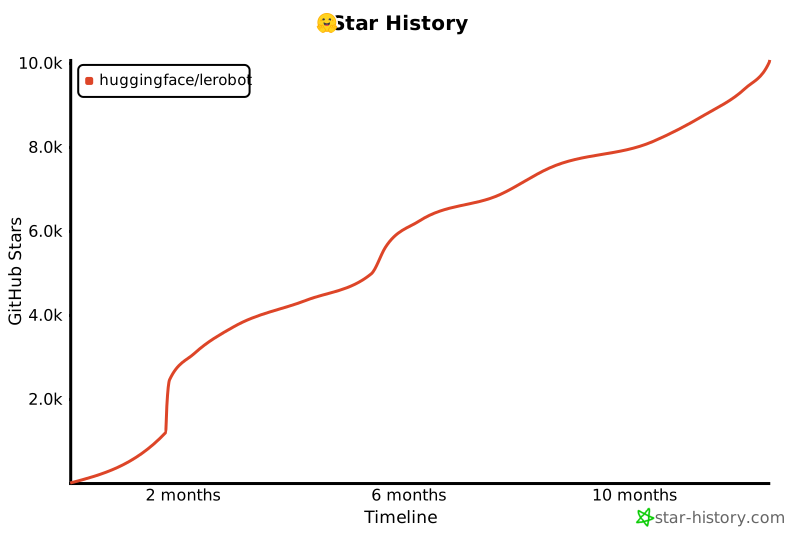](https://star-history.com/#huggingface/lerobot&Timeline)
|
||||
|
||||
@@ -51,7 +51,7 @@ For a comprehensive list and documentation of these parameters, see the ffmpeg d
|
||||
### Decoding parameters
|
||||
**Decoder**
|
||||
We tested two video decoding backends from torchvision:
|
||||
- `pyav`
|
||||
- `pyav` (default)
|
||||
- `video_reader` (requires to build torchvision from source)
|
||||
|
||||
**Requested timestamps**
|
||||
@@ -114,7 +114,7 @@ We tried to measure the most impactful parameters for both encoding and decoding
|
||||
|
||||
Additional encoding parameters exist that are not included in this benchmark. In particular:
|
||||
- `-preset` which allows for selecting encoding presets. This represents a collection of options that will provide a certain encoding speed to compression ratio. By leaving this parameter unspecified, it is considered to be `medium` for libx264 and libx265 and `8` for libsvtav1.
|
||||
- `-tune` which allows to optimize the encoding for certain aspects (e.g. film quality, fast decoding, etc.).
|
||||
- `-tune` which allows to optimize the encoding for certains aspects (e.g. film quality, fast decoding, etc.).
|
||||
|
||||
See the documentation mentioned above for more detailed info on these settings and for a more comprehensive list of other parameters.
|
||||
|
||||
|
||||
@@ -17,21 +17,12 @@
|
||||
|
||||
import argparse
|
||||
import datetime as dt
|
||||
import os
|
||||
import time
|
||||
from pathlib import Path
|
||||
|
||||
import cv2
|
||||
import rerun as rr
|
||||
|
||||
# see https://rerun.io/docs/howto/visualization/limit-ram
|
||||
RERUN_MEMORY_LIMIT = os.getenv("LEROBOT_RERUN_MEMORY_LIMIT", "5%")
|
||||
|
||||
|
||||
def display_and_save_video_stream(output_dir: Path, fps: int, width: int, height: int, duration: int):
|
||||
rr.init("lerobot_capture_camera_feed")
|
||||
rr.spawn(memory_limit=RERUN_MEMORY_LIMIT)
|
||||
|
||||
def display_and_save_video_stream(output_dir: Path, fps: int, width: int, height: int):
|
||||
now = dt.datetime.now()
|
||||
capture_dir = output_dir / f"{now:%Y-%m-%d}" / f"{now:%H-%M-%S}"
|
||||
if not capture_dir.exists():
|
||||
@@ -48,21 +39,24 @@ def display_and_save_video_stream(output_dir: Path, fps: int, width: int, height
|
||||
cap.set(cv2.CAP_PROP_FRAME_HEIGHT, height)
|
||||
|
||||
frame_index = 0
|
||||
start_time = time.time()
|
||||
while time.time() - start_time < duration:
|
||||
while True:
|
||||
ret, frame = cap.read()
|
||||
|
||||
if not ret:
|
||||
print("Error: Could not read frame.")
|
||||
break
|
||||
rr.log("video/stream", rr.Image(frame.numpy()), static=True)
|
||||
|
||||
cv2.imshow("Video Stream", frame)
|
||||
cv2.imwrite(str(capture_dir / f"frame_{frame_index:06d}.png"), frame)
|
||||
frame_index += 1
|
||||
|
||||
# Release the capture
|
||||
cap.release()
|
||||
# Break the loop on 'q' key press
|
||||
if cv2.waitKey(1) & 0xFF == ord("q"):
|
||||
break
|
||||
|
||||
# TODO(Steven): Add a graceful shutdown via a close() method for the Viewer context, though not currently supported in the Rerun API.
|
||||
# Release the capture and destroy all windows
|
||||
cap.release()
|
||||
cv2.destroyAllWindows()
|
||||
|
||||
|
||||
if __name__ == "__main__":
|
||||
@@ -92,11 +86,5 @@ if __name__ == "__main__":
|
||||
default=720,
|
||||
help="Height of the captured images.",
|
||||
)
|
||||
parser.add_argument(
|
||||
"--duration",
|
||||
type=int,
|
||||
default=20,
|
||||
help="Duration in seconds for which the video stream should be captured.",
|
||||
)
|
||||
args = parser.parse_args()
|
||||
display_and_save_video_stream(**vars(args))
|
||||
|
||||
@@ -32,7 +32,11 @@ import numpy as np
|
||||
import pandas as pd
|
||||
import PIL
|
||||
import torch
|
||||
from skimage.metrics import mean_squared_error, peak_signal_noise_ratio, structural_similarity
|
||||
from skimage.metrics import (
|
||||
mean_squared_error,
|
||||
peak_signal_noise_ratio,
|
||||
structural_similarity,
|
||||
)
|
||||
from tqdm import tqdm
|
||||
|
||||
from lerobot.common.datasets.lerobot_dataset import LeRobotDataset
|
||||
@@ -67,7 +71,7 @@ def parse_int_or_none(value) -> int | None:
|
||||
def check_datasets_formats(repo_ids: list) -> None:
|
||||
for repo_id in repo_ids:
|
||||
dataset = LeRobotDataset(repo_id)
|
||||
if len(dataset.meta.video_keys) > 0:
|
||||
if dataset.video:
|
||||
raise ValueError(
|
||||
f"Use only image dataset for running this benchmark. Video dataset provided: {repo_id}"
|
||||
)
|
||||
@@ -81,7 +85,9 @@ def get_directory_size(directory: Path) -> int:
|
||||
return total_size
|
||||
|
||||
|
||||
def load_original_frames(imgs_dir: Path, timestamps: list[float], fps: int) -> torch.Tensor:
|
||||
def load_original_frames(
|
||||
imgs_dir: Path, timestamps: list[float], fps: int
|
||||
) -> torch.Tensor:
|
||||
frames = []
|
||||
for ts in timestamps:
|
||||
idx = int(ts * fps)
|
||||
@@ -94,7 +100,11 @@ def load_original_frames(imgs_dir: Path, timestamps: list[float], fps: int) -> t
|
||||
|
||||
|
||||
def save_decoded_frames(
|
||||
imgs_dir: Path, save_dir: Path, frames: torch.Tensor, timestamps: list[float], fps: int
|
||||
imgs_dir: Path,
|
||||
save_dir: Path,
|
||||
frames: torch.Tensor,
|
||||
timestamps: list[float],
|
||||
fps: int,
|
||||
) -> None:
|
||||
if save_dir.exists() and len(list(save_dir.glob("frame_*.png"))) == len(timestamps):
|
||||
return
|
||||
@@ -104,7 +114,10 @@ def save_decoded_frames(
|
||||
idx = int(ts * fps)
|
||||
frame_hwc = (frames[i].permute((1, 2, 0)) * 255).type(torch.uint8).cpu().numpy()
|
||||
PIL.Image.fromarray(frame_hwc).save(save_dir / f"frame_{idx:06d}_decoded.png")
|
||||
shutil.copyfile(imgs_dir / f"frame_{idx:06d}.png", save_dir / f"frame_{idx:06d}_original.png")
|
||||
shutil.copyfile(
|
||||
imgs_dir / f"frame_{idx:06d}.png",
|
||||
save_dir / f"frame_{idx:06d}_original.png",
|
||||
)
|
||||
|
||||
|
||||
def save_first_episode(imgs_dir: Path, dataset: LeRobotDataset) -> None:
|
||||
@@ -116,11 +129,17 @@ def save_first_episode(imgs_dir: Path, dataset: LeRobotDataset) -> None:
|
||||
hf_dataset = dataset.hf_dataset.with_format(None)
|
||||
|
||||
# We only save images from the first camera
|
||||
img_keys = [key for key in hf_dataset.features if key.startswith("observation.image")]
|
||||
img_keys = [
|
||||
key for key in hf_dataset.features if key.startswith("observation.image")
|
||||
]
|
||||
imgs_dataset = hf_dataset.select_columns(img_keys[0])
|
||||
|
||||
for i, item in enumerate(
|
||||
tqdm(imgs_dataset, desc=f"saving {dataset.repo_id} first episode images", leave=False)
|
||||
tqdm(
|
||||
imgs_dataset,
|
||||
desc=f"saving {dataset.repo_id} first episode images",
|
||||
leave=False,
|
||||
)
|
||||
):
|
||||
img = item[img_keys[0]]
|
||||
img.save(str(imgs_dir / f"frame_{i:06d}.png"), quality=100)
|
||||
@@ -129,7 +148,9 @@ def save_first_episode(imgs_dir: Path, dataset: LeRobotDataset) -> None:
|
||||
break
|
||||
|
||||
|
||||
def sample_timestamps(timestamps_mode: str, ep_num_images: int, fps: int) -> list[float]:
|
||||
def sample_timestamps(
|
||||
timestamps_mode: str, ep_num_images: int, fps: int
|
||||
) -> list[float]:
|
||||
# Start at 5 to allow for 2_frames_4_space and 6_frames
|
||||
idx = random.randint(5, ep_num_images - 1)
|
||||
match timestamps_mode:
|
||||
@@ -154,7 +175,9 @@ def decode_video_frames(
|
||||
backend: str,
|
||||
) -> torch.Tensor:
|
||||
if backend in ["pyav", "video_reader"]:
|
||||
return decode_video_frames_torchvision(video_path, timestamps, tolerance_s, backend)
|
||||
return decode_video_frames_torchvision(
|
||||
video_path, timestamps, tolerance_s, backend
|
||||
)
|
||||
else:
|
||||
raise NotImplementedError(backend)
|
||||
|
||||
@@ -181,7 +204,9 @@ def benchmark_decoding(
|
||||
}
|
||||
|
||||
with time_benchmark:
|
||||
frames = decode_video_frames(video_path, timestamps=timestamps, tolerance_s=5e-1, backend=backend)
|
||||
frames = decode_video_frames(
|
||||
video_path, timestamps=timestamps, tolerance_s=5e-1, backend=backend
|
||||
)
|
||||
result["load_time_video_ms"] = time_benchmark.result_ms / num_frames
|
||||
|
||||
with time_benchmark:
|
||||
@@ -190,12 +215,18 @@ def benchmark_decoding(
|
||||
|
||||
frames_np, original_frames_np = frames.numpy(), original_frames.numpy()
|
||||
for i in range(num_frames):
|
||||
result["mse_values"].append(mean_squared_error(original_frames_np[i], frames_np[i]))
|
||||
result["mse_values"].append(
|
||||
mean_squared_error(original_frames_np[i], frames_np[i])
|
||||
)
|
||||
result["psnr_values"].append(
|
||||
peak_signal_noise_ratio(original_frames_np[i], frames_np[i], data_range=1.0)
|
||||
peak_signal_noise_ratio(
|
||||
original_frames_np[i], frames_np[i], data_range=1.0
|
||||
)
|
||||
)
|
||||
result["ssim_values"].append(
|
||||
structural_similarity(original_frames_np[i], frames_np[i], data_range=1.0, channel_axis=0)
|
||||
structural_similarity(
|
||||
original_frames_np[i], frames_np[i], data_range=1.0, channel_axis=0
|
||||
)
|
||||
)
|
||||
|
||||
if save_frames and sample == 0:
|
||||
@@ -215,7 +246,9 @@ def benchmark_decoding(
|
||||
# As these samples are independent, we run them in parallel threads to speed up the benchmark.
|
||||
with ThreadPoolExecutor(max_workers=num_workers) as executor:
|
||||
futures = [executor.submit(process_sample, i) for i in range(num_samples)]
|
||||
for future in tqdm(as_completed(futures), total=num_samples, desc="samples", leave=False):
|
||||
for future in tqdm(
|
||||
as_completed(futures), total=num_samples, desc="samples", leave=False
|
||||
):
|
||||
result = future.result()
|
||||
load_times_video_ms.append(result["load_time_video_ms"])
|
||||
load_times_images_ms.append(result["load_time_images_ms"])
|
||||
@@ -275,9 +308,13 @@ def benchmark_encoding_decoding(
|
||||
random.seed(seed)
|
||||
benchmark_table = []
|
||||
for timestamps_mode in tqdm(
|
||||
decoding_cfg["timestamps_modes"], desc="decodings (timestamps_modes)", leave=False
|
||||
decoding_cfg["timestamps_modes"],
|
||||
desc="decodings (timestamps_modes)",
|
||||
leave=False,
|
||||
):
|
||||
for backend in tqdm(decoding_cfg["backends"], desc="decodings (backends)", leave=False):
|
||||
for backend in tqdm(
|
||||
decoding_cfg["backends"], desc="decodings (backends)", leave=False
|
||||
):
|
||||
benchmark_row = benchmark_decoding(
|
||||
imgs_dir,
|
||||
video_path,
|
||||
@@ -355,14 +392,23 @@ def main(
|
||||
imgs_dir = output_dir / "images" / dataset.repo_id.replace("/", "_")
|
||||
# We only use the first episode
|
||||
save_first_episode(imgs_dir, dataset)
|
||||
for key, values in tqdm(encoding_benchmarks.items(), desc="encodings (g, crf)", leave=False):
|
||||
for key, values in tqdm(
|
||||
encoding_benchmarks.items(), desc="encodings (g, crf)", leave=False
|
||||
):
|
||||
for value in tqdm(values, desc=f"encodings ({key})", leave=False):
|
||||
encoding_cfg = BASE_ENCODING.copy()
|
||||
encoding_cfg["vcodec"] = video_codec
|
||||
encoding_cfg["pix_fmt"] = pixel_format
|
||||
encoding_cfg[key] = value
|
||||
args_path = Path("_".join(str(value) for value in encoding_cfg.values()))
|
||||
video_path = output_dir / "videos" / args_path / f"{repo_id.replace('/', '_')}.mp4"
|
||||
args_path = Path(
|
||||
"_".join(str(value) for value in encoding_cfg.values())
|
||||
)
|
||||
video_path = (
|
||||
output_dir
|
||||
/ "videos"
|
||||
/ args_path
|
||||
/ f"{repo_id.replace('/', '_')}.mp4"
|
||||
)
|
||||
benchmark_table += benchmark_encoding_decoding(
|
||||
dataset,
|
||||
video_path,
|
||||
@@ -388,7 +434,9 @@ def main(
|
||||
# Concatenate all results
|
||||
df_list = [pd.read_csv(csv_path) for csv_path in file_paths]
|
||||
concatenated_df = pd.concat(df_list, ignore_index=True)
|
||||
concatenated_path = output_dir / f"{now:%Y-%m-%d}_{now:%H-%M-%S}_all_{num_samples}-samples.csv"
|
||||
concatenated_path = (
|
||||
output_dir / f"{now:%Y-%m-%d}_{now:%H-%M-%S}_all_{num_samples}-samples.csv"
|
||||
)
|
||||
concatenated_df.to_csv(concatenated_path, header=True, index=False)
|
||||
|
||||
|
||||
@@ -416,7 +464,7 @@ if __name__ == "__main__":
|
||||
"--vcodec",
|
||||
type=str,
|
||||
nargs="*",
|
||||
default=["libx264", "hevc", "libsvtav1"],
|
||||
default=["libx264", "libx265", "libsvtav1"],
|
||||
help="Video codecs to be tested",
|
||||
)
|
||||
parser.add_argument(
|
||||
@@ -446,7 +494,7 @@ if __name__ == "__main__":
|
||||
# nargs="*",
|
||||
# default=[0, 1],
|
||||
# help="Use the fastdecode tuning option. 0 disables it. "
|
||||
# "For libx264 and libx265/hevc, only 1 is possible. "
|
||||
# "For libx264 and libx265, only 1 is possible. "
|
||||
# "For libsvtav1, 1, 2 or 3 are possible values with a higher number meaning a faster decoding optimization",
|
||||
# )
|
||||
parser.add_argument(
|
||||
|
||||
18
checkport.py
Normal file
18
checkport.py
Normal file
@@ -0,0 +1,18 @@
|
||||
import socket
|
||||
|
||||
|
||||
def check_port(host, port):
|
||||
s = socket.socket(socket.AF_INET, socket.SOCK_STREAM)
|
||||
try:
|
||||
s.connect((host, port))
|
||||
print(f"Connection successful to {host}:{port}!")
|
||||
except Exception as e:
|
||||
print(f"Connection failed to {host}:{port}: {e}")
|
||||
finally:
|
||||
s.close()
|
||||
|
||||
|
||||
if __name__ == "__main__":
|
||||
host = "127.0.0.1" # or "localhost"
|
||||
port = 51350
|
||||
check_port(host, port)
|
||||
@@ -1,29 +1,32 @@
|
||||
# Configure image
|
||||
ARG PYTHON_VERSION=3.10
|
||||
|
||||
FROM python:${PYTHON_VERSION}-slim
|
||||
|
||||
# Configure environment variables
|
||||
ARG PYTHON_VERSION
|
||||
ENV DEBIAN_FRONTEND=noninteractive
|
||||
ENV MUJOCO_GL="egl"
|
||||
ENV PATH="/opt/venv/bin:$PATH"
|
||||
ARG DEBIAN_FRONTEND=noninteractive
|
||||
|
||||
# Install dependencies and set up Python in a single layer
|
||||
# Install apt dependencies
|
||||
RUN apt-get update && apt-get install -y --no-install-recommends \
|
||||
build-essential cmake git \
|
||||
build-essential cmake \
|
||||
libglib2.0-0 libgl1-mesa-glx libegl1-mesa ffmpeg \
|
||||
speech-dispatcher libgeos-dev \
|
||||
&& ln -s /usr/bin/python${PYTHON_VERSION} /usr/bin/python \
|
||||
&& python -m venv /opt/venv \
|
||||
&& apt-get clean && rm -rf /var/lib/apt/lists/* \
|
||||
&& echo "source /opt/venv/bin/activate" >> /root/.bashrc
|
||||
speech-dispatcher \
|
||||
&& apt-get clean && rm -rf /var/lib/apt/lists/*
|
||||
|
||||
# Clone repository and install LeRobot in a single layer
|
||||
# Create virtual environment
|
||||
RUN ln -s /usr/bin/python${PYTHON_VERSION} /usr/bin/python
|
||||
RUN python -m venv /opt/venv
|
||||
ENV PATH="/opt/venv/bin:$PATH"
|
||||
RUN echo "source /opt/venv/bin/activate" >> /root/.bashrc
|
||||
|
||||
# Install LeRobot
|
||||
COPY . /lerobot
|
||||
WORKDIR /lerobot
|
||||
RUN /opt/venv/bin/pip install --upgrade --no-cache-dir pip \
|
||||
&& /opt/venv/bin/pip install --no-cache-dir ".[test, aloha, xarm, pusht, dynamixel]" \
|
||||
--extra-index-url https://download.pytorch.org/whl/cpu
|
||||
RUN pip install --upgrade --no-cache-dir pip
|
||||
RUN pip install --no-cache-dir ".[test, aloha, xarm, pusht, dynamixel]" \
|
||||
--extra-index-url https://download.pytorch.org/whl/cpu
|
||||
|
||||
# Set EGL as the rendering backend for MuJoCo
|
||||
ENV MUJOCO_GL="egl"
|
||||
|
||||
# Execute in bash shell rather than python
|
||||
CMD ["/bin/bash"]
|
||||
|
||||
@@ -13,8 +13,8 @@ RUN apt-get update && apt-get install -y --no-install-recommends \
|
||||
sed gawk grep curl wget zip unzip \
|
||||
tcpdump sysstat screen tmux \
|
||||
libglib2.0-0 libgl1-mesa-glx libegl1-mesa \
|
||||
speech-dispatcher portaudio19-dev libgeos-dev \
|
||||
python${PYTHON_VERSION} python${PYTHON_VERSION}-venv python${PYTHON_VERSION}-dev \
|
||||
speech-dispatcher \
|
||||
python${PYTHON_VERSION} python${PYTHON_VERSION}-venv \
|
||||
&& apt-get clean && rm -rf /var/lib/apt/lists/*
|
||||
|
||||
# Install ffmpeg build dependencies. See:
|
||||
|
||||
11
docker/lerobot-gpu-mani-skill/Dockerfile
Normal file
11
docker/lerobot-gpu-mani-skill/Dockerfile
Normal file
@@ -0,0 +1,11 @@
|
||||
FROM huggingface/lerobot-gpu:latest
|
||||
|
||||
RUN apt-get update && apt-get install -y --no-install-recommends \
|
||||
libvulkan1 vulkan-tools \
|
||||
&& apt-get clean && rm -rf /var/lib/apt/lists/*
|
||||
|
||||
RUN pip install --upgrade --no-cache-dir pip
|
||||
RUN pip install --no-cache-dir ".[mani-skill]"
|
||||
|
||||
# Set EGL as the rendering backend for MuJoCo
|
||||
ENV MUJOCO_GL="egl"
|
||||
@@ -1,24 +1,30 @@
|
||||
FROM nvidia/cuda:12.4.1-base-ubuntu22.04
|
||||
|
||||
# Configure environment variables
|
||||
# Configure image
|
||||
ARG PYTHON_VERSION=3.10
|
||||
ENV DEBIAN_FRONTEND=noninteractive
|
||||
ENV MUJOCO_GL="egl"
|
||||
ENV PATH="/opt/venv/bin:$PATH"
|
||||
ARG DEBIAN_FRONTEND=noninteractive
|
||||
|
||||
# Install dependencies and set up Python in a single layer
|
||||
|
||||
# Install apt dependencies
|
||||
RUN apt-get update && apt-get install -y --no-install-recommends \
|
||||
build-essential cmake git \
|
||||
build-essential cmake \
|
||||
libglib2.0-0 libgl1-mesa-glx libegl1-mesa ffmpeg \
|
||||
speech-dispatcher libgeos-dev \
|
||||
speech-dispatcher \
|
||||
python${PYTHON_VERSION}-dev python${PYTHON_VERSION}-venv \
|
||||
&& ln -s /usr/bin/python${PYTHON_VERSION} /usr/bin/python \
|
||||
&& python -m venv /opt/venv \
|
||||
&& apt-get clean && rm -rf /var/lib/apt/lists/* \
|
||||
&& echo "source /opt/venv/bin/activate" >> /root/.bashrc
|
||||
&& apt-get clean && rm -rf /var/lib/apt/lists/*
|
||||
|
||||
# Clone repository and install LeRobot in a single layer
|
||||
|
||||
# Create virtual environment
|
||||
RUN ln -s /usr/bin/python${PYTHON_VERSION} /usr/bin/python
|
||||
RUN python -m venv /opt/venv
|
||||
ENV PATH="/opt/venv/bin:$PATH"
|
||||
RUN echo "source /opt/venv/bin/activate" >> /root/.bashrc
|
||||
|
||||
# Install LeRobot
|
||||
COPY . /lerobot
|
||||
WORKDIR /lerobot
|
||||
RUN /opt/venv/bin/pip install --upgrade --no-cache-dir pip \
|
||||
&& /opt/venv/bin/pip install --no-cache-dir ".[test, aloha, xarm, pusht, dynamixel]"
|
||||
RUN pip install --upgrade --no-cache-dir pip
|
||||
RUN pip install --no-cache-dir ".[test, aloha, xarm, pusht, dynamixel]"
|
||||
|
||||
# Set EGL as the rendering backend for MuJoCo
|
||||
ENV MUJOCO_GL="egl"
|
||||
|
||||
137
docs/README.md
137
docs/README.md
@@ -1,137 +0,0 @@
|
||||
<!---
|
||||
Copyright 2020 The HuggingFace Team. All rights reserved.
|
||||
|
||||
Licensed under the Apache License, Version 2.0 (the "License");
|
||||
you may not use this file except in compliance with the License.
|
||||
You may obtain a copy of the License at
|
||||
|
||||
http://www.apache.org/licenses/LICENSE-2.0
|
||||
|
||||
Unless required by applicable law or agreed to in writing, software
|
||||
distributed under the License is distributed on an "AS IS" BASIS,
|
||||
WITHOUT WARRANTIES OR CONDITIONS OF ANY KIND, either express or implied.
|
||||
See the License for the specific language governing permissions and
|
||||
limitations under the License.
|
||||
-->
|
||||
|
||||
# Generating the documentation
|
||||
|
||||
To generate the documentation, you first have to build it. Several packages are necessary to build the doc,
|
||||
you can install them with the following command, at the root of the code repository:
|
||||
|
||||
```bash
|
||||
pip install -e ".[docs]"
|
||||
```
|
||||
|
||||
You will also need `nodejs`. Please refer to their [installation page](https://nodejs.org/en/download)
|
||||
|
||||
---
|
||||
**NOTE**
|
||||
|
||||
You only need to generate the documentation to inspect it locally (if you're planning changes and want to
|
||||
check how they look before committing for instance). You don't have to `git commit` the built documentation.
|
||||
|
||||
---
|
||||
|
||||
## Building the documentation
|
||||
|
||||
Once you have setup the `doc-builder` and additional packages, you can generate the documentation by
|
||||
typing the following command:
|
||||
|
||||
```bash
|
||||
doc-builder build lerobot docs/source/ --build_dir ~/tmp/test-build
|
||||
```
|
||||
|
||||
You can adapt the `--build_dir` to set any temporary folder that you prefer. This command will create it and generate
|
||||
the MDX files that will be rendered as the documentation on the main website. You can inspect them in your favorite
|
||||
Markdown editor.
|
||||
|
||||
## Previewing the documentation
|
||||
|
||||
To preview the docs, first install the `watchdog` module with:
|
||||
|
||||
```bash
|
||||
pip install watchdog
|
||||
```
|
||||
|
||||
Then run the following command:
|
||||
|
||||
```bash
|
||||
doc-builder preview lerobot docs/source/
|
||||
```
|
||||
|
||||
The docs will be viewable at [http://localhost:3000](http://localhost:3000). You can also preview the docs once you have opened a PR. You will see a bot add a comment to a link where the documentation with your changes lives.
|
||||
|
||||
---
|
||||
**NOTE**
|
||||
|
||||
The `preview` command only works with existing doc files. When you add a completely new file, you need to update `_toctree.yml` & restart `preview` command (`ctrl-c` to stop it & call `doc-builder preview ...` again).
|
||||
|
||||
---
|
||||
|
||||
## Adding a new element to the navigation bar
|
||||
|
||||
Accepted files are Markdown (.md).
|
||||
|
||||
Create a file with its extension and put it in the source directory. You can then link it to the toc-tree by putting
|
||||
the filename without the extension in the [`_toctree.yml`](https://github.com/huggingface/lerobot/blob/main/docs/source/_toctree.yml) file.
|
||||
|
||||
## Renaming section headers and moving sections
|
||||
|
||||
It helps to keep the old links working when renaming the section header and/or moving sections from one document to another. This is because the old links are likely to be used in Issues, Forums, and Social media and it'd make for a much more superior user experience if users reading those months later could still easily navigate to the originally intended information.
|
||||
|
||||
Therefore, we simply keep a little map of moved sections at the end of the document where the original section was. The key is to preserve the original anchor.
|
||||
|
||||
So if you renamed a section from: "Section A" to "Section B", then you can add at the end of the file:
|
||||
|
||||
```
|
||||
Sections that were moved:
|
||||
|
||||
[ <a href="#section-b">Section A</a><a id="section-a"></a> ]
|
||||
```
|
||||
and of course, if you moved it to another file, then:
|
||||
|
||||
```
|
||||
Sections that were moved:
|
||||
|
||||
[ <a href="../new-file#section-b">Section A</a><a id="section-a"></a> ]
|
||||
```
|
||||
|
||||
Use the relative style to link to the new file so that the versioned docs continue to work.
|
||||
|
||||
For an example of a rich moved sections set please see the very end of [the transformers Trainer doc](https://github.com/huggingface/transformers/blob/main/docs/source/en/main_classes/trainer.md).
|
||||
|
||||
### Adding a new tutorial
|
||||
|
||||
Adding a new tutorial or section is done in two steps:
|
||||
|
||||
- Add a new file under `./source`. This file can either be ReStructuredText (.rst) or Markdown (.md).
|
||||
- Link that file in `./source/_toctree.yml` on the correct toc-tree.
|
||||
|
||||
Make sure to put your new file under the proper section. If you have a doubt, feel free to ask in a Github Issue or PR.
|
||||
|
||||
### Writing source documentation
|
||||
|
||||
Values that should be put in `code` should either be surrounded by backticks: \`like so\`. Note that argument names
|
||||
and objects like True, None or any strings should usually be put in `code`.
|
||||
|
||||
#### Writing a multi-line code block
|
||||
|
||||
Multi-line code blocks can be useful for displaying examples. They are done between two lines of three backticks as usual in Markdown:
|
||||
|
||||
|
||||
````
|
||||
```
|
||||
# first line of code
|
||||
# second line
|
||||
# etc
|
||||
```
|
||||
````
|
||||
|
||||
#### Adding an image
|
||||
|
||||
Due to the rapidly growing repository, it is important to make sure that no files that would significantly weigh down the repository are added. This includes images, videos, and other non-text files. We prefer to leverage a hf.co hosted `dataset` like
|
||||
the ones hosted on [`hf-internal-testing`](https://huggingface.co/hf-internal-testing) in which to place these files and reference
|
||||
them by URL. We recommend putting them in the following dataset: [huggingface/documentation-images](https://huggingface.co/datasets/huggingface/documentation-images).
|
||||
If an external contribution, feel free to add the images to your PR and ask a Hugging Face member to migrate your images
|
||||
to this dataset.
|
||||
@@ -1,12 +0,0 @@
|
||||
- sections:
|
||||
- local: index
|
||||
title: LeRobot
|
||||
- local: installation
|
||||
title: Installation
|
||||
title: Get started
|
||||
- sections:
|
||||
- local: assemble_so101
|
||||
title: Assemble SO-101
|
||||
- local: getting_started_real_world_robot
|
||||
title: Getting Started with Real-World Robots
|
||||
title: "Tutorials"
|
||||
@@ -1,348 +0,0 @@
|
||||
# Assemble SO-101
|
||||
|
||||
In the steps below we explain how to assemble our flagship robot, the SO-101.
|
||||
|
||||
## Source the parts
|
||||
|
||||
Follow this [README](https://github.com/TheRobotStudio/SO-ARM100). It contains the bill of materials, with a link to source the parts, as well as the instructions to 3D print the parts,
|
||||
and advice if it's your first time printing or if you don't own a 3D printer.
|
||||
|
||||
Before assembling, you will first need to configure your motors. To this end, we provide a nice script, so let's first install LeRobot. After configuration, we will also guide you through assembly.
|
||||
|
||||
## Install LeRobot
|
||||
|
||||
To install LeRobot follow our [Installation Guide](./installation)
|
||||
|
||||
## Configure motors
|
||||
|
||||
To configure the motors designate one bus servo adapter and 6 motors for your leader arm, and similarly the other bus servo adapter and 6 motors for the follower arm. It's convenient to label them and write on each motor if it's for the follower `F` or for the leader `L` and it's ID from 1 to 6.
|
||||
|
||||
You now should plug the 5V or 12V power supply to the motor bus. 5V for the STS3215 7.4V motors and 12V for the STS3215 12V motors. Note that the leader arm always uses the 7.4V motors, so watch out that you plug in the right power supply if you have 12V and 7.4V motors, otherwise you might burn your motors! Now, connect the motor bus to your computer via USB. Note that the USB doesn't provide any power, and both the power supply and USB have to be plugged in.
|
||||
|
||||
### Find the USB ports associated to each arm
|
||||
|
||||
To find the port for each bus servo adapter, run this script:
|
||||
```bash
|
||||
python lerobot/scripts/find_motors_bus_port.py
|
||||
```
|
||||
##### Example outputs of script
|
||||
|
||||
<hfoptions id="example">
|
||||
<hfoption id="Mac">
|
||||
|
||||
Example output leader arm's port: `/dev/tty.usbmodem575E0031751`
|
||||
|
||||
```bash
|
||||
Finding all available ports for the MotorBus.
|
||||
['/dev/tty.usbmodem575E0032081', '/dev/tty.usbmodem575E0031751']
|
||||
Remove the usb cable from your MotorsBus and press Enter when done.
|
||||
|
||||
[...Disconnect leader arm and press Enter...]
|
||||
|
||||
The port of this MotorsBus is /dev/tty.usbmodem575E0031751
|
||||
Reconnect the usb cable.
|
||||
```
|
||||
|
||||
Example output follower arm port: `/dev/tty.usbmodem575E0032081`
|
||||
|
||||
```
|
||||
Finding all available ports for the MotorBus.
|
||||
['/dev/tty.usbmodem575E0032081', '/dev/tty.usbmodem575E0031751']
|
||||
Remove the usb cable from your MotorsBus and press Enter when done.
|
||||
|
||||
[...Disconnect follower arm and press Enter...]
|
||||
|
||||
The port of this MotorsBus is /dev/tty.usbmodem575E0032081
|
||||
Reconnect the usb cable.
|
||||
```
|
||||
|
||||
</hfoption>
|
||||
<hfoption id="Linux">
|
||||
|
||||
On Linux, you might need to give access to the USB ports by running:
|
||||
```bash
|
||||
sudo chmod 666 /dev/ttyACM0
|
||||
sudo chmod 666 /dev/ttyACM1
|
||||
```
|
||||
|
||||
Example output leader arm port: `/dev/ttyACM0`
|
||||
|
||||
```bash
|
||||
Finding all available ports for the MotorBus.
|
||||
['/dev/ttyACM0', '/dev/ttyACM1']
|
||||
Remove the usb cable from your MotorsBus and press Enter when done.
|
||||
|
||||
[...Disconnect leader arm and press Enter...]
|
||||
|
||||
The port of this MotorsBus is /dev/ttyACM0
|
||||
Reconnect the usb cable.
|
||||
```
|
||||
|
||||
Example output follower arm port: `/dev/ttyACM1`
|
||||
|
||||
```
|
||||
Finding all available ports for the MotorBus.
|
||||
['/dev/ttyACM0', '/dev/ttyACM1']
|
||||
Remove the usb cable from your MotorsBus and press Enter when done.
|
||||
|
||||
[...Disconnect follower arm and press Enter...]
|
||||
|
||||
The port of this MotorsBus is /dev/ttyACM1
|
||||
Reconnect the usb cable.
|
||||
```
|
||||
</hfoption>
|
||||
</hfoptions>
|
||||
|
||||
#### Update config file
|
||||
|
||||
Now that you have your ports, update the **port** default values of [`SO101RobotConfig`](https://github.com/huggingface/lerobot/blob/main/lerobot/common/robot_devices/robots/configs.py).
|
||||
You will find a class called `so101` where you can update the `port` values with your actual motor ports:
|
||||
```diff
|
||||
@RobotConfig.register_subclass("so101")
|
||||
@dataclass
|
||||
class So101RobotConfig(ManipulatorRobotConfig):
|
||||
calibration_dir: str = ".cache/calibration/so101"
|
||||
# `max_relative_target` limits the magnitude of the relative positional target vector for safety purposes.
|
||||
# Set this to a positive scalar to have the same value for all motors, or a list that is the same length as
|
||||
# the number of motors in your follower arms.
|
||||
max_relative_target: int | None = None
|
||||
|
||||
leader_arms: dict[str, MotorsBusConfig] = field(
|
||||
default_factory=lambda: {
|
||||
"main": FeetechMotorsBusConfig(
|
||||
- port="/dev/tty.usbmodem58760431091",
|
||||
+ port="{ADD YOUR LEADER PORT}",
|
||||
motors={
|
||||
# name: (index, model)
|
||||
"shoulder_pan": [1, "sts3215"],
|
||||
"shoulder_lift": [2, "sts3215"],
|
||||
"elbow_flex": [3, "sts3215"],
|
||||
"wrist_flex": [4, "sts3215"],
|
||||
"wrist_roll": [5, "sts3215"],
|
||||
"gripper": [6, "sts3215"],
|
||||
},
|
||||
),
|
||||
}
|
||||
)
|
||||
|
||||
follower_arms: dict[str, MotorsBusConfig] = field(
|
||||
default_factory=lambda: {
|
||||
"main": FeetechMotorsBusConfig(
|
||||
- port="/dev/tty.usbmodem585A0076891",
|
||||
+ port="{ADD YOUR FOLLOWER PORT}",
|
||||
motors={
|
||||
# name: (index, model)
|
||||
"shoulder_pan": [1, "sts3215"],
|
||||
"shoulder_lift": [2, "sts3215"],
|
||||
"elbow_flex": [3, "sts3215"],
|
||||
"wrist_flex": [4, "sts3215"],
|
||||
"wrist_roll": [5, "sts3215"],
|
||||
"gripper": [6, "sts3215"],
|
||||
},
|
||||
),
|
||||
}
|
||||
)
|
||||
```
|
||||
|
||||
Here is a video of the process:
|
||||
<div class="video-container">
|
||||
<video controls width="600">
|
||||
<source src="https://huggingface.co/datasets/huggingface/documentation-images/resolve/main/lerobot/lerobot-find-motorbus.mp4" type="video/mp4" />
|
||||
</video>
|
||||
</div>
|
||||
|
||||
## Step-by-Step Assembly Instructions
|
||||
|
||||
The follower arm uses 6x STS3215 motors with 1/345 gearing. The leader however uses three differently geared motors to make sure it can both sustain its own weight and it can be moved without requiring much force. Which motor is needed for which joint is shown in table below.
|
||||
|
||||
| Leader-Arm Axis | Motor | Gear Ratio |
|
||||
|-----------------|:-------:|:----------:|
|
||||
| Base / Shoulder Yaw | 1 | 1 / 191 |
|
||||
| Shoulder Pitch | 2 | 1 / 345 |
|
||||
| Elbow | 3 | 1 / 191 |
|
||||
| Wrist Roll | 4 | 1 / 147 |
|
||||
| Wrist Pitch | 5 | 1 / 147 |
|
||||
| Gripper | 6 | 1 / 147 |
|
||||
|
||||
### Set motor IDs
|
||||
|
||||
Plug your motor in one of the two ports of the motor bus and run this script to set its ID to 1. Replace the text after --port to the corresponding control board port.
|
||||
```bash
|
||||
python lerobot/scripts/configure_motor.py \
|
||||
--port /dev/tty.usbmodem58760432961 \
|
||||
--brand feetech \
|
||||
--model sts3215 \
|
||||
--baudrate 1000000 \
|
||||
--ID 1
|
||||
```
|
||||
|
||||
Then unplug your motor and plug the second motor and set its ID to 2.
|
||||
```bash
|
||||
python lerobot/scripts/configure_motor.py \
|
||||
--port /dev/tty.usbmodem58760432961 \
|
||||
--brand feetech \
|
||||
--model sts3215 \
|
||||
--baudrate 1000000 \
|
||||
--ID 2
|
||||
```
|
||||
|
||||
Redo this process for all your motors until ID 6. Do the same for the 6 motors of the leader arm, but make sure to change the power supply if you use motors with different voltage and make sure you give the right ID to the right motor according to the table above.
|
||||
|
||||
Here is a video of the process:
|
||||
<div class="video-container">
|
||||
<video controls width="600">
|
||||
<source src="https://huggingface.co/datasets/huggingface/documentation-images/resolve/main/lerobot/lerobot-configure-motor.mp4" type="video/mp4" />
|
||||
</video>
|
||||
</div>
|
||||
|
||||
### Clean Parts
|
||||
Remove all support material from the 3D-printed parts, the easiest way to do this is using a small screwdriver to get underneath the support material.
|
||||
|
||||
### Joint 1
|
||||
|
||||
- Place the first motor into the base.
|
||||
- Fasten the motor with 4 M2x6mm screws (smallest screws). Two from the top and two from bottom.
|
||||
- Slide over the first motor holder and fasten it using two M2x6mm screws (one on each side).
|
||||
- Install both motor horns, securing the top horn with a M3x6mm screw.
|
||||
- Attach the shoulder part.
|
||||
- Tighten the shoulder part with 4 M3x6mm screws on top and 4 M3x6mm screws on the bottom
|
||||
- Add the shoulder motor holder.
|
||||
|
||||
<div class="video-container">
|
||||
<video controls width="600">
|
||||
<source src="https://huggingface.co/datasets/huggingface/documentation-images/resolve/main/lerobot/Joint1_v2.mp4" type="video/mp4" />
|
||||
</video>
|
||||
</div>
|
||||
|
||||
### Joint 2
|
||||
|
||||
- Slide the second motor in from the top.
|
||||
- Fasten the second motor with 4 M2x6mm screws.
|
||||
- Attach both motor horns to motor 2, again use the M3x6mm horn screw.
|
||||
- Attach the upper arm with 4 M3x6mm screws on each side.
|
||||
|
||||
<div class="video-container">
|
||||
<video controls width="600">
|
||||
<source src="https://huggingface.co/datasets/huggingface/documentation-images/resolve/main/lerobot/Joint2_v2.mp4" type="video/mp4" />
|
||||
</video>
|
||||
</div>
|
||||
|
||||
### Joint 3
|
||||
|
||||
- Insert motor 3 and fasten using 4 M2x6mm screws
|
||||
- Attach both motor horns to motor 3 and secure one again with a M3x6mm horn screw.
|
||||
- Connect the forearm to motor 3 using 4 M3x6mm screws on each side.
|
||||
|
||||
<div class="video-container">
|
||||
<video controls width="600">
|
||||
<source src="https://huggingface.co/datasets/huggingface/documentation-images/resolve/main/lerobot/Joint3_v2.mp4" type="video/mp4" />
|
||||
</video>
|
||||
</div>
|
||||
|
||||
### Joint 4
|
||||
|
||||
- Slide over motor holder 4.
|
||||
- Slide in motor 4.
|
||||
- Fasten motor 4 with 4 M2x6mm screws and attach its motor horns, use a M3x6mm horn screw.
|
||||
|
||||
<div class="video-container">
|
||||
<video controls width="600">
|
||||
<source src="https://huggingface.co/datasets/huggingface/documentation-images/resolve/main/lerobot/Joint4_v2.mp4" type="video/mp4" />
|
||||
</video>
|
||||
</div>
|
||||
|
||||
### Joint 5
|
||||
|
||||
- Insert motor 5 into the wrist holder and secure it with 2 M2x6mm front screws.
|
||||
- Install only one motor horn on the wrist motor and secure it with a M3x6mm horn screw.
|
||||
- Secure the wrist to motor 4 using 4 M3x6mm screws on both sides.
|
||||
|
||||
<div class="video-container">
|
||||
<video controls width="600">
|
||||
<source src="https://huggingface.co/datasets/huggingface/documentation-images/resolve/main/lerobot/Joint5_v2.mp4" type="video/mp4" />
|
||||
</video>
|
||||
</div>
|
||||
|
||||
### Gripper / Handle
|
||||
|
||||
<hfoptions id="assembly">
|
||||
<hfoption id="Follower">
|
||||
|
||||
- Attach the gripper to motor 5, attach it to the motor horn on the wrist using 4 M3x6mm screws.
|
||||
- Insert the gripper motor and secure it with 2 M2x6mm screws on each side.
|
||||
- Attach the motor horns and again use a M3x6mm horn screw.
|
||||
- Install the gripper claw and secure it with 4 M3x6mm screws on both sides.
|
||||
|
||||
<div class="video-container">
|
||||
<video controls width="600">
|
||||
<source src="https://huggingface.co/datasets/huggingface/documentation-images/resolve/main/lerobot/Gripper_v2.mp4" type="video/mp4" />
|
||||
</video>
|
||||
</div>
|
||||
|
||||
</hfoption>
|
||||
<hfoption id="Leader">
|
||||
|
||||
- Mount the leader holder onto the wrist and secure it with 4 M3x6mm screws.
|
||||
- Attach the handle to motor 5 using 1 M2x6mm screw.
|
||||
- Insert the gripper motor, secure it with 2 M2x6mm screws on each side, attach a motor horn using a M3x6mm horn screw.
|
||||
- Attach the follower trigger with 4 M3x6mm screws.
|
||||
|
||||
<div class="video-container">
|
||||
<video controls width="600">
|
||||
<source src="https://huggingface.co/datasets/huggingface/documentation-images/resolve/main/lerobot/Leader_v2.mp4" type="video/mp4" />
|
||||
</video>
|
||||
</div>
|
||||
|
||||
</hfoption>
|
||||
</hfoptions>
|
||||
|
||||
##### Wiring
|
||||
|
||||
- Attach the motor controller on the back.
|
||||
- Then insert all wires, use the wire guides everywhere to make sure the wires don't unplug themselves and stay in place.
|
||||
|
||||
<div class="video-container">
|
||||
<video controls width="600">
|
||||
<source src="https://huggingface.co/datasets/huggingface/documentation-images/resolve/main/lerobot/Wiring_v2.mp4" type="video/mp4" />
|
||||
</video>
|
||||
</div>
|
||||
|
||||
## Calibrate
|
||||
|
||||
Next, you'll need to calibrate your SO-101 robot to ensure that the leader and follower arms have the same position values when they are in the same physical position.
|
||||
The calibration process is very important because it allows a neural network trained on one SO-101 robot to work on another.
|
||||
|
||||
#### Manual calibration of follower arm
|
||||
|
||||
You will need to move the follower arm to these positions sequentially, note that the rotated position is on the right side of the robot and you have to open the gripper fully.
|
||||
|
||||
| 1. Middle position | 2. Zero position | 3. Rotated position | 4. Rest position |
|
||||
| ------------ |------------------------------------------------------------------------------------------------------------------------------------------------------ | --------------------------------------------------------------------------------------------------------------------------------------------------------------- | ------------------------------------------------------------------------------------------------------------------------------------------------------ |
|
||||
| <img src="https://huggingface.co/datasets/huggingface/documentation-images/resolve/main/lerobot/follower_middle.webp?raw=true" alt="SO-101 leader arm middle position" title="SO-101 leader arm middle position" style="width:100%;"> | <img src="https://huggingface.co/datasets/huggingface/documentation-images/resolve/main/lerobot/follower_zero.webp?raw=true" alt="SO-101 leader arm zero position" title="SO-101 leader arm zero position" style="width:100%;"> | <img src="https://huggingface.co/datasets/huggingface/documentation-images/resolve/main/lerobot/follower_rotated.webp?raw=true" alt="SO-101 leader arm rotated position" title="SO-101 leader arm rotated position" style="width:100%;"> | <img src="https://huggingface.co/datasets/huggingface/documentation-images/resolve/main/lerobot/follower_rest.webp?raw=true" alt="SO-101 leader arm rest position" title="SO-101 leader arm rest position" style="width:100%;"> |
|
||||
|
||||
Make sure both arms are connected and run this script to launch manual calibration:
|
||||
```bash
|
||||
python lerobot/scripts/control_robot.py \
|
||||
--robot.type=so101 \
|
||||
--robot.cameras='{}' \
|
||||
--control.type=calibrate \
|
||||
--control.arms='["main_follower"]'
|
||||
```
|
||||
|
||||
#### Manual calibration of leader arm
|
||||
You will also need to move the leader arm to these positions sequentially:
|
||||
|
||||
| 1. Middle position | 2. Zero position | 3. Rotated position | 4. Rest position |
|
||||
| ------------ |------------------------------------------------------------------------------------------------------------------------------------------------------ | --------------------------------------------------------------------------------------------------------------------------------------------------------------- | ------------------------------------------------------------------------------------------------------------------------------------------------------ |
|
||||
| <img src="https://huggingface.co/datasets/huggingface/documentation-images/resolve/main/lerobot/leader_middle.webp?raw=true" alt="SO-101 leader arm middle position" title="SO-101 leader arm middle position" style="width:100%;"> | <img src="https://huggingface.co/datasets/huggingface/documentation-images/resolve/main/lerobot/leader_zero.webp?raw=true" alt="SO-101 leader arm zero position" title="SO-101 leader arm zero position" style="width:100%;"> | <img src="https://huggingface.co/datasets/huggingface/documentation-images/resolve/main/lerobot/leader_rotated.webp?raw=true" alt="SO-101 leader arm rotated position" title="SO-101 leader arm rotated position" style="width:100%;"> | <img src="https://huggingface.co/datasets/huggingface/documentation-images/resolve/main/lerobot/leader_rest.webp?raw=true" alt="SO-101 leader arm rest position" title="SO-101 leader arm rest position" style="width:100%;"> |
|
||||
|
||||
Run this script to launch manual calibration:
|
||||
```bash
|
||||
python lerobot/scripts/control_robot.py \
|
||||
--robot.type=so101 \
|
||||
--robot.cameras='{}' \
|
||||
--control.type=calibrate \
|
||||
--control.arms='["main_leader"]'
|
||||
```
|
||||
|
||||
Congrats 🎉, your robot is all set to learn a task on its own. Start training it by following this tutorial: [Getting started with real-world robots](./getting_started_real_world_robot)
|
||||
@@ -1,370 +0,0 @@
|
||||
# Getting Started with Real-World Robots
|
||||
|
||||
This tutorial will explain you how to train a neural network to autonomously control a real robot.
|
||||
|
||||
**You'll learn:**
|
||||
1. How to record and visualize your dataset.
|
||||
2. How to train a policy using your data and prepare it for evaluation.
|
||||
3. How to evaluate your policy and visualize the results.
|
||||
|
||||
By following these steps, you'll be able to replicate tasks like picking up a Lego block and placing it in a bin with a high success rate, as demonstrated in [this video](https://x.com/RemiCadene/status/1814680760592572934).
|
||||
|
||||
This tutorial is specifically made for the affordable [SO-101](https://github.com/TheRobotStudio/SO-ARM100) robot, but it contains additional information to be easily adapted to various types of robots like [Aloha bimanual robot](https://aloha-2.github.io) by changing some configurations. The SO-101 consists of a leader arm and a follower arm, each with 6 motors. It can work with one or several cameras to record the scene, which serve as visual sensors for the robot.
|
||||
|
||||
During the data collection phase, you will control the follower arm by moving the leader arm. This process is known as "teleoperation." This technique is used to collect robot trajectories. Afterward, you'll train a neural network to imitate these trajectories and deploy the network to enable your robot to operate autonomously.
|
||||
|
||||
If you encounter any issues at any step of the tutorial, feel free to seek help on [Discord](https://discord.com/invite/s3KuuzsPFb) or don't hesitate to iterate with us on the tutorial by creating issues or pull requests.
|
||||
|
||||
## Setup and Calibrate
|
||||
|
||||
If you haven't yet setup and calibrate the SO-101 follow these steps:
|
||||
1. [Find ports and update config file](./assemble_so101#find-the-usb-ports-associated-to-each-arm)
|
||||
2. [Calibrate](./assemble_so101#calibrate)
|
||||
|
||||
## Teleoperate
|
||||
|
||||
Run this simple script to teleoperate your robot (it won't connect and display the cameras):
|
||||
```bash
|
||||
python lerobot/scripts/control_robot.py \
|
||||
--robot.type=so101 \
|
||||
--robot.cameras='{}' \
|
||||
--control.type=teleoperate
|
||||
```
|
||||
|
||||
The teleoperate command will automatically:
|
||||
1. Identify any missing calibrations and initiate the calibration procedure.
|
||||
2. Connect the robot and start teleoperation.
|
||||
|
||||
## Setup Cameras
|
||||
|
||||
To connect a camera you have three options:
|
||||
1. OpenCVCamera which allows us to use any camera: usb, realsense, laptop webcam
|
||||
2. iPhone camera with MacOS
|
||||
3. Phone camera on Linux
|
||||
|
||||
### Use OpenCVCamera
|
||||
|
||||
The [`OpenCVCamera`](../lerobot/common/robot_devices/cameras/opencv.py) class allows you to efficiently record frames from most cameras using the [`opencv2`](https://docs.opencv.org) library. For more details on compatibility, see [Video I/O with OpenCV Overview](https://docs.opencv.org/4.x/d0/da7/videoio_overview.html).
|
||||
|
||||
To instantiate an [`OpenCVCamera`](../lerobot/common/robot_devices/cameras/opencv.py), you need a camera index (e.g. `OpenCVCamera(camera_index=0)`). When you only have one camera like a webcam of a laptop, the camera index is usually `0` but it might differ, and the camera index might change if you reboot your computer or re-plug your camera. This behavior depends on your operating system.
|
||||
|
||||
To find the camera indices, run the following utility script, which will save a few frames from each detected camera:
|
||||
```bash
|
||||
python lerobot/common/robot_devices/cameras/opencv.py \
|
||||
--images-dir outputs/images_from_opencv_cameras
|
||||
```
|
||||
|
||||
The output will look something like this if you have two cameras connected:
|
||||
```
|
||||
Mac or Windows detected. Finding available camera indices through scanning all indices from 0 to 60
|
||||
[...]
|
||||
Camera found at index 0
|
||||
Camera found at index 1
|
||||
[...]
|
||||
Connecting cameras
|
||||
OpenCVCamera(0, fps=30.0, width=1920.0, height=1080.0, color_mode=rgb)
|
||||
OpenCVCamera(1, fps=24.0, width=1920.0, height=1080.0, color_mode=rgb)
|
||||
Saving images to outputs/images_from_opencv_cameras
|
||||
Frame: 0000 Latency (ms): 39.52
|
||||
[...]
|
||||
Frame: 0046 Latency (ms): 40.07
|
||||
Images have been saved to outputs/images_from_opencv_cameras
|
||||
```
|
||||
|
||||
Check the saved images in `outputs/images_from_opencv_cameras` to identify which camera index corresponds to which physical camera (e.g. `0` for `camera_00` or `1` for `camera_01`):
|
||||
```
|
||||
camera_00_frame_000000.png
|
||||
[...]
|
||||
camera_00_frame_000047.png
|
||||
camera_01_frame_000000.png
|
||||
[...]
|
||||
camera_01_frame_000047.png
|
||||
```
|
||||
|
||||
Note: Some cameras may take a few seconds to warm up, and the first frame might be black or green.
|
||||
|
||||
Now that you have the camera indexes, you should specify the camera's in the config.
|
||||
|
||||
### Use your phone
|
||||
<hfoptions id="use phone">
|
||||
<hfoption id="Mac">
|
||||
|
||||
To use your iPhone as a camera on macOS, enable the Continuity Camera feature:
|
||||
- Ensure your Mac is running macOS 13 or later, and your iPhone is on iOS 16 or later.
|
||||
- Sign in both devices with the same Apple ID.
|
||||
- Connect your devices with a USB cable or turn on Wi-Fi and Bluetooth for a wireless connection.
|
||||
|
||||
For more details, visit [Apple support](https://support.apple.com/en-gb/guide/mac-help/mchl77879b8a/mac).
|
||||
|
||||
Your iPhone should be detected automatically when running the camera setup script in the next section.
|
||||
|
||||
</hfoption>
|
||||
<hfoption id="Linux">
|
||||
|
||||
If you want to use your phone as a camera on Linux, follow these steps to set up a virtual camera
|
||||
|
||||
1. *Install `v4l2loopback-dkms` and `v4l-utils`*. Those packages are required to create virtual camera devices (`v4l2loopback`) and verify their settings with the `v4l2-ctl` utility from `v4l-utils`. Install them using:
|
||||
```python
|
||||
sudo apt install v4l2loopback-dkms v4l-utils
|
||||
```
|
||||
2. *Install [DroidCam](https://droidcam.app) on your phone*. This app is available for both iOS and Android.
|
||||
3. *Install [OBS Studio](https://obsproject.com)*. This software will help you manage the camera feed. Install it using [Flatpak](https://flatpak.org):
|
||||
```python
|
||||
flatpak install flathub com.obsproject.Studio
|
||||
```
|
||||
4. *Install the DroidCam OBS plugin*. This plugin integrates DroidCam with OBS Studio. Install it with:
|
||||
```python
|
||||
flatpak install flathub com.obsproject.Studio.Plugin.DroidCam
|
||||
```
|
||||
5. *Start OBS Studio*. Launch with:
|
||||
```python
|
||||
flatpak run com.obsproject.Studio
|
||||
```
|
||||
6. *Add your phone as a source*. Follow the instructions [here](https://droidcam.app/obs/usage). Be sure to set the resolution to `640x480`.
|
||||
7. *Adjust resolution settings*. In OBS Studio, go to `File > Settings > Video`. Change the `Base(Canvas) Resolution` and the `Output(Scaled) Resolution` to `640x480` by manually typing it in.
|
||||
8. *Start virtual camera*. In OBS Studio, follow the instructions [here](https://obsproject.com/kb/virtual-camera-guide).
|
||||
9. *Verify the virtual camera setup*. Use `v4l2-ctl` to list the devices:
|
||||
```python
|
||||
v4l2-ctl --list-devices
|
||||
```
|
||||
You should see an entry like:
|
||||
```
|
||||
VirtualCam (platform:v4l2loopback-000):
|
||||
/dev/video1
|
||||
```
|
||||
10. *Check the camera resolution*. Use `v4l2-ctl` to ensure that the virtual camera output resolution is `640x480`. Change `/dev/video1` to the port of your virtual camera from the output of `v4l2-ctl --list-devices`.
|
||||
```python
|
||||
v4l2-ctl -d /dev/video1 --get-fmt-video
|
||||
```
|
||||
You should see an entry like:
|
||||
```
|
||||
>>> Format Video Capture:
|
||||
>>> Width/Height : 640/480
|
||||
>>> Pixel Format : 'YUYV' (YUYV 4:2:2)
|
||||
```
|
||||
|
||||
Troubleshooting: If the resolution is not correct you will have to delete the Virtual Camera port and try again as it cannot be changed.
|
||||
|
||||
If everything is set up correctly, you can proceed with the rest of the tutorial.
|
||||
|
||||
</hfoption>
|
||||
</hfoptions>
|
||||
|
||||
## Teleoperate with cameras
|
||||
|
||||
We can now teleoperate again while at the same time visualizing the cameras and joint positions with `rerun`.
|
||||
|
||||
```bash
|
||||
python lerobot/scripts/control_robot.py \
|
||||
--robot.type=so101 \
|
||||
--control.type=teleoperate
|
||||
--control.display_data=true
|
||||
```
|
||||
|
||||
## Record a dataset
|
||||
|
||||
Once you're familiar with teleoperation, you can record your first dataset with SO-101.
|
||||
|
||||
We use the Hugging Face hub features for uploading your dataset. If you haven't previously used the Hub, make sure you can login via the cli using a write-access token, this token can be generated from the [Hugging Face settings](https://huggingface.co/settings/tokens).
|
||||
|
||||
Add your token to the cli by running this command:
|
||||
```bash
|
||||
huggingface-cli login --token ${HUGGINGFACE_TOKEN} --add-to-git-credential
|
||||
```
|
||||
|
||||
Then store your Hugging Face repository name in a variable:
|
||||
```bash
|
||||
HF_USER=$(huggingface-cli whoami | head -n 1)
|
||||
echo $HF_USER
|
||||
```
|
||||
|
||||
Now you can record a dataset, to record 2 episodes and upload your dataset to the hub execute this command:
|
||||
```bash
|
||||
python lerobot/scripts/control_robot.py \
|
||||
--robot.type=so101 \
|
||||
--control.type=record \
|
||||
--control.fps=30 \
|
||||
--control.single_task="Grasp a lego block and put it in the bin." \
|
||||
--control.repo_id=${HF_USER}/so101_test \
|
||||
--control.tags='["so101","tutorial"]' \
|
||||
--control.warmup_time_s=5 \
|
||||
--control.episode_time_s=30 \
|
||||
--control.reset_time_s=30 \
|
||||
--control.num_episodes=2 \
|
||||
--control.push_to_hub=true
|
||||
```
|
||||
|
||||
You will see a lot of lines appearing like this one:
|
||||
```
|
||||
INFO 2024-08-10 15:02:58 ol_robot.py:219 dt:33.34 (30.0hz) dtRlead: 5.06 (197.5hz) dtWfoll: 0.25 (3963.7hz) dtRfoll: 6.22 (160.7hz) dtRlaptop: 32.57 (30.7hz) dtRphone: 33.84 (29.5hz)
|
||||
```
|
||||
|
||||
| Field | Meaning |
|
||||
|:---|:---|
|
||||
| `2024-08-10 15:02:58` | Timestamp when `print` was called. |
|
||||
| `ol_robot.py:219` | Source file and line number of the `print` call (`lerobot/scripts/control_robot.py` at line `219`). |
|
||||
| `dt: 33.34 (30.0 Hz)` | Delta time (ms) between teleop steps (target: 30.0 Hz, `--fps 30`). Yellow if step is too slow. |
|
||||
| `dtRlead: 5.06 (197.5 Hz)` | Delta time (ms) for reading present position from the **leader arm**. |
|
||||
| `dtWfoll: 0.25 (3963.7 Hz)` | Delta time (ms) for writing goal position to the **follower arm** (asynchronous). |
|
||||
| `dtRfoll: 6.22 (160.7 Hz)` | Delta time (ms) for reading present position from the **follower arm**. |
|
||||
| `dtRlaptop: 32.57 (30.7 Hz)` | Delta time (ms) for capturing an image from the **laptop camera** (async thread). |
|
||||
| `dtRphone: 33.84 (29.5 Hz)` | Delta time (ms) for capturing an image from the **phone camera** (async thread). |
|
||||
|
||||
|
||||
#### Dataset upload
|
||||
Locally your dataset is stored in this folder: `~/.cache/huggingface/lerobot/{repo-id}` (e.g. `data/cadene/so101_test`). At the end of data recording, your dataset will be uploaded on your Hugging Face page (e.g. https://huggingface.co/datasets/cadene/so101_test) that you can obtain by running:
|
||||
```bash
|
||||
echo https://huggingface.co/datasets/${HF_USER}/so101_test
|
||||
```
|
||||
Your dataset will be automatically tagged with `LeRobot` for the community to find it easily, and you can also add custom tags (in this case `tutorial` for example).
|
||||
|
||||
You can look for other LeRobot datasets on the hub by searching for `LeRobot` [tags](https://huggingface.co/datasets?other=LeRobot).
|
||||
|
||||
#### Record function
|
||||
|
||||
The `record` function provides a suite of tools for capturing and managing data during robot operation:
|
||||
|
||||
##### 1. Frame Capture and Video Encoding
|
||||
- Frames from cameras are saved to disk during recording.
|
||||
- At the end of each episode, frames are encoded into video files.
|
||||
|
||||
##### 2. Data Storage
|
||||
- Data is stored using the `LeRobotDataset` format.
|
||||
- By default, the dataset is pushed to your Hugging Face page.
|
||||
- To disable uploading, use `--control.push_to_hub=false`.
|
||||
|
||||
##### 3. Checkpointing and Resuming
|
||||
- Checkpoints are automatically created during recording.
|
||||
- If an issue occurs, you can resume by re-running the same command with `--control.resume=true`.
|
||||
- To start recording from scratch, **manually delete** the dataset directory.
|
||||
|
||||
##### 4. Recording Parameters
|
||||
Set the flow of data recording using command-line arguments:
|
||||
- `--control.warmup_time_s=10`
|
||||
Number of seconds before starting data collection (default: **10 seconds**).
|
||||
Allows devices to warm up and synchronize.
|
||||
- `--control.episode_time_s=60`
|
||||
Duration of each data recording episode (default: **60 seconds**).
|
||||
- `--control.reset_time_s=60`
|
||||
Duration for resetting the environment after each episode (default: **60 seconds**).
|
||||
- `--control.num_episodes=50`
|
||||
Total number of episodes to record (default: **50**).
|
||||
|
||||
##### 5. Keyboard Controls During Recording
|
||||
Control the data recording flow using keyboard shortcuts:
|
||||
- Press **Right Arrow (`→`)**: Early stop the current episode or reset time and move to the next.
|
||||
- Press **Left Arrow (`←`)**: Cancel the current episode and re-record it.
|
||||
- Press **Escape (`ESC`)**: Immediately stop the session, encode videos, and upload the dataset.
|
||||
|
||||
#### Tips for gathering data
|
||||
|
||||
Once you're comfortable with data recording, you can create a larger dataset for training. A good starting task is grasping an object at different locations and placing it in a bin. We suggest recording at least 50 episodes, with 10 episodes per location. Keep the cameras fixed and maintain consistent grasping behavior throughout the recordings. Also make sure the object you are manipulating is visible on the camera's. A good rule of thumb is you should be able to do the task yourself by only looking at the camera images.
|
||||
|
||||
In the following sections, you’ll train your neural network. After achieving reliable grasping performance, you can start introducing more variations during data collection, such as additional grasp locations, different grasping techniques, and altering camera positions.
|
||||
|
||||
Avoid adding too much variation too quickly, as it may hinder your results.
|
||||
|
||||
|
||||
#### Troubleshooting:
|
||||
- On Linux, if the left and right arrow keys and escape key don't have any effect during data recording, make sure you've set the `$DISPLAY` environment variable. See [pynput limitations](https://pynput.readthedocs.io/en/latest/limitations.html#linux).
|
||||
|
||||
## Visualize a dataset
|
||||
|
||||
If you uploaded your dataset to the hub with `--control.push_to_hub=true`, you can [visualize your dataset online](https://huggingface.co/spaces/lerobot/visualize_dataset) by copy pasting your repo id given by:
|
||||
```bash
|
||||
echo ${HF_USER}/so101_test
|
||||
```
|
||||
|
||||
If you didn't upload with `--control.push_to_hub=false`, you can visualize it locally with (via a window in the browser `http://127.0.0.1:9090` with the visualization tool):
|
||||
```bash
|
||||
python lerobot/scripts/visualize_dataset_html.py \
|
||||
--repo-id ${HF_USER}/so101_test \
|
||||
--local-files-only 1
|
||||
```
|
||||
|
||||
This will launch a local web server that looks like this:
|
||||
<div style="text-align:center;">
|
||||
<img src="https://huggingface.co/datasets/huggingface/documentation-images/resolve/main/lerobot/visualize_dataset_html.webp?raw=true" alt="Koch v1.1 leader and follower arms" title="Koch v1.1 leader and follower arms" width="100%"></img>
|
||||
</div>
|
||||
|
||||
## Replay an episode
|
||||
|
||||
A useful feature is the `replay` function, which allows to replay on your robot any episode that you've recorded or episodes from any dataset out there. This function helps you test the repeatability of your robot's actions and assess transferability across robots of the same model.
|
||||
|
||||
You can replay the first episode on your robot with:
|
||||
```bash
|
||||
python lerobot/scripts/control_robot.py \
|
||||
--robot.type=so101 \
|
||||
--control.type=replay \
|
||||
--control.fps=30 \
|
||||
--control.repo_id=${HF_USER}/so101_test \
|
||||
--control.episode=0
|
||||
```
|
||||
|
||||
Your robot should replicate movements similar to those you recorded. For example, check out [this video](https://x.com/RemiCadene/status/1793654950905680090) where we use `replay` on a Aloha robot from [Trossen Robotics](https://www.trossenrobotics.com).
|
||||
|
||||
## Train a policy
|
||||
|
||||
To train a policy to control your robot, use the [`python lerobot/scripts/train.py`](../lerobot/scripts/train.py) script. A few arguments are required. Here is an example command:
|
||||
```bash
|
||||
python lerobot/scripts/train.py \
|
||||
--dataset.repo_id=${HF_USER}/so101_test \
|
||||
--policy.type=act \
|
||||
--output_dir=outputs/train/act_so101_test \
|
||||
--job_name=act_so101_test \
|
||||
--policy.device=cuda \
|
||||
--wandb.enable=true
|
||||
```
|
||||
|
||||
Let's explain the command:
|
||||
1. We provided the dataset as argument with `--dataset.repo_id=${HF_USER}/so101_test`.
|
||||
2. We provided the policy with `policy.type=act`. This loads configurations from [`configuration_act.py`](../lerobot/common/policies/act/configuration_act.py). Importantly, this policy will automatically adapt to the number of motor states, motor actions and cameras of your robot (e.g. `laptop` and `phone`) which have been saved in your dataset.
|
||||
4. We provided `policy.device=cuda` since we are training on a Nvidia GPU, but you could use `policy.device=mps` to train on Apple silicon.
|
||||
5. We provided `wandb.enable=true` to use [Weights and Biases](https://docs.wandb.ai/quickstart) for visualizing training plots. This is optional but if you use it, make sure you are logged in by running `wandb login`.
|
||||
|
||||
Training should take several hours. You will find checkpoints in `outputs/train/act_so101_test/checkpoints`.
|
||||
|
||||
To resume training from a checkpoint, below is an example command to resume from `last` checkpoint of the `act_so101_test` policy:
|
||||
```bash
|
||||
python lerobot/scripts/train.py \
|
||||
--config_path=outputs/train/act_so101_test/checkpoints/last/pretrained_model/train_config.json \
|
||||
--resume=true
|
||||
```
|
||||
|
||||
#### Upload policy checkpoints
|
||||
|
||||
Once training is done, upload the latest checkpoint with:
|
||||
```bash
|
||||
huggingface-cli upload ${HF_USER}/act_so101_test \
|
||||
outputs/train/act_so101_test/checkpoints/last/pretrained_model
|
||||
```
|
||||
|
||||
You can also upload intermediate checkpoints with:
|
||||
```bash
|
||||
CKPT=010000
|
||||
huggingface-cli upload ${HF_USER}/act_so101_test${CKPT} \
|
||||
outputs/train/act_so101_test/checkpoints/${CKPT}/pretrained_model
|
||||
```
|
||||
|
||||
## Evaluate your policy
|
||||
|
||||
You can use the `record` function from [`lerobot/scripts/control_robot.py`](../lerobot/scripts/control_robot.py) but with a policy checkpoint as input. For instance, run this command to record 10 evaluation episodes:
|
||||
```bash
|
||||
python lerobot/scripts/control_robot.py \
|
||||
--robot.type=so101 \
|
||||
--control.type=record \
|
||||
--control.fps=30 \
|
||||
--control.single_task="Grasp a lego block and put it in the bin." \
|
||||
--control.repo_id=${HF_USER}/eval_act_so101_test \
|
||||
--control.tags='["tutorial"]' \
|
||||
--control.warmup_time_s=5 \
|
||||
--control.episode_time_s=30 \
|
||||
--control.reset_time_s=30 \
|
||||
--control.num_episodes=10 \
|
||||
--control.push_to_hub=true \
|
||||
--control.policy.path=outputs/train/act_so101_test/checkpoints/last/pretrained_model
|
||||
```
|
||||
|
||||
As you can see, it's almost the same command as previously used to record your training dataset. Two things changed:
|
||||
1. There is an additional `--control.policy.path` argument which indicates the path to your policy checkpoint with (e.g. `outputs/train/eval_act_so101_test/checkpoints/last/pretrained_model`). You can also use the model repository if you uploaded a model checkpoint to the hub (e.g. `${HF_USER}/act_so101_test`).
|
||||
2. The name of dataset begins by `eval` to reflect that you are running inference (e.g. `${HF_USER}/eval_act_so101_test`).
|
||||
@@ -1,19 +0,0 @@
|
||||
<div class="flex justify-center">
|
||||
<a target="_blank" href="https://huggingface.co/lerobot">
|
||||
<img alt="HuggingFace Expert Acceleration Program" src="https://huggingface.co/datasets/huggingface/documentation-images/resolve/main/lerobot/lerobot-logo-thumbnail.png" style="width: 100%"></img>
|
||||
</a>
|
||||
</div>
|
||||
|
||||
# LeRobot
|
||||
|
||||
**State-of-the-art machine learning for real-world robotics**
|
||||
|
||||
🤗 LeRobot aims to provide models, datasets, and tools for real-world robotics in PyTorch. The goal is to lower the barrier for entry to robotics so that everyone can contribute and benefit from sharing datasets and pretrained models.
|
||||
|
||||
🤗 LeRobot contains state-of-the-art approaches that have been shown to transfer to the real-world with a focus on imitation learning and reinforcement learning.
|
||||
|
||||
🤗 LeRobot already provides a set of pretrained models, datasets with human collected demonstrations, and simulated environments so that everyone can get started.
|
||||
|
||||
🤗 LeRobot hosts pretrained models and datasets on the LeRobot HuggingFace page.
|
||||
|
||||
Join the LeRobot community on [Discord](https://discord.gg/s3KuuzsPFb)
|
||||
@@ -1,84 +0,0 @@
|
||||
# Installation
|
||||
|
||||
## Install LeRobot
|
||||
|
||||
Download our source code:
|
||||
```bash
|
||||
git clone https://github.com/huggingface/lerobot.git
|
||||
cd lerobot
|
||||
```
|
||||
|
||||
Create a virtual environment with Python 3.10, using [`Miniconda`](https://docs.anaconda.com/miniconda/install/#quick-command-line-install)
|
||||
```bash
|
||||
conda create -y -n lerobot python=3.10
|
||||
```
|
||||
|
||||
Now restart the shell by running:
|
||||
<hfoptions id="shell_restart">
|
||||
<hfoption id="Windows">
|
||||
|
||||
```bash
|
||||
source ~/.bashrc
|
||||
```
|
||||
</hfoption>
|
||||
<hfoption id="Mac">
|
||||
|
||||
```bash
|
||||
source ~/.bash_profile
|
||||
```
|
||||
</hfoption>
|
||||
<hfoption id="zshell">
|
||||
|
||||
```bash
|
||||
source ~/.zshrc
|
||||
```
|
||||
</hfoption>
|
||||
</hfoptions>
|
||||
|
||||
Then activate your conda environment, you have to do this each time you open a shell to use lerobot:
|
||||
```bash
|
||||
conda activate lerobot
|
||||
```
|
||||
|
||||
When using `miniconda`, install `ffmpeg` in your environment:
|
||||
```bash
|
||||
conda install ffmpeg -c conda-forge
|
||||
```
|
||||
|
||||
> [!TIP]
|
||||
> This usually installs `ffmpeg 7.X` for your platform compiled with the `libsvtav1` encoder. If `libsvtav1` is not supported (check supported encoders with `ffmpeg -encoders`), you can:
|
||||
> - _[On any platform]_ Explicitly install `ffmpeg 7.X` using:
|
||||
> ```bash
|
||||
> conda install ffmpeg=7.1.1 -c conda-forge
|
||||
> ```
|
||||
> - _[On Linux only]_ Install [ffmpeg build dependencies](https://trac.ffmpeg.org/wiki/CompilationGuide/Ubuntu#GettheDependencies) and [compile ffmpeg from source with libsvtav1](https://trac.ffmpeg.org/wiki/CompilationGuide/Ubuntu#libsvtav1), and make sure you use the corresponding ffmpeg binary to your install with `which ffmpeg`.
|
||||
|
||||
Install 🤗 LeRobot:
|
||||
```bash
|
||||
cd lerobot && pip install ".[feetech]"
|
||||
```
|
||||
|
||||
## Troubleshooting
|
||||
If you encounter build errors, you may need to install additional dependencies: `cmake`, `build-essential`, and `ffmpeg libs`.
|
||||
To install these for linux run:
|
||||
```bash
|
||||
sudo apt-get install cmake build-essential python-dev pkg-config libavformat-dev libavcodec-dev libavdevice-dev libavutil-dev libswscale-dev libswresample-dev libavfilter-dev pkg-config
|
||||
```
|
||||
For other systems, see: [Compiling PyAV](https://pyav.org/docs/develop/overview/installation.html#bring-your-own-ffmpeg)
|
||||
|
||||
## Sim
|
||||
For simulations, 🤗 LeRobot comes with gymnasium environments that can be installed as extras:
|
||||
- [aloha](https://github.com/huggingface/gym-aloha)
|
||||
- [xarm](https://github.com/huggingface/gym-xarm)
|
||||
- [pusht](https://github.com/huggingface/gym-pusht)
|
||||
|
||||
For instance, to install 🤗 LeRobot with aloha and pusht, use:
|
||||
```bash
|
||||
pip install -e ".[aloha, pusht]"
|
||||
```
|
||||
|
||||
## W&B
|
||||
To use [Weights and Biases](https://docs.wandb.ai/quickstart) for experiment tracking, log in with
|
||||
```bash
|
||||
wandb login
|
||||
```
|
||||
296
examples/10_use_so100.md
Normal file
296
examples/10_use_so100.md
Normal file
@@ -0,0 +1,296 @@
|
||||
# Using the [SO-100](https://github.com/TheRobotStudio/SO-ARM100) with LeRobot
|
||||
|
||||
|
||||
## A. Source the parts
|
||||
|
||||
Follow this [README](https://github.com/TheRobotStudio/SO-ARM100). It contains the bill of materials, with link to source the parts, as well as the instructions to 3D print the parts, and advices if it's your first time printing or if you don't own a 3D printer already.
|
||||
|
||||
**Important**: Before assembling, you will first need to configure your motors. To this end, we provide a nice script, so let's first install LeRobot. After configuration, we will also guide you through assembly.
|
||||
|
||||
## B. Install LeRobot
|
||||
|
||||
On your computer:
|
||||
|
||||
1. [Install Miniconda](https://docs.anaconda.com/miniconda/#quick-command-line-install):
|
||||
```bash
|
||||
mkdir -p ~/miniconda3
|
||||
# Linux:
|
||||
wget https://repo.anaconda.com/miniconda/Miniconda3-latest-Linux-x86_64.sh -O ~/miniconda3/miniconda.sh
|
||||
# Mac M-series:
|
||||
# curl https://repo.anaconda.com/miniconda/Miniconda3-latest-MacOSX-arm64.sh -o ~/miniconda3/miniconda.sh
|
||||
# Mac Intel:
|
||||
# curl https://repo.anaconda.com/miniconda/Miniconda3-latest-MacOSX-x86_64.sh -o ~/miniconda3/miniconda.sh
|
||||
bash ~/miniconda3/miniconda.sh -b -u -p ~/miniconda3
|
||||
rm ~/miniconda3/miniconda.sh
|
||||
~/miniconda3/bin/conda init bash
|
||||
```
|
||||
|
||||
2. Restart shell or `source ~/.bashrc` (*Mac*: `source ~/.bash_profile`) or `source ~/.zshrc` if you're using zshell
|
||||
|
||||
3. Create and activate a fresh conda environment for lerobot
|
||||
```bash
|
||||
conda create -y -n lerobot python=3.10 && conda activate lerobot
|
||||
```
|
||||
|
||||
4. Clone LeRobot:
|
||||
```bash
|
||||
git clone https://github.com/huggingface/lerobot.git ~/lerobot
|
||||
```
|
||||
|
||||
5. Install LeRobot with dependencies for the feetech motors:
|
||||
```bash
|
||||
cd ~/lerobot && pip install -e ".[feetech]"
|
||||
```
|
||||
|
||||
*For Linux only (not Mac)*: install extra dependencies for recording datasets:
|
||||
```bash
|
||||
conda install -y -c conda-forge ffmpeg
|
||||
pip uninstall -y opencv-python
|
||||
conda install -y -c conda-forge "opencv>=4.10.0"
|
||||
```
|
||||
|
||||
## C. Configure the motors
|
||||
|
||||
### 1. Find the USB ports associated to each arm
|
||||
|
||||
Designate one bus servo adapter and 6 motors for your leader arm, and similarly the other bus servo adapter and 6 motors for the follower arm.
|
||||
|
||||
#### a. Run the script to find ports
|
||||
|
||||
Follow Step 1 of the [assembly video](https://www.youtube.com/watch?v=FioA2oeFZ5I), which illustrates the use of our scripts below.
|
||||
|
||||
To find the port for each bus servo adapter, run the utility script:
|
||||
```bash
|
||||
python lerobot/scripts/find_motors_bus_port.py
|
||||
```
|
||||
|
||||
#### b. Example outputs
|
||||
|
||||
Example output when identifying the leader arm's port (e.g., `/dev/tty.usbmodem575E0031751` on Mac, or possibly `/dev/ttyACM0` on Linux):
|
||||
```
|
||||
Finding all available ports for the MotorBus.
|
||||
['/dev/tty.usbmodem575E0032081', '/dev/tty.usbmodem575E0031751']
|
||||
Remove the usb cable from your DynamixelMotorsBus and press Enter when done.
|
||||
|
||||
[...Disconnect leader arm and press Enter...]
|
||||
|
||||
The port of this DynamixelMotorsBus is /dev/tty.usbmodem575E0031751
|
||||
Reconnect the usb cable.
|
||||
```
|
||||
Example output when identifying the follower arm's port (e.g., `/dev/tty.usbmodem575E0032081`, or possibly `/dev/ttyACM1` on Linux):
|
||||
```
|
||||
Finding all available ports for the MotorBus.
|
||||
['/dev/tty.usbmodem575E0032081', '/dev/tty.usbmodem575E0031751']
|
||||
Remove the usb cable from your DynamixelMotorsBus and press Enter when done.
|
||||
|
||||
[...Disconnect follower arm and press Enter...]
|
||||
|
||||
The port of this DynamixelMotorsBus is /dev/tty.usbmodem575E0032081
|
||||
Reconnect the usb cable.
|
||||
```
|
||||
|
||||
#### c. Troubleshooting
|
||||
On Linux, you might need to give access to the USB ports by running:
|
||||
```bash
|
||||
sudo chmod 666 /dev/ttyACM0
|
||||
sudo chmod 666 /dev/ttyACM1
|
||||
```
|
||||
|
||||
#### d. Update YAML file
|
||||
|
||||
Now that you have the ports, modify the *port* sections in `so100.yaml`
|
||||
|
||||
### 2. Configure the motors
|
||||
|
||||
#### a. Set IDs for all 12 motors
|
||||
Plug your first motor and run this script to set its ID to 1. It will also set its present position to 2048, so expect your motor to rotate:
|
||||
```bash
|
||||
python lerobot/scripts/configure_motor.py \
|
||||
--port /dev/tty.usbmodem58760432961 \
|
||||
--brand feetech \
|
||||
--model sts3215 \
|
||||
--baudrate 1000000 \
|
||||
--ID 1
|
||||
```
|
||||
|
||||
*Note: These motors are currently limitated. They can take values between 0 and 4096 only, which corresponds to a full turn. They can't turn more than that. 2048 is at the middle of this range, so we can take -2048 steps (180 degrees anticlockwise) and reach the maximum range, or take +2048 steps (180 degrees clockwise) and reach the maximum range. The configuration step also sets the homing offset to 0, so that if you misassembled the arm, you can always update the homing offset to account for a shift up to ± 2048 steps (± 180 degrees).*
|
||||
|
||||
Then unplug your motor and plug the second motor and set its ID to 2.
|
||||
```bash
|
||||
python lerobot/scripts/configure_motor.py \
|
||||
--port /dev/tty.usbmodem58760432961 \
|
||||
--brand feetech \
|
||||
--model sts3215 \
|
||||
--baudrate 1000000 \
|
||||
--ID 2
|
||||
```
|
||||
|
||||
Redo the process for all your motors until ID 6. Do the same for the 6 motors of the leader arm.
|
||||
|
||||
|
||||
#### b. Remove the gears of the 6 leader motors
|
||||
|
||||
Follow step 2 of the [assembly video](https://youtu.be/FioA2oeFZ5I?t=248). You need to remove the gear for the motors of the leader arm. As a result, you will only use the position encoding of the motor and reduce friction to more easily operate the leader arm.
|
||||
|
||||
#### c. Add motor horn to all 12 motors
|
||||
Follow step 3 of the [assembly video](https://youtu.be/FioA2oeFZ5I?t=569). For SO-100, you need to align the holes on the motor horn to the motor spline to be approximately 1:30, 4:30, 7:30 and 10:30.
|
||||
Try to avoid rotating the motor while doing so to keep position 2048 set during configuration. It is especially tricky for the leader motors as it is more sensible without the gears, but it's ok if it's a bit rotated.
|
||||
|
||||
## D. Assemble the arms
|
||||
|
||||
Follow step 4 of the [assembly video](https://youtu.be/FioA2oeFZ5I?t=610). The first arm should take a bit more than 1 hour to assemble, but once you get use to it, you can do it under 1 hour for the second arm.
|
||||
|
||||
## E. Calibrate
|
||||
|
||||
Next, you'll need to calibrate your SO-100 robot to ensure that the leader and follower arms have the same position values when they are in the same physical position. This calibration is essential because it allows a neural network trained on one SO-100 robot to work on another.
|
||||
|
||||
#### a. Manual calibration of follower arm
|
||||
/!\ Contrarily to step 6 of the [assembly video](https://youtu.be/FioA2oeFZ5I?t=724) which illustrates the auto calibration, we will actually do manual calibration of follower for now.
|
||||
|
||||
You will need to move the follower arm to these positions sequentially:
|
||||
|
||||
| 1. Zero position | 2. Rotated position | 3. Rest position |
|
||||
|---|---|---|
|
||||
| <img src="../media/so100/follower_zero.webp?raw=true" alt="SO-100 follower arm zero position" title="SO-100 follower arm zero position" style="width:100%;"> | <img src="../media/so100/follower_rotated.webp?raw=true" alt="SO-100 follower arm rotated position" title="SO-100 follower arm rotated position" style="width:100%;"> | <img src="../media/so100/follower_rest.webp?raw=true" alt="SO-100 follower arm rest position" title="SO-100 follower arm rest position" style="width:100%;"> |
|
||||
|
||||
Make sure both arms are connected and run this script to launch manual calibration:
|
||||
```bash
|
||||
python lerobot/scripts/control_robot.py calibrate \
|
||||
--robot-path lerobot/configs/robot/so100.yaml \
|
||||
--robot-overrides '~cameras' --arms main_follower
|
||||
```
|
||||
|
||||
#### b. Manual calibration of leader arm
|
||||
Follow step 6 of the [assembly video](https://youtu.be/FioA2oeFZ5I?t=724) which illustrates the manual calibration. You will need to move the leader arm to these positions sequentially:
|
||||
|
||||
| 1. Zero position | 2. Rotated position | 3. Rest position |
|
||||
|---|---|---|
|
||||
| <img src="../media/so100/leader_zero.webp?raw=true" alt="SO-100 leader arm zero position" title="SO-100 leader arm zero position" style="width:100%;"> | <img src="../media/so100/leader_rotated.webp?raw=true" alt="SO-100 leader arm rotated position" title="SO-100 leader arm rotated position" style="width:100%;"> | <img src="../media/so100/leader_rest.webp?raw=true" alt="SO-100 leader arm rest position" title="SO-100 leader arm rest position" style="width:100%;"> |
|
||||
|
||||
Run this script to launch manual calibration:
|
||||
```bash
|
||||
python lerobot/scripts/control_robot.py calibrate \
|
||||
--robot-path lerobot/configs/robot/so100.yaml \
|
||||
--robot-overrides '~cameras' --arms main_leader
|
||||
```
|
||||
|
||||
## F. Teleoperate
|
||||
|
||||
**Simple teleop**
|
||||
Then you are ready to teleoperate your robot! Run this simple script (it won't connect and display the cameras):
|
||||
```bash
|
||||
python lerobot/scripts/control_robot.py teleoperate \
|
||||
--robot-path lerobot/configs/robot/so100.yaml \
|
||||
--robot-overrides '~cameras' \
|
||||
--display-cameras 0
|
||||
```
|
||||
|
||||
|
||||
#### a. Teleop with displaying cameras
|
||||
Follow [this guide to setup your cameras](https://github.com/huggingface/lerobot/blob/main/examples/7_get_started_with_real_robot.md#c-add-your-cameras-with-opencvcamera). Then you will be able to display the cameras on your computer while you are teleoperating by running the following code. This is useful to prepare your setup before recording your first dataset.
|
||||
```bash
|
||||
python lerobot/scripts/control_robot.py teleoperate \
|
||||
--robot-path lerobot/configs/robot/so100.yaml
|
||||
```
|
||||
|
||||
## G. Record a dataset
|
||||
|
||||
Once you're familiar with teleoperation, you can record your first dataset with SO-100.
|
||||
|
||||
If you want to use the Hugging Face hub features for uploading your dataset and you haven't previously done it, make sure you've logged in using a write-access token, which can be generated from the [Hugging Face settings](https://huggingface.co/settings/tokens):
|
||||
```bash
|
||||
huggingface-cli login --token ${HUGGINGFACE_TOKEN} --add-to-git-credential
|
||||
```
|
||||
|
||||
Store your Hugging Face repository name in a variable to run these commands:
|
||||
```bash
|
||||
HF_USER=$(huggingface-cli whoami | head -n 1)
|
||||
echo $HF_USER
|
||||
```
|
||||
|
||||
Record 2 episodes and upload your dataset to the hub:
|
||||
```bash
|
||||
python lerobot/scripts/control_robot.py record \
|
||||
--robot-path lerobot/configs/robot/so100.yaml \
|
||||
--fps 30 \
|
||||
--repo-id ${HF_USER}/so100_test \
|
||||
--tags so100 tutorial \
|
||||
--warmup-time-s 5 \
|
||||
--episode-time-s 40 \
|
||||
--reset-time-s 10 \
|
||||
--num-episodes 2 \
|
||||
--push-to-hub 1
|
||||
```
|
||||
|
||||
## H. Visualize a dataset
|
||||
|
||||
If you uploaded your dataset to the hub with `--push-to-hub 1`, you can [visualize your dataset online](https://huggingface.co/spaces/lerobot/visualize_dataset) by copy pasting your repo id given by:
|
||||
```bash
|
||||
echo ${HF_USER}/so100_test
|
||||
```
|
||||
|
||||
If you didn't upload with `--push-to-hub 0`, you can also visualize it locally with:
|
||||
```bash
|
||||
python lerobot/scripts/visualize_dataset_html.py \
|
||||
--repo-id ${HF_USER}/so100_test
|
||||
```
|
||||
|
||||
## I. Replay an episode
|
||||
|
||||
Now try to replay the first episode on your robot:
|
||||
```bash
|
||||
python lerobot/scripts/control_robot.py replay \
|
||||
--robot-path lerobot/configs/robot/so100.yaml \
|
||||
--fps 30 \
|
||||
--repo-id ${HF_USER}/so100_test \
|
||||
--episode 0
|
||||
```
|
||||
|
||||
## J. Train a policy
|
||||
|
||||
To train a policy to control your robot, use the [`python lerobot/scripts/train.py`](../lerobot/scripts/train.py) script. A few arguments are required. Here is an example command:
|
||||
```bash
|
||||
python lerobot/scripts/train.py \
|
||||
dataset_repo_id=${HF_USER}/so100_test \
|
||||
policy=act_so100_real \
|
||||
env=so100_real \
|
||||
hydra.run.dir=outputs/train/act_so100_test \
|
||||
hydra.job.name=act_so100_test \
|
||||
device=cuda \
|
||||
wandb.enable=true
|
||||
```
|
||||
|
||||
Let's explain it:
|
||||
1. We provided the dataset as argument with `dataset_repo_id=${HF_USER}/so100_test`.
|
||||
2. We provided the policy with `policy=act_so100_real`. This loads configurations from [`lerobot/configs/policy/act_so100_real.yaml`](../lerobot/configs/policy/act_so100_real.yaml). Importantly, this policy uses 2 cameras as input `laptop`, `phone`.
|
||||
3. We provided an environment as argument with `env=so100_real`. This loads configurations from [`lerobot/configs/env/so100_real.yaml`](../lerobot/configs/env/so100_real.yaml).
|
||||
4. We provided `device=cuda` since we are training on a Nvidia GPU, but you can also use `device=mps` if you are using a Mac with Apple silicon, or `device=cpu` otherwise.
|
||||
5. We provided `wandb.enable=true` to use [Weights and Biases](https://docs.wandb.ai/quickstart) for visualizing training plots. This is optional but if you use it, make sure you are logged in by running `wandb login`.
|
||||
|
||||
Training should take several hours. You will find checkpoints in `outputs/train/act_so100_test/checkpoints`.
|
||||
|
||||
## K. Evaluate your policy
|
||||
|
||||
You can use the `record` function from [`lerobot/scripts/control_robot.py`](../lerobot/scripts/control_robot.py) but with a policy checkpoint as input. For instance, run this command to record 10 evaluation episodes:
|
||||
```bash
|
||||
python lerobot/scripts/control_robot.py record \
|
||||
--robot-path lerobot/configs/robot/so100.yaml \
|
||||
--fps 30 \
|
||||
--repo-id ${HF_USER}/eval_act_so100_test \
|
||||
--tags so100 tutorial eval \
|
||||
--warmup-time-s 5 \
|
||||
--episode-time-s 40 \
|
||||
--reset-time-s 10 \
|
||||
--num-episodes 10 \
|
||||
-p outputs/train/act_so100_test/checkpoints/last/pretrained_model
|
||||
```
|
||||
|
||||
As you can see, it's almost the same command as previously used to record your training dataset. Two things changed:
|
||||
1. There is an additional `-p` argument which indicates the path to your policy checkpoint with (e.g. `-p outputs/train/eval_so100_test/checkpoints/last/pretrained_model`). You can also use the model repository if you uploaded a model checkpoint to the hub (e.g. `-p ${HF_USER}/act_so100_test`).
|
||||
2. The name of dataset begins by `eval` to reflect that you are running inference (e.g. `--repo-id ${HF_USER}/eval_act_so100_test`).
|
||||
|
||||
## L. More Information
|
||||
|
||||
Follow this [previous tutorial](https://github.com/huggingface/lerobot/blob/main/examples/7_get_started_with_real_robot.md#4-train-a-policy-on-your-data) for a more in-depth tutorial on controlling real robots with LeRobot.
|
||||
|
||||
If you have any question or need help, please reach out on Discord in the channel [`#so100-arm`](https://discord.com/channels/1216765309076115607/1237741463832363039).
|
||||
275
examples/11_use_moss.md
Normal file
275
examples/11_use_moss.md
Normal file
@@ -0,0 +1,275 @@
|
||||
This tutorial explains how to use [Moss v1](https://github.com/jess-moss/moss-robot-arms) with LeRobot.
|
||||
|
||||
## Source the parts
|
||||
|
||||
Follow this [README](https://github.com/jess-moss/moss-robot-arms). It contains the bill of materials, with link to source the parts, as well as the instructions to 3D print the parts, and advices if it's your first time printing or if you don't own a 3D printer already.
|
||||
|
||||
**Important**: Before assembling, you will first need to configure your motors. To this end, we provide a nice script, so let's first install LeRobot. After configuration, we will also guide you through assembly.
|
||||
|
||||
## Install LeRobot
|
||||
|
||||
On your computer:
|
||||
|
||||
1. [Install Miniconda](https://docs.anaconda.com/miniconda/#quick-command-line-install):
|
||||
```bash
|
||||
mkdir -p ~/miniconda3
|
||||
wget https://repo.anaconda.com/miniconda/Miniconda3-latest-Linux-x86_64.sh -O ~/miniconda3/miniconda.sh
|
||||
bash ~/miniconda3/miniconda.sh -b -u -p ~/miniconda3
|
||||
rm ~/miniconda3/miniconda.sh
|
||||
~/miniconda3/bin/conda init bash
|
||||
```
|
||||
|
||||
2. Restart shell or `source ~/.bashrc`
|
||||
|
||||
3. Create and activate a fresh conda environment for lerobot
|
||||
```bash
|
||||
conda create -y -n lerobot python=3.10 && conda activate lerobot
|
||||
```
|
||||
|
||||
4. Clone LeRobot:
|
||||
```bash
|
||||
git clone https://github.com/huggingface/lerobot.git ~/lerobot
|
||||
```
|
||||
|
||||
5. Install LeRobot with dependencies for the feetech motors:
|
||||
```bash
|
||||
cd ~/lerobot && pip install -e ".[feetech]"
|
||||
```
|
||||
|
||||
For Linux only (not Mac), install extra dependencies for recording datasets:
|
||||
```bash
|
||||
conda install -y -c conda-forge ffmpeg
|
||||
pip uninstall -y opencv-python
|
||||
conda install -y -c conda-forge "opencv>=4.10.0"
|
||||
```
|
||||
|
||||
## Configure the motors
|
||||
|
||||
Follow steps 1 of the [assembly video](https://www.youtube.com/watch?v=DA91NJOtMic) which illustrates the use of our scripts below.
|
||||
|
||||
**Find USB ports associated to your arms**
|
||||
To find the correct ports for each arm, run the utility script twice:
|
||||
```bash
|
||||
python lerobot/scripts/find_motors_bus_port.py
|
||||
```
|
||||
|
||||
Example output when identifying the leader arm's port (e.g., `/dev/tty.usbmodem575E0031751` on Mac, or possibly `/dev/ttyACM0` on Linux):
|
||||
```
|
||||
Finding all available ports for the MotorBus.
|
||||
['/dev/tty.usbmodem575E0032081', '/dev/tty.usbmodem575E0031751']
|
||||
Remove the usb cable from your DynamixelMotorsBus and press Enter when done.
|
||||
|
||||
[...Disconnect leader arm and press Enter...]
|
||||
|
||||
The port of this DynamixelMotorsBus is /dev/tty.usbmodem575E0031751
|
||||
Reconnect the usb cable.
|
||||
```
|
||||
|
||||
Example output when identifying the follower arm's port (e.g., `/dev/tty.usbmodem575E0032081`, or possibly `/dev/ttyACM1` on Linux):
|
||||
```
|
||||
Finding all available ports for the MotorBus.
|
||||
['/dev/tty.usbmodem575E0032081', '/dev/tty.usbmodem575E0031751']
|
||||
Remove the usb cable from your DynamixelMotorsBus and press Enter when done.
|
||||
|
||||
[...Disconnect follower arm and press Enter...]
|
||||
|
||||
The port of this DynamixelMotorsBus is /dev/tty.usbmodem575E0032081
|
||||
Reconnect the usb cable.
|
||||
```
|
||||
|
||||
Troubleshooting: On Linux, you might need to give access to the USB ports by running:
|
||||
```bash
|
||||
sudo chmod 666 /dev/ttyACM0
|
||||
sudo chmod 666 /dev/ttyACM1
|
||||
```
|
||||
|
||||
**Configure your motors**
|
||||
Plug your first motor and run this script to set its ID to 1. It will also set its present position to 2048, so expect your motor to rotate:
|
||||
```bash
|
||||
python lerobot/scripts/configure_motor.py \
|
||||
--port /dev/tty.usbmodem58760432961 \
|
||||
--brand feetech \
|
||||
--model sts3215 \
|
||||
--baudrate 1000000 \
|
||||
--ID 1
|
||||
```
|
||||
|
||||
Note: These motors are currently limitated. They can take values between 0 and 4096 only, which corresponds to a full turn. They can't turn more than that. 2048 is at the middle of this range, so we can take -2048 steps (180 degrees anticlockwise) and reach the maximum range, or take +2048 steps (180 degrees clockwise) and reach the maximum range. The configuration step also sets the homing offset to 0, so that if you misassembled the arm, you can always update the homing offset to account for a shift up to ± 2048 steps (± 180 degrees).
|
||||
|
||||
Then unplug your motor and plug the second motor and set its ID to 2.
|
||||
```bash
|
||||
python lerobot/scripts/configure_motor.py \
|
||||
--port /dev/tty.usbmodem58760432961 \
|
||||
--brand feetech \
|
||||
--model sts3215 \
|
||||
--baudrate 1000000 \
|
||||
--ID 2
|
||||
```
|
||||
|
||||
Redo the process for all your motors until ID 6. Do the same for the 6 motors of the leader arm.
|
||||
|
||||
**Remove the gears of the 6 leader motors**
|
||||
Follow step 2 of the [assembly video](https://www.youtube.com/watch?v=DA91NJOtMic). You need to remove the gear for the motors of the leader arm. As a result, you will only use the position encoding of the motor and reduce friction to more easily operate the leader arm.
|
||||
|
||||
**Add motor horn to the motors**
|
||||
Follow step 3 of the [assembly video](https://www.youtube.com/watch?v=DA91NJOtMic). For Moss v1, you need to align the holes on the motor horn to the motor spline to be approximately 3, 6, 9 and 12 o'clock.
|
||||
Try to avoid rotating the motor while doing so to keep position 2048 set during configuration. It is especially tricky for the leader motors as it is more sensible without the gears, but it's ok if it's a bit rotated.
|
||||
|
||||
## Assemble the arms
|
||||
|
||||
Follow step 4 of the [assembly video](https://www.youtube.com/watch?v=DA91NJOtMic). The first arm should take a bit more than 1 hour to assemble, but once you get use to it, you can do it under 1 hour for the second arm.
|
||||
|
||||
## Calibrate
|
||||
|
||||
Next, you'll need to calibrate your Moss v1 robot to ensure that the leader and follower arms have the same position values when they are in the same physical position. This calibration is essential because it allows a neural network trained on one Moss v1 robot to work on another.
|
||||
|
||||
**Manual calibration of follower arm**
|
||||
/!\ Contrarily to step 6 of the [assembly video](https://www.youtube.com/watch?v=DA91NJOtMic) which illustrates the auto calibration, we will actually do manual calibration of follower for now.
|
||||
|
||||
You will need to move the follower arm to these positions sequentially:
|
||||
|
||||
| 1. Zero position | 2. Rotated position | 3. Rest position |
|
||||
|---|---|---|
|
||||
| <img src="../media/moss/follower_zero.webp?raw=true" alt="Moss v1 follower arm zero position" title="Moss v1 follower arm zero position" style="width:100%;"> | <img src="../media/moss/follower_rotated.webp?raw=true" alt="Moss v1 follower arm rotated position" title="Moss v1 follower arm rotated position" style="width:100%;"> | <img src="../media/moss/follower_rest.webp?raw=true" alt="Moss v1 follower arm rest position" title="Moss v1 follower arm rest position" style="width:100%;"> |
|
||||
|
||||
Make sure both arms are connected and run this script to launch manual calibration:
|
||||
```bash
|
||||
python lerobot/scripts/control_robot.py calibrate \
|
||||
--robot-path lerobot/configs/robot/moss.yaml \
|
||||
--robot-overrides '~cameras' --arms main_follower
|
||||
```
|
||||
|
||||
**Manual calibration of leader arm**
|
||||
Follow step 6 of the [assembly video](https://www.youtube.com/watch?v=DA91NJOtMic) which illustrates the manual calibration. You will need to move the leader arm to these positions sequentially:
|
||||
|
||||
| 1. Zero position | 2. Rotated position | 3. Rest position |
|
||||
|---|---|---|
|
||||
| <img src="../media/moss/leader_zero.webp?raw=true" alt="Moss v1 leader arm zero position" title="Moss v1 leader arm zero position" style="width:100%;"> | <img src="../media/moss/leader_rotated.webp?raw=true" alt="Moss v1 leader arm rotated position" title="Moss v1 leader arm rotated position" style="width:100%;"> | <img src="../media/moss/leader_rest.webp?raw=true" alt="Moss v1 leader arm rest position" title="Moss v1 leader arm rest position" style="width:100%;"> |
|
||||
|
||||
Run this script to launch manual calibration:
|
||||
```bash
|
||||
python lerobot/scripts/control_robot.py calibrate \
|
||||
--robot-path lerobot/configs/robot/moss.yaml \
|
||||
--robot-overrides '~cameras' --arms main_leader
|
||||
```
|
||||
|
||||
## Teleoperate
|
||||
|
||||
**Simple teleop**
|
||||
Then you are ready to teleoperate your robot! Run this simple script (it won't connect and display the cameras):
|
||||
```bash
|
||||
python lerobot/scripts/control_robot.py teleoperate \
|
||||
--robot-path lerobot/configs/robot/moss.yaml \
|
||||
--robot-overrides '~cameras' \
|
||||
--display-cameras 0
|
||||
```
|
||||
|
||||
|
||||
**Teleop with displaying cameras**
|
||||
Follow [this guide to setup your cameras](https://github.com/huggingface/lerobot/blob/main/examples/7_get_started_with_real_robot.md#c-add-your-cameras-with-opencvcamera). Then you will be able to display the cameras on your computer while you are teleoperating by running the following code. This is useful to prepare your setup before recording your first dataset.
|
||||
```bash
|
||||
python lerobot/scripts/control_robot.py teleoperate \
|
||||
--robot-path lerobot/configs/robot/moss.yaml
|
||||
```
|
||||
|
||||
## Record a dataset
|
||||
|
||||
Once you're familiar with teleoperation, you can record your first dataset with Moss v1.
|
||||
|
||||
If you want to use the Hugging Face hub features for uploading your dataset and you haven't previously done it, make sure you've logged in using a write-access token, which can be generated from the [Hugging Face settings](https://huggingface.co/settings/tokens):
|
||||
```bash
|
||||
huggingface-cli login --token ${HUGGINGFACE_TOKEN} --add-to-git-credential
|
||||
```
|
||||
|
||||
Store your Hugging Face repository name in a variable to run these commands:
|
||||
```bash
|
||||
HF_USER=$(huggingface-cli whoami | head -n 1)
|
||||
echo $HF_USER
|
||||
```
|
||||
|
||||
Record 2 episodes and upload your dataset to the hub:
|
||||
```bash
|
||||
python lerobot/scripts/control_robot.py record \
|
||||
--robot-path lerobot/configs/robot/moss.yaml \
|
||||
--fps 30 \
|
||||
--repo-id ${HF_USER}/moss_test \
|
||||
--tags moss tutorial \
|
||||
--warmup-time-s 5 \
|
||||
--episode-time-s 40 \
|
||||
--reset-time-s 10 \
|
||||
--num-episodes 2 \
|
||||
--push-to-hub 1
|
||||
```
|
||||
|
||||
## Visualize a dataset
|
||||
|
||||
If you uploaded your dataset to the hub with `--push-to-hub 1`, you can [visualize your dataset online](https://huggingface.co/spaces/lerobot/visualize_dataset) by copy pasting your repo id given by:
|
||||
```bash
|
||||
echo ${HF_USER}/moss_test
|
||||
```
|
||||
|
||||
If you didn't upload with `--push-to-hub 0`, you can also visualize it locally with:
|
||||
```bash
|
||||
python lerobot/scripts/visualize_dataset_html.py \
|
||||
--repo-id ${HF_USER}/moss_test
|
||||
```
|
||||
|
||||
## Replay an episode
|
||||
|
||||
Now try to replay the first episode on your robot:
|
||||
```bash
|
||||
python lerobot/scripts/control_robot.py replay \
|
||||
--robot-path lerobot/configs/robot/moss.yaml \
|
||||
--fps 30 \
|
||||
--repo-id ${HF_USER}/moss_test \
|
||||
--episode 0
|
||||
```
|
||||
|
||||
## Train a policy
|
||||
|
||||
To train a policy to control your robot, use the [`python lerobot/scripts/train.py`](../lerobot/scripts/train.py) script. A few arguments are required. Here is an example command:
|
||||
```bash
|
||||
python lerobot/scripts/train.py \
|
||||
dataset_repo_id=${HF_USER}/moss_test \
|
||||
policy=act_moss_real \
|
||||
env=moss_real \
|
||||
hydra.run.dir=outputs/train/act_moss_test \
|
||||
hydra.job.name=act_moss_test \
|
||||
device=cuda \
|
||||
wandb.enable=true
|
||||
```
|
||||
|
||||
Let's explain it:
|
||||
1. We provided the dataset as argument with `dataset_repo_id=${HF_USER}/moss_test`.
|
||||
2. We provided the policy with `policy=act_moss_real`. This loads configurations from [`lerobot/configs/policy/act_moss_real.yaml`](../lerobot/configs/policy/act_moss_real.yaml). Importantly, this policy uses 2 cameras as input `laptop`, `phone`.
|
||||
3. We provided an environment as argument with `env=moss_real`. This loads configurations from [`lerobot/configs/env/moss_real.yaml`](../lerobot/configs/env/moss_real.yaml).
|
||||
4. We provided `device=cuda` since we are training on a Nvidia GPU, but you can also use `device=mps` if you are using a Mac with Apple silicon, or `device=cpu` otherwise.
|
||||
5. We provided `wandb.enable=true` to use [Weights and Biases](https://docs.wandb.ai/quickstart) for visualizing training plots. This is optional but if you use it, make sure you are logged in by running `wandb login`.
|
||||
|
||||
Training should take several hours. You will find checkpoints in `outputs/train/act_moss_test/checkpoints`.
|
||||
|
||||
## Evaluate your policy
|
||||
|
||||
You can use the `record` function from [`lerobot/scripts/control_robot.py`](../lerobot/scripts/control_robot.py) but with a policy checkpoint as input. For instance, run this command to record 10 evaluation episodes:
|
||||
```bash
|
||||
python lerobot/scripts/control_robot.py record \
|
||||
--robot-path lerobot/configs/robot/moss.yaml \
|
||||
--fps 30 \
|
||||
--repo-id ${HF_USER}/eval_act_moss_test \
|
||||
--tags moss tutorial eval \
|
||||
--warmup-time-s 5 \
|
||||
--episode-time-s 40 \
|
||||
--reset-time-s 10 \
|
||||
--num-episodes 10 \
|
||||
-p outputs/train/act_moss_test/checkpoints/last/pretrained_model
|
||||
```
|
||||
|
||||
As you can see, it's almost the same command as previously used to record your training dataset. Two things changed:
|
||||
1. There is an additional `-p` argument which indicates the path to your policy checkpoint with (e.g. `-p outputs/train/eval_moss_test/checkpoints/last/pretrained_model`). You can also use the model repository if you uploaded a model checkpoint to the hub (e.g. `-p ${HF_USER}/act_moss_test`).
|
||||
2. The name of dataset begins by `eval` to reflect that you are running inference (e.g. `--repo-id ${HF_USER}/eval_act_moss_test`).
|
||||
|
||||
## More
|
||||
|
||||
Follow this [previous tutorial](https://github.com/huggingface/lerobot/blob/main/examples/7_get_started_with_real_robot.md#4-train-a-policy-on-your-data) for a more in-depth tutorial on controlling real robots with LeRobot.
|
||||
|
||||
If you have any question or need help, please reach out on Discord in the channel [`#moss-arm`](https://discord.com/channels/1216765309076115607/1275374638985252925).
|
||||
94
examples/12_train_hilserl_classifier.md
Normal file
94
examples/12_train_hilserl_classifier.md
Normal file
@@ -0,0 +1,94 @@
|
||||
# Training a HIL-SERL Reward Classifier with LeRobot
|
||||
|
||||
This tutorial provides step-by-step instructions for training a reward classifier using LeRobot.
|
||||
|
||||
---
|
||||
|
||||
## Training Script Overview
|
||||
|
||||
LeRobot includes a ready-to-use training script located at [`lerobot/scripts/train_hilserl_classifier.py`](../../lerobot/scripts/train_hilserl_classifier.py). Here's an outline of its workflow:
|
||||
|
||||
1. **Configuration Loading**
|
||||
The script uses Hydra to load a configuration file for subsequent steps. (Details on Hydra follow below.)
|
||||
|
||||
2. **Dataset Initialization**
|
||||
It loads a `LeRobotDataset` containing images and rewards. To optimize performance, a weighted random sampler is used to balance class sampling.
|
||||
|
||||
3. **Classifier Initialization**
|
||||
A lightweight classification head is built on top of a frozen, pretrained image encoder from HuggingFace. The classifier outputs either:
|
||||
- A single probability (binary classification), or
|
||||
- Logits (multi-class classification).
|
||||
|
||||
4. **Training Loop Execution**
|
||||
The script performs:
|
||||
- Forward and backward passes,
|
||||
- Optimization steps,
|
||||
- Periodic logging, evaluation, and checkpoint saving.
|
||||
|
||||
---
|
||||
|
||||
## Configuring with Hydra
|
||||
|
||||
For detailed information about Hydra usage, refer to [`examples/4_train_policy_with_script.md`](../examples/4_train_policy_with_script.md). However, note that training the reward classifier differs slightly and requires a separate configuration file.
|
||||
|
||||
### Config File Setup
|
||||
|
||||
The default `default.yaml` cannot launch the reward classifier training directly. Instead, you need a configuration file like [`lerobot/configs/policy/hilserl_classifier.yaml`](../../lerobot/configs/policy/hilserl_classifier.yaml), with the following adjustment:
|
||||
|
||||
Replace the `dataset_repo_id` field with the identifier for your dataset, which contains images and sparse rewards:
|
||||
|
||||
```yaml
|
||||
# Example: lerobot/configs/policy/reward_classifier.yaml
|
||||
dataset_repo_id: "my_dataset_repo_id"
|
||||
## Typical logs and metrics
|
||||
```
|
||||
When you start the training process, you will first see your full configuration being printed in the terminal. You can check it to make sure that you config it correctly and your config is not overrided by other files. The final configuration will also be saved with the checkpoint.
|
||||
|
||||
After that, you will see training log like this one:
|
||||
|
||||
```
|
||||
[2024-11-29 18:26:36,999][root][INFO] -
|
||||
Epoch 5/5
|
||||
Training: 82%|██████████████████████████████████████████████████████████████████████████████▋ | 91/111 [00:50<00:09, 2.04it/s, loss=0.2999, acc=69.99%]
|
||||
```
|
||||
|
||||
or evaluation log like:
|
||||
|
||||
```
|
||||
Validation: 100%|████████████████████████████████████████████████████████████████████████████████████████████████████████████████████████| 28/28 [00:20<00:00, 1.37it/s]
|
||||
```
|
||||
|
||||
### Metrics Tracking with Weights & Biases (WandB)
|
||||
|
||||
If `wandb.enable` is set to `true`, the training and evaluation logs will also be saved in WandB. This allows you to track key metrics in real-time, including:
|
||||
|
||||
- **Training Metrics**:
|
||||
- `train/accuracy`
|
||||
- `train/loss`
|
||||
- `train/dataloading_s`
|
||||
- **Evaluation Metrics**:
|
||||
- `eval/accuracy`
|
||||
- `eval/loss`
|
||||
- `eval/eval_s`
|
||||
|
||||
#### Additional Features
|
||||
|
||||
You can also log sample predictions during evaluation. Each logged sample will include:
|
||||
|
||||
- The **input image**.
|
||||
- The **predicted label**.
|
||||
- The **true label**.
|
||||
- The **classifier's "confidence" (logits/probability)**.
|
||||
|
||||
These logs can be useful for diagnosing and debugging performance issues.
|
||||
|
||||
|
||||
#### Generate protobuf files
|
||||
|
||||
```bash
|
||||
python -m grpc_tools.protoc \
|
||||
-I lerobot/scripts/server \
|
||||
--python_out=lerobot/scripts/server \
|
||||
--grpc_python_out=lerobot/scripts/server \
|
||||
lerobot/scripts/server/hilserl.proto
|
||||
```
|
||||
@@ -1,17 +1,3 @@
|
||||
# Copyright 2024 The HuggingFace Inc. team. All rights reserved.
|
||||
#
|
||||
# Licensed under the Apache License, Version 2.0 (the "License");
|
||||
# you may not use this file except in compliance with the License.
|
||||
# You may obtain a copy of the License at
|
||||
#
|
||||
# http://www.apache.org/licenses/LICENSE-2.0
|
||||
#
|
||||
# Unless required by applicable law or agreed to in writing, software
|
||||
# distributed under the License is distributed on an "AS IS" BASIS,
|
||||
# WITHOUT WARRANTIES OR CONDITIONS OF ANY KIND, either express or implied.
|
||||
# See the License for the specific language governing permissions and
|
||||
# limitations under the License.
|
||||
|
||||
"""
|
||||
This script demonstrates the use of `LeRobotDataset` class for handling and processing robotic datasets from Hugging Face.
|
||||
It illustrates how to load datasets, manipulate them, and apply transformations suitable for machine learning tasks in PyTorch.
|
||||
@@ -32,7 +18,10 @@ import torch
|
||||
from huggingface_hub import HfApi
|
||||
|
||||
import lerobot
|
||||
from lerobot.common.datasets.lerobot_dataset import LeRobotDataset, LeRobotDatasetMetadata
|
||||
from lerobot.common.datasets.lerobot_dataset import (
|
||||
LeRobotDataset,
|
||||
LeRobotDatasetMetadata,
|
||||
)
|
||||
|
||||
# We ported a number of existing datasets ourselves, use this to see the list:
|
||||
print("List of available datasets:")
|
||||
@@ -40,7 +29,10 @@ pprint(lerobot.available_datasets)
|
||||
|
||||
# You can also browse through the datasets created/ported by the community on the hub using the hub api:
|
||||
hub_api = HfApi()
|
||||
repo_ids = [info.id for info in hub_api.list_datasets(task_categories="robotics", tags=["LeRobot"])]
|
||||
repo_ids = [
|
||||
info.id
|
||||
for info in hub_api.list_datasets(task_categories="robotics", tags=["LeRobot"])
|
||||
]
|
||||
pprint(repo_ids)
|
||||
|
||||
# Or simply explore them in your web browser directly at:
|
||||
@@ -55,7 +47,9 @@ ds_meta = LeRobotDatasetMetadata(repo_id)
|
||||
# structure of the dataset without downloading the actual data yet (only metadata files — which are
|
||||
# lightweight).
|
||||
print(f"Total number of episodes: {ds_meta.total_episodes}")
|
||||
print(f"Average number of frames per episode: {ds_meta.total_frames / ds_meta.total_episodes:.3f}")
|
||||
print(
|
||||
f"Average number of frames per episode: {ds_meta.total_frames / ds_meta.total_episodes:.3f}"
|
||||
)
|
||||
print(f"Frames per second used during data collection: {ds_meta.fps}")
|
||||
print(f"Robot type: {ds_meta.robot_type}")
|
||||
print(f"keys to access images from cameras: {ds_meta.camera_keys=}\n")
|
||||
@@ -119,7 +113,7 @@ print(dataset.features[camera_key]["shape"])
|
||||
delta_timestamps = {
|
||||
# loads 4 images: 1 second before current frame, 500 ms before, 200 ms before, and current frame
|
||||
camera_key: [-1, -0.5, -0.20, 0],
|
||||
# loads 6 state vectors: 1.5 seconds before, 1 second before, ... 200 ms, 100 ms, and current frame
|
||||
# loads 8 state vectors: 1.5 seconds before, 1 second before, ... 200 ms, 100 ms, and current frame
|
||||
"observation.state": [-1.5, -1, -0.5, -0.20, -0.10, 0],
|
||||
# loads 64 action vectors: current frame, 1 frame in the future, 2 frames, ... 63 frames in the future
|
||||
"action": [t / dataset.fps for t in range(64)],
|
||||
@@ -143,6 +137,6 @@ dataloader = torch.utils.data.DataLoader(
|
||||
|
||||
for batch in dataloader:
|
||||
print(f"{batch[camera_key].shape=}") # (32, 4, c, h, w)
|
||||
print(f"{batch['observation.state'].shape=}") # (32, 6, c)
|
||||
print(f"{batch['observation.state'].shape=}") # (32, 5, c)
|
||||
print(f"{batch['action'].shape=}") # (32, 64, c)
|
||||
break
|
||||
|
||||
@@ -1,25 +1,6 @@
|
||||
# Copyright 2024 The HuggingFace Inc. team. All rights reserved.
|
||||
#
|
||||
# Licensed under the Apache License, Version 2.0 (the "License");
|
||||
# you may not use this file except in compliance with the License.
|
||||
# You may obtain a copy of the License at
|
||||
#
|
||||
# http://www.apache.org/licenses/LICENSE-2.0
|
||||
#
|
||||
# Unless required by applicable law or agreed to in writing, software
|
||||
# distributed under the License is distributed on an "AS IS" BASIS,
|
||||
# WITHOUT WARRANTIES OR CONDITIONS OF ANY KIND, either express or implied.
|
||||
# See the License for the specific language governing permissions and
|
||||
# limitations under the License.
|
||||
|
||||
"""
|
||||
This script demonstrates how to evaluate a pretrained policy from the HuggingFace Hub or from your local
|
||||
This scripts demonstrates how to evaluate a pretrained policy from the HuggingFace Hub or from your local
|
||||
training outputs directory. In the latter case, you might want to run examples/3_train_policy.py first.
|
||||
|
||||
It requires the installation of the 'gym_pusht' simulation environment. Install it by running:
|
||||
```bash
|
||||
pip install -e ".[pusht]"
|
||||
```
|
||||
"""
|
||||
|
||||
from pathlib import Path
|
||||
@@ -29,6 +10,7 @@ import gymnasium as gym
|
||||
import imageio
|
||||
import numpy
|
||||
import torch
|
||||
from huggingface_hub import snapshot_download
|
||||
|
||||
from lerobot.common.policies.diffusion.modeling_diffusion import DiffusionPolicy
|
||||
|
||||
@@ -36,15 +18,27 @@ from lerobot.common.policies.diffusion.modeling_diffusion import DiffusionPolicy
|
||||
output_directory = Path("outputs/eval/example_pusht_diffusion")
|
||||
output_directory.mkdir(parents=True, exist_ok=True)
|
||||
|
||||
# Select your device
|
||||
device = "cuda"
|
||||
|
||||
# Provide the [hugging face repo id](https://huggingface.co/lerobot/diffusion_pusht):
|
||||
pretrained_policy_path = "lerobot/diffusion_pusht"
|
||||
# OR a path to a local outputs/train folder.
|
||||
# Download the diffusion policy for pusht environment
|
||||
pretrained_policy_path = Path(snapshot_download("lerobot/diffusion_pusht"))
|
||||
# OR uncomment the following to evaluate a policy from the local outputs/train folder.
|
||||
# pretrained_policy_path = Path("outputs/train/example_pusht_diffusion")
|
||||
|
||||
policy = DiffusionPolicy.from_pretrained(pretrained_policy_path)
|
||||
policy.eval()
|
||||
|
||||
# Check if GPU is available
|
||||
if torch.cuda.is_available():
|
||||
device = torch.device("cuda")
|
||||
print("GPU is available. Device set to:", device)
|
||||
else:
|
||||
device = torch.device("cpu")
|
||||
print(
|
||||
f"GPU is not available. Device set to: {device}. Inference will be slower than on GPU."
|
||||
)
|
||||
# Decrease the number of reverse-diffusion steps (trades off a bit of quality for 10x speed)
|
||||
policy.diffusion.num_inference_steps = 10
|
||||
|
||||
policy.to(device)
|
||||
|
||||
# Initialize evaluation environment to render two observation types:
|
||||
# an image of the scene and state/position of the agent. The environment
|
||||
@@ -55,17 +49,7 @@ env = gym.make(
|
||||
max_episode_steps=300,
|
||||
)
|
||||
|
||||
# We can verify that the shapes of the features expected by the policy match the ones from the observations
|
||||
# produced by the environment
|
||||
print(policy.config.input_features)
|
||||
print(env.observation_space)
|
||||
|
||||
# Similarly, we can check that the actions produced by the policy will match the actions expected by the
|
||||
# environment
|
||||
print(policy.config.output_features)
|
||||
print(env.action_space)
|
||||
|
||||
# Reset the policy and environments to prepare for rollout
|
||||
# Reset the policy and environmens to prepare for rollout
|
||||
policy.reset()
|
||||
numpy_observation, info = env.reset(seed=42)
|
||||
|
||||
@@ -119,7 +103,7 @@ while not done:
|
||||
rewards.append(reward)
|
||||
frames.append(env.render())
|
||||
|
||||
# The rollout is considered done when the success state is reached (i.e. terminated is True),
|
||||
# The rollout is considered done when the success state is reach (i.e. terminated is True),
|
||||
# or the maximum number of iterations is reached (i.e. truncated is True)
|
||||
done = terminated | truncated | done
|
||||
step += 1
|
||||
|
||||
@@ -1,18 +1,4 @@
|
||||
# Copyright 2024 The HuggingFace Inc. team. All rights reserved.
|
||||
#
|
||||
# Licensed under the Apache License, Version 2.0 (the "License");
|
||||
# you may not use this file except in compliance with the License.
|
||||
# You may obtain a copy of the License at
|
||||
#
|
||||
# http://www.apache.org/licenses/LICENSE-2.0
|
||||
#
|
||||
# Unless required by applicable law or agreed to in writing, software
|
||||
# distributed under the License is distributed on an "AS IS" BASIS,
|
||||
# WITHOUT WARRANTIES OR CONDITIONS OF ANY KIND, either express or implied.
|
||||
# See the License for the specific language governing permissions and
|
||||
# limitations under the License.
|
||||
|
||||
"""This script demonstrates how to train Diffusion Policy on the PushT environment.
|
||||
"""This scripts demonstrates how to train Diffusion Policy on the PushT environment.
|
||||
|
||||
Once you have trained a model with this script, you can try to evaluate it on
|
||||
examples/2_evaluate_pretrained_policy.py
|
||||
@@ -22,99 +8,89 @@ from pathlib import Path
|
||||
|
||||
import torch
|
||||
|
||||
from lerobot.common.datasets.lerobot_dataset import LeRobotDataset, LeRobotDatasetMetadata
|
||||
from lerobot.common.datasets.utils import dataset_to_policy_features
|
||||
from lerobot.common.datasets.lerobot_dataset import LeRobotDataset
|
||||
from lerobot.common.policies.diffusion.configuration_diffusion import DiffusionConfig
|
||||
from lerobot.common.policies.diffusion.modeling_diffusion import DiffusionPolicy
|
||||
from lerobot.configs.types import FeatureType
|
||||
|
||||
# Create a directory to store the training checkpoint.
|
||||
output_directory = Path("outputs/train/example_pusht_diffusion")
|
||||
output_directory.mkdir(parents=True, exist_ok=True)
|
||||
|
||||
def main():
|
||||
# Create a directory to store the training checkpoint.
|
||||
output_directory = Path("outputs/train/example_pusht_diffusion")
|
||||
output_directory.mkdir(parents=True, exist_ok=True)
|
||||
# Number of offline training steps (we'll only do offline training for this example.)
|
||||
# Adjust as you prefer. 5000 steps are needed to get something worth evaluating.
|
||||
training_steps = 5000
|
||||
device = torch.device("cuda")
|
||||
log_freq = 250
|
||||
|
||||
# # Select your device
|
||||
device = torch.device("cuda")
|
||||
# Set up the dataset.
|
||||
delta_timestamps = {
|
||||
# Load the previous image and state at -0.1 seconds before current frame,
|
||||
# then load current image and state corresponding to 0.0 second.
|
||||
"observation.image": [-0.1, 0.0],
|
||||
"observation.state": [-0.1, 0.0],
|
||||
# Load the previous action (-0.1), the next action to be executed (0.0),
|
||||
# and 14 future actions with a 0.1 seconds spacing. All these actions will be
|
||||
# used to supervise the policy.
|
||||
"action": [
|
||||
-0.1,
|
||||
0.0,
|
||||
0.1,
|
||||
0.2,
|
||||
0.3,
|
||||
0.4,
|
||||
0.5,
|
||||
0.6,
|
||||
0.7,
|
||||
0.8,
|
||||
0.9,
|
||||
1.0,
|
||||
1.1,
|
||||
1.2,
|
||||
1.3,
|
||||
1.4,
|
||||
],
|
||||
}
|
||||
dataset = LeRobotDataset("lerobot/pusht", delta_timestamps=delta_timestamps)
|
||||
|
||||
# Number of offline training steps (we'll only do offline training for this example.)
|
||||
# Adjust as you prefer. 5000 steps are needed to get something worth evaluating.
|
||||
training_steps = 5000
|
||||
log_freq = 1
|
||||
# Set up the the policy.
|
||||
# Policies are initialized with a configuration class, in this case `DiffusionConfig`.
|
||||
# For this example, no arguments need to be passed because the defaults are set up for PushT.
|
||||
# If you're doing something different, you will likely need to change at least some of the defaults.
|
||||
cfg = DiffusionConfig()
|
||||
policy = DiffusionPolicy(cfg, dataset_stats=dataset.meta.stats)
|
||||
policy.train()
|
||||
policy.to(device)
|
||||
|
||||
# When starting from scratch (i.e. not from a pretrained policy), we need to specify 2 things before
|
||||
# creating the policy:
|
||||
# - input/output shapes: to properly size the policy
|
||||
# - dataset stats: for normalization and denormalization of input/outputs
|
||||
dataset_metadata = LeRobotDatasetMetadata("lerobot/pusht")
|
||||
features = dataset_to_policy_features(dataset_metadata.features)
|
||||
output_features = {key: ft for key, ft in features.items() if ft.type is FeatureType.ACTION}
|
||||
input_features = {key: ft for key, ft in features.items() if key not in output_features}
|
||||
optimizer = torch.optim.Adam(policy.parameters(), lr=1e-4)
|
||||
|
||||
# Policies are initialized with a configuration class, in this case `DiffusionConfig`. For this example,
|
||||
# we'll just use the defaults and so no arguments other than input/output features need to be passed.
|
||||
cfg = DiffusionConfig(input_features=input_features, output_features=output_features)
|
||||
# Create dataloader for offline training.
|
||||
dataloader = torch.utils.data.DataLoader(
|
||||
dataset,
|
||||
num_workers=4,
|
||||
batch_size=64,
|
||||
shuffle=True,
|
||||
pin_memory=device != torch.device("cpu"),
|
||||
drop_last=True,
|
||||
)
|
||||
|
||||
# We can now instantiate our policy with this config and the dataset stats.
|
||||
policy = DiffusionPolicy(cfg, dataset_stats=dataset_metadata.stats)
|
||||
policy.train()
|
||||
policy.to(device)
|
||||
# Run training loop.
|
||||
step = 0
|
||||
done = False
|
||||
while not done:
|
||||
for batch in dataloader:
|
||||
batch = {k: v.to(device, non_blocking=True) for k, v in batch.items()}
|
||||
output_dict = policy.forward(batch)
|
||||
loss = output_dict["loss"]
|
||||
loss.backward()
|
||||
optimizer.step()
|
||||
optimizer.zero_grad()
|
||||
|
||||
# Another policy-dataset interaction is with the delta_timestamps. Each policy expects a given number frames
|
||||
# which can differ for inputs, outputs and rewards (if there are some).
|
||||
delta_timestamps = {
|
||||
"observation.image": [i / dataset_metadata.fps for i in cfg.observation_delta_indices],
|
||||
"observation.state": [i / dataset_metadata.fps for i in cfg.observation_delta_indices],
|
||||
"action": [i / dataset_metadata.fps for i in cfg.action_delta_indices],
|
||||
}
|
||||
if step % log_freq == 0:
|
||||
print(f"step: {step} loss: {loss.item():.3f}")
|
||||
step += 1
|
||||
if step >= training_steps:
|
||||
done = True
|
||||
break
|
||||
|
||||
# In this case with the standard configuration for Diffusion Policy, it is equivalent to this:
|
||||
delta_timestamps = {
|
||||
# Load the previous image and state at -0.1 seconds before current frame,
|
||||
# then load current image and state corresponding to 0.0 second.
|
||||
"observation.image": [-0.1, 0.0],
|
||||
"observation.state": [-0.1, 0.0],
|
||||
# Load the previous action (-0.1), the next action to be executed (0.0),
|
||||
# and 14 future actions with a 0.1 seconds spacing. All these actions will be
|
||||
# used to supervise the policy.
|
||||
"action": [-0.1, 0.0, 0.1, 0.2, 0.3, 0.4, 0.5, 0.6, 0.7, 0.8, 0.9, 1.0, 1.1, 1.2, 1.3, 1.4],
|
||||
}
|
||||
|
||||
# We can then instantiate the dataset with these delta_timestamps configuration.
|
||||
dataset = LeRobotDataset("lerobot/pusht", delta_timestamps=delta_timestamps)
|
||||
|
||||
# Then we create our optimizer and dataloader for offline training.
|
||||
optimizer = torch.optim.Adam(policy.parameters(), lr=1e-4)
|
||||
dataloader = torch.utils.data.DataLoader(
|
||||
dataset,
|
||||
num_workers=4,
|
||||
batch_size=64,
|
||||
shuffle=True,
|
||||
pin_memory=device.type != "cpu",
|
||||
drop_last=True,
|
||||
)
|
||||
|
||||
# Run training loop.
|
||||
step = 0
|
||||
done = False
|
||||
while not done:
|
||||
for batch in dataloader:
|
||||
batch = {k: (v.to(device) if isinstance(v, torch.Tensor) else v) for k, v in batch.items()}
|
||||
loss, _ = policy.forward(batch)
|
||||
loss.backward()
|
||||
optimizer.step()
|
||||
optimizer.zero_grad()
|
||||
|
||||
if step % log_freq == 0:
|
||||
print(f"step: {step} loss: {loss.item():.3f}")
|
||||
step += 1
|
||||
if step >= training_steps:
|
||||
done = True
|
||||
break
|
||||
|
||||
# Save a policy checkpoint.
|
||||
policy.save_pretrained(output_directory)
|
||||
|
||||
|
||||
if __name__ == "__main__":
|
||||
main()
|
||||
# Save a policy checkpoint.
|
||||
policy.save_pretrained(output_directory)
|
||||
|
||||
@@ -1,223 +1,193 @@
|
||||
This tutorial will explain the training script, how to use it, and particularly how to configure everything needed for the training run.
|
||||
> **Note:** The following assumes you're running these commands on a machine equipped with a cuda GPU. If you don't have one (or if you're using a Mac), you can add `--policy.device=cpu` (`--policy.device=mps` respectively). However, be advised that the code executes much slower on cpu.
|
||||
|
||||
This tutorial will explain the training script, how to use it, and particularly the use of Hydra to configure everything needed for the training run.
|
||||
|
||||
## The training script
|
||||
|
||||
LeRobot offers a training script at [`lerobot/scripts/train.py`](../lerobot/scripts/train.py). At a high level it does the following:
|
||||
LeRobot offers a training script at [`lerobot/scripts/train.py`](../../lerobot/scripts/train.py). At a high level it does the following:
|
||||
|
||||
- Initialize/load a configuration for the following steps using.
|
||||
- Instantiates a dataset.
|
||||
- (Optional) Instantiates a simulation environment corresponding to that dataset.
|
||||
- Instantiates a policy.
|
||||
- Loads a Hydra configuration file for the following steps (more on Hydra in a moment).
|
||||
- Makes a simulation environment.
|
||||
- Makes a dataset corresponding to that simulation environment.
|
||||
- Makes a policy.
|
||||
- Runs a standard training loop with forward pass, backward pass, optimization step, and occasional logging, evaluation (of the policy on the environment), and checkpointing.
|
||||
|
||||
## Overview of the configuration system
|
||||
## Basics of how we use Hydra
|
||||
|
||||
Explaining the ins and outs of [Hydra](https://hydra.cc/docs/intro/) is beyond the scope of this document, but here we'll share the main points you need to know.
|
||||
|
||||
First, `lerobot/configs` has a directory structure like this:
|
||||
|
||||
```
|
||||
.
|
||||
├── default.yaml
|
||||
├── env
|
||||
│ ├── aloha.yaml
|
||||
│ ├── pusht.yaml
|
||||
│ └── xarm.yaml
|
||||
└── policy
|
||||
├── act.yaml
|
||||
├── diffusion.yaml
|
||||
└── tdmpc.yaml
|
||||
```
|
||||
|
||||
**_For brevity, in the rest of this document we'll drop the leading `lerobot/configs` path. So `default.yaml` really refers to `lerobot/configs/default.yaml`._**
|
||||
|
||||
When you run the training script with
|
||||
|
||||
In the training script, the main function `train` expects a `TrainPipelineConfig` object:
|
||||
```python
|
||||
# train.py
|
||||
@parser.wrap()
|
||||
def train(cfg: TrainPipelineConfig):
|
||||
python lerobot/scripts/train.py
|
||||
```
|
||||
|
||||
You can inspect the `TrainPipelineConfig` defined in [`lerobot/configs/train.py`](../lerobot/configs/train.py) (which is heavily commented and meant to be a reference to understand any option)
|
||||
Hydra is set up to read `default.yaml` (via the `@hydra.main` decorator). If you take a look at the `@hydra.main`'s arguments you will see `config_path="../configs", config_name="default"`. At the top of `default.yaml`, is a `defaults` section which looks likes this:
|
||||
|
||||
When running the script, inputs for the command line are parsed thanks to the `@parser.wrap()` decorator and an instance of this class is automatically generated. Under the hood, this is done with [Draccus](https://github.com/dlwh/draccus) which is a tool dedicated to this purpose. If you're familiar with Hydra, Draccus can similarly load configurations from config files (.json, .yaml) and also override their values through command line inputs. Unlike Hydra, these configurations are pre-defined in the code through dataclasses rather than being defined entirely in config files. This allows for more rigorous serialization/deserialization, typing, and to manipulate configuration as objects directly in the code and not as dictionaries or namespaces (which enables nice features in an IDE such as autocomplete, jump-to-def, etc.)
|
||||
|
||||
Let's have a look at a simplified example. Amongst other attributes, the training config has the following attributes:
|
||||
```python
|
||||
@dataclass
|
||||
class TrainPipelineConfig:
|
||||
dataset: DatasetConfig
|
||||
env: envs.EnvConfig | None = None
|
||||
policy: PreTrainedConfig | None = None
|
||||
```
|
||||
in which `DatasetConfig` for example is defined as such:
|
||||
```python
|
||||
@dataclass
|
||||
class DatasetConfig:
|
||||
repo_id: str
|
||||
episodes: list[int] | None = None
|
||||
video_backend: str = "pyav"
|
||||
```yaml
|
||||
defaults:
|
||||
- _self_
|
||||
- env: pusht
|
||||
- policy: diffusion
|
||||
```
|
||||
|
||||
This creates a hierarchical relationship where, for example assuming we have a `cfg` instance of `TrainPipelineConfig`, we can access the `repo_id` value with `cfg.dataset.repo_id`.
|
||||
From the command line, we can specify this value by using a very similar syntax `--dataset.repo_id=repo/id`.
|
||||
This logic tells Hydra to incorporate configuration parameters from `env/pusht.yaml` and `policy/diffusion.yaml`. _Note: Be aware of the order as any configuration parameters with the same name will be overidden. Thus, `default.yaml` is overridden by `env/pusht.yaml` which is overidden by `policy/diffusion.yaml`_.
|
||||
|
||||
By default, every field takes its default value specified in the dataclass. If a field doesn't have a default value, it needs to be specified either from the command line or from a config file – which path is also given in the command line (more in this below). In the example above, the `dataset` field doesn't have a default value which means it must be specified.
|
||||
Then, `default.yaml` also contains common configuration parameters such as `device: cuda` or `use_amp: false` (for enabling fp16 training). Some other parameters are set to `???` which indicates that they are expected to be set in additional yaml files. For instance, `training.offline_steps: ???` in `default.yaml` is set to `200000` in `diffusion.yaml`.
|
||||
|
||||
Thanks to this `defaults` section in `default.yaml`, if you want to train Diffusion Policy with PushT, you really only need to run:
|
||||
|
||||
## Specifying values from the CLI
|
||||
```bash
|
||||
python lerobot/scripts/train.py
|
||||
```
|
||||
|
||||
However, you can be more explicit and launch the exact same Diffusion Policy training on PushT with:
|
||||
|
||||
```bash
|
||||
python lerobot/scripts/train.py policy=diffusion env=pusht
|
||||
```
|
||||
|
||||
This way of overriding defaults via the CLI is especially useful when you want to change the policy and/or environment. For instance, you can train ACT on the default Aloha environment with:
|
||||
|
||||
```bash
|
||||
python lerobot/scripts/train.py policy=act env=aloha
|
||||
```
|
||||
|
||||
There are two things to note here:
|
||||
- Config overrides are passed as `param_name=param_value`.
|
||||
- Here we have overridden the defaults section. `policy=act` tells Hydra to use `policy/act.yaml`, and `env=aloha` tells Hydra to use `env/aloha.yaml`.
|
||||
|
||||
_As an aside: we've set up all of our configurations so that they reproduce state-of-the-art results from papers in the literature._
|
||||
|
||||
## Overriding configuration parameters in the CLI
|
||||
|
||||
Now let's say that we want to train on a different task in the Aloha environment. If you look in `env/aloha.yaml` you will see something like:
|
||||
|
||||
```yaml
|
||||
# lerobot/configs/env/aloha.yaml
|
||||
env:
|
||||
task: AlohaInsertion-v0
|
||||
```
|
||||
|
||||
And if you look in `policy/act.yaml` you will see something like:
|
||||
|
||||
```yaml
|
||||
# lerobot/configs/policy/act.yaml
|
||||
dataset_repo_id: lerobot/aloha_sim_insertion_human
|
||||
```
|
||||
|
||||
But our Aloha environment actually supports a cube transfer task as well. To train for this task, you could manually modify the two yaml configuration files respectively.
|
||||
|
||||
First, we'd need to switch to using the cube transfer task for the ALOHA environment.
|
||||
|
||||
```diff
|
||||
# lerobot/configs/env/aloha.yaml
|
||||
env:
|
||||
- task: AlohaInsertion-v0
|
||||
+ task: AlohaTransferCube-v0
|
||||
```
|
||||
|
||||
Then, we'd also need to switch to using the cube transfer dataset.
|
||||
|
||||
```diff
|
||||
# lerobot/configs/policy/act.yaml
|
||||
-dataset_repo_id: lerobot/aloha_sim_insertion_human
|
||||
+dataset_repo_id: lerobot/aloha_sim_transfer_cube_human
|
||||
```
|
||||
|
||||
Then, you'd be able to run:
|
||||
|
||||
```bash
|
||||
python lerobot/scripts/train.py policy=act env=aloha
|
||||
```
|
||||
|
||||
and you'd be training and evaluating on the cube transfer task.
|
||||
|
||||
An alternative approach to editing the yaml configuration files, would be to override the defaults via the command line:
|
||||
|
||||
Let's say that we want to train [Diffusion Policy](../lerobot/common/policies/diffusion) on the [pusht](https://huggingface.co/datasets/lerobot/pusht) dataset, using the [gym_pusht](https://github.com/huggingface/gym-pusht) environment for evaluation. The command to do so would look like this:
|
||||
```bash
|
||||
python lerobot/scripts/train.py \
|
||||
--dataset.repo_id=lerobot/pusht \
|
||||
--policy.type=diffusion \
|
||||
--env.type=pusht
|
||||
policy=act \
|
||||
dataset_repo_id=lerobot/aloha_sim_transfer_cube_human \
|
||||
env=aloha \
|
||||
env.task=AlohaTransferCube-v0
|
||||
```
|
||||
|
||||
Let's break this down:
|
||||
- To specify the dataset, we just need to specify its `repo_id` on the hub which is the only required argument in the `DatasetConfig`. The rest of the fields have default values and in this case we are fine with those so we can just add the option `--dataset.repo_id=lerobot/pusht`.
|
||||
- To specify the policy, we can just select diffusion policy using `--policy` appended with `.type`. Here, `.type` is a special argument which allows us to select config classes inheriting from `draccus.ChoiceRegistry` and that have been decorated with the `register_subclass()` method. To have a better explanation of this feature, have a look at this [Draccus demo](https://github.com/dlwh/draccus?tab=readme-ov-file#more-flexible-configuration-with-choice-types). In our code, we use this mechanism mainly to select policies, environments, robots, and some other components like optimizers. The policies available to select are located in [lerobot/common/policies](../lerobot/common/policies)
|
||||
- Similarly, we select the environment with `--env.type=pusht`. The different environment configs are available in [`lerobot/common/envs/configs.py`](../lerobot/common/envs/configs.py)
|
||||
There's something new here. Notice the `.` delimiter used to traverse the configuration hierarchy. _But be aware that the `defaults` section is an exception. As you saw above, we didn't need to write `defaults.policy=act` in the CLI. `policy=act` was enough._
|
||||
|
||||
Putting all that knowledge together, here's the command that was used to train https://huggingface.co/lerobot/act_aloha_sim_transfer_cube_human.
|
||||
|
||||
Let's see another example. Let's say you've been training [ACT](../lerobot/common/policies/act) on [lerobot/aloha_sim_insertion_human](https://huggingface.co/datasets/lerobot/aloha_sim_insertion_human) using the [gym-aloha](https://github.com/huggingface/gym-aloha) environment for evaluation with:
|
||||
```bash
|
||||
python lerobot/scripts/train.py \
|
||||
--policy.type=act \
|
||||
--dataset.repo_id=lerobot/aloha_sim_insertion_human \
|
||||
--env.type=aloha \
|
||||
--output_dir=outputs/train/act_aloha_insertion
|
||||
hydra.run.dir=outputs/train/act_aloha_sim_transfer_cube_human \
|
||||
device=cuda
|
||||
env=aloha \
|
||||
env.task=AlohaTransferCube-v0 \
|
||||
dataset_repo_id=lerobot/aloha_sim_transfer_cube_human \
|
||||
policy=act \
|
||||
training.eval_freq=10000 \
|
||||
training.log_freq=250 \
|
||||
training.offline_steps=100000 \
|
||||
training.save_model=true \
|
||||
training.save_freq=25000 \
|
||||
eval.n_episodes=50 \
|
||||
eval.batch_size=50 \
|
||||
wandb.enable=false \
|
||||
```
|
||||
> Notice we added `--output_dir` to explicitly tell where to write outputs from this run (checkpoints, training state, configs etc.). This is not mandatory and if you don't specify it, a default directory will be created from the current date and time, env.type and policy.type. This will typically look like `outputs/train/2025-01-24/16-10-05_aloha_act`.
|
||||
|
||||
We now want to train a different policy for aloha on another task. We'll change the dataset and use [lerobot/aloha_sim_transfer_cube_human](https://huggingface.co/datasets/lerobot/aloha_sim_transfer_cube_human) instead. Of course, we also need to change the task of the environment as well to match this other task.
|
||||
Looking at the [`AlohaEnv`](../lerobot/common/envs/configs.py) config, the task is `"AlohaInsertion-v0"` by default, which corresponds to the task we trained on in the command above. The [gym-aloha](https://github.com/huggingface/gym-aloha?tab=readme-ov-file#description) environment also has the `AlohaTransferCube-v0` task which corresponds to this other task we want to train on. Putting this together, we can train this new policy on this different task using:
|
||||
There's one new thing here: `hydra.run.dir=outputs/train/act_aloha_sim_transfer_cube_human`, which specifies where to save the training output.
|
||||
|
||||
## Using a configuration file not in `lerobot/configs`
|
||||
|
||||
Above we discusses the our training script is set up such that Hydra looks for `default.yaml` in `lerobot/configs`. But, if you have a configuration file elsewhere in your filesystem you may use:
|
||||
|
||||
```bash
|
||||
python lerobot/scripts/train.py \
|
||||
--policy.type=act \
|
||||
--dataset.repo_id=lerobot/aloha_sim_transfer_cube_human \
|
||||
--env.type=aloha \
|
||||
--env.task=AlohaTransferCube-v0 \
|
||||
--output_dir=outputs/train/act_aloha_transfer
|
||||
python lerobot/scripts/train.py --config-dir PARENT/PATH --config-name FILE_NAME_WITHOUT_EXTENSION
|
||||
```
|
||||
|
||||
## Loading from a config file
|
||||
Note: here we use regular syntax for providing CLI arguments to a Python script, not Hydra's `param_name=param_value` syntax.
|
||||
|
||||
Now, let's assume that we want to reproduce the run just above. That run has produced a `train_config.json` file in its checkpoints, which serializes the `TrainPipelineConfig` instance it used:
|
||||
```json
|
||||
{
|
||||
"dataset": {
|
||||
"repo_id": "lerobot/aloha_sim_transfer_cube_human",
|
||||
"episodes": null,
|
||||
...
|
||||
},
|
||||
"env": {
|
||||
"type": "aloha",
|
||||
"task": "AlohaTransferCube-v0",
|
||||
"fps": 50,
|
||||
...
|
||||
},
|
||||
"policy": {
|
||||
"type": "act",
|
||||
"n_obs_steps": 1,
|
||||
...
|
||||
},
|
||||
...
|
||||
}
|
||||
```
|
||||
As a concrete example, this becomes particularly handy when you have a folder with training outputs, and would like to re-run the training. For example, say you previously ran the training script with one of the earlier commands and have `outputs/train/my_experiment/checkpoints/pretrained_model/config.yaml`. This `config.yaml` file will have the full set of configuration parameters within it. To run the training with the same configuration again, do:
|
||||
|
||||
We can then simply load the config values from this file using:
|
||||
```bash
|
||||
python lerobot/scripts/train.py \
|
||||
--config_path=outputs/train/act_aloha_transfer/checkpoints/last/pretrained_model/ \
|
||||
--output_dir=outputs/train/act_aloha_transfer_2
|
||||
```
|
||||
`--config_path` is also a special argument which allows to initialize the config from a local config file. It can point to a directory that contains `train_config.json` or to the config file itself directly.
|
||||
|
||||
Similarly to Hydra, we can still override some parameters in the CLI if we want to, e.g.:
|
||||
```bash
|
||||
python lerobot/scripts/train.py \
|
||||
--config_path=outputs/train/act_aloha_transfer/checkpoints/last/pretrained_model/ \
|
||||
--output_dir=outputs/train/act_aloha_transfer_2
|
||||
--policy.n_action_steps=80
|
||||
```
|
||||
> Note: While `--output_dir` is not required in general, in this case we need to specify it since it will otherwise take the value from the `train_config.json` (which is `outputs/train/act_aloha_transfer`). In order to prevent accidental deletion of previous run checkpoints, we raise an error if you're trying to write in an existing directory. This is not the case when resuming a run, which is what you'll learn next.
|
||||
|
||||
`--config_path` can also accept the repo_id of a repo on the hub that contains a `train_config.json` file, e.g. running:
|
||||
```bash
|
||||
python lerobot/scripts/train.py --config_path=lerobot/diffusion_pusht
|
||||
```
|
||||
will start a training run with the same configuration used for training [lerobot/diffusion_pusht](https://huggingface.co/lerobot/diffusion_pusht)
|
||||
|
||||
|
||||
## Resume training
|
||||
|
||||
Being able to resume a training run is important in case it crashed or aborted for any reason. We'll demonstrate how to do that here.
|
||||
|
||||
Let's reuse the command from the previous run and add a few more options:
|
||||
```bash
|
||||
python lerobot/scripts/train.py \
|
||||
--policy.type=act \
|
||||
--dataset.repo_id=lerobot/aloha_sim_transfer_cube_human \
|
||||
--env.type=aloha \
|
||||
--env.task=AlohaTransferCube-v0 \
|
||||
--log_freq=25 \
|
||||
--save_freq=100 \
|
||||
--output_dir=outputs/train/run_resumption
|
||||
python lerobot/scripts/train.py --config-dir outputs/train/my_experiment/checkpoints/last/pretrained_model --config-name config
|
||||
```
|
||||
|
||||
Here we've taken care to set up the log frequency and checkpointing frequency to low numbers so we can showcase resumption. You should be able to see some logging and have a first checkpoint within 1 minute (depending on hardware). Wait for the first checkpoint to happen, you should see a line that looks like this in your terminal:
|
||||
```
|
||||
INFO 2025-01-24 16:10:56 ts/train.py:263 Checkpoint policy after step 100
|
||||
```
|
||||
Now let's simulate a crash by killing the process (hit `ctrl`+`c`). We can then simply resume this run from the last checkpoint available with:
|
||||
```bash
|
||||
python lerobot/scripts/train.py \
|
||||
--config_path=outputs/train/run_resumption/checkpoints/last/pretrained_model/ \
|
||||
--resume=true
|
||||
```
|
||||
You should see from the logging that your training picks up from where it left off.
|
||||
|
||||
Another reason for which you might want to resume a run is simply to extend training and add more training steps. The number of training steps is set by the option `--steps`, which is 100 000 by default.
|
||||
You could double the number of steps of the previous run with:
|
||||
```bash
|
||||
python lerobot/scripts/train.py \
|
||||
--config_path=outputs/train/run_resumption/checkpoints/last/pretrained_model/ \
|
||||
--resume=true \
|
||||
--steps=200000
|
||||
```
|
||||
|
||||
## Outputs of a run
|
||||
In the output directory, there will be a folder called `checkpoints` with the following structure:
|
||||
```bash
|
||||
outputs/train/run_resumption/checkpoints
|
||||
├── 000100 # checkpoint_dir for training step 100
|
||||
│ ├── pretrained_model/
|
||||
│ │ ├── config.json # policy config
|
||||
│ │ ├── model.safetensors # policy weights
|
||||
│ │ └── train_config.json # train config
|
||||
│ └── training_state/
|
||||
│ ├── optimizer_param_groups.json # optimizer param groups
|
||||
│ ├── optimizer_state.safetensors # optimizer state
|
||||
│ ├── rng_state.safetensors # rng states
|
||||
│ ├── scheduler_state.json # scheduler state
|
||||
│ └── training_step.json # training step
|
||||
├── 000200
|
||||
└── last -> 000200 # symlink to the last available checkpoint
|
||||
```
|
||||
|
||||
## Fine-tuning a pre-trained policy
|
||||
|
||||
In addition to the features currently in Draccus, we've added a special `.path` argument for the policy, which allows to load a policy as you would with `PreTrainedPolicy.from_pretrained()`. In that case, `path` can be a local directory that contains a checkpoint or a repo_id pointing to a pretrained policy on the hub.
|
||||
|
||||
For example, we could fine-tune a [policy pre-trained on the aloha transfer task](https://huggingface.co/lerobot/act_aloha_sim_transfer_cube_human) on the aloha insertion task. We can achieve this with:
|
||||
```bash
|
||||
python lerobot/scripts/train.py \
|
||||
--policy.path=lerobot/act_aloha_sim_transfer_cube_human \
|
||||
--dataset.repo_id=lerobot/aloha_sim_insertion_human \
|
||||
--env.type=aloha \
|
||||
--env.task=AlohaInsertion-v0
|
||||
```
|
||||
|
||||
When doing so, keep in mind that the features of the fine-tuning dataset would have to match the input/output features of the pretrained policy.
|
||||
Note that you may still use the regular syntax for config parameter overrides (eg: by adding `training.offline_steps=200000`).
|
||||
|
||||
## Typical logs and metrics
|
||||
|
||||
When you start the training process, you will first see your full configuration being printed in the terminal. You can check it to make sure that you configured your run correctly. The final configuration will also be saved with the checkpoint.
|
||||
When you start the training process, you will first see your full configuration being printed in the terminal. You can check it to make sure that you config it correctly and your config is not overrided by other files. The final configuration will also be saved with the checkpoint.
|
||||
|
||||
After that, you will see training log like this one:
|
||||
|
||||
```
|
||||
INFO 2024-08-14 13:35:12 ts/train.py:192 step:0 smpl:64 ep:1 epch:0.00 loss:1.112 grdn:15.387 lr:2.0e-07 updt_s:1.738 data_s:4.774
|
||||
```
|
||||
or evaluation log:
|
||||
|
||||
or evaluation log like:
|
||||
|
||||
```
|
||||
INFO 2024-08-14 13:38:45 ts/train.py:226 step:100 smpl:6K ep:52 epch:0.25 ∑rwrd:20.693 success:0.0% eval_s:120.266
|
||||
```
|
||||
|
||||
These logs will also be saved in wandb if `wandb.enable` is set to `true`. Here are the meaning of some abbreviations:
|
||||
|
||||
- `smpl`: number of samples seen during training.
|
||||
- `ep`: number of episodes seen during training. An episode contains multiple samples in a complete manipulation task.
|
||||
- `epch`: number of time all unique samples are seen (epoch).
|
||||
@@ -230,45 +200,14 @@ These logs will also be saved in wandb if `wandb.enable` is set to `true`. Here
|
||||
|
||||
Some metrics are useful for initial performance profiling. For example, if you find the current GPU utilization is low via the `nvidia-smi` command and `data_s` sometimes is too high, you may need to modify batch size or number of dataloading workers to accelerate dataloading. We also recommend [pytorch profiler](https://github.com/huggingface/lerobot?tab=readme-ov-file#improve-your-code-with-profiling) for detailed performance probing.
|
||||
|
||||
## In short
|
||||
|
||||
We'll summarize here the main use cases to remember from this tutorial.
|
||||
|
||||
#### Train a policy from scratch – CLI
|
||||
```bash
|
||||
python lerobot/scripts/train.py \
|
||||
--policy.type=act \ # <- select 'act' policy
|
||||
--env.type=pusht \ # <- select 'pusht' environment
|
||||
--dataset.repo_id=lerobot/pusht # <- train on this dataset
|
||||
```
|
||||
|
||||
#### Train a policy from scratch - config file + CLI
|
||||
```bash
|
||||
python lerobot/scripts/train.py \
|
||||
--config_path=path/to/pretrained_model \ # <- can also be a repo_id
|
||||
--policy.n_action_steps=80 # <- you may still override values
|
||||
```
|
||||
|
||||
#### Resume/continue a training run
|
||||
```bash
|
||||
python lerobot/scripts/train.py \
|
||||
--config_path=checkpoint/pretrained_model/ \
|
||||
--resume=true \
|
||||
--steps=200000 # <- you can change some training parameters
|
||||
```
|
||||
|
||||
#### Fine-tuning
|
||||
```bash
|
||||
python lerobot/scripts/train.py \
|
||||
--policy.path=lerobot/act_aloha_sim_transfer_cube_human \ # <- can also be a local path to a checkpoint
|
||||
--dataset.repo_id=lerobot/aloha_sim_insertion_human \
|
||||
--env.type=aloha \
|
||||
--env.task=AlohaInsertion-v0
|
||||
```
|
||||
|
||||
---
|
||||
|
||||
Now that you know the basics of how to train a policy, you might want to know how to apply this knowledge to actual robots, or how to record your own datasets and train policies on your specific task?
|
||||
If that's the case, head over to the next tutorial [`7_get_started_with_real_robot.md`](./7_get_started_with_real_robot.md).
|
||||
So far we've seen how to train Diffusion Policy for PushT and ACT for ALOHA. Now, what if we want to train ACT for PushT? Well, there are aspects of the ACT configuration that are specific to the ALOHA environments, and these happen to be incompatible with PushT. Therefore, trying to run the following will almost certainly raise an exception of sorts (eg: feature dimension mismatch):
|
||||
|
||||
Or in the meantime, happy training! 🤗
|
||||
```bash
|
||||
python lerobot/scripts/train.py policy=act env=pusht dataset_repo_id=lerobot/pusht
|
||||
```
|
||||
|
||||
Please, head on over to our [advanced tutorial on adapting policy configuration to various environments](./advanced/train_act_pusht/train_act_pusht.md) to learn more.
|
||||
|
||||
Or in the meantime, happy coding! 🤗
|
||||
|
||||
37
examples/5_resume_training.md
Normal file
37
examples/5_resume_training.md
Normal file
@@ -0,0 +1,37 @@
|
||||
This tutorial explains how to resume a training run that you've started with the training script. If you don't know how our training script and configuration system works, please read [4_train_policy_with_script.md](./4_train_policy_with_script.md) first.
|
||||
|
||||
## Basic training resumption
|
||||
|
||||
Let's consider the example of training ACT for one of the ALOHA tasks. Here's a command that can achieve that:
|
||||
|
||||
```bash
|
||||
python lerobot/scripts/train.py \
|
||||
hydra.run.dir=outputs/train/run_resumption \
|
||||
policy=act \
|
||||
dataset_repo_id=lerobot/aloha_sim_transfer_cube_human \
|
||||
env=aloha \
|
||||
env.task=AlohaTransferCube-v0 \
|
||||
training.log_freq=25 \
|
||||
training.save_checkpoint=true \
|
||||
training.save_freq=100
|
||||
```
|
||||
|
||||
Here we're using the default dataset and environment for ACT, and we've taken care to set up the log frequency and checkpointing frequency to low numbers so we can test resumption. You should be able to see some logging and have a first checkpoint within 1 minute. Please interrupt the training after the first checkpoint.
|
||||
|
||||
To resume, all that we have to do is run the training script, providing the run directory, and the resume option:
|
||||
|
||||
```bash
|
||||
python lerobot/scripts/train.py \
|
||||
hydra.run.dir=outputs/train/run_resumption \
|
||||
resume=true
|
||||
```
|
||||
|
||||
You should see from the logging that your training picks up from where it left off.
|
||||
|
||||
Note that with `resume=true`, the configuration file from the last checkpoint in the training output directory is loaded. So it doesn't matter that we haven't provided all the other configuration parameters from our previous command (although there may be warnings to notify you that your command has a different configuration than than the checkpoint).
|
||||
|
||||
---
|
||||
|
||||
Now you should know how to resume your training run in case it gets interrupted or you want to extend a finished training run.
|
||||
|
||||
Happy coding! 🤗
|
||||
@@ -1,17 +1,3 @@
|
||||
# Copyright 2024 The HuggingFace Inc. team. All rights reserved.
|
||||
#
|
||||
# Licensed under the Apache License, Version 2.0 (the "License");
|
||||
# you may not use this file except in compliance with the License.
|
||||
# You may obtain a copy of the License at
|
||||
#
|
||||
# http://www.apache.org/licenses/LICENSE-2.0
|
||||
#
|
||||
# Unless required by applicable law or agreed to in writing, software
|
||||
# distributed under the License is distributed on an "AS IS" BASIS,
|
||||
# WITHOUT WARRANTIES OR CONDITIONS OF ANY KIND, either express or implied.
|
||||
# See the License for the specific language governing permissions and
|
||||
# limitations under the License.
|
||||
|
||||
"""
|
||||
This script demonstrates how to use torchvision's image transformation with LeRobotDataset for data
|
||||
augmentation purposes. The transformations are passed to the dataset as an argument upon creation, and
|
||||
@@ -48,10 +34,14 @@ transforms = v2.Compose(
|
||||
)
|
||||
|
||||
# Create another LeRobotDataset with the defined transformations
|
||||
transformed_dataset = LeRobotDataset(dataset_repo_id, episodes=[0], image_transforms=transforms)
|
||||
transformed_dataset = LeRobotDataset(
|
||||
dataset_repo_id, episodes=[0], image_transforms=transforms
|
||||
)
|
||||
|
||||
# Get a frame from the transformed dataset
|
||||
transformed_frame = transformed_dataset[first_idx][transformed_dataset.meta.camera_keys[0]]
|
||||
transformed_frame = transformed_dataset[first_idx][
|
||||
transformed_dataset.meta.camera_keys[0]
|
||||
]
|
||||
|
||||
# Create a directory to store output images
|
||||
output_dir = Path("outputs/image_transforms")
|
||||
@@ -36,14 +36,16 @@ Using `pip`:
|
||||
pip install -e ".[dynamixel]"
|
||||
```
|
||||
|
||||
Using `poetry`:
|
||||
Or using `poetry`:
|
||||
```bash
|
||||
poetry sync --extras "dynamixel"
|
||||
poetry install --sync --extras "dynamixel"
|
||||
```
|
||||
|
||||
Using `uv`:
|
||||
/!\ For Linux only, ffmpeg and opencv requires conda install for now. Run this exact sequence of commands:
|
||||
```bash
|
||||
uv sync --extra "dynamixel"
|
||||
conda install -c conda-forge ffmpeg
|
||||
pip uninstall opencv-python
|
||||
conda install -c conda-forge "opencv>=4.10.0"
|
||||
```
|
||||
|
||||
You are now ready to plug the 5V power supply to the motor bus of the leader arm (the smaller one) since all its motors only require 5V.
|
||||
@@ -52,56 +54,24 @@ Then plug the 12V power supply to the motor bus of the follower arm. It has two
|
||||
|
||||
Finally, connect both arms to your computer via USB. Note that the USB doesn't provide any power, and both arms need to be plugged in with their associated power supply to be detected by your computer.
|
||||
|
||||
Now you are ready to configure your motors for the first time, as detailed in the sections below. In the upcoming sections, you'll learn about our classes and functions by running some python code in an interactive session, or by copy-pasting it in a python file.
|
||||
|
||||
If you have already configured your motors the first time, you can streamline the process by directly running the teleoperate script (which is detailed further in the tutorial):
|
||||
|
||||
> **NOTE:** To visualize the data, enable `--control.display_data=true`. This streams the data using `rerun`.
|
||||
*Copy pasting python code*
|
||||
|
||||
In the upcoming sections, you'll learn about our classes and functions by running some python code, in an interactive session, or by copy-pasting it in a python file. If this is your first time using the tutorial., we highly recommend going through these steps to get deeper intuition about how things work. Once you're more familiar, you can streamline the process by directly running the teleoperate script (which is detailed further in the tutorial):
|
||||
```bash
|
||||
python lerobot/scripts/control_robot.py \
|
||||
--robot.type=koch \
|
||||
--control.type=teleoperate
|
||||
python lerobot/scripts/control_robot.py teleoperate \
|
||||
--robot-path lerobot/configs/robot/koch.yaml \
|
||||
--robot-overrides '~cameras' # do not instantiate the cameras
|
||||
```
|
||||
|
||||
It will automatically:
|
||||
1. Identify any missing calibrations and initiate the calibration procedure.
|
||||
2. Connect the robot and start teleoperation.
|
||||
1. Detect and help you correct any motor configuration issues.
|
||||
2. Identify any missing calibrations and initiate the calibration procedure.
|
||||
3. Connect the robot and start teleoperation.
|
||||
|
||||
### a. Control your motors with DynamixelMotorsBus
|
||||
|
||||
You can use the [`DynamixelMotorsBus`](../lerobot/common/robot_devices/motors/dynamixel.py) to communicate with the motors connected as a chain to the corresponding USB bus. This class leverages the Python [Dynamixel SDK](https://emanual.robotis.com/docs/en/software/dynamixel/dynamixel_sdk/sample_code/python_read_write_protocol_2_0/#python-read-write-protocol-20) to facilitate reading from and writing to the motors.
|
||||
|
||||
**First Configuration of your motors**
|
||||
|
||||
You will need to unplug each motor in turn and run a command the identify the motor. The motor will save its own identification, so you only need to do this once. Start by unplugging all of the motors.
|
||||
|
||||
Do the Leader arm first, as all of its motors are of the same type. Plug in your first motor on your leader arm and run this script to set its ID to 1.
|
||||
```bash
|
||||
python lerobot/scripts/configure_motor.py \
|
||||
--port /dev/tty.usbmodem58760432961 \
|
||||
--brand dynamixel \
|
||||
--model xl330-m288 \
|
||||
--baudrate 1000000 \
|
||||
--id 1
|
||||
```
|
||||
|
||||
Then unplug your first motor and plug the second motor and set its ID to 2.
|
||||
```bash
|
||||
python lerobot/scripts/configure_motor.py \
|
||||
--port /dev/tty.usbmodem58760432961 \
|
||||
--brand dynamixel \
|
||||
--model xl330-m288 \
|
||||
--baudrate 1000000 \
|
||||
--id 2
|
||||
```
|
||||
|
||||
Redo the process for all your motors until ID 6.
|
||||
|
||||
The process for the follower arm is almost the same, but the follower arm has two types of motors. For the first two motors, make sure you set the model to `xl430-w250`. _Important: configuring follower motors requires plugging and unplugging power. Make sure you use the 5V power for the XL330s and the 12V power for the XL430s!_
|
||||
|
||||
After all of your motors are configured properly, you're ready to plug them all together in a daisy-chain as shown in the original video.
|
||||
|
||||
**Instantiate the DynamixelMotorsBus**
|
||||
|
||||
To begin, create two instances of the [`DynamixelMotorsBus`](../lerobot/common/robot_devices/motors/dynamixel.py), one for each arm, using their corresponding USB ports (e.g. `DynamixelMotorsBus(port="/dev/tty.usbmodem575E0031751"`).
|
||||
@@ -135,10 +105,10 @@ The port of this DynamixelMotorsBus is /dev/tty.usbmodem575E0032081
|
||||
Reconnect the usb cable.
|
||||
```
|
||||
|
||||
Troubleshooting: On Linux, you might need to give access to the USB ports by running this command with your ports:
|
||||
Troubleshooting: On Linux, you might need to give access to the USB ports by running:
|
||||
```bash
|
||||
sudo chmod 666 /dev/tty.usbmodem575E0032081
|
||||
sudo chmod 666 /dev/tty.usbmodem575E0031751
|
||||
sudo chmod 666 /dev/ttyACM0
|
||||
sudo chmod 666 /dev/ttyACM1
|
||||
```
|
||||
|
||||
*Listing and Configuring Motors*
|
||||
@@ -147,11 +117,13 @@ Next, you'll need to list the motors for each arm, including their name, index,
|
||||
|
||||
To assign indices to the motors, run this code in an interactive Python session. Replace the `port` values with the ones you identified earlier:
|
||||
```python
|
||||
from lerobot.common.robot_devices.motors.configs import DynamixelMotorsBusConfig
|
||||
from lerobot.common.robot_devices.motors.dynamixel import DynamixelMotorsBus
|
||||
|
||||
leader_config = DynamixelMotorsBusConfig(
|
||||
port="/dev/tty.usbmodem575E0031751",
|
||||
leader_port = "/dev/tty.usbmodem575E0031751"
|
||||
follower_port = "/dev/tty.usbmodem575E0032081"
|
||||
|
||||
leader_arm = DynamixelMotorsBus(
|
||||
port=leader_port,
|
||||
motors={
|
||||
# name: (index, model)
|
||||
"shoulder_pan": (1, "xl330-m077"),
|
||||
@@ -163,8 +135,8 @@ leader_config = DynamixelMotorsBusConfig(
|
||||
},
|
||||
)
|
||||
|
||||
follower_config = DynamixelMotorsBusConfig(
|
||||
port="/dev/tty.usbmodem575E0032081",
|
||||
follower_arm = DynamixelMotorsBus(
|
||||
port=follower_port,
|
||||
motors={
|
||||
# name: (index, model)
|
||||
"shoulder_pan": (1, "xl430-w250"),
|
||||
@@ -175,57 +147,45 @@ follower_config = DynamixelMotorsBusConfig(
|
||||
"gripper": (6, "xl330-m288"),
|
||||
},
|
||||
)
|
||||
|
||||
leader_arm = DynamixelMotorsBus(leader_config)
|
||||
follower_arm = DynamixelMotorsBus(follower_config)
|
||||
```
|
||||
|
||||
IMPORTANTLY: Now that you have your ports, update [`KochRobotConfig`](../lerobot/common/robot_devices/robots/configs.py). You will find something like:
|
||||
```python
|
||||
@RobotConfig.register_subclass("koch")
|
||||
@dataclass
|
||||
class KochRobotConfig(ManipulatorRobotConfig):
|
||||
calibration_dir: str = ".cache/calibration/koch"
|
||||
# `max_relative_target` limits the magnitude of the relative positional target vector for safety purposes.
|
||||
# Set this to a positive scalar to have the same value for all motors, or a list that is the same length as
|
||||
# the number of motors in your follower arms.
|
||||
max_relative_target: int | None = None
|
||||
*Updating the YAML Configuration File*
|
||||
|
||||
leader_arms: dict[str, MotorsBusConfig] = field(
|
||||
default_factory=lambda: {
|
||||
"main": DynamixelMotorsBusConfig(
|
||||
port="/dev/tty.usbmodem585A0085511", <-- UPDATE HERE
|
||||
motors={
|
||||
# name: (index, model)
|
||||
"shoulder_pan": [1, "xl330-m077"],
|
||||
"shoulder_lift": [2, "xl330-m077"],
|
||||
"elbow_flex": [3, "xl330-m077"],
|
||||
"wrist_flex": [4, "xl330-m077"],
|
||||
"wrist_roll": [5, "xl330-m077"],
|
||||
"gripper": [6, "xl330-m077"],
|
||||
},
|
||||
),
|
||||
}
|
||||
)
|
||||
|
||||
follower_arms: dict[str, MotorsBusConfig] = field(
|
||||
default_factory=lambda: {
|
||||
"main": DynamixelMotorsBusConfig(
|
||||
port="/dev/tty.usbmodem585A0076891", <-- UPDATE HERE
|
||||
motors={
|
||||
# name: (index, model)
|
||||
"shoulder_pan": [1, "xl430-w250"],
|
||||
"shoulder_lift": [2, "xl430-w250"],
|
||||
"elbow_flex": [3, "xl330-m288"],
|
||||
"wrist_flex": [4, "xl330-m288"],
|
||||
"wrist_roll": [5, "xl330-m288"],
|
||||
"gripper": [6, "xl330-m288"],
|
||||
},
|
||||
),
|
||||
}
|
||||
)
|
||||
Next, update the port values in the YAML configuration file for the Koch robot at [`lerobot/configs/robot/koch.yaml`](../lerobot/configs/robot/koch.yaml) with the ports you've identified:
|
||||
```yaml
|
||||
[...]
|
||||
robot_type: koch
|
||||
leader_arms:
|
||||
main:
|
||||
_target_: lerobot.common.robot_devices.motors.dynamixel.DynamixelMotorsBus
|
||||
port: /dev/tty.usbmodem575E0031751 # <- Update
|
||||
motors:
|
||||
# name: (index, model)
|
||||
shoulder_pan: [1, "xl330-m077"]
|
||||
shoulder_lift: [2, "xl330-m077"]
|
||||
elbow_flex: [3, "xl330-m077"]
|
||||
wrist_flex: [4, "xl330-m077"]
|
||||
wrist_roll: [5, "xl330-m077"]
|
||||
gripper: [6, "xl330-m077"]
|
||||
follower_arms:
|
||||
main:
|
||||
_target_: lerobot.common.robot_devices.motors.dynamixel.DynamixelMotorsBus
|
||||
port: /dev/tty.usbmodem575E0032081 # <- Update
|
||||
motors:
|
||||
# name: (index, model)
|
||||
shoulder_pan: [1, "xl430-w250"]
|
||||
shoulder_lift: [2, "xl430-w250"]
|
||||
elbow_flex: [3, "xl330-m288"]
|
||||
wrist_flex: [4, "xl330-m288"]
|
||||
wrist_roll: [5, "xl330-m288"]
|
||||
gripper: [6, "xl330-m288"]
|
||||
[...]
|
||||
```
|
||||
|
||||
Don't forget to set `robot_type: aloha` if you follow this tutorial with [Aloha bimanual robot](aloha-2.github.io) instead of Koch v1.1
|
||||
|
||||
This configuration file is used to instantiate your robot across all scripts. We'll cover how this works later on.
|
||||
|
||||
**Connect and Configure your Motors**
|
||||
|
||||
Before you can start using your motors, you'll need to configure them to ensure proper communication. When you first connect the motors, the [`DynamixelMotorsBus`](../lerobot/common/robot_devices/motors/dynamixel.py) automatically detects any mismatch between the current motor indices (factory set to `1`) and the specified indices (e.g., `1, 2, 3, 4, 5, 6`). This triggers a configuration procedure that requires you to unplug the power cord and motors, then reconnect each motor sequentially, starting from the one closest to the bus.
|
||||
@@ -288,11 +248,6 @@ Steps:
|
||||
- Scan for devices. All 12 motors should appear.
|
||||
- Select the motors one by one and move the arm. Check that the graphical indicator near the top right shows the movement.
|
||||
|
||||
** There is a common issue with the Dynamixel XL430-W250 motors where the motors become undiscoverable after upgrading their firmware from Mac and Windows Dynamixel Wizard2 applications. When this occurs, it is required to do a firmware recovery (Select `DYNAMIXEL Firmware Recovery` and follow the prompts). There are two known workarounds to conduct this firmware reset:
|
||||
1) Install the Dynamixel Wizard on a linux machine and complete the firmware recovery
|
||||
2) Use the Dynamixel U2D2 in order to perform the reset with Windows or Mac. This U2D2 can be purchased [here](https://www.robotis.us/u2d2/).
|
||||
For either solution, open DYNAMIXEL Wizard 2.0 and select the appropriate port. You will likely be unable to see the motor in the GUI at this time. Select `Firmware Recovery`, carefully choose the correct model, and wait for the process to complete. Finally, re-scan to confirm the firmware recovery was successful.
|
||||
|
||||
**Read and Write with DynamixelMotorsBus**
|
||||
|
||||
To get familiar with how `DynamixelMotorsBus` communicates with the motors, you can start by reading data from them. Copy past this code in the same interactive python session:
|
||||
@@ -357,27 +312,27 @@ Alternatively, you can unplug the power cord, which will automatically disable t
|
||||
|
||||
**Instantiate the ManipulatorRobot**
|
||||
|
||||
Before you can teleoperate your robot, you need to instantiate the [`ManipulatorRobot`](../lerobot/common/robot_devices/robots/manipulator.py) using the previously defined `leader_config` and `follower_config`.
|
||||
Before you can teleoperate your robot, you need to instantiate the [`ManipulatorRobot`](../lerobot/common/robot_devices/robots/manipulator.py) using the previously defined `leader_arm` and `follower_arm`.
|
||||
|
||||
For the Koch v1.1 robot, we only have one leader, so we refer to it as `"main"` and define it as `leader_arms={"main": leader_config}`. We do the same for the follower arm. For other robots (like the Aloha), which may have two pairs of leader and follower arms, you would define them like this: `leader_arms={"left": left_leader_config, "right": right_leader_config},`. Same thing for the follower arms.
|
||||
For the Koch v1.1 robot, we only have one leader, so we refer to it as `"main"` and define it as `leader_arms={"main": leader_arm}`. We do the same for the follower arm. For other robots (like the Aloha), which may have two pairs of leader and follower arms, you would define them like this: `leader_arms={"left": left_leader_arm, "right": right_leader_arm},`. Same thing for the follower arms.
|
||||
|
||||
You also need to provide a path to a calibration directory, such as `calibration_dir=".cache/calibration/koch"`. More on this in the next section.
|
||||
|
||||
Run the following code to instantiate your manipulator robot:
|
||||
```python
|
||||
from lerobot.common.robot_devices.robots.configs import KochRobotConfig
|
||||
from lerobot.common.robot_devices.robots.manipulator import ManipulatorRobot
|
||||
|
||||
robot_config = KochRobotConfig(
|
||||
leader_arms={"main": leader_config},
|
||||
follower_arms={"main": follower_config},
|
||||
cameras={}, # We don't use any camera for now
|
||||
robot = ManipulatorRobot(
|
||||
robot_type="koch",
|
||||
leader_arms={"main": leader_arm},
|
||||
follower_arms={"main": follower_arm},
|
||||
calibration_dir=".cache/calibration/koch",
|
||||
)
|
||||
robot = ManipulatorRobot(robot_config)
|
||||
```
|
||||
|
||||
The `KochRobotConfig` is used to set the associated settings and calibration process. For instance, we activate the torque of the gripper of the leader Koch v1.1 arm and position it at a 40 degree angle to use it as a trigger.
|
||||
The `robot_type="koch"` is used to set the associated settings and calibration process. For instance, we activate the torque of the gripper of the leader Koch v1.1 arm and position it at a 40 degree angle to use it as a trigger.
|
||||
|
||||
For the [Aloha bimanual robot](https://aloha-2.github.io), we would use `AlohaRobotConfig` to set different settings such as a secondary ID for shadow joints (shoulder, elbow). Specific to Aloha, LeRobot comes with default calibration files stored in `.cache/calibration/aloha_default`. Assuming the motors have been properly assembled, no manual calibration step is expected for Aloha.
|
||||
For the [Aloha bimanual robot](https://aloha-2.github.io), we would use `robot_type="aloha"` to set different settings such as a secondary ID for shadow joints (shoulder, elbow). Specific to Aloha, LeRobot comes with default calibration files stored in in `.cache/calibration/aloha_default`. Assuming the motors have been properly assembled, no manual calibration step is expected. If you need to run manual calibration, simply update `calibration_dir` to `.cache/calibration/aloha`.
|
||||
|
||||
**Calibrate and Connect the ManipulatorRobot**
|
||||
|
||||
@@ -387,19 +342,19 @@ When you connect your robot for the first time, the [`ManipulatorRobot`](../lero
|
||||
|
||||
Here are the positions you'll move the follower arm to:
|
||||
|
||||
| 1. Zero position | 2. Rotated position | 3. Rest position |
|
||||
| ----------------------------------------------------------------------------------------------------------------------------------------------------------------- | -------------------------------------------------------------------------------------------------------------------------------------------------------------------------- | ----------------------------------------------------------------------------------------------------------------------------------------------------------------- |
|
||||
| 1. Zero position | 2. Rotated position | 3. Rest position |
|
||||
|---|---|---|
|
||||
| <img src="../media/koch/follower_zero.webp?raw=true" alt="Koch v1.1 follower arm zero position" title="Koch v1.1 follower arm zero position" style="width:100%;"> | <img src="../media/koch/follower_rotated.webp?raw=true" alt="Koch v1.1 follower arm rotated position" title="Koch v1.1 follower arm rotated position" style="width:100%;"> | <img src="../media/koch/follower_rest.webp?raw=true" alt="Koch v1.1 follower arm rest position" title="Koch v1.1 follower arm rest position" style="width:100%;"> |
|
||||
|
||||
And here are the corresponding positions for the leader arm:
|
||||
|
||||
| 1. Zero position | 2. Rotated position | 3. Rest position |
|
||||
| ----------------------------------------------------------------------------------------------------------------------------------------------------------- | -------------------------------------------------------------------------------------------------------------------------------------------------------------------- | ----------------------------------------------------------------------------------------------------------------------------------------------------------- |
|
||||
| 1. Zero position | 2. Rotated position | 3. Rest position |
|
||||
|---|---|---|
|
||||
| <img src="../media/koch/leader_zero.webp?raw=true" alt="Koch v1.1 leader arm zero position" title="Koch v1.1 leader arm zero position" style="width:100%;"> | <img src="../media/koch/leader_rotated.webp?raw=true" alt="Koch v1.1 leader arm rotated position" title="Koch v1.1 leader arm rotated position" style="width:100%;"> | <img src="../media/koch/leader_rest.webp?raw=true" alt="Koch v1.1 leader arm rest position" title="Koch v1.1 leader arm rest position" style="width:100%;"> |
|
||||
|
||||
You can watch a [video tutorial of the calibration procedure](https://youtu.be/8drnU9uRY24) for more details.
|
||||
|
||||
During calibration, we count the number of full 360-degree rotations your motors have made since they were first used. That's why we ask you to move to this arbitrary "zero" position. We don't actually "set" the zero position, so you don't need to be accurate. After calculating these "offsets" to shift the motor values around 0, we need to assess the rotation direction of each motor, which might differ. That's why we ask you to rotate all motors to roughly 90 degrees, to measure if the values changed negatively or positively.
|
||||
During calibration, we count the number of full 360-degree rotations your motors have made since they were first used. That's why we ask yo to move to this arbitrary "zero" position. We don't actually "set" the zero position, so you don't need to be accurate. After calculating these "offsets" to shift the motor values around 0, we need to assess the rotation direction of each motor, which might differ. That's why we ask you to rotate all motors to roughly 90 degrees, to mesure if the values changed negatively or positively.
|
||||
|
||||
Finally, the rest position ensures that the follower and leader arms are roughly aligned after calibration, preventing sudden movements that could damage the motors when starting teleoperation.
|
||||
|
||||
@@ -622,13 +577,11 @@ camera_01_frame_000047.png
|
||||
|
||||
Note: Some cameras may take a few seconds to warm up, and the first frame might be black or green.
|
||||
|
||||
Finally, run this code to instantiate and connect your camera:
|
||||
Finally, run this code to instantiate and connectyour camera:
|
||||
```python
|
||||
from lerobot.common.robot_devices.cameras.configs import OpenCVCameraConfig
|
||||
from lerobot.common.robot_devices.cameras.opencv import OpenCVCamera
|
||||
|
||||
config = OpenCVCameraConfig(camera_index=0)
|
||||
camera = OpenCVCamera(config)
|
||||
camera = OpenCVCamera(camera_index=0)
|
||||
camera.connect()
|
||||
color_image = camera.read()
|
||||
|
||||
@@ -650,7 +603,7 @@ uint8
|
||||
|
||||
With certain camera, you can also specify additional parameters like frame rate, resolution, and color mode during instantiation. For instance:
|
||||
```python
|
||||
config = OpenCVCameraConfig(camera_index=0, fps=30, width=640, height=480)
|
||||
camera = OpenCVCamera(camera_index=0, fps=30, width=640, height=480)
|
||||
```
|
||||
|
||||
If the provided arguments are not compatible with the camera, an exception will be raised.
|
||||
@@ -664,20 +617,18 @@ camera.disconnect()
|
||||
|
||||
**Instantiate your robot with cameras**
|
||||
|
||||
Additionally, you can set up your robot to work with your cameras.
|
||||
Additionaly, you can set up your robot to work with your cameras.
|
||||
|
||||
Modify the following Python code with the appropriate camera names and configurations:
|
||||
```python
|
||||
robot = ManipulatorRobot(
|
||||
KochRobotConfig(
|
||||
leader_arms={"main": leader_arm},
|
||||
follower_arms={"main": follower_arm},
|
||||
calibration_dir=".cache/calibration/koch",
|
||||
cameras={
|
||||
"laptop": OpenCVCameraConfig(0, fps=30, width=640, height=480),
|
||||
"phone": OpenCVCameraConfig(1, fps=30, width=640, height=480),
|
||||
},
|
||||
)
|
||||
leader_arms={"main": leader_arm},
|
||||
follower_arms={"main": follower_arm},
|
||||
calibration_dir=".cache/calibration/koch",
|
||||
cameras={
|
||||
"laptop": OpenCVCamera(0, fps=30, width=640, height=480),
|
||||
"phone": OpenCVCamera(1, fps=30, width=640, height=480),
|
||||
},
|
||||
)
|
||||
robot.connect()
|
||||
```
|
||||
@@ -701,20 +652,39 @@ torch.Size([3, 480, 640])
|
||||
255
|
||||
```
|
||||
|
||||
### d. Use `control_robot.py` and our `teleoperate` function
|
||||
Also, update the following lines of the yaml file for Koch robot [`lerobot/configs/robot/koch.yaml`](../lerobot/configs/robot/koch.yaml) with the names and configurations of your cameras:
|
||||
```yaml
|
||||
[...]
|
||||
cameras:
|
||||
laptop:
|
||||
_target_: lerobot.common.robot_devices.cameras.opencv.OpenCVCamera
|
||||
camera_index: 0
|
||||
fps: 30
|
||||
width: 640
|
||||
height: 480
|
||||
phone:
|
||||
_target_: lerobot.common.robot_devices.cameras.opencv.OpenCVCamera
|
||||
camera_index: 1
|
||||
fps: 30
|
||||
width: 640
|
||||
height: 480
|
||||
```
|
||||
|
||||
Instead of manually running the python code in a terminal window, you can use [`lerobot/scripts/control_robot.py`](../lerobot/scripts/control_robot.py) to instantiate your robot by providing the robot configurations via command line and control your robot with various modes as explained next.
|
||||
This file is used to instantiate your robot in all our scripts. We will explain how this works in the next section.
|
||||
|
||||
### d. Use `koch.yaml` and our `teleoperate` function
|
||||
|
||||
Instead of manually running the python code in a terminal window, you can use [`lerobot/scripts/control_robot.py`](../lerobot/scripts/control_robot.py) to instantiate your robot by providing the path to the robot yaml file (e.g. [`lerobot/configs/robot/koch.yaml`](../lerobot/configs/robot/koch.yaml)) and control your robot with various modes as explained next.
|
||||
|
||||
Try running this code to teleoperate your robot (if you dont have a camera, keep reading):
|
||||
```bash
|
||||
python lerobot/scripts/control_robot.py \
|
||||
--robot.type=koch \
|
||||
--control.type=teleoperate
|
||||
python lerobot/scripts/control_robot.py teleoperate \
|
||||
--robot-path lerobot/configs/robot/koch.yaml
|
||||
```
|
||||
|
||||
You will see a lot of lines appearing like this one:
|
||||
```
|
||||
INFO 2024-08-10 11:15:03 ol_robot.py:209 dt: 5.12 (195.1hz) dtRlead: 4.93 (203.0hz) dtWfoll: 0.19 (5239.0hz)
|
||||
INFO 2024-08-10 11:15:03 ol_robot.py:209 dt: 5.12 (195.1hz) dtRlead: 4.93 (203.0hz) dtRfoll: 0.19 (5239.0hz)
|
||||
```
|
||||
|
||||
It contains
|
||||
@@ -724,12 +694,21 @@ It contains
|
||||
- `dtRlead: 4.93 (203.0hz)` which is the number of milliseconds it took to read the position of the leader arm using `leader_arm.read("Present_Position")`.
|
||||
- `dtWfoll: 0.22 (4446.9hz)` which is the number of milliseconds it took to set a new goal position for the follower arm using `follower_arm.write("Goal_position", leader_pos)` ; note that writing is done asynchronously so it takes less time than reading.
|
||||
|
||||
Importantly: If you don't have any camera, you can remove them dynamically with this [draccus](https://github.com/dlwh/draccus) syntax `--robot.cameras='{}'`:
|
||||
Note: you can override any entry in the yaml file using `--robot-overrides` and the [hydra.cc](https://hydra.cc/docs/advanced/override_grammar/basic) syntax. If needed, you can override the ports like this:
|
||||
```bash
|
||||
python lerobot/scripts/control_robot.py \
|
||||
--robot.type=koch \
|
||||
--robot.cameras='{}' \
|
||||
--control.type=teleoperate
|
||||
python lerobot/scripts/control_robot.py teleoperate \
|
||||
--robot-path lerobot/configs/robot/koch.yaml \
|
||||
--robot-overrides \
|
||||
leader_arms.main.port=/dev/tty.usbmodem575E0031751 \
|
||||
follower_arms.main.port=/dev/tty.usbmodem575E0032081
|
||||
```
|
||||
|
||||
Importantly: If you don't have any camera, you can remove them dynamically with this [hydra.cc](https://hydra.cc/docs/advanced/override_grammar/basic) syntax `'~cameras'`:
|
||||
```bash
|
||||
python lerobot/scripts/control_robot.py teleoperate \
|
||||
--robot-path lerobot/configs/robot/koch.yaml \
|
||||
--robot-overrides \
|
||||
'~cameras'
|
||||
```
|
||||
|
||||
We advise to create a new yaml file when the command becomes too long.
|
||||
@@ -765,23 +744,23 @@ for _ in range(record_time_s * fps):
|
||||
|
||||
Importantly, many utilities are still missing. For instance, if you have cameras, you will need to save the images on disk to not go out of RAM, and to do so in threads to not slow down communication with your robot. Also, you will need to store your data in a format optimized for training and web sharing like [`LeRobotDataset`](../lerobot/common/datasets/lerobot_dataset.py). More on this in the next section.
|
||||
|
||||
### a. Use the `record` function
|
||||
### a. Use `koch.yaml` and the `record` function
|
||||
|
||||
You can use the `record` function from [`lerobot/scripts/control_robot.py`](../lerobot/scripts/control_robot.py) to achieve efficient data recording. It encompasses many recording utilities:
|
||||
1. Frames from cameras are saved on disk in threads, and encoded into videos at the end of each episode recording.
|
||||
1. Frames from cameras are saved on disk in threads, and encoded into videos at the end of recording.
|
||||
2. Video streams from cameras are displayed in window so that you can verify them.
|
||||
3. Data is stored with [`LeRobotDataset`](../lerobot/common/datasets/lerobot_dataset.py) format which is pushed to your Hugging Face page (unless `--control.push_to_hub=false` is provided).
|
||||
4. Checkpoints are done during recording, so if any issue occurs, you can resume recording by re-running the same command again with `--control.resume=true`. You will need to manually delete the dataset directory if you want to start recording from scratch.
|
||||
3. Data is stored with [`LeRobotDataset`](../lerobot/common/datasets/lerobot_dataset.py) format which is pushed to your Hugging Face page (unless `--push-to-hub 0` is provided).
|
||||
4. Checkpoints are done during recording, so if any issue occurs, you can resume recording by re-running the same command again. You can also use `--force-override 1` to start recording from scratch.
|
||||
5. Set the flow of data recording using command line arguments:
|
||||
- `--control.warmup_time_s=10` defines the number of seconds before starting data collection. It allows the robot devices to warmup and synchronize (10 seconds by default).
|
||||
- `--control.episode_time_s=60` defines the number of seconds for data recording for each episode (60 seconds by default).
|
||||
- `--control.reset_time_s=60` defines the number of seconds for resetting the environment after each episode (60 seconds by default).
|
||||
- `--control.num_episodes=50` defines the number of episodes to record (50 by default).
|
||||
- `--warmup-time-s` defines the number of seconds before starting data collection. It allows the robot devices to warmup and synchronize (10 seconds by default).
|
||||
- `--episode-time-s` defines the number of seconds for data recording for each episode (60 seconds by default).
|
||||
- `--reset-time-s` defines the number of seconds for resetting the environment after each episode (60 seconds by default).
|
||||
- `--num-episodes` defines the number of episodes to record (50 by default).
|
||||
6. Control the flow during data recording using keyboard keys:
|
||||
- Press right arrow `->` at any time during episode recording to early stop and go to resetting. Same during resetting, to early stop and to go to the next episode recording.
|
||||
- Press left arrow `<-` at any time during episode recording or resetting to early stop, cancel the current episode, and re-record it.
|
||||
- Press escape `ESC` at any time during episode recording to end the session early and go straight to video encoding and dataset uploading.
|
||||
7. Similarly to `teleoperate`, you can also use the command line to override anything.
|
||||
7. Similarly to `teleoperate`, you can also use `--robot-path` and `--robot-overrides` to specify your robots.
|
||||
|
||||
Before trying `record`, if you want to push your dataset to the hub, make sure you've logged in using a write-access token, which can be generated from the [Hugging Face settings](https://huggingface.co/settings/tokens):
|
||||
```bash
|
||||
@@ -792,29 +771,27 @@ Also, store your Hugging Face repository name in a variable (e.g. `cadene` or `l
|
||||
HF_USER=$(huggingface-cli whoami | head -n 1)
|
||||
echo $HF_USER
|
||||
```
|
||||
If you don't want to push to hub, use `--control.push_to_hub=false`.
|
||||
If you don't want to push to hub, use `--push-to-hub 0`.
|
||||
|
||||
Now run this to record 2 episodes:
|
||||
```bash
|
||||
python lerobot/scripts/control_robot.py \
|
||||
--robot.type=koch \
|
||||
--control.type=record \
|
||||
--control.single_task="Grasp a lego block and put it in the bin." \
|
||||
--control.fps=30 \
|
||||
--control.repo_id=${HF_USER}/koch_test \
|
||||
--control.tags='["tutorial"]' \
|
||||
--control.warmup_time_s=5 \
|
||||
--control.episode_time_s=30 \
|
||||
--control.reset_time_s=30 \
|
||||
--control.num_episodes=2 \
|
||||
--control.push_to_hub=true
|
||||
python lerobot/scripts/control_robot.py record \
|
||||
--robot-path lerobot/configs/robot/koch.yaml \
|
||||
--fps 30 \
|
||||
--repo-id ${HF_USER}/koch_test \
|
||||
--tags tutorial \
|
||||
--warmup-time-s 5 \
|
||||
--episode-time-s 30 \
|
||||
--reset-time-s 30 \
|
||||
--num-episodes 2
|
||||
```
|
||||
|
||||
|
||||
This will write your dataset locally to `~/.cache/huggingface/lerobot/{repo-id}` (e.g. `data/cadene/koch_test`) and push it on the hub at `https://huggingface.co/datasets/{HF_USER}/{repo-id}`. Your dataset will be automatically tagged with `LeRobot` for the community to find it easily, and you can also add custom tags (in this case `tutorial` for example).
|
||||
|
||||
You can look for other LeRobot datasets on the hub by searching for `LeRobot` tags: https://huggingface.co/datasets?other=LeRobot
|
||||
|
||||
Remember to add `--robot-overrides '~cameras'` if you don't have any cameras and you still use the default `koch.yaml` configuration.
|
||||
|
||||
You will see a lot of lines appearing like this one:
|
||||
```
|
||||
INFO 2024-08-10 15:02:58 ol_robot.py:219 dt:33.34 (30.0hz) dtRlead: 5.06 (197.5hz) dtWfoll: 0.25 (3963.7hz) dtRfoll: 6.22 (160.7hz) dtRlaptop: 32.57 (30.7hz) dtRphone: 33.84 (29.5hz)
|
||||
@@ -826,10 +803,20 @@ It contains:
|
||||
- `dtRlead: 5.06 (197.5hz)` which is the delta time of reading the present position of the leader arm.
|
||||
- `dtWfoll: 0.25 (3963.7hz)` which is the delta time of writing the goal position on the follower arm ; writing is asynchronous so it takes less time than reading.
|
||||
- `dtRfoll: 6.22 (160.7hz)` which is the delta time of reading the present position on the follower arm.
|
||||
- `dtRlaptop:32.57 (30.7hz) ` which is the delta time of capturing an image from the laptop camera in the thread running asynchronously.
|
||||
- `dtRphone:33.84 (29.5hz)` which is the delta time of capturing an image from the phone camera in the thread running asynchronously.
|
||||
- `dtRlaptop:32.57 (30.7hz) ` which is the delta time of capturing an image from the laptop camera in the thread running asynchrously.
|
||||
- `dtRphone:33.84 (29.5hz)` which is the delta time of capturing an image from the phone camera in the thread running asynchrously.
|
||||
|
||||
Troubleshooting:
|
||||
- On Linux, if you encounter a hanging issue when using cameras, uninstall opencv and re-install it with conda:
|
||||
```bash
|
||||
pip uninstall opencv-python
|
||||
conda install -c conda-forge opencv=4.10.0
|
||||
```
|
||||
- On Linux, if you encounter any issue during video encoding with `ffmpeg: unknown encoder libsvtav1`, you can:
|
||||
- install with conda-forge by running `conda install -c conda-forge ffmpeg` (it should be compiled with `libsvtav1`),
|
||||
- or, install [Homebrew](https://brew.sh) and run `brew install ffmpeg` (it should be compiled with `libsvtav1`),
|
||||
- or, install [ffmpeg build dependencies](https://trac.ffmpeg.org/wiki/CompilationGuide/Ubuntu#GettheDependencies) and [compile ffmpeg from source with libsvtav1](https://trac.ffmpeg.org/wiki/CompilationGuide/Ubuntu#libsvtav1),
|
||||
- and, make sure you use the corresponding ffmpeg binary to your install with `which ffmpeg`.
|
||||
- On Linux, if the left and right arrow keys and escape key don't have any effect during data recording, make sure you've set the `$DISPLAY` environment variable. See [pynput limitations](https://pynput.readthedocs.io/en/latest/limitations.html#linux).
|
||||
|
||||
At the end of data recording, your dataset will be uploaded on your Hugging Face page (e.g. https://huggingface.co/datasets/cadene/koch_test) that you can obtain by running:
|
||||
@@ -837,7 +824,7 @@ At the end of data recording, your dataset will be uploaded on your Hugging Face
|
||||
echo https://huggingface.co/datasets/${HF_USER}/koch_test
|
||||
```
|
||||
|
||||
### b. Advice for recording dataset
|
||||
### b. Advices for recording dataset
|
||||
|
||||
Once you're comfortable with data recording, it's time to create a larger dataset for training. A good starting task is grasping an object at different locations and placing it in a bin. We suggest recording at least 50 episodes, with 10 episodes per location. Keep the cameras fixed and maintain consistent grasping behavior throughout the recordings.
|
||||
|
||||
@@ -855,8 +842,6 @@ python lerobot/scripts/visualize_dataset_html.py \
|
||||
--repo-id ${HF_USER}/koch_test
|
||||
```
|
||||
|
||||
Note: You might need to add `--local-files-only 1` if your dataset was not uploaded to hugging face hub.
|
||||
|
||||
This will launch a local web server that looks like this:
|
||||
<div style="text-align:center;">
|
||||
<img src="../media/tutorial/visualize_dataset_html.webp?raw=true" alt="Koch v1.1 leader and follower arms" title="Koch v1.1 leader and follower arms" width="100%">
|
||||
@@ -868,12 +853,11 @@ A useful feature of [`lerobot/scripts/control_robot.py`](../lerobot/scripts/cont
|
||||
|
||||
To replay the first episode of the dataset you just recorded, run the following command:
|
||||
```bash
|
||||
python lerobot/scripts/control_robot.py \
|
||||
--robot.type=koch \
|
||||
--control.type=replay \
|
||||
--control.fps=30 \
|
||||
--control.repo_id=${HF_USER}/koch_test \
|
||||
--control.episode=0
|
||||
python lerobot/scripts/control_robot.py replay \
|
||||
--robot-path lerobot/configs/robot/koch.yaml \
|
||||
--fps 30 \
|
||||
--repo-id ${HF_USER}/koch_test \
|
||||
--episode 0
|
||||
```
|
||||
|
||||
Your robot should replicate movements similar to those you recorded. For example, check out [this video](https://x.com/RemiCadene/status/1793654950905680090) where we use `replay` on a Aloha robot from [Trossen Robotics](https://www.trossenrobotics.com).
|
||||
@@ -885,18 +869,51 @@ Your robot should replicate movements similar to those you recorded. For example
|
||||
To train a policy to control your robot, use the [`python lerobot/scripts/train.py`](../lerobot/scripts/train.py) script. A few arguments are required. Here is an example command:
|
||||
```bash
|
||||
python lerobot/scripts/train.py \
|
||||
--dataset.repo_id=${HF_USER}/koch_test \
|
||||
--policy.type=act \
|
||||
--output_dir=outputs/train/act_koch_test \
|
||||
--job_name=act_koch_test \
|
||||
--policy.device=cuda \
|
||||
--wandb.enable=true
|
||||
dataset_repo_id=${HF_USER}/koch_test \
|
||||
policy=act_koch_real \
|
||||
env=koch_real \
|
||||
hydra.run.dir=outputs/train/act_koch_test \
|
||||
hydra.job.name=act_koch_test \
|
||||
device=cuda \
|
||||
wandb.enable=true
|
||||
```
|
||||
|
||||
Let's explain it:
|
||||
1. We provided the dataset as argument with `--dataset.repo_id=${HF_USER}/koch_test`.
|
||||
2. We provided the policy with `policy.type=act`. This loads configurations from [`configuration_act.py`](../lerobot/common/policies/act/configuration_act.py). Importantly, this policy will automatically adapt to the number of motor sates, motor actions and cameras of your robot (e.g. `laptop` and `phone`) which have been saved in your dataset.
|
||||
4. We provided `policy.device=cuda` since we are training on a Nvidia GPU, but you could use `policy.device=mps` to train on Apple silicon.
|
||||
1. We provided the dataset as argument with `dataset_repo_id=${HF_USER}/koch_test`.
|
||||
2. We provided the policy with `policy=act_koch_real`. This loads configurations from [`lerobot/configs/policy/act_koch_real.yaml`](../lerobot/configs/policy/act_koch_real.yaml). Importantly, this policy uses 2 cameras as input `laptop` and `phone`. If your dataset has different cameras, update the yaml file to account for it in the following parts:
|
||||
```yaml
|
||||
...
|
||||
override_dataset_stats:
|
||||
observation.images.laptop:
|
||||
# stats from imagenet, since we use a pretrained vision model
|
||||
mean: [[[0.485]], [[0.456]], [[0.406]]] # (c,1,1)
|
||||
std: [[[0.229]], [[0.224]], [[0.225]]] # (c,1,1)
|
||||
observation.images.phone:
|
||||
# stats from imagenet, since we use a pretrained vision model
|
||||
mean: [[[0.485]], [[0.456]], [[0.406]]] # (c,1,1)
|
||||
std: [[[0.229]], [[0.224]], [[0.225]]] # (c,1,1)
|
||||
...
|
||||
input_shapes:
|
||||
observation.images.laptop: [3, 480, 640]
|
||||
observation.images.phone: [3, 480, 640]
|
||||
...
|
||||
input_normalization_modes:
|
||||
observation.images.laptop: mean_std
|
||||
observation.images.phone: mean_std
|
||||
...
|
||||
```
|
||||
3. We provided an environment as argument with `env=koch_real`. This loads configurations from [`lerobot/configs/env/koch_real.yaml`](../lerobot/configs/env/koch_real.yaml). It looks like
|
||||
```yaml
|
||||
fps: 30
|
||||
env:
|
||||
name: real_world
|
||||
task: null
|
||||
state_dim: 6
|
||||
action_dim: 6
|
||||
fps: ${fps}
|
||||
```
|
||||
It should match your dataset (e.g. `fps: 30`) and your robot (e.g. `state_dim: 6` and `action_dim: 6`). We are still working on simplifying this in future versions of `lerobot`.
|
||||
4. We provided `device=cuda` since we are training on a Nvidia GPU, but you could use `device=mps` to train on Apple silicon.
|
||||
5. We provided `wandb.enable=true` to use [Weights and Biases](https://docs.wandb.ai/quickstart) for visualizing training plots. This is optional but if you use it, make sure you are logged in by running `wandb login`.
|
||||
|
||||
For more information on the `train` script see the previous tutorial: [`examples/4_train_policy_with_script.md`](../examples/4_train_policy_with_script.md)
|
||||
@@ -961,36 +978,34 @@ for _ in range(inference_time_s * fps):
|
||||
busy_wait(1 / fps - dt_s)
|
||||
```
|
||||
|
||||
### a. Use our `record` function
|
||||
### a. Use `koch.yaml` and our `record` function
|
||||
|
||||
Ideally, when controlling your robot with your neural network, you would want to record evaluation episodes and to be able to visualize them later on, or even train on them like in Reinforcement Learning. This pretty much corresponds to recording a new dataset but with a neural network providing the actions instead of teleoperation.
|
||||
|
||||
To this end, you can use the `record` function from [`lerobot/scripts/control_robot.py`](../lerobot/scripts/control_robot.py) but with a policy checkpoint as input. For instance, run this command to record 10 evaluation episodes:
|
||||
```bash
|
||||
python lerobot/scripts/control_robot.py \
|
||||
--robot.type=koch \
|
||||
--control.type=record \
|
||||
--control.fps=30 \
|
||||
--control.repo_id=${HF_USER}/eval_act_koch_test \
|
||||
--control.tags='["tutorial"]' \
|
||||
--control.warmup_time_s=5 \
|
||||
--control.episode_time_s=30 \
|
||||
--control.reset_time_s=30 \
|
||||
--control.num_episodes=10 \
|
||||
--control.push_to_hub=true \
|
||||
--control.policy.path=outputs/train/act_koch_test/checkpoints/last/pretrained_model
|
||||
python lerobot/scripts/control_robot.py record \
|
||||
--robot-path lerobot/configs/robot/koch.yaml \
|
||||
--fps 30 \
|
||||
--repo-id ${HF_USER}/eval_koch_test \
|
||||
--tags tutorial eval \
|
||||
--warmup-time-s 5 \
|
||||
--episode-time-s 30 \
|
||||
--reset-time-s 30 \
|
||||
--num-episodes 10 \
|
||||
-p outputs/train/act_koch_test/checkpoints/last/pretrained_model
|
||||
```
|
||||
|
||||
As you can see, it's almost the same command as previously used to record your training dataset. Two things changed:
|
||||
1. There is an additional `--control.policy.path` argument which indicates the path to your policy checkpoint with (e.g. `outputs/train/eval_koch_test/checkpoints/last/pretrained_model`). You can also use the model repository if you uploaded a model checkpoint to the hub (e.g. `${HF_USER}/act_koch_test`).
|
||||
2. The name of dataset begins by `eval` to reflect that you are running inference (e.g. `${HF_USER}/eval_act_koch_test`).
|
||||
1. There is an additional `-p` argument which indicates the path to your policy checkpoint with (e.g. `-p outputs/train/eval_koch_test/checkpoints/last/pretrained_model`). You can also use the model repository if you uploaded a model checkpoint to the hub (e.g. `-p ${HF_USER}/act_koch_test`).
|
||||
2. The name of dataset begins by `eval` to reflect that you are running inference (e.g. `--repo-id ${HF_USER}/eval_koch_test`).
|
||||
|
||||
### b. Visualize evaluation afterwards
|
||||
|
||||
You can then visualize your evaluation dataset by running the same command as before but with the new inference dataset as argument:
|
||||
```bash
|
||||
python lerobot/scripts/visualize_dataset.py \
|
||||
--repo-id ${HF_USER}/eval_act_koch_test
|
||||
--repo-id ${HF_USER}/eval_koch_test
|
||||
```
|
||||
|
||||
## 6. Next step
|
||||
@@ -43,19 +43,21 @@ conda create -y -n lerobot python=3.10 && conda activate lerobot
|
||||
git clone https://github.com/huggingface/lerobot.git ~/lerobot
|
||||
```
|
||||
|
||||
6. When using `miniconda`, install `ffmpeg` in your environment:
|
||||
```bash
|
||||
conda install ffmpeg -c conda-forge
|
||||
```
|
||||
|
||||
7. Install LeRobot with stretch dependencies:
|
||||
6. Install LeRobot with stretch dependencies:
|
||||
```bash
|
||||
cd ~/lerobot && pip install -e ".[stretch]"
|
||||
```
|
||||
|
||||
> **Note:** If you get this message, you can ignore it: `ERROR: pip's dependency resolver does not currently take into account all the packages that are installed.`
|
||||
|
||||
8. Run a [system check](https://docs.hello-robot.com/0.3/getting_started/stretch_hardware_overview/#system-check) to make sure your robot is ready:
|
||||
For Linux only (not Mac), install extra dependencies for recording datasets:
|
||||
```bash
|
||||
conda install -y -c conda-forge ffmpeg
|
||||
pip uninstall -y opencv-python
|
||||
conda install -y -c conda-forge "opencv>=4.10.0"
|
||||
```
|
||||
|
||||
7. Run a [system check](https://docs.hello-robot.com/0.3/getting_started/stretch_hardware_overview/#system-check) to make sure your robot is ready:
|
||||
```bash
|
||||
stretch_system_check.py
|
||||
```
|
||||
@@ -90,24 +92,20 @@ Serial Number = stretch-se3-3054
|
||||
**Calibrate (Optional)**
|
||||
Before operating Stretch, you need to [home](https://docs.hello-robot.com/0.3/getting_started/stretch_hardware_overview/#homing) it first. Be mindful about giving Stretch some space as this procedure will move the robot's arm and gripper. Now run this command:
|
||||
```bash
|
||||
python lerobot/scripts/control_robot.py \
|
||||
--robot.type=stretch \
|
||||
--control.type=calibrate
|
||||
python lerobot/scripts/control_robot.py calibrate \
|
||||
--robot-path lerobot/configs/robot/stretch.yaml
|
||||
```
|
||||
This is equivalent to running `stretch_robot_home.py`
|
||||
|
||||
> **Note:** If you run any of the LeRobot scripts below and Stretch is not properly homed, it will automatically home/calibrate first.
|
||||
> **Note:** If you run any of the LeRobot scripts below and Stretch is not poperly homed, it will automatically home/calibrate first.
|
||||
|
||||
**Teleoperate**
|
||||
Before trying teleoperation, you need to activate the gamepad controller by pressing the middle button. For more info, see Stretch's [doc](https://docs.hello-robot.com/0.3/getting_started/hello_robot/#gamepad-teleoperation).
|
||||
Before trying teleoperation, you need activate the gamepad controller by pressing the middle button. For more info, see Stretch's [doc](https://docs.hello-robot.com/0.3/getting_started/hello_robot/#gamepad-teleoperation).
|
||||
|
||||
Now try out teleoperation (see above documentation to learn about the gamepad controls):
|
||||
|
||||
> **NOTE:** To visualize the data, enable `--control.display_data=true`. This streams the data using `rerun`.
|
||||
```bash
|
||||
python lerobot/scripts/control_robot.py \
|
||||
--robot.type=stretch \
|
||||
--control.type=teleoperate
|
||||
python lerobot/scripts/control_robot.py teleoperate \
|
||||
--robot-path lerobot/configs/robot/stretch.yaml
|
||||
```
|
||||
This is essentially the same as running `stretch_gamepad_teleop.py`
|
||||
|
||||
@@ -127,18 +125,16 @@ echo $HF_USER
|
||||
|
||||
Record one episode:
|
||||
```bash
|
||||
python lerobot/scripts/control_robot.py \
|
||||
--robot.type=stretch \
|
||||
--control.type=record \
|
||||
--control.fps=30 \
|
||||
--control.single_task="Grasp a lego block and put it in the bin." \
|
||||
--control.repo_id=${HF_USER}/stretch_test \
|
||||
--control.tags='["tutorial"]' \
|
||||
--control.warmup_time_s=5 \
|
||||
--control.episode_time_s=30 \
|
||||
--control.reset_time_s=30 \
|
||||
--control.num_episodes=2 \
|
||||
--control.push_to_hub=true
|
||||
python lerobot/scripts/control_robot.py record \
|
||||
--robot-path lerobot/configs/robot/stretch.yaml \
|
||||
--fps 20 \
|
||||
--repo-id ${HF_USER}/stretch_test \
|
||||
--tags stretch tutorial \
|
||||
--warmup-time-s 3 \
|
||||
--episode-time-s 40 \
|
||||
--reset-time-s 10 \
|
||||
--num-episodes 1 \
|
||||
--push-to-hub 0
|
||||
```
|
||||
|
||||
> **Note:** If you're using ssh to connect to Stretch and run this script, you won't be able to visualize its cameras feed (though they will still be recording). To see the cameras stream, use [tethered](https://docs.hello-robot.com/0.3/getting_started/connecting_to_stretch/#tethered-setup) or [untethered setup](https://docs.hello-robot.com/0.3/getting_started/connecting_to_stretch/#untethered-setup).
|
||||
@@ -146,12 +142,11 @@ python lerobot/scripts/control_robot.py \
|
||||
**Replay an episode**
|
||||
Now try to replay this episode (make sure the robot's initial position is the same):
|
||||
```bash
|
||||
python lerobot/scripts/control_robot.py \
|
||||
--robot.type=stretch \
|
||||
--control.type=replay \
|
||||
--control.fps=30 \
|
||||
--control.repo_id=${HF_USER}/stretch_test \
|
||||
--control.episode=0
|
||||
python lerobot/scripts/control_robot.py replay \
|
||||
--robot-path lerobot/configs/robot/stretch.yaml \
|
||||
--fps 20 \
|
||||
--repo-id ${HF_USER}/stretch_test \
|
||||
--episode 0
|
||||
```
|
||||
|
||||
Follow [previous tutorial](https://github.com/huggingface/lerobot/blob/main/examples/7_get_started_with_real_robot.md#4-train-a-policy-on-your-data) to train a policy on your data and run inference on your robot. You will need to adapt the code for Stretch.
|
||||
174
examples/9_use_aloha.md
Normal file
174
examples/9_use_aloha.md
Normal file
@@ -0,0 +1,174 @@
|
||||
This tutorial explains how to use [Aloha and Aloha 2 stationary](https://www.trossenrobotics.com/aloha-stationary) with LeRobot.
|
||||
|
||||
## Setup
|
||||
|
||||
Follow the [documentation from Trossen Robotics](https://docs.trossenrobotics.com/aloha_docs/getting_started/stationary/hardware_setup.html) for setting up the hardware and plugging the 4 arms and 4 cameras to your computer.
|
||||
|
||||
|
||||
## Install LeRobot
|
||||
|
||||
On your computer:
|
||||
|
||||
1. [Install Miniconda](https://docs.anaconda.com/miniconda/#quick-command-line-install):
|
||||
```bash
|
||||
mkdir -p ~/miniconda3
|
||||
wget https://repo.anaconda.com/miniconda/Miniconda3-latest-Linux-x86_64.sh -O ~/miniconda3/miniconda.sh
|
||||
bash ~/miniconda3/miniconda.sh -b -u -p ~/miniconda3
|
||||
rm ~/miniconda3/miniconda.sh
|
||||
~/miniconda3/bin/conda init bash
|
||||
```
|
||||
|
||||
2. Restart shell or `source ~/.bashrc`
|
||||
|
||||
3. Create and activate a fresh conda environment for lerobot
|
||||
```bash
|
||||
conda create -y -n lerobot python=3.10 && conda activate lerobot
|
||||
```
|
||||
|
||||
4. Clone LeRobot:
|
||||
```bash
|
||||
git clone https://github.com/huggingface/lerobot.git ~/lerobot
|
||||
```
|
||||
|
||||
5. Install LeRobot with dependencies for the Aloha motors (dynamixel) and cameras (intelrealsense):
|
||||
```bash
|
||||
cd ~/lerobot && pip install -e ".[dynamixel, intelrealsense]"
|
||||
```
|
||||
|
||||
For Linux only (not Mac), install extra dependencies for recording datasets:
|
||||
```bash
|
||||
conda install -y -c conda-forge ffmpeg
|
||||
pip uninstall -y opencv-python
|
||||
conda install -y -c conda-forge "opencv>=4.10.0"
|
||||
```
|
||||
|
||||
## Teleoperate
|
||||
|
||||
**/!\ FOR SAFETY, READ THIS /!\**
|
||||
Teleoperation consists in manually operating the leader arms to move the follower arms. Importantly:
|
||||
1. Make sure your leader arms are in the same position as the follower arms, so that the follower arms don't move too fast to match the leader arms,
|
||||
2. Our code assumes that your robot has been assembled following Trossen Robotics instructions. This allows us to skip calibration, as we use the pre-defined calibration files in `.cache/calibration/aloha_default`. If you replace a motor, make sure you follow the exact instructions from Trossen Robotics.
|
||||
|
||||
By running the following code, you can start your first **SAFE** teleoperation:
|
||||
```bash
|
||||
python lerobot/scripts/control_robot.py teleoperate \
|
||||
--robot-path lerobot/configs/robot/aloha.yaml \
|
||||
--robot-overrides max_relative_target=5
|
||||
```
|
||||
|
||||
By adding `--robot-overrides max_relative_target=5`, we override the default value for `max_relative_target` defined in `lerobot/configs/robot/aloha.yaml`. It is expected to be `5` to limit the magnitude of the movement for more safety, but the teleoperation won't be smooth. When you feel confident, you can disable this limit by adding `--robot-overrides max_relative_target=null` to the command line:
|
||||
```bash
|
||||
python lerobot/scripts/control_robot.py teleoperate \
|
||||
--robot-path lerobot/configs/robot/aloha.yaml \
|
||||
--robot-overrides max_relative_target=null
|
||||
```
|
||||
|
||||
## Record a dataset
|
||||
|
||||
Once you're familiar with teleoperation, you can record your first dataset with Aloha.
|
||||
|
||||
If you want to use the Hugging Face hub features for uploading your dataset and you haven't previously done it, make sure you've logged in using a write-access token, which can be generated from the [Hugging Face settings](https://huggingface.co/settings/tokens):
|
||||
```bash
|
||||
huggingface-cli login --token ${HUGGINGFACE_TOKEN} --add-to-git-credential
|
||||
```
|
||||
|
||||
Store your Hugging Face repository name in a variable to run these commands:
|
||||
```bash
|
||||
HF_USER=$(huggingface-cli whoami | head -n 1)
|
||||
echo $HF_USER
|
||||
```
|
||||
|
||||
Record 2 episodes and upload your dataset to the hub:
|
||||
```bash
|
||||
python lerobot/scripts/control_robot.py record \
|
||||
--robot-path lerobot/configs/robot/aloha.yaml \
|
||||
--robot-overrides max_relative_target=null \
|
||||
--fps 30 \
|
||||
--repo-id ${HF_USER}/aloha_test \
|
||||
--tags aloha tutorial \
|
||||
--warmup-time-s 5 \
|
||||
--episode-time-s 40 \
|
||||
--reset-time-s 10 \
|
||||
--num-episodes 2 \
|
||||
--push-to-hub 1
|
||||
```
|
||||
|
||||
## Visualize a dataset
|
||||
|
||||
If you uploaded your dataset to the hub with `--push-to-hub 1`, you can [visualize your dataset online](https://huggingface.co/spaces/lerobot/visualize_dataset) by copy pasting your repo id given by:
|
||||
```bash
|
||||
echo ${HF_USER}/aloha_test
|
||||
```
|
||||
|
||||
If you didn't upload with `--push-to-hub 0`, you can also visualize it locally with:
|
||||
```bash
|
||||
python lerobot/scripts/visualize_dataset_html.py \
|
||||
--repo-id ${HF_USER}/aloha_test
|
||||
```
|
||||
|
||||
## Replay an episode
|
||||
|
||||
**/!\ FOR SAFETY, READ THIS /!\**
|
||||
Replay consists in automatically replaying the sequence of actions (i.e. goal positions for your motors) recorded in a given dataset episode. Make sure the current initial position of your robot is similar to the one in your episode, so that your follower arms don't move too fast to go to the first goal positions. For safety, you might want to add `--robot-overrides max_relative_target=5` to your command line as explained above.
|
||||
|
||||
Now try to replay the first episode on your robot:
|
||||
```bash
|
||||
python lerobot/scripts/control_robot.py replay \
|
||||
--robot-path lerobot/configs/robot/aloha.yaml \
|
||||
--robot-overrides max_relative_target=null \
|
||||
--fps 30 \
|
||||
--repo-id ${HF_USER}/aloha_test \
|
||||
--episode 0
|
||||
```
|
||||
|
||||
## Train a policy
|
||||
|
||||
To train a policy to control your robot, use the [`python lerobot/scripts/train.py`](../lerobot/scripts/train.py) script. A few arguments are required. Here is an example command:
|
||||
```bash
|
||||
python lerobot/scripts/train.py \
|
||||
dataset_repo_id=${HF_USER}/aloha_test \
|
||||
policy=act_aloha_real \
|
||||
env=aloha_real \
|
||||
hydra.run.dir=outputs/train/act_aloha_test \
|
||||
hydra.job.name=act_aloha_test \
|
||||
device=cuda \
|
||||
wandb.enable=true
|
||||
```
|
||||
|
||||
Let's explain it:
|
||||
1. We provided the dataset as argument with `dataset_repo_id=${HF_USER}/aloha_test`.
|
||||
2. We provided the policy with `policy=act_aloha_real`. This loads configurations from [`lerobot/configs/policy/act_aloha_real.yaml`](../lerobot/configs/policy/act_aloha_real.yaml). Importantly, this policy uses 4 cameras as input `cam_right_wrist`, `cam_left_wrist`, `cam_high`, and `cam_low`.
|
||||
3. We provided an environment as argument with `env=aloha_real`. This loads configurations from [`lerobot/configs/env/aloha_real.yaml`](../lerobot/configs/env/aloha_real.yaml). Note: this yaml defines 18 dimensions for the `state_dim` and `action_dim`, corresponding to 18 motors, not 14 motors as used in previous Aloha work. This is because, we include the `shoulder_shadow` and `elbow_shadow` motors for simplicity.
|
||||
4. We provided `device=cuda` since we are training on a Nvidia GPU.
|
||||
5. We provided `wandb.enable=true` to use [Weights and Biases](https://docs.wandb.ai/quickstart) for visualizing training plots. This is optional but if you use it, make sure you are logged in by running `wandb login`.
|
||||
|
||||
Training should take several hours. You will find checkpoints in `outputs/train/act_aloha_test/checkpoints`.
|
||||
|
||||
## Evaluate your policy
|
||||
|
||||
You can use the `record` function from [`lerobot/scripts/control_robot.py`](../lerobot/scripts/control_robot.py) but with a policy checkpoint as input. For instance, run this command to record 10 evaluation episodes:
|
||||
```bash
|
||||
python lerobot/scripts/control_robot.py record \
|
||||
--robot-path lerobot/configs/robot/aloha.yaml \
|
||||
--robot-overrides max_relative_target=null \
|
||||
--fps 30 \
|
||||
--repo-id ${HF_USER}/eval_act_aloha_test \
|
||||
--tags aloha tutorial eval \
|
||||
--warmup-time-s 5 \
|
||||
--episode-time-s 40 \
|
||||
--reset-time-s 10 \
|
||||
--num-episodes 10 \
|
||||
--num-image-writer-processes 1 \
|
||||
-p outputs/train/act_aloha_test/checkpoints/last/pretrained_model
|
||||
```
|
||||
|
||||
As you can see, it's almost the same command as previously used to record your training dataset. Two things changed:
|
||||
1. There is an additional `-p` argument which indicates the path to your policy checkpoint with (e.g. `-p outputs/train/eval_aloha_test/checkpoints/last/pretrained_model`). You can also use the model repository if you uploaded a model checkpoint to the hub (e.g. `-p ${HF_USER}/act_aloha_test`).
|
||||
2. The name of dataset begins by `eval` to reflect that you are running inference (e.g. `--repo-id ${HF_USER}/eval_act_aloha_test`).
|
||||
3. We use `--num-image-writer-processes 1` instead of the default value (`0`). On our computer, using a dedicated process to write images from the 4 cameras on disk allows to reach constent 30 fps during inference. Feel free to explore different values for `--num-image-writer-processes`.
|
||||
|
||||
## More
|
||||
|
||||
Follow this [previous tutorial](https://github.com/huggingface/lerobot/blob/main/examples/7_get_started_with_real_robot.md#4-train-a-policy-on-your-data) for a more in-depth explaination.
|
||||
|
||||
If you have any question or need help, please reach out on Discord in the channel `#aloha-arm`.
|
||||
87
examples/advanced/1_train_act_pusht/act_pusht.yaml
Normal file
87
examples/advanced/1_train_act_pusht/act_pusht.yaml
Normal file
@@ -0,0 +1,87 @@
|
||||
# @package _global_
|
||||
|
||||
# Change the seed to match what PushT eval uses
|
||||
# (to avoid evaluating on seeds used for generating the training data).
|
||||
seed: 100000
|
||||
# Change the dataset repository to the PushT one.
|
||||
dataset_repo_id: lerobot/pusht
|
||||
|
||||
override_dataset_stats:
|
||||
observation.image:
|
||||
# stats from imagenet, since we use a pretrained vision model
|
||||
mean: [[[0.485]], [[0.456]], [[0.406]]] # (c,1,1)
|
||||
std: [[[0.229]], [[0.224]], [[0.225]]] # (c,1,1)
|
||||
|
||||
training:
|
||||
offline_steps: 80000
|
||||
online_steps: 0
|
||||
eval_freq: 10000
|
||||
save_freq: 100000
|
||||
log_freq: 250
|
||||
save_model: true
|
||||
|
||||
batch_size: 8
|
||||
lr: 1e-5
|
||||
lr_backbone: 1e-5
|
||||
weight_decay: 1e-4
|
||||
grad_clip_norm: 10
|
||||
online_steps_between_rollouts: 1
|
||||
|
||||
delta_timestamps:
|
||||
action: "[i / ${fps} for i in range(${policy.chunk_size})]"
|
||||
|
||||
eval:
|
||||
n_episodes: 50
|
||||
batch_size: 50
|
||||
|
||||
# See `configuration_act.py` for more details.
|
||||
policy:
|
||||
name: act
|
||||
|
||||
# Input / output structure.
|
||||
n_obs_steps: 1
|
||||
chunk_size: 100 # chunk_size
|
||||
n_action_steps: 100
|
||||
|
||||
input_shapes:
|
||||
observation.image: [3, 96, 96]
|
||||
observation.state: ["${env.state_dim}"]
|
||||
output_shapes:
|
||||
action: ["${env.action_dim}"]
|
||||
|
||||
# Normalization / Unnormalization
|
||||
input_normalization_modes:
|
||||
observation.image: mean_std
|
||||
# Use min_max normalization just because it's more standard.
|
||||
observation.state: min_max
|
||||
output_normalization_modes:
|
||||
# Use min_max normalization just because it's more standard.
|
||||
action: min_max
|
||||
|
||||
# Architecture.
|
||||
# Vision backbone.
|
||||
vision_backbone: resnet18
|
||||
pretrained_backbone_weights: ResNet18_Weights.IMAGENET1K_V1
|
||||
replace_final_stride_with_dilation: false
|
||||
# Transformer layers.
|
||||
pre_norm: false
|
||||
dim_model: 512
|
||||
n_heads: 8
|
||||
dim_feedforward: 3200
|
||||
feedforward_activation: relu
|
||||
n_encoder_layers: 4
|
||||
# Note: Although the original ACT implementation has 7 for `n_decoder_layers`, there is a bug in the code
|
||||
# that means only the first layer is used. Here we match the original implementation by setting this to 1.
|
||||
# See this issue https://github.com/tonyzhaozh/act/issues/25#issue-2258740521.
|
||||
n_decoder_layers: 1
|
||||
# VAE.
|
||||
use_vae: true
|
||||
latent_dim: 32
|
||||
n_vae_encoder_layers: 4
|
||||
|
||||
# Inference.
|
||||
temporal_ensemble_coeff: null
|
||||
|
||||
# Training and loss computation.
|
||||
dropout: 0.1
|
||||
kl_weight: 10.0
|
||||
70
examples/advanced/1_train_act_pusht/train_act_pusht.md
Normal file
70
examples/advanced/1_train_act_pusht/train_act_pusht.md
Normal file
@@ -0,0 +1,70 @@
|
||||
In this tutorial we will learn how to adapt a policy configuration to be compatible with a new environment and dataset. As a concrete example, we will adapt the default configuration for ACT to be compatible with the PushT environment and dataset.
|
||||
|
||||
If you haven't already read our tutorial on the [training script and configuration tooling](../4_train_policy_with_script.md) please do so prior to tackling this tutorial.
|
||||
|
||||
Let's get started!
|
||||
|
||||
Suppose we want to train ACT for PushT. Well, there are aspects of the ACT configuration that are specific to the ALOHA environments, and these happen to be incompatible with PushT. Therefore, trying to run the following will almost certainly raise an exception of sorts (eg: feature dimension mismatch):
|
||||
|
||||
```bash
|
||||
python lerobot/scripts/train.py policy=act env=pusht dataset_repo_id=lerobot/pusht
|
||||
```
|
||||
|
||||
We need to adapt the parameters of the ACT policy configuration to the PushT environment. The most important ones are the image keys.
|
||||
|
||||
ALOHA's datasets and environments typically use a variable number of cameras. In `lerobot/configs/policy/act.yaml` you may notice two relevant sections. Here we show you the minimal diff needed to adjust to PushT:
|
||||
|
||||
```diff
|
||||
override_dataset_stats:
|
||||
- observation.images.top:
|
||||
+ observation.image:
|
||||
# stats from imagenet, since we use a pretrained vision model
|
||||
mean: [[[0.485]], [[0.456]], [[0.406]]] # (c,1,1)
|
||||
std: [[[0.229]], [[0.224]], [[0.225]]] # (c,1,1)
|
||||
|
||||
policy:
|
||||
input_shapes:
|
||||
- observation.images.top: [3, 480, 640]
|
||||
+ observation.image: [3, 96, 96]
|
||||
observation.state: ["${env.state_dim}"]
|
||||
output_shapes:
|
||||
action: ["${env.action_dim}"]
|
||||
|
||||
input_normalization_modes:
|
||||
- observation.images.top: mean_std
|
||||
+ observation.image: mean_std
|
||||
observation.state: min_max
|
||||
output_normalization_modes:
|
||||
action: min_max
|
||||
```
|
||||
|
||||
Here we've accounted for the following:
|
||||
- PushT uses "observation.image" for its image key.
|
||||
- PushT provides smaller images.
|
||||
|
||||
_Side note: technically we could override these via the CLI, but with many changes it gets a bit messy, and we also have a bit of a challenge in that we're using `.` in our observation keys which is treated by Hydra as a hierarchical separator_.
|
||||
|
||||
For your convenience, we provide [`act_pusht.yaml`](./act_pusht.yaml) in this directory. It contains the diff above, plus some other (optional) ones that are explained within. Please copy it into `lerobot/configs/policy` with:
|
||||
|
||||
```bash
|
||||
cp examples/advanced/1_train_act_pusht/act_pusht.yaml lerobot/configs/policy/act_pusht.yaml
|
||||
```
|
||||
|
||||
(remember from a [previous tutorial](../4_train_policy_with_script.md) that Hydra will look in the `lerobot/configs` directory). Now try running the following.
|
||||
|
||||
<!-- Note to contributor: are you changing this command? Note that it's tested in `Makefile`, so change it there too! -->
|
||||
```bash
|
||||
python lerobot/scripts/train.py policy=act_pusht env=pusht
|
||||
```
|
||||
|
||||
Notice that this is much the same as the command that failed at the start of the tutorial, only:
|
||||
- Now we are using `policy=act_pusht` to point to our new configuration file.
|
||||
- We can drop `dataset_repo_id=lerobot/pusht` as the change is incorporated in our new configuration file.
|
||||
|
||||
Hurrah! You're now training ACT for the PushT environment.
|
||||
|
||||
---
|
||||
|
||||
The bottom line of this tutorial is that when training policies for different environments and datasets you will need to understand what parts of the policy configuration are specific to those and make changes accordingly.
|
||||
|
||||
Happy coding! 🤗
|
||||
@@ -1,17 +1,3 @@
|
||||
# Copyright 2024 The HuggingFace Inc. team. All rights reserved.
|
||||
#
|
||||
# Licensed under the Apache License, Version 2.0 (the "License");
|
||||
# you may not use this file except in compliance with the License.
|
||||
# You may obtain a copy of the License at
|
||||
#
|
||||
# http://www.apache.org/licenses/LICENSE-2.0
|
||||
#
|
||||
# Unless required by applicable law or agreed to in writing, software
|
||||
# distributed under the License is distributed on an "AS IS" BASIS,
|
||||
# WITHOUT WARRANTIES OR CONDITIONS OF ANY KIND, either express or implied.
|
||||
# See the License for the specific language governing permissions and
|
||||
# limitations under the License.
|
||||
|
||||
"""This script demonstrates how to slice a dataset and calculate the loss on a subset of the data.
|
||||
|
||||
This technique can be useful for debugging and testing purposes, as well as identifying whether a policy
|
||||
@@ -23,82 +9,100 @@ on the target environment, whether that be in simulation or the real world.
|
||||
"""
|
||||
|
||||
import math
|
||||
from pathlib import Path
|
||||
|
||||
import torch
|
||||
from huggingface_hub import snapshot_download
|
||||
|
||||
from lerobot.common.datasets.lerobot_dataset import LeRobotDataset, LeRobotDatasetMetadata
|
||||
from lerobot.common.datasets.lerobot_dataset import (
|
||||
LeRobotDataset,
|
||||
LeRobotDatasetMetadata,
|
||||
)
|
||||
from lerobot.common.policies.diffusion.modeling_diffusion import DiffusionPolicy
|
||||
|
||||
device = torch.device("cuda")
|
||||
|
||||
def main():
|
||||
device = torch.device("cuda")
|
||||
# Download the diffusion policy for pusht environment
|
||||
pretrained_policy_path = Path(snapshot_download("lerobot/diffusion_pusht"))
|
||||
# OR uncomment the following to evaluate a policy from the local outputs/train folder.
|
||||
# pretrained_policy_path = Path("outputs/train/example_pusht_diffusion")
|
||||
|
||||
# Download the diffusion policy for pusht environment
|
||||
pretrained_policy_path = "lerobot/diffusion_pusht"
|
||||
# OR uncomment the following to evaluate a policy from the local outputs/train folder.
|
||||
# pretrained_policy_path = Path("outputs/train/example_pusht_diffusion")
|
||||
policy = DiffusionPolicy.from_pretrained(pretrained_policy_path)
|
||||
policy.eval()
|
||||
policy.to(device)
|
||||
|
||||
policy = DiffusionPolicy.from_pretrained(pretrained_policy_path)
|
||||
policy.eval()
|
||||
policy.to(device)
|
||||
# Set up the dataset.
|
||||
delta_timestamps = {
|
||||
# Load the previous image and state at -0.1 seconds before current frame,
|
||||
# then load current image and state corresponding to 0.0 second.
|
||||
"observation.image": [-0.1, 0.0],
|
||||
"observation.state": [-0.1, 0.0],
|
||||
# Load the previous action (-0.1), the next action to be executed (0.0),
|
||||
# and 14 future actions with a 0.1 seconds spacing. All these actions will be
|
||||
# used to calculate the loss.
|
||||
"action": [
|
||||
-0.1,
|
||||
0.0,
|
||||
0.1,
|
||||
0.2,
|
||||
0.3,
|
||||
0.4,
|
||||
0.5,
|
||||
0.6,
|
||||
0.7,
|
||||
0.8,
|
||||
0.9,
|
||||
1.0,
|
||||
1.1,
|
||||
1.2,
|
||||
1.3,
|
||||
1.4,
|
||||
],
|
||||
}
|
||||
|
||||
# Set up the dataset.
|
||||
delta_timestamps = {
|
||||
# Load the previous image and state at -0.1 seconds before current frame,
|
||||
# then load current image and state corresponding to 0.0 second.
|
||||
"observation.image": [-0.1, 0.0],
|
||||
"observation.state": [-0.1, 0.0],
|
||||
# Load the previous action (-0.1), the next action to be executed (0.0),
|
||||
# and 14 future actions with a 0.1 seconds spacing. All these actions will be
|
||||
# used to calculate the loss.
|
||||
"action": [-0.1, 0.0, 0.1, 0.2, 0.3, 0.4, 0.5, 0.6, 0.7, 0.8, 0.9, 1.0, 1.1, 1.2, 1.3, 1.4],
|
||||
}
|
||||
# Load the last 10% of episodes of the dataset as a validation set.
|
||||
# - Load dataset metadata
|
||||
dataset_metadata = LeRobotDatasetMetadata("lerobot/pusht")
|
||||
# - Calculate train and val episodes
|
||||
total_episodes = dataset_metadata.total_episodes
|
||||
episodes = list(range(dataset_metadata.total_episodes))
|
||||
num_train_episodes = math.floor(total_episodes * 90 / 100)
|
||||
train_episodes = episodes[:num_train_episodes]
|
||||
val_episodes = episodes[num_train_episodes:]
|
||||
print(f"Number of episodes in full dataset: {total_episodes}")
|
||||
print(f"Number of episodes in training dataset (90% subset): {len(train_episodes)}")
|
||||
print(f"Number of episodes in validation dataset (10% subset): {len(val_episodes)}")
|
||||
# - Load train an val datasets
|
||||
train_dataset = LeRobotDataset(
|
||||
"lerobot/pusht", episodes=train_episodes, delta_timestamps=delta_timestamps
|
||||
)
|
||||
val_dataset = LeRobotDataset(
|
||||
"lerobot/pusht", episodes=val_episodes, delta_timestamps=delta_timestamps
|
||||
)
|
||||
print(f"Number of frames in training dataset (90% subset): {len(train_dataset)}")
|
||||
print(f"Number of frames in validation dataset (10% subset): {len(val_dataset)}")
|
||||
|
||||
# Load the last 10% of episodes of the dataset as a validation set.
|
||||
# - Load dataset metadata
|
||||
dataset_metadata = LeRobotDatasetMetadata("lerobot/pusht")
|
||||
# - Calculate train and val episodes
|
||||
total_episodes = dataset_metadata.total_episodes
|
||||
episodes = list(range(dataset_metadata.total_episodes))
|
||||
num_train_episodes = math.floor(total_episodes * 90 / 100)
|
||||
train_episodes = episodes[:num_train_episodes]
|
||||
val_episodes = episodes[num_train_episodes:]
|
||||
print(f"Number of episodes in full dataset: {total_episodes}")
|
||||
print(f"Number of episodes in training dataset (90% subset): {len(train_episodes)}")
|
||||
print(f"Number of episodes in validation dataset (10% subset): {len(val_episodes)}")
|
||||
# - Load train and val datasets
|
||||
train_dataset = LeRobotDataset(
|
||||
"lerobot/pusht", episodes=train_episodes, delta_timestamps=delta_timestamps
|
||||
)
|
||||
val_dataset = LeRobotDataset("lerobot/pusht", episodes=val_episodes, delta_timestamps=delta_timestamps)
|
||||
print(f"Number of frames in training dataset (90% subset): {len(train_dataset)}")
|
||||
print(f"Number of frames in validation dataset (10% subset): {len(val_dataset)}")
|
||||
# Create dataloader for evaluation.
|
||||
val_dataloader = torch.utils.data.DataLoader(
|
||||
val_dataset,
|
||||
num_workers=4,
|
||||
batch_size=64,
|
||||
shuffle=False,
|
||||
pin_memory=device != torch.device("cpu"),
|
||||
drop_last=False,
|
||||
)
|
||||
|
||||
# Create dataloader for evaluation.
|
||||
val_dataloader = torch.utils.data.DataLoader(
|
||||
val_dataset,
|
||||
num_workers=4,
|
||||
batch_size=64,
|
||||
shuffle=False,
|
||||
pin_memory=device != torch.device("cpu"),
|
||||
drop_last=False,
|
||||
)
|
||||
# Run validation loop.
|
||||
loss_cumsum = 0
|
||||
n_examples_evaluated = 0
|
||||
for batch in val_dataloader:
|
||||
batch = {k: v.to(device, non_blocking=True) for k, v in batch.items()}
|
||||
output_dict = policy.forward(batch)
|
||||
|
||||
# Run validation loop.
|
||||
loss_cumsum = 0
|
||||
n_examples_evaluated = 0
|
||||
for batch in val_dataloader:
|
||||
batch = {k: v.to(device, non_blocking=True) for k, v in batch.items()}
|
||||
loss, _ = policy.forward(batch)
|
||||
loss_cumsum += output_dict["loss"].item()
|
||||
n_examples_evaluated += batch["index"].shape[0]
|
||||
|
||||
loss_cumsum += loss.item()
|
||||
n_examples_evaluated += batch["index"].shape[0]
|
||||
# Calculate the average loss over the validation set.
|
||||
average_loss = loss_cumsum / n_examples_evaluated
|
||||
|
||||
# Calculate the average loss over the validation set.
|
||||
average_loss = loss_cumsum / n_examples_evaluated
|
||||
|
||||
print(f"Average loss on validation set: {average_loss:.4f}")
|
||||
|
||||
|
||||
if __name__ == "__main__":
|
||||
main()
|
||||
print(f"Average loss on validation set: {average_loss:.4f}")
|
||||
|
||||
228
examples/port_datasets/pusht_zarr.py
Normal file
228
examples/port_datasets/pusht_zarr.py
Normal file
@@ -0,0 +1,228 @@
|
||||
import shutil
|
||||
from pathlib import Path
|
||||
|
||||
import numpy as np
|
||||
import torch
|
||||
|
||||
from lerobot.common.datasets.lerobot_dataset import LEROBOT_HOME, LeRobotDataset
|
||||
from lerobot.common.datasets.push_dataset_to_hub._download_raw import download_raw
|
||||
|
||||
PUSHT_TASK = "Push the T-shaped blue block onto the T-shaped green target surface."
|
||||
PUSHT_FEATURES = {
|
||||
"observation.state": {
|
||||
"dtype": "float32",
|
||||
"shape": (2,),
|
||||
"names": {
|
||||
"axes": ["x", "y"],
|
||||
},
|
||||
},
|
||||
"action": {
|
||||
"dtype": "float32",
|
||||
"shape": (2,),
|
||||
"names": {
|
||||
"axes": ["x", "y"],
|
||||
},
|
||||
},
|
||||
"next.reward": {
|
||||
"dtype": "float32",
|
||||
"shape": (1,),
|
||||
"names": None,
|
||||
},
|
||||
"next.success": {
|
||||
"dtype": "bool",
|
||||
"shape": (1,),
|
||||
"names": None,
|
||||
},
|
||||
"observation.environment_state": {
|
||||
"dtype": "float32",
|
||||
"shape": (16,),
|
||||
"names": [
|
||||
"keypoints",
|
||||
],
|
||||
},
|
||||
"observation.image": {
|
||||
"dtype": None,
|
||||
"shape": (3, 96, 96),
|
||||
"names": [
|
||||
"channel",
|
||||
"height",
|
||||
"width",
|
||||
],
|
||||
},
|
||||
}
|
||||
|
||||
|
||||
def build_features(mode: str) -> dict:
|
||||
features = PUSHT_FEATURES
|
||||
if mode == "keypoints":
|
||||
features.pop("observation.image")
|
||||
else:
|
||||
features.pop("observation.environment_state")
|
||||
features["observation.image"]["dtype"] = mode
|
||||
|
||||
return features
|
||||
|
||||
|
||||
def load_raw_dataset(zarr_path: Path):
|
||||
try:
|
||||
from lerobot.common.datasets.push_dataset_to_hub._diffusion_policy_replay_buffer import (
|
||||
ReplayBuffer as DiffusionPolicyReplayBuffer,
|
||||
)
|
||||
except ModuleNotFoundError as e:
|
||||
print(
|
||||
"`gym_pusht` is not installed. Please install it with `pip install 'lerobot[gym_pusht]'`"
|
||||
)
|
||||
raise e
|
||||
|
||||
zarr_data = DiffusionPolicyReplayBuffer.copy_from_path(zarr_path)
|
||||
return zarr_data
|
||||
|
||||
|
||||
def calculate_coverage(zarr_data):
|
||||
try:
|
||||
import pymunk
|
||||
from gym_pusht.envs.pusht import PushTEnv, pymunk_to_shapely
|
||||
except ModuleNotFoundError as e:
|
||||
print(
|
||||
"`gym_pusht` is not installed. Please install it with `pip install 'lerobot[gym_pusht]'`"
|
||||
)
|
||||
raise e
|
||||
|
||||
block_pos = zarr_data["state"][:, 2:4]
|
||||
block_angle = zarr_data["state"][:, 4]
|
||||
|
||||
num_frames = len(block_pos)
|
||||
|
||||
coverage = np.zeros((num_frames,))
|
||||
# 8 keypoints with 2 coords each
|
||||
keypoints = np.zeros((num_frames, 16))
|
||||
|
||||
# Set x, y, theta (in radians)
|
||||
goal_pos_angle = np.array([256, 256, np.pi / 4])
|
||||
goal_body = PushTEnv.get_goal_pose_body(goal_pos_angle)
|
||||
|
||||
for i in range(num_frames):
|
||||
space = pymunk.Space()
|
||||
space.gravity = 0, 0
|
||||
space.damping = 0
|
||||
|
||||
# Add walls.
|
||||
walls = [
|
||||
PushTEnv.add_segment(space, (5, 506), (5, 5), 2),
|
||||
PushTEnv.add_segment(space, (5, 5), (506, 5), 2),
|
||||
PushTEnv.add_segment(space, (506, 5), (506, 506), 2),
|
||||
PushTEnv.add_segment(space, (5, 506), (506, 506), 2),
|
||||
]
|
||||
space.add(*walls)
|
||||
|
||||
block_body, block_shapes = PushTEnv.add_tee(
|
||||
space, block_pos[i].tolist(), block_angle[i].item()
|
||||
)
|
||||
goal_geom = pymunk_to_shapely(goal_body, block_body.shapes)
|
||||
block_geom = pymunk_to_shapely(block_body, block_body.shapes)
|
||||
intersection_area = goal_geom.intersection(block_geom).area
|
||||
goal_area = goal_geom.area
|
||||
coverage[i] = intersection_area / goal_area
|
||||
keypoints[i] = torch.from_numpy(PushTEnv.get_keypoints(block_shapes).flatten())
|
||||
|
||||
return coverage, keypoints
|
||||
|
||||
|
||||
def calculate_success(coverage: float, success_threshold: float):
|
||||
return coverage > success_threshold
|
||||
|
||||
|
||||
def calculate_reward(coverage: float, success_threshold: float):
|
||||
return np.clip(coverage / success_threshold, 0, 1)
|
||||
|
||||
|
||||
def main(raw_dir: Path, repo_id: str, mode: str = "video", push_to_hub: bool = True):
|
||||
if mode not in ["video", "image", "keypoints"]:
|
||||
raise ValueError(mode)
|
||||
|
||||
if (LEROBOT_HOME / repo_id).exists():
|
||||
shutil.rmtree(LEROBOT_HOME / repo_id)
|
||||
|
||||
if not raw_dir.exists():
|
||||
download_raw(raw_dir, repo_id="lerobot-raw/pusht_raw")
|
||||
|
||||
zarr_data = load_raw_dataset(zarr_path=raw_dir / "pusht_cchi_v7_replay.zarr")
|
||||
|
||||
env_state = zarr_data["state"][:]
|
||||
agent_pos = env_state[:, :2]
|
||||
|
||||
action = zarr_data["action"][:]
|
||||
image = zarr_data["img"] # (b, h, w, c)
|
||||
|
||||
episode_data_index = {
|
||||
"from": np.concatenate(([0], zarr_data.meta["episode_ends"][:-1])),
|
||||
"to": zarr_data.meta["episode_ends"],
|
||||
}
|
||||
|
||||
# Calculate success and reward based on the overlapping area
|
||||
# of the T-object and the T-area.
|
||||
coverage, keypoints = calculate_coverage(zarr_data)
|
||||
success = calculate_success(coverage, success_threshold=0.95)
|
||||
reward = calculate_reward(coverage, success_threshold=0.95)
|
||||
|
||||
features = build_features(mode)
|
||||
dataset = LeRobotDataset.create(
|
||||
repo_id=repo_id,
|
||||
fps=10,
|
||||
robot_type="2d pointer",
|
||||
features=features,
|
||||
image_writer_threads=4,
|
||||
)
|
||||
episodes = range(len(episode_data_index["from"]))
|
||||
for ep_idx in episodes:
|
||||
from_idx = episode_data_index["from"][ep_idx]
|
||||
to_idx = episode_data_index["to"][ep_idx]
|
||||
num_frames = to_idx - from_idx
|
||||
|
||||
for frame_idx in range(num_frames):
|
||||
i = from_idx + frame_idx
|
||||
frame = {
|
||||
"action": torch.from_numpy(action[i]),
|
||||
# Shift reward and success by +1 until the last item of the episode
|
||||
"next.reward": reward[i + (frame_idx < num_frames - 1)],
|
||||
"next.success": success[i + (frame_idx < num_frames - 1)],
|
||||
}
|
||||
|
||||
frame["observation.state"] = torch.from_numpy(agent_pos[i])
|
||||
|
||||
if mode == "keypoints":
|
||||
frame["observation.environment_state"] = torch.from_numpy(keypoints[i])
|
||||
else:
|
||||
frame["observation.image"] = torch.from_numpy(image[i])
|
||||
|
||||
dataset.add_frame(frame)
|
||||
|
||||
dataset.save_episode(task=PUSHT_TASK)
|
||||
|
||||
dataset.consolidate()
|
||||
|
||||
if push_to_hub:
|
||||
dataset.push_to_hub()
|
||||
|
||||
|
||||
if __name__ == "__main__":
|
||||
# To try this script, modify the repo id with your own HuggingFace user (e.g cadene/pusht)
|
||||
repo_id = "lerobot/pusht"
|
||||
|
||||
modes = ["video", "image", "keypoints"]
|
||||
# Uncomment if you want to try with a specific mode
|
||||
# modes = ["video"]
|
||||
# modes = ["image"]
|
||||
# modes = ["keypoints"]
|
||||
|
||||
raw_dir = Path("data/lerobot-raw/pusht_raw")
|
||||
for mode in modes:
|
||||
if mode in ["image", "keypoints"]:
|
||||
repo_id += f"_{mode}"
|
||||
|
||||
# download and load raw dataset, create LeRobotDataset, populate it, push to hub
|
||||
main(raw_dir, repo_id=repo_id, mode=mode)
|
||||
|
||||
# Uncomment if you want to load the local dataset and explore it
|
||||
# dataset = LeRobotDataset(repo_id=repo_id, local_files_only=True)
|
||||
# breakpoint()
|
||||
@@ -1,98 +0,0 @@
|
||||
# Copyright 2024 The HuggingFace Inc. team. All rights reserved.
|
||||
#
|
||||
# Licensed under the Apache License, Version 2.0 (the "License");
|
||||
# you may not use this file except in compliance with the License.
|
||||
# You may obtain a copy of the License at
|
||||
#
|
||||
# http://www.apache.org/licenses/LICENSE-2.0
|
||||
#
|
||||
# Unless required by applicable law or agreed to in writing, software
|
||||
# distributed under the License is distributed on an "AS IS" BASIS,
|
||||
# WITHOUT WARRANTIES OR CONDITIONS OF ANY KIND, either express or implied.
|
||||
# See the License for the specific language governing permissions and
|
||||
# limitations under the License.
|
||||
|
||||
import logging
|
||||
import time
|
||||
|
||||
from lerobot.common.datasets.lerobot_dataset import LeRobotDataset
|
||||
from lerobot.common.robots.lekiwi.config_lekiwi import LeKiwiClientConfig
|
||||
from lerobot.common.robots.lekiwi.lekiwi_client import OBS_STATE, LeKiwiClient
|
||||
from lerobot.common.teleoperators.keyboard import KeyboardTeleop, KeyboardTeleopConfig
|
||||
from lerobot.common.teleoperators.so100 import SO100Leader, SO100LeaderConfig
|
||||
|
||||
NB_CYCLES_CLIENT_CONNECTION = 250
|
||||
|
||||
|
||||
def main():
|
||||
logging.info("Configuring Teleop Devices")
|
||||
leader_arm_config = SO100LeaderConfig(port="/dev/tty.usbmodem58760434171")
|
||||
leader_arm = SO100Leader(leader_arm_config)
|
||||
|
||||
keyboard_config = KeyboardTeleopConfig()
|
||||
keyboard = KeyboardTeleop(keyboard_config)
|
||||
|
||||
logging.info("Configuring LeKiwi Client")
|
||||
robot_config = LeKiwiClientConfig(remote_ip="192.0.2.42", id="lekiwi")
|
||||
robot = LeKiwiClient(robot_config)
|
||||
|
||||
logging.info("Creating LeRobot Dataset")
|
||||
|
||||
# The observations that we get are expected to be in body frame (x,y,theta)
|
||||
obs_dict = {f"{OBS_STATE}." + key: value for key, value in robot.state_feature.items()}
|
||||
# The actions that we send are expected to be in wheel frame (motor encoders)
|
||||
act_dict = {"action." + key: value for key, value in robot.action_feature.items()}
|
||||
|
||||
features_dict = {
|
||||
**act_dict,
|
||||
**obs_dict,
|
||||
**robot.camera_features,
|
||||
}
|
||||
dataset = LeRobotDataset.create(
|
||||
repo_id="user/lekiwi" + str(int(time.time())),
|
||||
fps=10,
|
||||
features=features_dict,
|
||||
)
|
||||
|
||||
logging.info("Connecting Teleop Devices")
|
||||
leader_arm.connect()
|
||||
keyboard.connect()
|
||||
|
||||
logging.info("Connecting remote LeKiwi")
|
||||
robot.connect()
|
||||
|
||||
if not robot.is_connected or not leader_arm.is_connected or not keyboard.is_connected:
|
||||
logging.error("Failed to connect to all devices")
|
||||
return
|
||||
|
||||
logging.info("Starting LeKiwi teleoperation")
|
||||
i = 0
|
||||
while i < NB_CYCLES_CLIENT_CONNECTION:
|
||||
arm_action = leader_arm.get_action()
|
||||
base_action = keyboard.get_action()
|
||||
action = {**arm_action, **base_action} if len(base_action) > 0 else arm_action
|
||||
|
||||
action_sent = robot.send_action(action)
|
||||
observation = robot.get_observation()
|
||||
|
||||
frame = {**action_sent, **observation}
|
||||
frame.update({"task": "Dummy Example Task Dataset"})
|
||||
|
||||
logging.info("Saved a frame into the dataset")
|
||||
dataset.add_frame(frame)
|
||||
i += 1
|
||||
|
||||
logging.info("Disconnecting Teleop Devices and LeKiwi Client")
|
||||
robot.disconnect()
|
||||
leader_arm.disconnect()
|
||||
keyboard.disconnect()
|
||||
|
||||
logging.info("Uploading dataset to the hub")
|
||||
dataset.save_episode()
|
||||
dataset.push_to_hub()
|
||||
|
||||
logging.info("Finished LeKiwi cleanly")
|
||||
|
||||
|
||||
if __name__ == "__main__":
|
||||
main()
|
||||
@@ -58,6 +58,7 @@ available_tasks_per_env = {
|
||||
],
|
||||
"pusht": ["PushT-v0"],
|
||||
"xarm": ["XarmLift-v0"],
|
||||
"dora_aloha_real": ["DoraAloha-v0", "DoraKoch-v0", "DoraReachy2-v0"],
|
||||
}
|
||||
available_envs = list(available_tasks_per_env.keys())
|
||||
|
||||
@@ -85,6 +86,23 @@ available_datasets_per_env = {
|
||||
"lerobot/xarm_push_medium_image",
|
||||
"lerobot/xarm_push_medium_replay_image",
|
||||
],
|
||||
"dora_aloha_real": [
|
||||
"lerobot/aloha_static_battery",
|
||||
"lerobot/aloha_static_candy",
|
||||
"lerobot/aloha_static_coffee",
|
||||
"lerobot/aloha_static_coffee_new",
|
||||
"lerobot/aloha_static_cups_open",
|
||||
"lerobot/aloha_static_fork_pick_up",
|
||||
"lerobot/aloha_static_pingpong_test",
|
||||
"lerobot/aloha_static_pro_pencil",
|
||||
"lerobot/aloha_static_screw_driver",
|
||||
"lerobot/aloha_static_tape",
|
||||
"lerobot/aloha_static_thread_velcro",
|
||||
"lerobot/aloha_static_towel",
|
||||
"lerobot/aloha_static_vinh_cup",
|
||||
"lerobot/aloha_static_vinh_cup_left",
|
||||
"lerobot/aloha_static_ziploc_slide",
|
||||
],
|
||||
}
|
||||
|
||||
available_real_world_datasets = [
|
||||
@@ -164,7 +182,11 @@ available_real_world_datasets = [
|
||||
]
|
||||
|
||||
available_datasets = sorted(
|
||||
set(itertools.chain(*available_datasets_per_env.values(), available_real_world_datasets))
|
||||
set(
|
||||
itertools.chain(
|
||||
*available_datasets_per_env.values(), available_real_world_datasets
|
||||
)
|
||||
)
|
||||
)
|
||||
|
||||
# lists all available policies from `lerobot/common/policies`
|
||||
@@ -181,7 +203,7 @@ available_robots = [
|
||||
"koch_bimanual",
|
||||
"aloha",
|
||||
"so100",
|
||||
"so101",
|
||||
"moss",
|
||||
]
|
||||
|
||||
# lists all available cameras from `lerobot/common/robot_devices/cameras`
|
||||
@@ -203,11 +225,16 @@ available_policies_per_env = {
|
||||
"xarm": ["tdmpc"],
|
||||
"koch_real": ["act_koch_real"],
|
||||
"aloha_real": ["act_aloha_real"],
|
||||
"dora_aloha_real": ["act_aloha_real"],
|
||||
}
|
||||
|
||||
env_task_pairs = [(env, task) for env, tasks in available_tasks_per_env.items() for task in tasks]
|
||||
env_task_pairs = [
|
||||
(env, task) for env, tasks in available_tasks_per_env.items() for task in tasks
|
||||
]
|
||||
env_dataset_pairs = [
|
||||
(env, dataset) for env, datasets in available_datasets_per_env.items() for dataset in datasets
|
||||
(env, dataset)
|
||||
for env, datasets in available_datasets_per_env.items()
|
||||
for dataset in datasets
|
||||
]
|
||||
env_dataset_policy_triplets = [
|
||||
(env, dataset, policy)
|
||||
|
||||
@@ -1,79 +0,0 @@
|
||||
# Copyright 2024 The HuggingFace Inc. team. All rights reserved.
|
||||
#
|
||||
# Licensed under the Apache License, Version 2.0 (the "License");
|
||||
# you may not use this file except in compliance with the License.
|
||||
# You may obtain a copy of the License at
|
||||
#
|
||||
# http://www.apache.org/licenses/LICENSE-2.0
|
||||
#
|
||||
# Unless required by applicable law or agreed to in writing, software
|
||||
# distributed under the License is distributed on an "AS IS" BASIS,
|
||||
# WITHOUT WARRANTIES OR CONDITIONS OF ANY KIND, either express or implied.
|
||||
# See the License for the specific language governing permissions and
|
||||
# limitations under the License.
|
||||
|
||||
"""
|
||||
Helper to recalibrate your device (robot or teleoperator).
|
||||
|
||||
Example:
|
||||
|
||||
```shell
|
||||
python -m lerobot.calibrate \
|
||||
--teleop.type=so100_leader \
|
||||
--teleop.port=/dev/tty.usbmodem58760431551 \
|
||||
--teleop.id=blue
|
||||
```
|
||||
"""
|
||||
|
||||
import logging
|
||||
from dataclasses import asdict, dataclass
|
||||
from pprint import pformat
|
||||
|
||||
import draccus
|
||||
|
||||
from lerobot.common.robots import ( # noqa: F401
|
||||
Robot,
|
||||
RobotConfig,
|
||||
koch_follower,
|
||||
make_robot_from_config,
|
||||
so100_follower,
|
||||
)
|
||||
from lerobot.common.teleoperators import ( # noqa: F401
|
||||
Teleoperator,
|
||||
TeleoperatorConfig,
|
||||
make_teleoperator_from_config,
|
||||
)
|
||||
from lerobot.common.utils.utils import init_logging
|
||||
|
||||
from .common.teleoperators import koch_leader, so100_leader # noqa: F401
|
||||
|
||||
|
||||
@dataclass
|
||||
class CalibrateConfig:
|
||||
teleop: TeleoperatorConfig | None = None
|
||||
robot: RobotConfig | None = None
|
||||
|
||||
def __post_init__(self):
|
||||
if bool(self.teleop) == bool(self.robot):
|
||||
raise ValueError("Choose either a teleop or a robot.")
|
||||
|
||||
self.device = self.robot if self.robot else self.teleop
|
||||
|
||||
|
||||
@draccus.wrap()
|
||||
def calibrate(cfg: CalibrateConfig):
|
||||
init_logging()
|
||||
logging.info(pformat(asdict(cfg)))
|
||||
|
||||
if isinstance(cfg.device, RobotConfig):
|
||||
device = make_robot_from_config(cfg.device)
|
||||
elif isinstance(cfg.device, TeleoperatorConfig):
|
||||
device = make_teleoperator_from_config(cfg.device)
|
||||
|
||||
device.connect(calibrate=False)
|
||||
device.calibrate()
|
||||
device.disconnect()
|
||||
|
||||
|
||||
if __name__ == "__main__":
|
||||
calibrate()
|
||||
@@ -1,17 +0,0 @@
|
||||
# Copyright 2024 The HuggingFace Inc. team. All rights reserved.
|
||||
#
|
||||
# Licensed under the Apache License, Version 2.0 (the "License");
|
||||
# you may not use this file except in compliance with the License.
|
||||
# You may obtain a copy of the License at
|
||||
#
|
||||
# http://www.apache.org/licenses/LICENSE-2.0
|
||||
#
|
||||
# Unless required by applicable law or agreed to in writing, software
|
||||
# distributed under the License is distributed on an "AS IS" BASIS,
|
||||
# WITHOUT WARRANTIES OR CONDITIONS OF ANY KIND, either express or implied.
|
||||
# See the License for the specific language governing permissions and
|
||||
# limitations under the License.
|
||||
|
||||
from .camera import Camera
|
||||
from .configs import CameraConfig
|
||||
from .utils import make_cameras_from_configs
|
||||
@@ -1,49 +0,0 @@
|
||||
#!/usr/bin/env python
|
||||
|
||||
# Copyright 2024 The HuggingFace Inc. team. All rights reserved.
|
||||
#
|
||||
# Licensed under the Apache License, Version 2.0 (the "License");
|
||||
# you may not use this file except in compliance with the License.
|
||||
# You may obtain a copy of the License at
|
||||
#
|
||||
# http://www.apache.org/licenses/LICENSE-2.0
|
||||
#
|
||||
# Unless required by applicable law or agreed to in writing, software
|
||||
# distributed under the License is distributed on an "AS IS" BASIS,
|
||||
# WITHOUT WARRANTIES OR CONDITIONS OF ANY KIND, either express or implied.
|
||||
# See the License for the specific language governing permissions and
|
||||
# limitations under the License.
|
||||
|
||||
import abc
|
||||
|
||||
import numpy as np
|
||||
|
||||
from .configs import CameraConfig, ColorMode
|
||||
|
||||
|
||||
class Camera(abc.ABC):
|
||||
def __init__(self, config: CameraConfig):
|
||||
self.fps: int | None = config.fps
|
||||
self.width: int | None = config.width
|
||||
self.height: int | None = config.height
|
||||
|
||||
@property
|
||||
@abc.abstractmethod
|
||||
def is_connected(self) -> bool:
|
||||
pass
|
||||
|
||||
@abc.abstractmethod
|
||||
def connect(self, do_warmup_read: bool = True) -> None:
|
||||
pass
|
||||
|
||||
@abc.abstractmethod
|
||||
def read(self, color_mode: ColorMode | None = None) -> np.ndarray:
|
||||
pass
|
||||
|
||||
@abc.abstractmethod
|
||||
def async_read(self, timeout_ms: float = 2000) -> np.ndarray:
|
||||
pass
|
||||
|
||||
@abc.abstractmethod
|
||||
def disconnect(self) -> None:
|
||||
pass
|
||||
@@ -1,44 +0,0 @@
|
||||
#!/usr/bin/env python
|
||||
|
||||
# Copyright 2024 The HuggingFace Inc. team. All rights reserved.
|
||||
#
|
||||
# Licensed under the Apache License, Version 2.0 (the "License");
|
||||
# you may not use this file except in compliance with the License.
|
||||
# You may obtain a copy of the License at
|
||||
#
|
||||
# http://www.apache.org/licenses/LICENSE-2.0
|
||||
#
|
||||
# Unless required by applicable law or agreed to in writing, software
|
||||
# distributed under the License is distributed on an "AS IS" BASIS,
|
||||
# WITHOUT WARRANTIES OR CONDITIONS OF ANY KIND, either express or implied.
|
||||
# See the License for the specific language governing permissions and
|
||||
# limitations under the License.
|
||||
|
||||
import abc
|
||||
from dataclasses import dataclass
|
||||
from enum import Enum
|
||||
|
||||
import draccus
|
||||
|
||||
|
||||
class ColorMode(Enum):
|
||||
RGB = "rgb"
|
||||
BGR = "bgr"
|
||||
|
||||
|
||||
class Cv2Rotation(Enum):
|
||||
NO_ROTATION = 0
|
||||
ROTATE_90 = 90
|
||||
ROTATE_180 = 180
|
||||
ROTATE_270 = -90
|
||||
|
||||
|
||||
@dataclass(kw_only=True)
|
||||
class CameraConfig(draccus.ChoiceRegistry, abc.ABC):
|
||||
fps: int | None = None
|
||||
width: int | None = None
|
||||
height: int | None = None
|
||||
|
||||
@property
|
||||
def type(self) -> str:
|
||||
return self.get_choice_name(self.__class__)
|
||||
@@ -1,16 +0,0 @@
|
||||
# Copyright 2024 The HuggingFace Inc. team. All rights reserved.
|
||||
#
|
||||
# Licensed under the Apache License, Version 2.0 (the "License");
|
||||
# you may not use this file except in compliance with the License.
|
||||
# You may obtain a copy of the License at
|
||||
#
|
||||
# http://www.apache.org/licenses/LICENSE-2.0
|
||||
#
|
||||
# Unless required by applicable law or agreed to in writing, software
|
||||
# distributed under the License is distributed on an "AS IS" BASIS,
|
||||
# WITHOUT WARRANTIES OR CONDITIONS OF ANY KIND, either express or implied.
|
||||
# See the License for the specific language governing permissions and
|
||||
# limitations under the License.
|
||||
|
||||
from .camera_realsense import RealSenseCamera
|
||||
from .configuration_realsense import RealSenseCameraConfig
|
||||
@@ -1,672 +0,0 @@
|
||||
# Copyright 2024 The HuggingFace Inc. team. All rights reserved.
|
||||
#
|
||||
# Licensed under the Apache License, Version 2.0 (the "License");
|
||||
# you may not use this file except in compliance with the License.
|
||||
# You may obtain a copy of the License at
|
||||
#
|
||||
# http://www.apache.org/licenses/LICENSE-2.0
|
||||
#
|
||||
# Unless required by applicable law or agreed to in writing, software
|
||||
# distributed under the License is distributed on an "AS IS" BASIS,
|
||||
# WITHOUT WARRANTIES OR CONDITIONS OF ANY KIND, either express or implied.
|
||||
# See the License for the specific language governing permissions and
|
||||
# limitations under the License.
|
||||
|
||||
"""
|
||||
Provides the RealSenseCamera class for capturing frames from Intel RealSense cameras.
|
||||
"""
|
||||
|
||||
import contextlib
|
||||
import logging
|
||||
import math
|
||||
import queue
|
||||
import time
|
||||
from threading import Event, Thread
|
||||
from typing import Any, Dict, List
|
||||
|
||||
import cv2
|
||||
import numpy as np
|
||||
import pyrealsense2 as rs
|
||||
|
||||
from lerobot.common.errors import DeviceAlreadyConnectedError, DeviceNotConnectedError
|
||||
from lerobot.common.utils.utils import capture_timestamp_utc
|
||||
|
||||
from ..camera import Camera
|
||||
from ..configs import ColorMode
|
||||
from ..utils import get_cv2_rotation
|
||||
from .configuration_realsense import RealSenseCameraConfig
|
||||
|
||||
logger = logging.getLogger(__name__)
|
||||
|
||||
|
||||
class RealSenseCamera(Camera):
|
||||
"""
|
||||
Manages interactions with Intel RealSense cameras for frame and depth recording.
|
||||
|
||||
This class provides an interface similar to `OpenCVCamera` but tailored for
|
||||
RealSense devices, leveraging the `pyrealsense2` library. It uses the camera's
|
||||
unique serial number for identification, offering more stability than device
|
||||
indices, especially on Linux. It also supports capturing depth maps alongside
|
||||
color frames.
|
||||
|
||||
Use the provided utility script to find available camera indices and default profiles:
|
||||
```bash
|
||||
python -m lerobot.find_cameras
|
||||
```
|
||||
|
||||
A `RealSenseCamera` instance requires a configuration object specifying the
|
||||
camera's serial number or a unique device name. If using the name, ensure only
|
||||
one camera with that name is connected.
|
||||
|
||||
The camera's default settings (FPS, resolution, color mode) from the stream
|
||||
profile are used unless overridden in the configuration.
|
||||
|
||||
Args:
|
||||
config (RealSenseCameraConfig): Configuration object containing settings like
|
||||
serial number or name, desired FPS, width, height, color mode, rotation,
|
||||
and whether to capture depth.
|
||||
|
||||
Example:
|
||||
```python
|
||||
from lerobot.common.cameras.intel.camera_realsense import RealSenseCamera
|
||||
from lerobot.common.cameras.intel.configuration_realsense import RealSenseCameraConfig
|
||||
from lerobot.common.cameras.configs import ColorMode
|
||||
|
||||
# Basic usage with serial number
|
||||
config = RealSenseCameraConfig(serial_number="1234567890") # Replace with actual SN
|
||||
camera = RealSenseCamera(config)
|
||||
try:
|
||||
camera.connect()
|
||||
print(f"Connected to {camera}")
|
||||
color_image = camera.read() # Synchronous read (color only)
|
||||
print(f"Read frame shape: {color_image.shape}")
|
||||
async_image = camera.async_read() # Asynchronous read
|
||||
print(f"Async read frame shape: {async_image.shape}")
|
||||
except Exception as e:
|
||||
print(f"An error occurred: {e}")
|
||||
finally:
|
||||
camera.disconnect()
|
||||
print(f"Disconnected from {camera}")
|
||||
|
||||
# Example with depth capture and custom settings
|
||||
custom_config = RealSenseCameraConfig(
|
||||
serial_number="1234567890", # Replace with actual SN
|
||||
fps=30,
|
||||
width=1280,
|
||||
height=720,
|
||||
color_mode=ColorMode.BGR, # Request BGR output
|
||||
rotation=0,
|
||||
use_depth=True
|
||||
)
|
||||
depth_camera = RealSenseCamera(custom_config)
|
||||
try:
|
||||
depth_camera.connect()
|
||||
color_image, depth_map = depth_camera.read() # Returns tuple
|
||||
print(f"Color shape: {color_image.shape}, Depth shape: {depth_map.shape}")
|
||||
finally:
|
||||
depth_camera.disconnect()
|
||||
|
||||
# Example using a unique camera name
|
||||
name_config = RealSenseCameraConfig(name="Intel RealSense D435") # If unique
|
||||
name_camera = RealSenseCamera(name_config)
|
||||
# ... connect, read, disconnect ...
|
||||
```
|
||||
"""
|
||||
|
||||
def __init__(self, config: RealSenseCameraConfig):
|
||||
"""
|
||||
Initializes the RealSenseCamera instance.
|
||||
|
||||
Args:
|
||||
config: The configuration settings for the camera.
|
||||
"""
|
||||
|
||||
super().__init__(config)
|
||||
|
||||
self.config = config
|
||||
|
||||
if config.name is not None: # NOTE(Steven): Do we want to continue supporting this?
|
||||
self.serial_number = self._find_serial_number_from_name(config.name)
|
||||
elif config.serial_number is not None:
|
||||
self.serial_number = str(config.serial_number)
|
||||
else:
|
||||
raise ValueError("RealSenseCameraConfig must provide either 'serial_number' or 'name'.")
|
||||
|
||||
self.fps: int | None = config.fps
|
||||
self.channels: int = config.channels
|
||||
self.color_mode: ColorMode = config.color_mode
|
||||
self.use_depth: bool = config.use_depth
|
||||
|
||||
self.rs_pipeline: rs.pipeline | None = None
|
||||
self.rs_profile: rs.pipeline_profile | None = None
|
||||
|
||||
self.thread: Thread | None = None
|
||||
self.stop_event: Event | None = None
|
||||
self.frame_queue: queue.Queue = queue.Queue(maxsize=1)
|
||||
|
||||
self.logs: dict = {} # For timestamping or other metadata
|
||||
|
||||
self.rotation: int | None = get_cv2_rotation(config.rotation)
|
||||
|
||||
if self.height and self.width:
|
||||
if self.rotation in [cv2.ROTATE_90_CLOCKWISE, cv2.ROTATE_90_COUNTERCLOCKWISE]:
|
||||
self.prerotated_width, self.prerotated_height = self.height, self.width
|
||||
else:
|
||||
self.prerotated_width, self.prerotated_height = self.width, self.height
|
||||
|
||||
def __str__(self) -> str:
|
||||
"""Returns a string representation of the camera instance."""
|
||||
return f"{self.__class__.__name__}({self.serial_number})"
|
||||
|
||||
@property
|
||||
def is_connected(self) -> bool:
|
||||
"""Checks if the camera pipeline is started and streams are active."""
|
||||
return self.rs_pipeline is not None and self.rs_profile is not None
|
||||
|
||||
@staticmethod
|
||||
def find_cameras(raise_when_empty: bool = True) -> List[Dict[str, Any]]:
|
||||
"""
|
||||
Detects available Intel RealSense cameras connected to the system.
|
||||
|
||||
Args:
|
||||
raise_when_empty (bool): If True, raises an OSError if no cameras are found.
|
||||
|
||||
Returns:
|
||||
List[Dict[str, Any]]: A list of dictionaries,
|
||||
where each dictionary contains 'type', 'id' (serial number), 'name',
|
||||
firmware version, USB type, and other available specs, and the default profile properties (width, height, fps, format).
|
||||
|
||||
Raises:
|
||||
OSError: If `raise_when_empty` is True and no cameras are detected,
|
||||
or if pyrealsense2 is not installed.
|
||||
ImportError: If pyrealsense2 is not installed.
|
||||
"""
|
||||
found_cameras_info = []
|
||||
context = rs.context()
|
||||
devices = context.query_devices()
|
||||
|
||||
if not devices:
|
||||
logger.warning("No RealSense devices detected.")
|
||||
if raise_when_empty:
|
||||
raise OSError(
|
||||
"No RealSense devices detected. Ensure cameras are connected, "
|
||||
"library (`pyrealsense2`) is installed, and firmware is up-to-date."
|
||||
)
|
||||
|
||||
for device in devices:
|
||||
camera_info = {
|
||||
"name": device.get_info(rs.camera_info.name),
|
||||
"type": "RealSense",
|
||||
"id": device.get_info(rs.camera_info.serial_number),
|
||||
"firmware_version": device.get_info(rs.camera_info.firmware_version),
|
||||
"usb_type_descriptor": device.get_info(rs.camera_info.usb_type_descriptor),
|
||||
"physical_port": device.get_info(rs.camera_info.physical_port),
|
||||
"product_id": device.get_info(rs.camera_info.product_id),
|
||||
"product_line": device.get_info(rs.camera_info.product_line),
|
||||
}
|
||||
|
||||
# Get stream profiles for each sensor
|
||||
sensors = device.query_sensors()
|
||||
for sensor in sensors:
|
||||
profiles = sensor.get_stream_profiles()
|
||||
|
||||
for profile in profiles:
|
||||
if profile.is_video_stream_profile() and profile.is_default():
|
||||
vprofile = profile.as_video_stream_profile()
|
||||
stream_info = {
|
||||
"stream_type": vprofile.stream_name(),
|
||||
"format": vprofile.format().name,
|
||||
"width": vprofile.width(),
|
||||
"height": vprofile.height(),
|
||||
"fps": vprofile.fps(),
|
||||
}
|
||||
camera_info["default_stream_profile"] = stream_info
|
||||
|
||||
found_cameras_info.append(camera_info)
|
||||
logger.debug(f"Found RealSense camera: {camera_info}")
|
||||
|
||||
logger.info(f"Detected RealSense cameras: {[cam['id'] for cam in found_cameras_info]}")
|
||||
return found_cameras_info
|
||||
|
||||
def _find_serial_number_from_name(self, name: str) -> str:
|
||||
"""Finds the serial number for a given unique camera name."""
|
||||
camera_infos = self.find_cameras(raise_when_empty=True)
|
||||
found_devices = [cam for cam in camera_infos if str(cam["name"]) == name]
|
||||
|
||||
if not found_devices:
|
||||
available_names = [cam["name"] for cam in camera_infos]
|
||||
raise ValueError(
|
||||
f"No RealSense camera found with name '{name}'. Available camera names: {available_names}"
|
||||
)
|
||||
|
||||
if len(found_devices) > 1:
|
||||
serial_numbers = [dev["serial_number"] for dev in found_devices]
|
||||
raise ValueError(
|
||||
f"Multiple RealSense cameras found with name '{name}'. "
|
||||
f"Please use a unique serial number instead. Found SNs: {serial_numbers}"
|
||||
)
|
||||
|
||||
serial_number = str(found_devices[0]["serial_number"])
|
||||
logger.info(f"Found serial number '{serial_number}' for camera name '{name}'.")
|
||||
return serial_number
|
||||
|
||||
def _configure_realsense_settings(self) -> rs.config:
|
||||
"""Creates and configures the RealSense pipeline configuration object."""
|
||||
rs_config = rs.config()
|
||||
rs.config.enable_device(rs_config, self.serial_number)
|
||||
|
||||
if self.width and self.height and self.fps:
|
||||
logger.debug(
|
||||
f"Requesting Color Stream: {self.prerotated_width}x{self.prerotated_height} @ {self.fps} FPS, Format: {rs.format.rgb8}"
|
||||
)
|
||||
rs_config.enable_stream(
|
||||
rs.stream.color, self.prerotated_width, self.prerotated_height, rs.format.rgb8, self.fps
|
||||
)
|
||||
if self.use_depth:
|
||||
logger.debug(
|
||||
f"Requesting Depth Stream: {self.prerotated_width}x{self.prerotated_height} @ {self.fps} FPS, Format: {rs.format.z16}"
|
||||
)
|
||||
rs_config.enable_stream(
|
||||
rs.stream.depth, self.prerotated_width, self.prerotated_height, rs.format.z16, self.fps
|
||||
)
|
||||
else:
|
||||
logger.debug(f"Requesting Color Stream: Default settings, Format: {rs.stream.color}")
|
||||
rs_config.enable_stream(rs.stream.color)
|
||||
if self.use_depth:
|
||||
logger.debug(f"Requesting Depth Stream: Default settings, Format: {rs.stream.depth}")
|
||||
rs_config.enable_stream(rs.stream.depth)
|
||||
|
||||
return rs_config
|
||||
|
||||
def _validate_capture_settings(self) -> None:
|
||||
"""
|
||||
Validates if the actual stream settings match the requested configuration.
|
||||
|
||||
This method compares the requested FPS, width, and height against the
|
||||
actual settings obtained from the active RealSense profile after the
|
||||
pipeline has started.
|
||||
|
||||
Raises:
|
||||
RuntimeError: If the actual camera settings significantly deviate
|
||||
from the requested ones.
|
||||
DeviceNotConnectedError: If the camera is not connected when attempting
|
||||
to validate settings.
|
||||
"""
|
||||
if not self.is_connected:
|
||||
raise DeviceNotConnectedError(f"Cannot validate settings for {self} as it is not connected.")
|
||||
|
||||
self._validate_fps(self.rs_profile.get_stream(rs.stream.color).as_video_stream_profile())
|
||||
self._validate_width_and_height(self.rs_profile.get_stream(rs.stream.color).as_video_stream_profile())
|
||||
|
||||
if self.use_depth:
|
||||
self._validate_fps(self.rs_profile.get_stream(rs.stream.depth).as_video_stream_profile())
|
||||
self._validate_width_and_height(
|
||||
self.rs_profile.get_stream(rs.stream.depth).as_video_stream_profile()
|
||||
)
|
||||
|
||||
def connect(self, do_warmup_read: bool = True):
|
||||
"""
|
||||
Connects to the RealSense camera specified in the configuration.
|
||||
|
||||
Initializes the RealSense pipeline, configures the required streams (color
|
||||
and optionally depth), starts the pipeline, and validates the actual stream settings.
|
||||
|
||||
Raises:
|
||||
DeviceAlreadyConnectedError: If the camera is already connected.
|
||||
ValueError: If the configuration is invalid (e.g., missing serial/name, name not unique).
|
||||
ConnectionError: If the camera is found but fails to start the pipeline.
|
||||
RuntimeError: If the pipeline starts but fails to apply requested settings.
|
||||
OSError: If no RealSense devices are detected at all.
|
||||
"""
|
||||
if self.is_connected:
|
||||
raise DeviceAlreadyConnectedError(f"{self} is already connected.")
|
||||
|
||||
logger.debug(f"Attempting to connect to camera {self.serial_number}...")
|
||||
self.rs_pipeline = rs.pipeline()
|
||||
rs_config = self._configure_realsense_settings()
|
||||
|
||||
try:
|
||||
self.rs_profile = self.rs_pipeline.start(rs_config)
|
||||
logger.debug(f"Successfully started pipeline for camera {self.serial_number}.")
|
||||
except RuntimeError as e:
|
||||
self.rs_profile = None
|
||||
self.rs_pipeline = None
|
||||
raise ConnectionError(
|
||||
f"Failed to open RealSense camera {self.serial_number}. Error: {e}. "
|
||||
f"Run 'python -m find_cameras list-cameras' for details."
|
||||
) from e
|
||||
|
||||
logger.debug(f"Validating stream configuration for {self.serial_number}...")
|
||||
self._validate_capture_settings()
|
||||
|
||||
if do_warmup_read:
|
||||
logger.debug(f"Reading a warm-up frame for {self.serial_number}...")
|
||||
self.read() # NOTE(Steven): For now we just read one frame, we could also loop for X frames/secs
|
||||
|
||||
logger.info(f"Camera {self.serial_number} connected and configured successfully.")
|
||||
|
||||
def _validate_fps(self, stream) -> None:
|
||||
"""Validates and sets the internal FPS based on actual stream FPS."""
|
||||
actual_fps = stream.fps()
|
||||
|
||||
if self.fps is None:
|
||||
self.fps = actual_fps
|
||||
logger.info(f"FPS not specified, using camera default: {self.fps} FPS.")
|
||||
return
|
||||
|
||||
# Use math.isclose for robust float comparison
|
||||
if not math.isclose(self.fps, actual_fps, rel_tol=1e-3):
|
||||
logger.warning(
|
||||
f"Requested FPS {self.fps} for {self}, but camera reported {actual_fps}. "
|
||||
"This might be due to camera limitations."
|
||||
)
|
||||
raise RuntimeError(
|
||||
f"Failed to set requested FPS {self.fps} for {self}. Actual value reported: {actual_fps}."
|
||||
)
|
||||
logger.debug(f"FPS set to {actual_fps} for {self}.")
|
||||
|
||||
def _validate_width_and_height(self, stream) -> None:
|
||||
"""Validates and sets the internal capture width and height based on actual stream width."""
|
||||
actual_width = int(round(stream.width()))
|
||||
actual_height = int(round(stream.height()))
|
||||
|
||||
if self.width is None or self.height is None:
|
||||
if self.rotation in [cv2.ROTATE_90_CLOCKWISE, cv2.ROTATE_90_COUNTERCLOCKWISE]:
|
||||
self.width, self.height = actual_height, actual_width
|
||||
self.prerotated_width, self.prerotated_height = actual_width, actual_height
|
||||
else:
|
||||
self.width, self.height = actual_width, actual_height
|
||||
self.prerotated_width, self.prerotated_height = actual_width, actual_height
|
||||
logger.info(f"Capture width set to camera default: {self.width}.")
|
||||
logger.info(f"Capture height set to camera default: {self.height}.")
|
||||
return
|
||||
|
||||
if self.prerotated_width != actual_width:
|
||||
logger.warning(
|
||||
f"Requested capture width {self.prerotated_width} for {self}, but camera reported {actual_width}."
|
||||
)
|
||||
raise RuntimeError(
|
||||
f"Failed to set requested capture width {self.prerotated_width} for {self}. Actual value: {actual_width}."
|
||||
)
|
||||
logger.debug(f"Capture width set to {actual_width} for {self}.")
|
||||
|
||||
if self.prerotated_height != actual_height:
|
||||
logger.warning(
|
||||
f"Requested capture height {self.prerotated_height} for {self}, but camera reported {actual_height}."
|
||||
)
|
||||
raise RuntimeError(
|
||||
f"Failed to set requested capture height {self.prerotated_height} for {self}. Actual value: {actual_height}."
|
||||
)
|
||||
logger.debug(f"Capture height set to {actual_height} for {self}.")
|
||||
|
||||
def read_depth(self, timeout_ms: int = 5000) -> np.ndarray:
|
||||
"""
|
||||
Reads a single frame (depth) synchronously from the camera.
|
||||
|
||||
This is a blocking call. It waits for a coherent set of frames (depth)
|
||||
from the camera hardware via the RealSense pipeline.
|
||||
|
||||
Args:
|
||||
timeout_ms (int): Maximum time in milliseconds to wait for a frame. Defaults to 5000ms.
|
||||
|
||||
Returns:
|
||||
np.ndarray: The depth map as a NumPy array (height, width)
|
||||
of type `np.uint16` (raw depth values in millimeters) and rotation.
|
||||
|
||||
Raises:
|
||||
DeviceNotConnectedError: If the camera is not connected.
|
||||
RuntimeError: If reading frames from the pipeline fails or frames are invalid.
|
||||
"""
|
||||
|
||||
if not self.is_connected:
|
||||
raise DeviceNotConnectedError(f"{self} is not connected.")
|
||||
|
||||
if not self.use_depth:
|
||||
raise RuntimeError(
|
||||
f"Failed to capture depth frame from {self}. '.read_depth()'. Depth stream is not enabled."
|
||||
)
|
||||
|
||||
start_time = time.perf_counter()
|
||||
|
||||
ret, frame = self.rs_pipeline.try_wait_for_frames(
|
||||
timeout_ms=timeout_ms
|
||||
) # NOTE(Steven): This read has a timeout
|
||||
|
||||
if not ret or frame is None:
|
||||
raise RuntimeError(
|
||||
f"Failed to capture frame from {self}. '.read_depth()' returned status={ret} and frame is None."
|
||||
)
|
||||
|
||||
depth_frame = frame.get_depth_frame()
|
||||
depth_map = np.asanyarray(depth_frame.get_data())
|
||||
|
||||
depth_map_processed = self._postprocess_image(depth_map)
|
||||
|
||||
read_duration_ms = (time.perf_counter() - start_time) * 1e3
|
||||
logger.debug(f"{self} synchronous read took: {read_duration_ms:.1f}ms")
|
||||
|
||||
self.logs["timestamp_utc"] = capture_timestamp_utc()
|
||||
return depth_map_processed
|
||||
|
||||
def read(self, color_mode: ColorMode | None = None, timeout_ms: int = 5000) -> np.ndarray:
|
||||
"""
|
||||
Reads a single frame (color) synchronously from the camera.
|
||||
|
||||
This is a blocking call. It waits for a coherent set of frames (color)
|
||||
from the camera hardware via the RealSense pipeline.
|
||||
|
||||
Args:
|
||||
timeout_ms (int): Maximum time in milliseconds to wait for a frame. Defaults to 5000ms.
|
||||
|
||||
Returns:
|
||||
np.ndarray: The captured color frame as a NumPy array
|
||||
(height, width, channels), processed according to `color_mode` and rotation.
|
||||
|
||||
Raises:
|
||||
DeviceNotConnectedError: If the camera is not connected.
|
||||
RuntimeError: If reading frames from the pipeline fails or frames are invalid.
|
||||
ValueError: If an invalid `color_mode` is requested.
|
||||
"""
|
||||
|
||||
if not self.is_connected:
|
||||
raise DeviceNotConnectedError(f"{self} is not connected.")
|
||||
|
||||
start_time = time.perf_counter()
|
||||
|
||||
ret, frame = self.rs_pipeline.try_wait_for_frames(
|
||||
timeout_ms=timeout_ms
|
||||
) # NOTE(Steven): This read has a timeout while opencv doesn't
|
||||
|
||||
if not ret or frame is None:
|
||||
raise RuntimeError(
|
||||
f"Failed to capture frame from {self}. '.read()' returned status={ret} and frame is None."
|
||||
)
|
||||
|
||||
color_frame = frame.get_color_frame()
|
||||
color_image_raw = np.asanyarray(color_frame.get_data())
|
||||
|
||||
color_image_processed = self._postprocess_image(color_image_raw, color_mode)
|
||||
|
||||
read_duration_ms = (time.perf_counter() - start_time) * 1e3
|
||||
logger.debug(f"{self} synchronous read took: {read_duration_ms:.1f}ms")
|
||||
|
||||
self.logs["timestamp_utc"] = capture_timestamp_utc()
|
||||
return color_image_processed
|
||||
|
||||
def _postprocess_image(self, image: np.ndarray, color_mode: ColorMode | None = None) -> np.ndarray:
|
||||
"""
|
||||
Applies color conversion, dimension validation, and rotation to a raw color frame.
|
||||
|
||||
Args:
|
||||
image (np.ndarray): The raw image frame (expected RGB format from RealSense).
|
||||
color_mode (Optional[ColorMode]): The target color mode (RGB or BGR). If None,
|
||||
uses the instance's default `self.color_mode`.
|
||||
|
||||
Returns:
|
||||
np.ndarray: The processed image frame according to `self.color_mode` and `self.rotation`.
|
||||
|
||||
Raises:
|
||||
ValueError: If the requested `color_mode` is invalid.
|
||||
RuntimeError: If the raw frame dimensions do not match the configured
|
||||
`width` and `height`.
|
||||
"""
|
||||
|
||||
if color_mode and color_mode not in (ColorMode.RGB, ColorMode.BGR):
|
||||
raise ValueError(
|
||||
f"Invalid requested color mode '{color_mode}'. Expected {ColorMode.RGB} or {ColorMode.BGR}."
|
||||
)
|
||||
|
||||
h, w, c = image.shape
|
||||
|
||||
if h != self.prerotated_height or w != self.prerotated_width:
|
||||
raise RuntimeError(
|
||||
f"Captured frame dimensions ({h}x{w}) do not match configured capture dimensions ({self.prerotated_height}x{self.prerotated_width}) for {self}."
|
||||
)
|
||||
if c != self.channels:
|
||||
logger.warning(
|
||||
f"Captured frame channels ({c}) do not match configured channels ({self.channels}) for {self}."
|
||||
)
|
||||
|
||||
processed_image = image
|
||||
if self.color_mode == ColorMode.BGR:
|
||||
processed_image = cv2.cvtColor(image, cv2.COLOR_RGB2BGR)
|
||||
logger.debug(f"Converted frame from RGB to BGR for {self}.")
|
||||
|
||||
if self.rotation in [cv2.ROTATE_90_CLOCKWISE, cv2.ROTATE_90_COUNTERCLOCKWISE]:
|
||||
processed_image = cv2.rotate(processed_image, self.rotation)
|
||||
logger.debug(f"Rotated frame by {self.config.rotation} degrees for {self}.")
|
||||
|
||||
return processed_image
|
||||
|
||||
def _read_loop(self):
|
||||
"""
|
||||
Internal loop run by the background thread for asynchronous reading.
|
||||
|
||||
Continuously reads frames (color and optional depth) using `read()`
|
||||
and places the latest result (single image or tuple) into the `frame_queue`.
|
||||
It overwrites any previous frame in the queue.
|
||||
"""
|
||||
logger.debug(f"Starting read loop thread for {self}.")
|
||||
while not self.stop_event.is_set():
|
||||
try:
|
||||
frame_data = self.read(timeout_ms=500)
|
||||
|
||||
with contextlib.suppress(queue.Empty):
|
||||
_ = self.frame_queue.get_nowait()
|
||||
self.frame_queue.put(frame_data)
|
||||
logger.debug(f"Frame data placed in queue for {self}.")
|
||||
|
||||
except DeviceNotConnectedError:
|
||||
logger.error(f"Read loop for {self} stopped: Camera disconnected.")
|
||||
break
|
||||
except Exception as e:
|
||||
logger.warning(f"Error reading frame in background thread for {self}: {e}")
|
||||
|
||||
logger.debug(f"Stopping read loop thread for {self}.")
|
||||
|
||||
def _ensure_read_thread_running(self):
|
||||
"""Starts or restarts the background read thread if it's not running."""
|
||||
if self.thread is not None and self.thread.is_alive():
|
||||
self.thread.join(timeout=0.1)
|
||||
if self.stop_event is not None:
|
||||
self.stop_event.set()
|
||||
|
||||
self.stop_event = Event()
|
||||
self.thread = Thread(
|
||||
target=self._read_loop, args=(), name=f"RealSenseReadLoop-{self}-{self.serial_number}"
|
||||
)
|
||||
self.thread.daemon = True
|
||||
self.thread.start()
|
||||
logger.debug(f"Read thread started for {self}.")
|
||||
|
||||
# NOTE(Steven): Missing implementation for depth for now
|
||||
def async_read(self, timeout_ms: float = 2000) -> np.ndarray:
|
||||
"""
|
||||
Reads the latest available frame data (color or color+depth) asynchronously.
|
||||
|
||||
This method retrieves the most recent frame captured by the background
|
||||
read thread. It does not block waiting for the camera hardware directly,
|
||||
only waits for a frame to appear in the internal queue up to the specified
|
||||
timeout.
|
||||
|
||||
Args:
|
||||
timeout_ms (float): Maximum time in milliseconds to wait for a frame
|
||||
to become available in the queue. Defaults to 2000ms (2 seconds).
|
||||
|
||||
Returns:
|
||||
np.ndarray:
|
||||
The latest captured frame data (color image), processed according to configuration.
|
||||
|
||||
Raises:
|
||||
DeviceNotConnectedError: If the camera is not connected.
|
||||
TimeoutError: If no frame data becomes available within the specified timeout.
|
||||
RuntimeError: If the background thread died unexpectedly or another queue error occurs.
|
||||
"""
|
||||
if not self.is_connected:
|
||||
raise DeviceNotConnectedError(f"{self} is not connected.")
|
||||
|
||||
if self.thread is None or not self.thread.is_alive():
|
||||
self._ensure_read_thread_running()
|
||||
|
||||
try:
|
||||
return self.frame_queue.get(timeout=timeout_ms / 1000.0)
|
||||
except queue.Empty as e:
|
||||
thread_alive = self.thread is not None and self.thread.is_alive()
|
||||
logger.error(
|
||||
f"Timeout waiting for frame from {self} queue after {timeout_ms}ms. "
|
||||
f"(Read thread alive: {thread_alive})"
|
||||
)
|
||||
raise TimeoutError(
|
||||
f"Timed out waiting for frame from camera {self.serial_number} after {timeout_ms} ms. "
|
||||
f"Read thread alive: {thread_alive}."
|
||||
) from e
|
||||
except Exception as e:
|
||||
logger.exception(f"Unexpected error getting frame data from queue for {self}: {e}")
|
||||
raise RuntimeError(
|
||||
f"Error getting frame data from queue for camera {self.serial_number}: {e}"
|
||||
) from e
|
||||
|
||||
def _shutdown_read_thread(self):
|
||||
"""Signals the background read thread to stop and waits for it to join."""
|
||||
if self.stop_event is not None:
|
||||
logger.debug(f"Signaling stop event for read thread of {self}.")
|
||||
self.stop_event.set()
|
||||
|
||||
if self.thread is not None and self.thread.is_alive():
|
||||
logger.debug(f"Waiting for read thread of {self} to join...")
|
||||
self.thread.join(timeout=2.0)
|
||||
if self.thread.is_alive():
|
||||
logger.warning(f"Read thread for {self} did not terminate gracefully after 2 seconds.")
|
||||
else:
|
||||
logger.debug(f"Read thread for {self} joined successfully.")
|
||||
|
||||
self.thread = None
|
||||
self.stop_event = None
|
||||
|
||||
def disconnect(self):
|
||||
"""
|
||||
Disconnects from the camera, stops the pipeline, and cleans up resources.
|
||||
|
||||
Stops the background read thread (if running) and stops the RealSense pipeline.
|
||||
|
||||
Raises:
|
||||
DeviceNotConnectedError: If the camera is already disconnected (pipeline not running).
|
||||
"""
|
||||
|
||||
if not self.is_connected and self.thread is None:
|
||||
raise DeviceNotConnectedError(
|
||||
f"Attempted to disconnect {self}, but it appears already disconnected."
|
||||
)
|
||||
|
||||
logger.debug(f"Disconnecting from camera {self.serial_number}...")
|
||||
|
||||
if self.thread is not None:
|
||||
self._shutdown_read_thread()
|
||||
|
||||
if self.rs_pipeline is not None:
|
||||
logger.debug(f"Stopping RealSense pipeline object for {self}.")
|
||||
self.rs_pipeline.stop()
|
||||
self.rs_pipeline = None
|
||||
self.rs_profile = None
|
||||
|
||||
logger.info(f"Camera {self.serial_number} disconnected successfully.")
|
||||
@@ -1,87 +0,0 @@
|
||||
# Copyright 2024 The HuggingFace Inc. team. All rights reserved.
|
||||
#
|
||||
# Licensed under the Apache License, Version 2.0 (the "License");
|
||||
# you may not use this file except in compliance with the License.
|
||||
# You may obtain a copy of the License at
|
||||
#
|
||||
# http://www.apache.org/licenses/LICENSE-2.0
|
||||
#
|
||||
# Unless required by applicable law or agreed to in writing, software
|
||||
# distributed under the License is distributed on an "AS IS" BASIS,
|
||||
# WITHOUT WARRANTIES OR CONDITIONS OF ANY KIND, either express or implied.
|
||||
# See the License for the specific language governing permissions and
|
||||
# limitations under the License.
|
||||
|
||||
from dataclasses import dataclass
|
||||
|
||||
from ..configs import CameraConfig, ColorMode, Cv2Rotation
|
||||
|
||||
|
||||
@CameraConfig.register_subclass("intelrealsense")
|
||||
@dataclass
|
||||
class RealSenseCameraConfig(CameraConfig):
|
||||
"""Configuration class for Intel RealSense cameras.
|
||||
|
||||
This class provides specialized configuration options for Intel RealSense cameras,
|
||||
including support for depth sensing and device identification via serial number or name.
|
||||
|
||||
Example configurations for Intel RealSense D405:
|
||||
```python
|
||||
# Basic configurations
|
||||
RealSenseCameraConfig(128422271347, 30, 1280, 720) # 1280x720 @ 30FPS
|
||||
RealSenseCameraConfig(128422271347, 60, 640, 480) # 640x480 @ 60FPS
|
||||
|
||||
# Advanced configurations
|
||||
RealSenseCameraConfig(128422271347, 30, 640, 480, use_depth=True) # With depth sensing
|
||||
RealSenseCameraConfig(128422271347, 30, 640, 480, rotation=Cv2Rotation.ROTATE_90) # With 90° rotation
|
||||
```
|
||||
|
||||
Attributes:
|
||||
fps: Requested frames per second for the color stream.
|
||||
width: Requested frame width in pixels for the color stream.
|
||||
height: Requested frame height in pixels for the color stream.
|
||||
name: Optional human-readable name to identify the camera.
|
||||
serial_number: Optional unique serial number to identify the camera.
|
||||
Either name or serial_number must be provided.
|
||||
color_mode: Color mode for image output (RGB or BGR). Defaults to RGB.
|
||||
channels: Number of color channels (currently only 3 is supported).
|
||||
use_depth: Whether to enable depth stream. Defaults to False.
|
||||
rotation: Image rotation setting (0°, 90°, 180°, or 270°). Defaults to no rotation.
|
||||
|
||||
Note:
|
||||
- Either name or serial_number must be specified, but not both.
|
||||
- Depth stream configuration (if enabled) will use the same FPS as the color stream.
|
||||
- The actual resolution and FPS may be adjusted by the camera to the nearest supported mode.
|
||||
- Only 3-channel color output (RGB/BGR) is currently supported.
|
||||
"""
|
||||
|
||||
name: str | None = None
|
||||
serial_number: int | None = None
|
||||
color_mode: ColorMode = ColorMode.RGB
|
||||
channels: int | None = 3
|
||||
use_depth: bool = False
|
||||
rotation: Cv2Rotation = Cv2Rotation.NO_ROTATION # NOTE(Steven): Check if draccus can parse to an enum
|
||||
|
||||
def __post_init__(self):
|
||||
if self.color_mode not in (ColorMode.RGB, ColorMode.BGR):
|
||||
raise ValueError(
|
||||
f"`color_mode` is expected to be {ColorMode.RGB.value} or {ColorMode.BGR.value}, but {self.color_mode} is provided."
|
||||
)
|
||||
|
||||
if self.rotation not in (
|
||||
Cv2Rotation.NO_ROTATION,
|
||||
Cv2Rotation.ROTATE_90,
|
||||
Cv2Rotation.ROTATE_180,
|
||||
Cv2Rotation.ROTATE_270,
|
||||
):
|
||||
raise ValueError(
|
||||
f"`rotation` is expected to be in {(Cv2Rotation.NO_ROTATION, Cv2Rotation.ROTATE_90, Cv2Rotation.ROTATE_180, Cv2Rotation.ROTATE_270)}, but {self.rotation} is provided."
|
||||
)
|
||||
|
||||
if self.channels != 3:
|
||||
raise NotImplementedError(f"Unsupported number of channels: {self.channels}")
|
||||
|
||||
if bool(self.name) and bool(self.serial_number):
|
||||
raise ValueError(
|
||||
f"One of them must be set: name or serial_number, but {self.name=} and {self.serial_number=} provided."
|
||||
)
|
||||
@@ -1,16 +0,0 @@
|
||||
# Copyright 2024 The HuggingFace Inc. team. All rights reserved.
|
||||
#
|
||||
# Licensed under the Apache License, Version 2.0 (the "License");
|
||||
# you may not use this file except in compliance with the License.
|
||||
# You may obtain a copy of the License at
|
||||
#
|
||||
# http://www.apache.org/licenses/LICENSE-2.0
|
||||
#
|
||||
# Unless required by applicable law or agreed to in writing, software
|
||||
# distributed under the License is distributed on an "AS IS" BASIS,
|
||||
# WITHOUT WARRANTIES OR CONDITIONS OF ANY KIND, either express or implied.
|
||||
# See the License for the specific language governing permissions and
|
||||
# limitations under the License.
|
||||
|
||||
from .camera_opencv import OpenCVCamera
|
||||
from .configuration_opencv import OpenCVCameraConfig
|
||||
@@ -1,555 +0,0 @@
|
||||
# Copyright 2024 The HuggingFace Inc. team. All rights reserved.
|
||||
#
|
||||
# Licensed under the Apache License, Version 2.0 (the "License");
|
||||
# you may not use this file except in compliance with the License.
|
||||
# You may obtain a copy of the License at
|
||||
#
|
||||
# http://www.apache.org/licenses/LICENSE-2.0
|
||||
#
|
||||
# Unless required by applicable law or agreed to in writing, software
|
||||
# distributed under the License is distributed on an "AS IS" BASIS,
|
||||
# WITHOUT WARRANTIES OR CONDITIONS OF ANY KIND, either express or implied.
|
||||
# See the License for the specific language governing permissions and
|
||||
# limitations under the License.
|
||||
|
||||
"""
|
||||
Provides the OpenCVCamera class for capturing frames from cameras using OpenCV.
|
||||
"""
|
||||
|
||||
import contextlib
|
||||
import logging
|
||||
import math
|
||||
import platform
|
||||
import queue
|
||||
import time
|
||||
from pathlib import Path
|
||||
from threading import Event, Thread
|
||||
from typing import Any, Dict, List
|
||||
|
||||
import cv2
|
||||
import numpy as np
|
||||
|
||||
from lerobot.common.errors import DeviceAlreadyConnectedError, DeviceNotConnectedError
|
||||
from lerobot.common.utils.utils import capture_timestamp_utc
|
||||
|
||||
from ..camera import Camera
|
||||
from ..utils import IndexOrPath, get_cv2_backend, get_cv2_rotation
|
||||
from .configuration_opencv import ColorMode, OpenCVCameraConfig
|
||||
|
||||
# NOTE(Steven): The maximum opencv device index depends on your operating system. For instance,
|
||||
# if you have 3 cameras, they should be associated to index 0, 1, and 2. This is the case
|
||||
# on MacOS. However, on Ubuntu, the indices are different like 6, 16, 23.
|
||||
# When you change the USB port or reboot the computer, the operating system might
|
||||
# treat the same cameras as new devices. Thus we select a higher bound to search indices.
|
||||
MAX_OPENCV_INDEX = 60
|
||||
|
||||
logger = logging.getLogger(__name__)
|
||||
|
||||
|
||||
class OpenCVCamera(Camera):
|
||||
"""
|
||||
Manages camera interactions using OpenCV for efficient frame recording.
|
||||
|
||||
This class provides a high-level interface to connect to, configure, and read
|
||||
frames from cameras compatible with OpenCV's VideoCapture. It supports both
|
||||
synchronous and asynchronous frame reading.
|
||||
|
||||
An OpenCVCamera instance requires a camera index (e.g., 0) or a device path
|
||||
(e.g., '/dev/video0' on Linux). Camera indices can be unstable across reboots
|
||||
or port changes, especially on Linux. Use the provided utility script to find
|
||||
available camera indices or paths:
|
||||
```bash
|
||||
python -m lerobot.find_cameras
|
||||
```
|
||||
|
||||
The camera's default settings (FPS, resolution, color mode) are used unless
|
||||
overridden in the configuration.
|
||||
|
||||
Args:
|
||||
config (OpenCVCameraConfig): Configuration object containing settings like
|
||||
camera index/path, desired FPS, width, height, color mode, and rotation.
|
||||
|
||||
Example:
|
||||
```python
|
||||
from lerobot.common.cameras.opencv import OpenCVCamera
|
||||
from lerobot.common.cameras.configuration_opencv import OpenCVCameraConfig, ColorMode
|
||||
|
||||
# Basic usage with camera index 0
|
||||
config = OpenCVCameraConfig(index_or_path=0)
|
||||
camera = OpenCVCamera(config)
|
||||
try:
|
||||
camera.connect()
|
||||
print(f"Connected to {camera}")
|
||||
color_image = camera.read() # Synchronous read
|
||||
print(f"Read frame shape: {color_image.shape}")
|
||||
async_image = camera.async_read() # Asynchronous read
|
||||
print(f"Async read frame shape: {async_image.shape}")
|
||||
except Exception as e:
|
||||
print(f"An error occurred: {e}")
|
||||
finally:
|
||||
camera.disconnect()
|
||||
print(f"Disconnected from {camera}")
|
||||
|
||||
# Example with custom settings
|
||||
custom_config = OpenCVCameraConfig(
|
||||
index_or_path='/dev/video0', # Or use an index
|
||||
fps=30,
|
||||
width=1280,
|
||||
height=720,
|
||||
color_mode=ColorMode.RGB,
|
||||
rotation=90
|
||||
)
|
||||
custom_camera = OpenCVCamera(custom_config)
|
||||
# ... connect, read, disconnect ...
|
||||
```
|
||||
"""
|
||||
|
||||
def __init__(self, config: OpenCVCameraConfig):
|
||||
"""
|
||||
Initializes the OpenCVCamera instance.
|
||||
|
||||
Args:
|
||||
config: The configuration settings for the camera.
|
||||
"""
|
||||
super().__init__(config)
|
||||
|
||||
self.config = config
|
||||
self.index_or_path: IndexOrPath = config.index_or_path
|
||||
|
||||
self.fps: int | None = config.fps
|
||||
self.channels: int = config.channels
|
||||
self.color_mode: ColorMode = config.color_mode
|
||||
|
||||
self.videocapture_camera: cv2.VideoCapture | None = None
|
||||
|
||||
self.thread: Thread | None = None
|
||||
self.stop_event: Event | None = None
|
||||
self.frame_queue: queue.Queue = queue.Queue(maxsize=1)
|
||||
|
||||
self.logs: dict = {} # NOTE(Steven): Might be removed in the future
|
||||
|
||||
self.rotation: int | None = get_cv2_rotation(config.rotation)
|
||||
self.backend: int = get_cv2_backend() # NOTE(Steven): If we specify backend the opencv open fails
|
||||
|
||||
if self.height and self.width:
|
||||
if self.rotation in [cv2.ROTATE_90_CLOCKWISE, cv2.ROTATE_90_COUNTERCLOCKWISE]:
|
||||
self.prerotated_width, self.prerotated_height = self.height, self.width
|
||||
else:
|
||||
self.prerotated_width, self.prerotated_height = self.width, self.height
|
||||
|
||||
def __str__(self) -> str:
|
||||
"""Returns a string representation of the camera instance."""
|
||||
return f"{self.__class__.__name__}({self.index_or_path})"
|
||||
|
||||
@property
|
||||
def is_connected(self) -> bool:
|
||||
"""Checks if the camera is currently connected and opened."""
|
||||
return isinstance(self.videocapture_camera, cv2.VideoCapture) and self.videocapture_camera.isOpened()
|
||||
|
||||
def _configure_capture_settings(self) -> None:
|
||||
"""
|
||||
Applies the specified FPS, width, and height settings to the connected camera.
|
||||
|
||||
This method attempts to set the camera properties via OpenCV. It checks if
|
||||
the camera successfully applied the settings and raises an error if not.
|
||||
|
||||
Args:
|
||||
fps: The desired frames per second. If None, the setting is skipped.
|
||||
width: The desired capture width. If None, the setting is skipped.
|
||||
height: The desired capture height. If None, the setting is skipped.
|
||||
|
||||
Raises:
|
||||
RuntimeError: If the camera fails to set any of the specified properties
|
||||
to the requested value.
|
||||
DeviceNotConnectedError: If the camera is not connected when attempting
|
||||
to configure settings.
|
||||
"""
|
||||
if not self.is_connected:
|
||||
raise DeviceNotConnectedError(f"Cannot configure settings for {self} as it is not connected.")
|
||||
|
||||
self._validate_fps()
|
||||
self._validate_width_and_height()
|
||||
|
||||
def connect(self, do_warmup_read: bool = True):
|
||||
"""
|
||||
Connects to the OpenCV camera specified in the configuration.
|
||||
|
||||
Initializes the OpenCV VideoCapture object, sets desired camera properties
|
||||
(FPS, width, height), and performs initial checks.
|
||||
|
||||
Raises:
|
||||
DeviceAlreadyConnectedError: If the camera is already connected.
|
||||
ValueError: If the specified camera index/path is not found or accessible.
|
||||
ConnectionError: If the camera is found but fails to open.
|
||||
RuntimeError: If the camera opens but fails to apply requested FPS/resolution settings.
|
||||
"""
|
||||
if self.is_connected:
|
||||
raise DeviceAlreadyConnectedError(f"{self} is already connected.")
|
||||
|
||||
# Use 1 thread for OpenCV operations to avoid potential conflicts or
|
||||
# blocking in multi-threaded applications, especially during data collection.
|
||||
cv2.setNumThreads(1)
|
||||
|
||||
logger.debug(f"Attempting to connect to camera {self.index_or_path} using backend {self.backend}...")
|
||||
self.videocapture_camera = cv2.VideoCapture(self.index_or_path)
|
||||
|
||||
if not self.videocapture_camera.isOpened():
|
||||
self.videocapture_camera.release()
|
||||
self.videocapture_camera = None
|
||||
raise ConnectionError(
|
||||
f"Failed to open OpenCV camera {self.index_or_path}."
|
||||
f"Run 'python -m find_cameras list-cameras' for details."
|
||||
)
|
||||
|
||||
logger.debug(f"Successfully opened camera {self.index_or_path}. Applying configuration...")
|
||||
self._configure_capture_settings()
|
||||
|
||||
if do_warmup_read:
|
||||
logger.debug(f"Reading a warm-up frame for {self.index_or_path}...")
|
||||
self.read() # NOTE(Steven): For now we just read one frame, we could also loop for X frames/secs
|
||||
|
||||
logger.debug(f"Camera {self.index_or_path} connected and configured successfully.")
|
||||
|
||||
def _validate_fps(self) -> None:
|
||||
"""Validates and sets the camera's frames per second (FPS)."""
|
||||
|
||||
if self.fps is None:
|
||||
self.fps = self.videocapture_camera.get(cv2.CAP_PROP_FPS)
|
||||
logger.info(f"FPS set to camera default: {self.fps}.")
|
||||
return
|
||||
|
||||
success = self.videocapture_camera.set(cv2.CAP_PROP_FPS, float(self.fps))
|
||||
actual_fps = self.videocapture_camera.get(cv2.CAP_PROP_FPS)
|
||||
# Use math.isclose for robust float comparison
|
||||
if not success or not math.isclose(self.fps, actual_fps, rel_tol=1e-3):
|
||||
logger.warning(
|
||||
f"Requested FPS {self.fps} for {self}, but camera reported {actual_fps} (set success: {success}). "
|
||||
"This might be due to camera limitations."
|
||||
)
|
||||
raise RuntimeError(
|
||||
f"Failed to set requested FPS {self.fps} for {self}. Actual value reported: {actual_fps}."
|
||||
)
|
||||
logger.debug(f"FPS set to {actual_fps} for {self}.")
|
||||
|
||||
def _validate_width_and_height(self) -> None:
|
||||
"""Validates and sets the camera's frame capture width and height."""
|
||||
|
||||
default_width = int(round(self.videocapture_camera.get(cv2.CAP_PROP_FRAME_WIDTH)))
|
||||
default_height = int(round(self.videocapture_camera.get(cv2.CAP_PROP_FRAME_HEIGHT)))
|
||||
|
||||
if self.width is None or self.height is None:
|
||||
if self.rotation in [cv2.ROTATE_90_CLOCKWISE, cv2.ROTATE_90_COUNTERCLOCKWISE]:
|
||||
self.width, self.height = default_height, default_width
|
||||
self.prerotated_width, self.prerotated_height = default_width, default_height
|
||||
else:
|
||||
self.width, self.height = default_width, default_height
|
||||
self.prerotated_width, self.prerotated_height = default_width, default_height
|
||||
logger.info(f"Capture width set to camera default: {self.width}.")
|
||||
logger.info(f"Capture height set to camera default: {self.height}.")
|
||||
return
|
||||
|
||||
success = self.videocapture_camera.set(cv2.CAP_PROP_FRAME_WIDTH, float(self.prerotated_width))
|
||||
actual_width = int(round(self.videocapture_camera.get(cv2.CAP_PROP_FRAME_WIDTH)))
|
||||
if not success or self.prerotated_width != actual_width:
|
||||
logger.warning(
|
||||
f"Requested capture width {self.prerotated_width} for {self}, but camera reported {actual_width} (set success: {success})."
|
||||
)
|
||||
raise RuntimeError(
|
||||
f"Failed to set requested capture width {self.prerotated_width} for {self}. Actual value: {actual_width}."
|
||||
)
|
||||
logger.debug(f"Capture width set to {actual_width} for {self}.")
|
||||
|
||||
success = self.videocapture_camera.set(cv2.CAP_PROP_FRAME_HEIGHT, float(self.prerotated_height))
|
||||
actual_height = int(round(self.videocapture_camera.get(cv2.CAP_PROP_FRAME_HEIGHT)))
|
||||
if not success or self.prerotated_height != actual_height:
|
||||
logger.warning(
|
||||
f"Requested capture height {self.prerotated_height} for {self}, but camera reported {actual_height} (set success: {success})."
|
||||
)
|
||||
raise RuntimeError(
|
||||
f"Failed to set requested capture height {self.prerotated_height} for {self}. Actual value: {actual_height}."
|
||||
)
|
||||
logger.debug(f"Capture height set to {actual_height} for {self}.")
|
||||
|
||||
@staticmethod
|
||||
def find_cameras(
|
||||
max_index_search_range=MAX_OPENCV_INDEX, raise_when_empty: bool = True
|
||||
) -> List[Dict[str, Any]]:
|
||||
"""
|
||||
Detects available OpenCV cameras connected to the system.
|
||||
|
||||
On Linux, it scans '/dev/video*' paths. On other systems (like macOS, Windows),
|
||||
it checks indices from 0 up to `max_index_search_range`.
|
||||
|
||||
Args:
|
||||
max_index_search_range (int): The maximum index to check on non-Linux systems.
|
||||
raise_when_empty (bool): If True, raises an OSError if no cameras are found.
|
||||
|
||||
Returns:
|
||||
List[Dict[str, Any]]: A list of dictionaries,
|
||||
where each dictionary contains 'type', 'id' (port index or path),
|
||||
and the default profile properties (width, height, fps, format).
|
||||
"""
|
||||
found_cameras_info = []
|
||||
|
||||
if platform.system() == "Linux":
|
||||
logger.info("Linux detected. Scanning '/dev/video*' device paths...")
|
||||
possible_paths = sorted(Path("/dev").glob("video*"), key=lambda p: p.name)
|
||||
targets_to_scan = [str(p) for p in possible_paths]
|
||||
logger.debug(f"Found potential paths: {targets_to_scan}")
|
||||
else:
|
||||
logger.info(
|
||||
f"{platform.system()} system detected. Scanning indices from 0 to {max_index_search_range}..."
|
||||
)
|
||||
targets_to_scan = list(range(max_index_search_range))
|
||||
|
||||
for target in targets_to_scan:
|
||||
camera = cv2.VideoCapture(target)
|
||||
if camera.isOpened():
|
||||
default_width = int(camera.get(cv2.CAP_PROP_FRAME_WIDTH))
|
||||
default_height = int(camera.get(cv2.CAP_PROP_FRAME_HEIGHT))
|
||||
default_fps = camera.get(cv2.CAP_PROP_FPS)
|
||||
default_format = camera.get(cv2.CAP_PROP_FORMAT)
|
||||
camera_info = {
|
||||
"name": f"OpenCV Camera @ {target}",
|
||||
"type": "OpenCV",
|
||||
"id": target,
|
||||
"backend_api": camera.getBackendName(),
|
||||
"default_stream_profile": {
|
||||
"format": default_format,
|
||||
"width": default_width,
|
||||
"height": default_height,
|
||||
"fps": default_fps,
|
||||
},
|
||||
}
|
||||
|
||||
found_cameras_info.append(camera_info)
|
||||
logger.debug(f"Found OpenCV camera:: {camera_info}")
|
||||
camera.release()
|
||||
|
||||
if not found_cameras_info:
|
||||
logger.warning("No OpenCV devices detected.")
|
||||
if raise_when_empty:
|
||||
raise OSError("No OpenCV devices detected. Ensure cameras are connected.")
|
||||
|
||||
logger.info(f"Detected OpenCV cameras: {[cam['id'] for cam in found_cameras_info]}")
|
||||
return found_cameras_info
|
||||
|
||||
def read(self, color_mode: ColorMode | None = None) -> np.ndarray:
|
||||
"""
|
||||
Reads a single frame synchronously from the camera.
|
||||
|
||||
This is a blocking call. It waits for the next available frame from the
|
||||
camera hardware via OpenCV.
|
||||
|
||||
Args:
|
||||
color_mode (Optional[ColorMode]): If specified, overrides the default
|
||||
color mode (`self.color_mode`) for this read operation (e.g.,
|
||||
request RGB even if default is BGR).
|
||||
|
||||
Returns:
|
||||
np.ndarray: The captured frame as a NumPy array in the format
|
||||
(height, width, channels), using the specified or default
|
||||
color mode and applying any configured rotation.
|
||||
|
||||
Raises:
|
||||
DeviceNotConnectedError: If the camera is not connected.
|
||||
RuntimeError: If reading the frame from the camera fails or if the
|
||||
received frame dimensions don't match expectations before rotation.
|
||||
ValueError: If an invalid `color_mode` is requested.
|
||||
"""
|
||||
if not self.is_connected:
|
||||
raise DeviceNotConnectedError(f"{self} is not connected.")
|
||||
|
||||
start_time = time.perf_counter()
|
||||
|
||||
# NOTE(Steven): Are we okay with this blocking an undefined amount of time?
|
||||
ret, frame = self.videocapture_camera.read()
|
||||
|
||||
if not ret or frame is None:
|
||||
raise RuntimeError(
|
||||
f"Failed to capture frame from {self}. '.read()' returned status={ret} and frame is None."
|
||||
)
|
||||
|
||||
# Post-process the frame (color conversion, dimension check, rotation)
|
||||
processed_frame = self._postprocess_image(frame, color_mode)
|
||||
|
||||
read_duration_ms = (time.perf_counter() - start_time) * 1e3
|
||||
logger.debug(f"{self} synchronous read took: {read_duration_ms:.1f}ms")
|
||||
|
||||
self.logs["timestamp_utc"] = capture_timestamp_utc()
|
||||
return processed_frame
|
||||
|
||||
def _postprocess_image(self, image: np.ndarray, color_mode: ColorMode | None = None) -> np.ndarray:
|
||||
"""
|
||||
Applies color conversion, dimension validation, and rotation to a raw frame.
|
||||
|
||||
Args:
|
||||
image (np.ndarray): The raw image frame (expected BGR format from OpenCV).
|
||||
color_mode (Optional[ColorMode]): The target color mode (RGB or BGR). If None,
|
||||
uses the instance's default `self.color_mode`.
|
||||
|
||||
Returns:
|
||||
np.ndarray: The processed image frame.
|
||||
|
||||
Raises:
|
||||
ValueError: If the requested `color_mode` is invalid.
|
||||
RuntimeError: If the raw frame dimensions do not match the configured
|
||||
`width` and `height`.
|
||||
"""
|
||||
requested_color_mode = self.color_mode if color_mode is None else color_mode
|
||||
|
||||
if requested_color_mode not in (ColorMode.RGB, ColorMode.BGR):
|
||||
raise ValueError(
|
||||
f"Invalid requested color mode '{requested_color_mode}'. Expected {ColorMode.RGB} or {ColorMode.BGR}."
|
||||
)
|
||||
|
||||
h, w, c = image.shape
|
||||
|
||||
if h != self.prerotated_height or w != self.prerotated_width:
|
||||
raise RuntimeError(
|
||||
f"Captured frame dimensions ({h}x{w}) do not match configured capture dimensions ({self.prerotated_height}x{self.prerotated_width}) for {self}."
|
||||
)
|
||||
if c != self.channels:
|
||||
logger.warning(
|
||||
f"Captured frame channels ({c}) do not match configured channels ({self.channels}) for {self}."
|
||||
)
|
||||
|
||||
processed_image = image
|
||||
if requested_color_mode == ColorMode.RGB:
|
||||
processed_image = cv2.cvtColor(image, cv2.COLOR_BGR2RGB)
|
||||
logger.debug(f"Converted frame from BGR to RGB for {self}.")
|
||||
|
||||
if self.rotation in [cv2.ROTATE_90_CLOCKWISE, cv2.ROTATE_90_COUNTERCLOCKWISE]:
|
||||
processed_image = cv2.rotate(processed_image, self.rotation)
|
||||
logger.debug(f"Rotated frame by {self.config.rotation} degrees for {self}.")
|
||||
|
||||
return processed_image
|
||||
|
||||
def _read_loop(self):
|
||||
"""
|
||||
Internal loop run by the background thread for asynchronous reading.
|
||||
|
||||
Continuously reads frames from the camera using the synchronous `read()`
|
||||
method and places the latest frame into the `frame_queue`. It overwrites
|
||||
any previous frame in the queue.
|
||||
"""
|
||||
logger.debug(f"Starting read loop thread for {self}.")
|
||||
while not self.stop_event.is_set():
|
||||
try:
|
||||
color_image = self.read()
|
||||
|
||||
with contextlib.suppress(queue.Empty):
|
||||
_ = self.frame_queue.get_nowait()
|
||||
self.frame_queue.put(color_image)
|
||||
logger.debug(f"Frame placed in queue for {self}.")
|
||||
|
||||
except DeviceNotConnectedError:
|
||||
logger.error(f"Read loop for {self} stopped: Camera disconnected.")
|
||||
break
|
||||
except Exception as e:
|
||||
logger.warning(f"Error reading frame in background thread for {self}: {e}")
|
||||
|
||||
logger.debug(f"Stopping read loop thread for {self}.")
|
||||
|
||||
def _ensure_read_thread_running(self):
|
||||
"""Starts or restarts the background read thread if it's not running."""
|
||||
if self.thread is not None and self.thread.is_alive():
|
||||
self.thread.join(timeout=0.1)
|
||||
if self.stop_event is not None:
|
||||
self.stop_event.set()
|
||||
|
||||
self.stop_event = Event()
|
||||
self.thread = Thread(
|
||||
target=self._read_loop, args=(), name=f"OpenCVCameraReadLoop-{self}-{self.index_or_path}"
|
||||
)
|
||||
self.thread.daemon = True
|
||||
self.thread.start()
|
||||
logger.debug(f"Read thread started for {self}.")
|
||||
|
||||
def async_read(self, timeout_ms: float = 2000) -> np.ndarray:
|
||||
"""
|
||||
Reads the latest available frame asynchronously.
|
||||
|
||||
This method retrieves the most recent frame captured by the background
|
||||
read thread. It does not block waiting for the camera hardware directly,
|
||||
only waits for a frame to appear in the internal queue up to the specified
|
||||
timeout.
|
||||
|
||||
Args:
|
||||
timeout_ms (float): Maximum time in milliseconds to wait for a frame
|
||||
to become available in the queue. Defaults to 2000ms (2 seconds).
|
||||
|
||||
Returns:
|
||||
np.ndarray: The latest captured frame as a NumPy array in the format
|
||||
(height, width, channels), processed according to configuration.
|
||||
|
||||
Raises:
|
||||
DeviceNotConnectedError: If the camera is not connected.
|
||||
TimeoutError: If no frame becomes available within the specified timeout.
|
||||
RuntimeError: If an unexpected error occurs while retrieving from the queue.
|
||||
"""
|
||||
if not self.is_connected:
|
||||
raise DeviceNotConnectedError(f"{self} is not connected.")
|
||||
|
||||
if self.thread is None or not self.thread.is_alive():
|
||||
self._ensure_read_thread_running()
|
||||
|
||||
try:
|
||||
return self.frame_queue.get(timeout=timeout_ms / 1000.0)
|
||||
except queue.Empty as e:
|
||||
thread_alive = self.thread is not None and self.thread.is_alive()
|
||||
logger.error(
|
||||
f"Timeout waiting for frame from {self} queue after {timeout_ms}ms. "
|
||||
f"(Read thread alive: {thread_alive})"
|
||||
)
|
||||
raise TimeoutError(
|
||||
f"Timed out waiting for frame from camera {self.index_or_path} after {timeout_ms} ms. "
|
||||
f"Read thread alive: {thread_alive}."
|
||||
) from e
|
||||
except Exception as e:
|
||||
logger.exception(f"Unexpected error getting frame from queue for {self}: {e}")
|
||||
raise RuntimeError(f"Error getting frame from queue for camera {self.index_or_path}: {e}") from e
|
||||
|
||||
def _shutdown_read_thread(self):
|
||||
"""Signals the background read thread to stop and waits for it to join."""
|
||||
if self.stop_event is not None:
|
||||
logger.debug(f"Signaling stop event for read thread of {self}.")
|
||||
self.stop_event.set()
|
||||
|
||||
if self.thread is not None and self.thread.is_alive():
|
||||
logger.debug(f"Waiting for read thread of {self} to join...")
|
||||
self.thread.join(timeout=2.0)
|
||||
if self.thread.is_alive():
|
||||
logger.warning(f"Read thread for {self} did not terminate gracefully after 2 seconds.")
|
||||
else:
|
||||
logger.debug(f"Read thread for {self} joined successfully.")
|
||||
|
||||
self.thread = None
|
||||
self.stop_event = None
|
||||
|
||||
def disconnect(self):
|
||||
"""
|
||||
Disconnects from the camera and cleans up resources.
|
||||
|
||||
Stops the background read thread (if running) and releases the OpenCV
|
||||
VideoCapture object.
|
||||
|
||||
Raises:
|
||||
DeviceNotConnectedError: If the camera is already disconnected.
|
||||
"""
|
||||
if not self.is_connected and self.thread is None:
|
||||
raise DeviceNotConnectedError(
|
||||
f"Attempted to disconnect {self}, but it appears already disconnected."
|
||||
)
|
||||
|
||||
logger.debug(f"Disconnecting from camera {self.index_or_path}...")
|
||||
|
||||
if self.thread is not None:
|
||||
self._shutdown_read_thread()
|
||||
|
||||
if self.videocapture_camera is not None:
|
||||
logger.debug(f"Releasing OpenCV VideoCapture object for {self}.")
|
||||
self.videocapture_camera.release()
|
||||
self.videocapture_camera = None
|
||||
|
||||
logger.info(f"Camera {self.index_or_path} disconnected successfully.")
|
||||
@@ -1,76 +0,0 @@
|
||||
# Copyright 2024 The HuggingFace Inc. team. All rights reserved.
|
||||
#
|
||||
# Licensed under the Apache License, Version 2.0 (the "License");
|
||||
# you may not use this file except in compliance with the License.
|
||||
# You may obtain a copy of the License at
|
||||
#
|
||||
# http://www.apache.org/licenses/LICENSE-2.0
|
||||
#
|
||||
# Unless required by applicable law or agreed to in writing, software
|
||||
# distributed under the License is distributed on an "AS IS" BASIS,
|
||||
# WITHOUT WARRANTIES OR CONDITIONS OF ANY KIND, either express or implied.
|
||||
# See the License for the specific language governing permissions and
|
||||
# limitations under the License.
|
||||
|
||||
from dataclasses import dataclass
|
||||
from pathlib import Path
|
||||
|
||||
from ..configs import CameraConfig, ColorMode, Cv2Rotation
|
||||
|
||||
|
||||
@CameraConfig.register_subclass("opencv")
|
||||
@dataclass
|
||||
class OpenCVCameraConfig(CameraConfig):
|
||||
"""Configuration class for OpenCV-based camera devices or video files.
|
||||
|
||||
This class provides configuration options for cameras accessed through OpenCV,
|
||||
supporting both physical camera devices and video files. It includes settings
|
||||
for resolution, frame rate, color mode, and image rotation.
|
||||
|
||||
Example configurations:
|
||||
```python
|
||||
# Basic configurations
|
||||
OpenCVCameraConfig(0, 30, 1280, 720) # 1280x720 @ 30FPS
|
||||
OpenCVCameraConfig(/dev/video4, 60, 640, 480) # 640x480 @ 60FPS
|
||||
|
||||
# Advanced configurations
|
||||
OpenCVCameraConfig(128422271347, 30, 640, 480, rotation=Cv2Rotation.ROTATE_90) # With 90° rotation
|
||||
```
|
||||
|
||||
Attributes:
|
||||
index_or_path: Either an integer representing the camera device index,
|
||||
or a Path object pointing to a video file.
|
||||
fps: Requested frames per second for the color stream.
|
||||
width: Requested frame width in pixels for the color stream.
|
||||
height: Requested frame height in pixels for the color stream.
|
||||
color_mode: Color mode for image output (RGB or BGR). Defaults to RGB.
|
||||
channels: Number of color channels (currently only 3 is supported).
|
||||
rotation: Image rotation setting (0°, 90°, 180°, or 270°). Defaults to no rotation.
|
||||
|
||||
Note:
|
||||
- Only 3-channel color output (RGB/BGR) is currently supported.
|
||||
"""
|
||||
|
||||
index_or_path: int | Path
|
||||
color_mode: ColorMode = ColorMode.RGB
|
||||
channels: int = 3 # NOTE(Steven): Why is this a config?
|
||||
rotation: Cv2Rotation = Cv2Rotation.NO_ROTATION
|
||||
|
||||
def __post_init__(self):
|
||||
if self.color_mode not in (ColorMode.RGB, ColorMode.BGR):
|
||||
raise ValueError(
|
||||
f"`color_mode` is expected to be {ColorMode.RGB.value} or {ColorMode.BGR.value}, but {self.color_mode} is provided."
|
||||
)
|
||||
|
||||
if self.rotation not in (
|
||||
Cv2Rotation.NO_ROTATION,
|
||||
Cv2Rotation.ROTATE_90,
|
||||
Cv2Rotation.ROTATE_180,
|
||||
Cv2Rotation.ROTATE_270,
|
||||
):
|
||||
raise ValueError(
|
||||
f"`rotation` is expected to be in {(Cv2Rotation.NO_ROTATION, Cv2Rotation.ROTATE_90, Cv2Rotation.ROTATE_180, Cv2Rotation.ROTATE_270)}, but {self.rotation} is provided."
|
||||
)
|
||||
|
||||
if self.channels != 3:
|
||||
raise NotImplementedError(f"Unsupported number of channels: {self.channels}")
|
||||
@@ -1,73 +0,0 @@
|
||||
#!/usr/bin/env python
|
||||
|
||||
# Copyright 2024 The HuggingFace Inc. team. All rights reserved.
|
||||
#
|
||||
# Licensed under the Apache License, Version 2.0 (the "License");
|
||||
# you may not use this file except in compliance with the License.
|
||||
# You may obtain a copy of the License at
|
||||
#
|
||||
# http://www.apache.org/licenses/LICENSE-2.0
|
||||
#
|
||||
# Unless required by applicable law or agreed to in writing, software
|
||||
# distributed under the License is distributed on an "AS IS" BASIS,
|
||||
# WITHOUT WARRANTIES OR CONDITIONS OF ANY KIND, either express or implied.
|
||||
# See the License for the specific language governing permissions and
|
||||
# limitations under the License.
|
||||
|
||||
import platform
|
||||
from pathlib import Path
|
||||
from typing import TypeAlias
|
||||
|
||||
import numpy as np
|
||||
from PIL import Image
|
||||
|
||||
from .camera import Camera
|
||||
from .configs import CameraConfig, Cv2Rotation
|
||||
|
||||
IndexOrPath: TypeAlias = int | Path
|
||||
|
||||
|
||||
def make_cameras_from_configs(camera_configs: dict[str, CameraConfig]) -> dict[str, Camera]:
|
||||
cameras = {}
|
||||
|
||||
for key, cfg in camera_configs.items():
|
||||
if cfg.type == "opencv":
|
||||
from .opencv import OpenCVCamera
|
||||
|
||||
cameras[key] = OpenCVCamera(cfg)
|
||||
|
||||
elif cfg.type == "intelrealsense":
|
||||
from .intel.camera_realsense import RealSenseCamera
|
||||
|
||||
cameras[key] = RealSenseCamera(cfg)
|
||||
else:
|
||||
raise ValueError(f"The motor type '{cfg.type}' is not valid.")
|
||||
|
||||
return cameras
|
||||
|
||||
|
||||
def get_cv2_rotation(rotation: Cv2Rotation) -> int:
|
||||
import cv2
|
||||
|
||||
return {
|
||||
Cv2Rotation.ROTATE_270: cv2.ROTATE_90_COUNTERCLOCKWISE,
|
||||
Cv2Rotation.ROTATE_90: cv2.ROTATE_90_CLOCKWISE,
|
||||
Cv2Rotation.ROTATE_180: cv2.ROTATE_180,
|
||||
}.get(rotation)
|
||||
|
||||
|
||||
def get_cv2_backend() -> int:
|
||||
import cv2
|
||||
|
||||
return {
|
||||
"Linux": cv2.CAP_DSHOW,
|
||||
"Windows": cv2.CAP_AVFOUNDATION,
|
||||
"Darwin": cv2.CAP_ANY,
|
||||
}.get(platform.system(), cv2.CAP_V4L2)
|
||||
|
||||
|
||||
def save_image(img_array: np.ndarray, camera_index: int, frame_index: int, images_dir: Path):
|
||||
img = Image.fromarray(img_array)
|
||||
path = images_dir / f"camera_{camera_index:02d}_frame_{frame_index:06d}.png"
|
||||
path.parent.mkdir(parents=True, exist_ok=True)
|
||||
img.save(str(path), quality=100)
|
||||
@@ -1,52 +0,0 @@
|
||||
# Copyright 2024 The HuggingFace Inc. team. All rights reserved.
|
||||
#
|
||||
# Licensed under the Apache License, Version 2.0 (the "License");
|
||||
# you may not use this file except in compliance with the License.
|
||||
# You may obtain a copy of the License at
|
||||
#
|
||||
# http://www.apache.org/licenses/LICENSE-2.0
|
||||
#
|
||||
# Unless required by applicable law or agreed to in writing, software
|
||||
# distributed under the License is distributed on an "AS IS" BASIS,
|
||||
# WITHOUT WARRANTIES OR CONDITIONS OF ANY KIND, either express or implied.
|
||||
# See the License for the specific language governing permissions and
|
||||
# limitations under the License.
|
||||
# keys
|
||||
import os
|
||||
from pathlib import Path
|
||||
|
||||
from huggingface_hub.constants import HF_HOME
|
||||
|
||||
OBS_ENV_STATE = "observation.environment_state"
|
||||
OBS_STATE = "observation.state"
|
||||
OBS_IMAGE = "observation.image"
|
||||
OBS_IMAGES = "observation.images"
|
||||
ACTION = "action"
|
||||
|
||||
ROBOTS = "robots"
|
||||
TELEOPERATORS = "teleoperators"
|
||||
|
||||
# files & directories
|
||||
CHECKPOINTS_DIR = "checkpoints"
|
||||
LAST_CHECKPOINT_LINK = "last"
|
||||
PRETRAINED_MODEL_DIR = "pretrained_model"
|
||||
TRAINING_STATE_DIR = "training_state"
|
||||
RNG_STATE = "rng_state.safetensors"
|
||||
TRAINING_STEP = "training_step.json"
|
||||
OPTIMIZER_STATE = "optimizer_state.safetensors"
|
||||
OPTIMIZER_PARAM_GROUPS = "optimizer_param_groups.json"
|
||||
SCHEDULER_STATE = "scheduler_state.json"
|
||||
|
||||
if "LEROBOT_HOME" in os.environ:
|
||||
raise ValueError(
|
||||
f"You have a 'LEROBOT_HOME' environment variable set to '{os.getenv('LEROBOT_HOME')}'.\n"
|
||||
"'LEROBOT_HOME' is deprecated, please use 'HF_LEROBOT_HOME' instead."
|
||||
)
|
||||
|
||||
# cache dir
|
||||
default_cache_path = Path(HF_HOME) / "lerobot"
|
||||
HF_LEROBOT_HOME = Path(os.getenv("HF_LEROBOT_HOME", default_cache_path)).expanduser()
|
||||
|
||||
# calibration dir
|
||||
default_calibration_path = HF_LEROBOT_HOME / "calibration"
|
||||
HF_LEROBOT_CALIBRATION = Path(os.getenv("HF_LEROBOT_CALIBRATION", default_calibration_path)).expanduser()
|
||||
@@ -1,68 +0,0 @@
|
||||
# Copyright 2024 The HuggingFace Inc. team. All rights reserved.
|
||||
#
|
||||
# Licensed under the Apache License, Version 2.0 (the "License");
|
||||
# you may not use this file except in compliance with the License.
|
||||
# You may obtain a copy of the License at
|
||||
#
|
||||
# http://www.apache.org/licenses/LICENSE-2.0
|
||||
#
|
||||
# Unless required by applicable law or agreed to in writing, software
|
||||
# distributed under the License is distributed on an "AS IS" BASIS,
|
||||
# WITHOUT WARRANTIES OR CONDITIONS OF ANY KIND, either express or implied.
|
||||
# See the License for the specific language governing permissions and
|
||||
# limitations under the License.
|
||||
|
||||
import packaging.version
|
||||
|
||||
V2_MESSAGE = """
|
||||
The dataset you requested ({repo_id}) is in {version} format.
|
||||
|
||||
We introduced a new format since v2.0 which is not backward compatible with v1.x.
|
||||
Please, use our conversion script. Modify the following command with your own task description:
|
||||
```
|
||||
python lerobot/common/datasets/v2/convert_dataset_v1_to_v2.py \\
|
||||
--repo-id {repo_id} \\
|
||||
--single-task "TASK DESCRIPTION." # <---- /!\\ Replace TASK DESCRIPTION /!\\
|
||||
```
|
||||
|
||||
A few examples to replace TASK DESCRIPTION: "Pick up the blue cube and place it into the bin.", "Insert the
|
||||
peg into the socket.", "Slide open the ziploc bag.", "Take the elevator to the 1st floor.", "Open the top
|
||||
cabinet, store the pot inside it then close the cabinet.", "Push the T-shaped block onto the T-shaped
|
||||
target.", "Grab the spray paint on the shelf and place it in the bin on top of the robot dog.", "Fold the
|
||||
sweatshirt.", ...
|
||||
|
||||
If you encounter a problem, contact LeRobot maintainers on [Discord](https://discord.com/invite/s3KuuzsPFb)
|
||||
or open an [issue on GitHub](https://github.com/huggingface/lerobot/issues/new/choose).
|
||||
"""
|
||||
|
||||
V21_MESSAGE = """
|
||||
The dataset you requested ({repo_id}) is in {version} format.
|
||||
While current version of LeRobot is backward-compatible with it, the version of your dataset still uses global
|
||||
stats instead of per-episode stats. Update your dataset stats to the new format using this command:
|
||||
```
|
||||
python lerobot/common/datasets/v21/convert_dataset_v20_to_v21.py --repo-id={repo_id}
|
||||
```
|
||||
|
||||
If you encounter a problem, contact LeRobot maintainers on [Discord](https://discord.com/invite/s3KuuzsPFb)
|
||||
or open an [issue on GitHub](https://github.com/huggingface/lerobot/issues/new/choose).
|
||||
"""
|
||||
|
||||
FUTURE_MESSAGE = """
|
||||
The dataset you requested ({repo_id}) is only available in {version} format.
|
||||
As we cannot ensure forward compatibility with it, please update your current version of lerobot.
|
||||
"""
|
||||
|
||||
|
||||
class CompatibilityError(Exception): ...
|
||||
|
||||
|
||||
class BackwardCompatibilityError(CompatibilityError):
|
||||
def __init__(self, repo_id: str, version: packaging.version.Version):
|
||||
message = V2_MESSAGE.format(repo_id=repo_id, version=version)
|
||||
super().__init__(message)
|
||||
|
||||
|
||||
class ForwardCompatibilityError(CompatibilityError):
|
||||
def __init__(self, repo_id: str, version: packaging.version.Version):
|
||||
message = FUTURE_MESSAGE.format(repo_id=repo_id, version=version)
|
||||
super().__init__(message)
|
||||
@@ -13,164 +13,231 @@
|
||||
# WITHOUT WARRANTIES OR CONDITIONS OF ANY KIND, either express or implied.
|
||||
# See the License for the specific language governing permissions and
|
||||
# limitations under the License.
|
||||
import numpy as np
|
||||
from copy import deepcopy
|
||||
from math import ceil
|
||||
|
||||
from lerobot.common.datasets.utils import load_image_as_numpy
|
||||
import einops
|
||||
import torch
|
||||
import tqdm
|
||||
|
||||
|
||||
def estimate_num_samples(
|
||||
dataset_len: int, min_num_samples: int = 100, max_num_samples: int = 10_000, power: float = 0.75
|
||||
) -> int:
|
||||
"""Heuristic to estimate the number of samples based on dataset size.
|
||||
The power controls the sample growth relative to dataset size.
|
||||
Lower the power for less number of samples.
|
||||
def get_stats_einops_patterns(dataset, num_workers=0):
|
||||
"""These einops patterns will be used to aggregate batches and compute statistics.
|
||||
|
||||
For default arguments, we have:
|
||||
- from 1 to ~500, num_samples=100
|
||||
- at 1000, num_samples=177
|
||||
- at 2000, num_samples=299
|
||||
- at 5000, num_samples=594
|
||||
- at 10000, num_samples=1000
|
||||
- at 20000, num_samples=1681
|
||||
Note: We assume the images are in channel first format
|
||||
"""
|
||||
if dataset_len < min_num_samples:
|
||||
min_num_samples = dataset_len
|
||||
return max(min_num_samples, min(int(dataset_len**power), max_num_samples))
|
||||
|
||||
dataloader = torch.utils.data.DataLoader(
|
||||
dataset,
|
||||
num_workers=num_workers,
|
||||
batch_size=2,
|
||||
shuffle=False,
|
||||
)
|
||||
batch = next(iter(dataloader))
|
||||
|
||||
def sample_indices(data_len: int) -> list[int]:
|
||||
num_samples = estimate_num_samples(data_len)
|
||||
return np.round(np.linspace(0, data_len - 1, num_samples)).astype(int).tolist()
|
||||
stats_patterns = {}
|
||||
|
||||
for key in dataset.features:
|
||||
# sanity check that tensors are not float64
|
||||
assert batch[key].dtype != torch.float64
|
||||
|
||||
def auto_downsample_height_width(img: np.ndarray, target_size: int = 150, max_size_threshold: int = 300):
|
||||
_, height, width = img.shape
|
||||
# if isinstance(feats_type, (VideoFrame, Image)):
|
||||
if key in dataset.meta.camera_keys:
|
||||
# sanity check that images are channel first
|
||||
_, c, h, w = batch[key].shape
|
||||
assert (
|
||||
c < h and c < w
|
||||
), f"expect channel first images, but instead {batch[key].shape}"
|
||||
|
||||
if max(width, height) < max_size_threshold:
|
||||
# no downsampling needed
|
||||
return img
|
||||
# sanity check that images are float32 in range [0,1]
|
||||
assert (
|
||||
batch[key].dtype == torch.float32
|
||||
), f"expect torch.float32, but instead {batch[key].dtype=}"
|
||||
assert (
|
||||
batch[key].max() <= 1
|
||||
), f"expect pixels lower than 1, but instead {batch[key].max()=}"
|
||||
assert (
|
||||
batch[key].min() >= 0
|
||||
), f"expect pixels greater than 1, but instead {batch[key].min()=}"
|
||||
|
||||
downsample_factor = int(width / target_size) if width > height else int(height / target_size)
|
||||
return img[:, ::downsample_factor, ::downsample_factor]
|
||||
|
||||
|
||||
def sample_images(image_paths: list[str]) -> np.ndarray:
|
||||
sampled_indices = sample_indices(len(image_paths))
|
||||
|
||||
images = None
|
||||
for i, idx in enumerate(sampled_indices):
|
||||
path = image_paths[idx]
|
||||
# we load as uint8 to reduce memory usage
|
||||
img = load_image_as_numpy(path, dtype=np.uint8, channel_first=True)
|
||||
img = auto_downsample_height_width(img)
|
||||
|
||||
if images is None:
|
||||
images = np.empty((len(sampled_indices), *img.shape), dtype=np.uint8)
|
||||
|
||||
images[i] = img
|
||||
|
||||
return images
|
||||
|
||||
|
||||
def get_feature_stats(array: np.ndarray, axis: tuple, keepdims: bool) -> dict[str, np.ndarray]:
|
||||
return {
|
||||
"min": np.min(array, axis=axis, keepdims=keepdims),
|
||||
"max": np.max(array, axis=axis, keepdims=keepdims),
|
||||
"mean": np.mean(array, axis=axis, keepdims=keepdims),
|
||||
"std": np.std(array, axis=axis, keepdims=keepdims),
|
||||
"count": np.array([len(array)]),
|
||||
}
|
||||
|
||||
|
||||
def compute_episode_stats(episode_data: dict[str, list[str] | np.ndarray], features: dict) -> dict:
|
||||
ep_stats = {}
|
||||
for key, data in episode_data.items():
|
||||
if features[key]["dtype"] == "string":
|
||||
continue # HACK: we should receive np.arrays of strings
|
||||
elif features[key]["dtype"] in ["image", "video"]:
|
||||
ep_ft_array = sample_images(data) # data is a list of image paths
|
||||
axes_to_reduce = (0, 2, 3) # keep channel dim
|
||||
keepdims = True
|
||||
stats_patterns[key] = "b c h w -> c 1 1"
|
||||
elif batch[key].ndim == 2:
|
||||
stats_patterns[key] = "b c -> c "
|
||||
elif batch[key].ndim == 1:
|
||||
stats_patterns[key] = "b -> 1"
|
||||
else:
|
||||
ep_ft_array = data # data is already a np.ndarray
|
||||
axes_to_reduce = 0 # compute stats over the first axis
|
||||
keepdims = data.ndim == 1 # keep as np.array
|
||||
raise ValueError(f"{key}, {batch[key].shape}")
|
||||
|
||||
ep_stats[key] = get_feature_stats(ep_ft_array, axis=axes_to_reduce, keepdims=keepdims)
|
||||
|
||||
# finally, we normalize and remove batch dim for images
|
||||
if features[key]["dtype"] in ["image", "video"]:
|
||||
ep_stats[key] = {
|
||||
k: v if k == "count" else np.squeeze(v / 255.0, axis=0) for k, v in ep_stats[key].items()
|
||||
}
|
||||
|
||||
return ep_stats
|
||||
return stats_patterns
|
||||
|
||||
|
||||
def _assert_type_and_shape(stats_list: list[dict[str, dict]]):
|
||||
for i in range(len(stats_list)):
|
||||
for fkey in stats_list[i]:
|
||||
for k, v in stats_list[i][fkey].items():
|
||||
if not isinstance(v, np.ndarray):
|
||||
raise ValueError(
|
||||
f"Stats must be composed of numpy array, but key '{k}' of feature '{fkey}' is of type '{type(v)}' instead."
|
||||
)
|
||||
if v.ndim == 0:
|
||||
raise ValueError("Number of dimensions must be at least 1, and is 0 instead.")
|
||||
if k == "count" and v.shape != (1,):
|
||||
raise ValueError(f"Shape of 'count' must be (1), but is {v.shape} instead.")
|
||||
if "image" in fkey and k != "count" and v.shape != (3, 1, 1):
|
||||
raise ValueError(f"Shape of '{k}' must be (3,1,1), but is {v.shape} instead.")
|
||||
def compute_stats(dataset, batch_size=8, num_workers=8, max_num_samples=None):
|
||||
"""Compute mean/std and min/max statistics of all data keys in a LeRobotDataset."""
|
||||
if max_num_samples is None:
|
||||
max_num_samples = len(dataset)
|
||||
|
||||
# for more info on why we need to set the same number of workers, see `load_from_videos`
|
||||
stats_patterns = get_stats_einops_patterns(dataset, num_workers)
|
||||
|
||||
# mean and std will be computed incrementally while max and min will track the running value.
|
||||
mean, std, max, min = {}, {}, {}, {}
|
||||
for key in stats_patterns:
|
||||
mean[key] = torch.tensor(0.0).float()
|
||||
std[key] = torch.tensor(0.0).float()
|
||||
max[key] = torch.tensor(-float("inf")).float()
|
||||
min[key] = torch.tensor(float("inf")).float()
|
||||
|
||||
def create_seeded_dataloader(dataset, batch_size, seed):
|
||||
generator = torch.Generator()
|
||||
generator.manual_seed(seed)
|
||||
dataloader = torch.utils.data.DataLoader(
|
||||
dataset,
|
||||
num_workers=num_workers,
|
||||
batch_size=batch_size,
|
||||
shuffle=True,
|
||||
drop_last=False,
|
||||
generator=generator,
|
||||
)
|
||||
return dataloader
|
||||
|
||||
# Note: Due to be refactored soon. The point of storing `first_batch` is to make sure we don't get
|
||||
# surprises when rerunning the sampler.
|
||||
first_batch = None
|
||||
running_item_count = 0 # for online mean computation
|
||||
dataloader = create_seeded_dataloader(dataset, batch_size, seed=1337)
|
||||
for i, batch in enumerate(
|
||||
tqdm.tqdm(
|
||||
dataloader,
|
||||
total=ceil(max_num_samples / batch_size),
|
||||
desc="Compute mean, min, max",
|
||||
)
|
||||
):
|
||||
this_batch_size = len(batch["index"])
|
||||
running_item_count += this_batch_size
|
||||
if first_batch is None:
|
||||
first_batch = deepcopy(batch)
|
||||
for key, pattern in stats_patterns.items():
|
||||
batch[key] = batch[key].float()
|
||||
# Numerically stable update step for mean computation.
|
||||
batch_mean = einops.reduce(batch[key], pattern, "mean")
|
||||
# Hint: to update the mean we need x̄ₙ = (Nₙ₋₁x̄ₙ₋₁ + Bₙxₙ) / Nₙ, where the subscript represents
|
||||
# the update step, N is the running item count, B is this batch size, x̄ is the running mean,
|
||||
# and x is the current batch mean. Some rearrangement is then required to avoid risking
|
||||
# numerical overflow. Another hint: Nₙ₋₁ = Nₙ - Bₙ. Rearrangement yields
|
||||
# x̄ₙ = x̄ₙ₋₁ + Bₙ * (xₙ - x̄ₙ₋₁) / Nₙ
|
||||
mean[key] = (
|
||||
mean[key]
|
||||
+ this_batch_size * (batch_mean - mean[key]) / running_item_count
|
||||
)
|
||||
max[key] = torch.maximum(
|
||||
max[key], einops.reduce(batch[key], pattern, "max")
|
||||
)
|
||||
min[key] = torch.minimum(
|
||||
min[key], einops.reduce(batch[key], pattern, "min")
|
||||
)
|
||||
|
||||
if i == ceil(max_num_samples / batch_size) - 1:
|
||||
break
|
||||
|
||||
first_batch_ = None
|
||||
running_item_count = 0 # for online std computation
|
||||
dataloader = create_seeded_dataloader(dataset, batch_size, seed=1337)
|
||||
for i, batch in enumerate(
|
||||
tqdm.tqdm(
|
||||
dataloader, total=ceil(max_num_samples / batch_size), desc="Compute std"
|
||||
)
|
||||
):
|
||||
this_batch_size = len(batch["index"])
|
||||
running_item_count += this_batch_size
|
||||
# Sanity check to make sure the batches are still in the same order as before.
|
||||
if first_batch_ is None:
|
||||
first_batch_ = deepcopy(batch)
|
||||
for key in stats_patterns:
|
||||
assert torch.equal(first_batch_[key], first_batch[key])
|
||||
for key, pattern in stats_patterns.items():
|
||||
batch[key] = batch[key].float()
|
||||
# Numerically stable update step for mean computation (where the mean is over squared
|
||||
# residuals).See notes in the mean computation loop above.
|
||||
batch_std = einops.reduce((batch[key] - mean[key]) ** 2, pattern, "mean")
|
||||
std[key] = (
|
||||
std[key] + this_batch_size * (batch_std - std[key]) / running_item_count
|
||||
)
|
||||
|
||||
if i == ceil(max_num_samples / batch_size) - 1:
|
||||
break
|
||||
|
||||
for key in stats_patterns:
|
||||
std[key] = torch.sqrt(std[key])
|
||||
|
||||
stats = {}
|
||||
for key in stats_patterns:
|
||||
stats[key] = {
|
||||
"mean": mean[key],
|
||||
"std": std[key],
|
||||
"max": max[key],
|
||||
"min": min[key],
|
||||
}
|
||||
return stats
|
||||
|
||||
|
||||
def aggregate_feature_stats(stats_ft_list: list[dict[str, dict]]) -> dict[str, dict[str, np.ndarray]]:
|
||||
"""Aggregates stats for a single feature."""
|
||||
means = np.stack([s["mean"] for s in stats_ft_list])
|
||||
variances = np.stack([s["std"] ** 2 for s in stats_ft_list])
|
||||
counts = np.stack([s["count"] for s in stats_ft_list])
|
||||
total_count = counts.sum(axis=0)
|
||||
def aggregate_stats(ls_datasets) -> dict[str, torch.Tensor]:
|
||||
"""Aggregate stats of multiple LeRobot datasets into one set of stats without recomputing from scratch.
|
||||
|
||||
# Prepare weighted mean by matching number of dimensions
|
||||
while counts.ndim < means.ndim:
|
||||
counts = np.expand_dims(counts, axis=-1)
|
||||
The final stats will have the union of all data keys from each of the datasets.
|
||||
|
||||
# Compute the weighted mean
|
||||
weighted_means = means * counts
|
||||
total_mean = weighted_means.sum(axis=0) / total_count
|
||||
|
||||
# Compute the variance using the parallel algorithm
|
||||
delta_means = means - total_mean
|
||||
weighted_variances = (variances + delta_means**2) * counts
|
||||
total_variance = weighted_variances.sum(axis=0) / total_count
|
||||
|
||||
return {
|
||||
"min": np.min(np.stack([s["min"] for s in stats_ft_list]), axis=0),
|
||||
"max": np.max(np.stack([s["max"] for s in stats_ft_list]), axis=0),
|
||||
"mean": total_mean,
|
||||
"std": np.sqrt(total_variance),
|
||||
"count": total_count,
|
||||
}
|
||||
|
||||
|
||||
def aggregate_stats(stats_list: list[dict[str, dict]]) -> dict[str, dict[str, np.ndarray]]:
|
||||
"""Aggregate stats from multiple compute_stats outputs into a single set of stats.
|
||||
|
||||
The final stats will have the union of all data keys from each of the stats dicts.
|
||||
|
||||
For instance:
|
||||
- new_min = min(min_dataset_0, min_dataset_1, ...)
|
||||
The final stats will have the union of all data keys from each of the datasets. For instance:
|
||||
- new_max = max(max_dataset_0, max_dataset_1, ...)
|
||||
- new_mean = (mean of all data, weighted by counts)
|
||||
- new_min = min(min_dataset_0, min_dataset_1, ...)
|
||||
- new_mean = (mean of all data)
|
||||
- new_std = (std of all data)
|
||||
"""
|
||||
|
||||
_assert_type_and_shape(stats_list)
|
||||
|
||||
data_keys = {key for stats in stats_list for key in stats}
|
||||
aggregated_stats = {key: {} for key in data_keys}
|
||||
|
||||
for key in data_keys:
|
||||
stats_with_key = [stats[key] for stats in stats_list if key in stats]
|
||||
aggregated_stats[key] = aggregate_feature_stats(stats_with_key)
|
||||
|
||||
return aggregated_stats
|
||||
data_keys = set()
|
||||
for dataset in ls_datasets:
|
||||
data_keys.update(dataset.meta.stats.keys())
|
||||
stats = {k: {} for k in data_keys}
|
||||
for data_key in data_keys:
|
||||
for stat_key in ["min", "max"]:
|
||||
# compute `max(dataset_0["max"], dataset_1["max"], ...)`
|
||||
stats[data_key][stat_key] = einops.reduce(
|
||||
torch.stack(
|
||||
[
|
||||
ds.meta.stats[data_key][stat_key]
|
||||
for ds in ls_datasets
|
||||
if data_key in ds.meta.stats
|
||||
],
|
||||
dim=0,
|
||||
),
|
||||
"n ... -> ...",
|
||||
stat_key,
|
||||
)
|
||||
total_samples = sum(
|
||||
d.num_frames for d in ls_datasets if data_key in d.meta.stats
|
||||
)
|
||||
# Compute the "sum" statistic by multiplying each mean by the number of samples in the respective
|
||||
# dataset, then divide by total_samples to get the overall "mean".
|
||||
# NOTE: the brackets around (d.num_frames / total_samples) are needed tor minimize the risk of
|
||||
# numerical overflow!
|
||||
stats[data_key]["mean"] = sum(
|
||||
d.meta.stats[data_key]["mean"] * (d.num_frames / total_samples)
|
||||
for d in ls_datasets
|
||||
if data_key in d.meta.stats
|
||||
)
|
||||
# The derivation for standard deviation is a little more involved but is much in the same spirit as
|
||||
# the computation of the mean.
|
||||
# Given two sets of data where the statistics are known:
|
||||
# σ_combined = sqrt[ (n1 * (σ1^2 + d1^2) + n2 * (σ2^2 + d2^2)) / (n1 + n2) ]
|
||||
# where d1 = μ1 - μ_combined, d2 = μ2 - μ_combined
|
||||
# NOTE: the brackets around (d.num_frames / total_samples) are needed tor minimize the risk of
|
||||
# numerical overflow!
|
||||
stats[data_key]["std"] = torch.sqrt(
|
||||
sum(
|
||||
(
|
||||
d.meta.stats[data_key]["std"] ** 2
|
||||
+ (d.meta.stats[data_key]["mean"] - stats[data_key]["mean"]) ** 2
|
||||
)
|
||||
* (d.num_frames / total_samples)
|
||||
for d in ls_datasets
|
||||
if data_key in d.meta.stats
|
||||
)
|
||||
)
|
||||
return stats
|
||||
|
||||
@@ -14,105 +14,129 @@
|
||||
# See the License for the specific language governing permissions and
|
||||
# limitations under the License.
|
||||
import logging
|
||||
from pprint import pformat
|
||||
|
||||
import torch
|
||||
from omegaconf import ListConfig, OmegaConf
|
||||
|
||||
from lerobot.common.datasets.lerobot_dataset import (
|
||||
LeRobotDataset,
|
||||
LeRobotDatasetMetadata,
|
||||
MultiLeRobotDataset,
|
||||
)
|
||||
from lerobot.common.datasets.transforms import ImageTransforms
|
||||
from lerobot.configs.policies import PreTrainedConfig
|
||||
from lerobot.configs.train import TrainPipelineConfig
|
||||
|
||||
IMAGENET_STATS = {
|
||||
"mean": [[[0.485]], [[0.456]], [[0.406]]], # (c,1,1)
|
||||
"std": [[[0.229]], [[0.224]], [[0.225]]], # (c,1,1)
|
||||
}
|
||||
from lerobot.common.datasets.lerobot_dataset import LeRobotDataset, MultiLeRobotDataset
|
||||
from lerobot.common.datasets.transforms import get_image_transforms
|
||||
|
||||
|
||||
def resolve_delta_timestamps(
|
||||
cfg: PreTrainedConfig, ds_meta: LeRobotDatasetMetadata
|
||||
) -> dict[str, list] | None:
|
||||
"""Resolves delta_timestamps by reading from the 'delta_indices' properties of the PreTrainedConfig.
|
||||
def resolve_delta_timestamps(cfg):
|
||||
"""Resolves delta_timestamps config key (in-place) by using `eval`.
|
||||
|
||||
Args:
|
||||
cfg (PreTrainedConfig): The PreTrainedConfig to read delta_indices from.
|
||||
ds_meta (LeRobotDatasetMetadata): The dataset from which features and fps are used to build
|
||||
delta_timestamps against.
|
||||
|
||||
Returns:
|
||||
dict[str, list] | None: A dictionary of delta_timestamps, e.g.:
|
||||
{
|
||||
"observation.state": [-0.04, -0.02, 0]
|
||||
"observation.action": [-0.02, 0, 0.02]
|
||||
}
|
||||
returns `None` if the resulting dict is empty.
|
||||
Doesn't do anything if delta_timestamps is not specified or has already been resolve (as evidenced by
|
||||
the data type of its values).
|
||||
"""
|
||||
delta_timestamps = {}
|
||||
for key in ds_meta.features:
|
||||
if key == "next.reward" and cfg.reward_delta_indices is not None:
|
||||
delta_timestamps[key] = [i / ds_meta.fps for i in cfg.reward_delta_indices]
|
||||
if key == "action" and cfg.action_delta_indices is not None:
|
||||
delta_timestamps[key] = [i / ds_meta.fps for i in cfg.action_delta_indices]
|
||||
if key.startswith("observation.") and cfg.observation_delta_indices is not None:
|
||||
delta_timestamps[key] = [i / ds_meta.fps for i in cfg.observation_delta_indices]
|
||||
|
||||
if len(delta_timestamps) == 0:
|
||||
delta_timestamps = None
|
||||
|
||||
return delta_timestamps
|
||||
delta_timestamps = cfg.training.get("delta_timestamps")
|
||||
if delta_timestamps is not None:
|
||||
for key in delta_timestamps:
|
||||
if isinstance(delta_timestamps[key], str):
|
||||
# TODO(rcadene, alexander-soare): remove `eval` to avoid exploit
|
||||
cfg.training.delta_timestamps[key] = eval(delta_timestamps[key])
|
||||
|
||||
|
||||
def make_dataset(cfg: TrainPipelineConfig) -> LeRobotDataset | MultiLeRobotDataset:
|
||||
"""Handles the logic of setting up delta timestamps and image transforms before creating a dataset.
|
||||
|
||||
Args:
|
||||
cfg (TrainPipelineConfig): A TrainPipelineConfig config which contains a DatasetConfig and a PreTrainedConfig.
|
||||
|
||||
Raises:
|
||||
NotImplementedError: The MultiLeRobotDataset is currently deactivated.
|
||||
|
||||
Returns:
|
||||
LeRobotDataset | MultiLeRobotDataset
|
||||
def make_dataset(cfg, split: str = "train") -> LeRobotDataset | MultiLeRobotDataset:
|
||||
"""
|
||||
image_transforms = (
|
||||
ImageTransforms(cfg.dataset.image_transforms) if cfg.dataset.image_transforms.enable else None
|
||||
)
|
||||
|
||||
if isinstance(cfg.dataset.repo_id, str):
|
||||
ds_meta = LeRobotDatasetMetadata(
|
||||
cfg.dataset.repo_id, root=cfg.dataset.root, revision=cfg.dataset.revision
|
||||
Args:
|
||||
cfg: A Hydra config as per the LeRobot config scheme.
|
||||
split: Select the data subset used to create an instance of LeRobotDataset.
|
||||
All datasets hosted on [lerobot](https://huggingface.co/lerobot) contain only one subset: "train".
|
||||
Thus, by default, `split="train"` selects all the available data. `split` aims to work like the
|
||||
slicer in the hugging face datasets:
|
||||
https://huggingface.co/docs/datasets/v2.19.0/loading#slice-splits
|
||||
As of now, it only supports `split="train[:n]"` to load the first n frames of the dataset or
|
||||
`split="train[n:]"` to load the last n frames. For instance `split="train[:1000]"`.
|
||||
Returns:
|
||||
The LeRobotDataset.
|
||||
"""
|
||||
if not isinstance(cfg.dataset_repo_id, (str, ListConfig)):
|
||||
raise ValueError(
|
||||
"Expected cfg.dataset_repo_id to be either a single string to load one dataset or a list of "
|
||||
"strings to load multiple datasets."
|
||||
)
|
||||
delta_timestamps = resolve_delta_timestamps(cfg.policy, ds_meta)
|
||||
|
||||
# A soft check to warn if the environment matches the dataset. Don't check if we are using a real world env (dora).
|
||||
if cfg.env.name != "dora":
|
||||
if isinstance(cfg.dataset_repo_id, str):
|
||||
dataset_repo_ids = [cfg.dataset_repo_id] # single dataset
|
||||
else:
|
||||
dataset_repo_ids = cfg.dataset_repo_id # multiple datasets
|
||||
|
||||
for dataset_repo_id in dataset_repo_ids:
|
||||
if cfg.env.name not in dataset_repo_id:
|
||||
logging.warning(
|
||||
f"There might be a mismatch between your training dataset ({dataset_repo_id=}) and your "
|
||||
f"environment ({cfg.env.name=})."
|
||||
)
|
||||
|
||||
resolve_delta_timestamps(cfg)
|
||||
|
||||
image_transforms = None
|
||||
if cfg.training.image_transforms.enable:
|
||||
default_tf = OmegaConf.create(
|
||||
{
|
||||
"brightness": {"weight": 0.0, "min_max": None},
|
||||
"contrast": {"weight": 0.0, "min_max": None},
|
||||
"saturation": {"weight": 0.0, "min_max": None},
|
||||
"hue": {"weight": 0.0, "min_max": None},
|
||||
"sharpness": {"weight": 0.0, "min_max": None},
|
||||
"max_num_transforms": None,
|
||||
"random_order": False,
|
||||
"image_size": None,
|
||||
"interpolation": None,
|
||||
"image_mean": None,
|
||||
"image_std": None,
|
||||
}
|
||||
)
|
||||
cfg_tf = OmegaConf.merge(
|
||||
OmegaConf.create(default_tf), cfg.training.image_transforms
|
||||
)
|
||||
|
||||
image_transforms = get_image_transforms(
|
||||
brightness_weight=cfg_tf.brightness.weight,
|
||||
brightness_min_max=cfg_tf.brightness.min_max,
|
||||
contrast_weight=cfg_tf.contrast.weight,
|
||||
contrast_min_max=cfg_tf.contrast.min_max,
|
||||
saturation_weight=cfg_tf.saturation.weight,
|
||||
saturation_min_max=cfg_tf.saturation.min_max,
|
||||
hue_weight=cfg_tf.hue.weight,
|
||||
hue_min_max=cfg_tf.hue.min_max,
|
||||
sharpness_weight=cfg_tf.sharpness.weight,
|
||||
sharpness_min_max=cfg_tf.sharpness.min_max,
|
||||
max_num_transforms=cfg_tf.max_num_transforms,
|
||||
random_order=cfg_tf.random_order,
|
||||
image_size=(cfg_tf.image_size.height, cfg_tf.image_size.width)
|
||||
if cfg_tf.image_size
|
||||
else None,
|
||||
interpolation=cfg_tf.interpolation,
|
||||
image_mean=cfg_tf.image_mean,
|
||||
image_std=cfg_tf.image_std,
|
||||
)
|
||||
|
||||
if isinstance(cfg.dataset_repo_id, str):
|
||||
# TODO (aliberts): add 'episodes' arg from config after removing hydra
|
||||
dataset = LeRobotDataset(
|
||||
cfg.dataset.repo_id,
|
||||
root=cfg.dataset.root,
|
||||
episodes=cfg.dataset.episodes,
|
||||
delta_timestamps=delta_timestamps,
|
||||
cfg.dataset_repo_id,
|
||||
delta_timestamps=cfg.training.get("delta_timestamps"),
|
||||
image_transforms=image_transforms,
|
||||
revision=cfg.dataset.revision,
|
||||
video_backend=cfg.dataset.video_backend,
|
||||
video_backend=cfg.video_backend,
|
||||
)
|
||||
else:
|
||||
raise NotImplementedError("The MultiLeRobotDataset isn't supported for now.")
|
||||
dataset = MultiLeRobotDataset(
|
||||
cfg.dataset.repo_id,
|
||||
# TODO(aliberts): add proper support for multi dataset
|
||||
# delta_timestamps=delta_timestamps,
|
||||
cfg.dataset_repo_id,
|
||||
delta_timestamps=cfg.training.get("delta_timestamps"),
|
||||
image_transforms=image_transforms,
|
||||
video_backend=cfg.dataset.video_backend,
|
||||
)
|
||||
logging.info(
|
||||
"Multiple datasets were provided. Applied the following index mapping to the provided datasets: "
|
||||
f"{pformat(dataset.repo_id_to_index, indent=2)}"
|
||||
video_backend=cfg.video_backend,
|
||||
)
|
||||
|
||||
if cfg.dataset.use_imagenet_stats:
|
||||
for key in dataset.meta.camera_keys:
|
||||
for stats_type, stats in IMAGENET_STATS.items():
|
||||
dataset.meta.stats[key][stats_type] = torch.tensor(stats, dtype=torch.float32)
|
||||
if cfg.get("override_dataset_stats"):
|
||||
for key, stats_dict in cfg.override_dataset_stats.items():
|
||||
for stats_type, listconfig in stats_dict.items():
|
||||
# example of stats_type: min, max, mean, std
|
||||
stats = OmegaConf.to_container(listconfig, resolve=True)
|
||||
dataset.meta.stats[key][stats_type] = torch.tensor(
|
||||
stats, dtype=torch.float32
|
||||
)
|
||||
|
||||
return dataset
|
||||
|
||||
@@ -38,40 +38,22 @@ def safe_stop_image_writer(func):
|
||||
return wrapper
|
||||
|
||||
|
||||
def image_array_to_pil_image(image_array: np.ndarray, range_check: bool = True) -> PIL.Image.Image:
|
||||
def image_array_to_image(image_array: np.ndarray) -> PIL.Image.Image:
|
||||
# TODO(aliberts): handle 1 channel and 4 for depth images
|
||||
if image_array.ndim != 3:
|
||||
raise ValueError(f"The array has {image_array.ndim} dimensions, but 3 is expected for an image.")
|
||||
|
||||
if image_array.shape[0] == 3:
|
||||
if image_array.ndim == 3 and image_array.shape[0] in [1, 3]:
|
||||
# Transpose from pytorch convention (C, H, W) to (H, W, C)
|
||||
image_array = image_array.transpose(1, 2, 0)
|
||||
|
||||
elif image_array.shape[-1] != 3:
|
||||
raise NotImplementedError(
|
||||
f"The image has {image_array.shape[-1]} channels, but 3 is required for now."
|
||||
)
|
||||
|
||||
if image_array.dtype != np.uint8:
|
||||
if range_check:
|
||||
max_ = image_array.max().item()
|
||||
min_ = image_array.min().item()
|
||||
if max_ > 1.0 or min_ < 0.0:
|
||||
raise ValueError(
|
||||
"The image data type is float, which requires values in the range [0.0, 1.0]. "
|
||||
f"However, the provided range is [{min_}, {max_}]. Please adjust the range or "
|
||||
"provide a uint8 image with values in the range [0, 255]."
|
||||
)
|
||||
|
||||
# Assume the image is in [0, 1] range for floating-point data
|
||||
image_array = np.clip(image_array, 0, 1)
|
||||
image_array = (image_array * 255).astype(np.uint8)
|
||||
|
||||
return PIL.Image.fromarray(image_array)
|
||||
|
||||
|
||||
def write_image(image: np.ndarray | PIL.Image.Image, fpath: Path):
|
||||
try:
|
||||
if isinstance(image, np.ndarray):
|
||||
img = image_array_to_pil_image(image)
|
||||
img = image_array_to_image(image)
|
||||
elif isinstance(image, PIL.Image.Image):
|
||||
img = image
|
||||
else:
|
||||
@@ -127,7 +109,9 @@ class AsyncImageWriter:
|
||||
self._stopped = False
|
||||
|
||||
if num_threads <= 0 and num_processes <= 0:
|
||||
raise ValueError("Number of threads and processes must be greater than zero.")
|
||||
raise ValueError(
|
||||
"Number of threads and processes must be greater than zero."
|
||||
)
|
||||
|
||||
if self.num_processes == 0:
|
||||
# Use threading
|
||||
@@ -141,12 +125,16 @@ class AsyncImageWriter:
|
||||
# Use multiprocessing
|
||||
self.queue = multiprocessing.JoinableQueue()
|
||||
for _ in range(self.num_processes):
|
||||
p = multiprocessing.Process(target=worker_process, args=(self.queue, self.num_threads))
|
||||
p = multiprocessing.Process(
|
||||
target=worker_process, args=(self.queue, self.num_threads)
|
||||
)
|
||||
p.daemon = True
|
||||
p.start()
|
||||
self.processes.append(p)
|
||||
|
||||
def save_image(self, image: torch.Tensor | np.ndarray | PIL.Image.Image, fpath: Path):
|
||||
def save_image(
|
||||
self, image: torch.Tensor | np.ndarray | PIL.Image.Image, fpath: Path
|
||||
):
|
||||
if isinstance(image, torch.Tensor):
|
||||
# Convert tensor to numpy array to minimize main process time
|
||||
image = image.cpu().numpy()
|
||||
|
||||
File diff suppressed because it is too large
Load Diff
@@ -131,7 +131,9 @@ class OnlineBuffer(torch.utils.data.Dataset):
|
||||
else:
|
||||
self._delta_timestamps = None
|
||||
|
||||
def _make_data_spec(self, data_spec: dict[str, Any], buffer_capacity: int) -> dict[str, dict[str, Any]]:
|
||||
def _make_data_spec(
|
||||
self, data_spec: dict[str, Any], buffer_capacity: int
|
||||
) -> dict[str, dict[str, Any]]:
|
||||
"""Makes the data spec for np.memmap."""
|
||||
if any(k.startswith("_") for k in data_spec):
|
||||
raise ValueError(
|
||||
@@ -154,14 +156,32 @@ class OnlineBuffer(torch.utils.data.Dataset):
|
||||
OnlineBuffer.NEXT_INDEX_KEY: {"dtype": np.dtype("int64"), "shape": ()},
|
||||
# Since the memmap is initialized with all-zeros, this keeps track of which indices are occupied
|
||||
# with real data rather than the dummy initialization.
|
||||
OnlineBuffer.OCCUPANCY_MASK_KEY: {"dtype": np.dtype("?"), "shape": (buffer_capacity,)},
|
||||
OnlineBuffer.INDEX_KEY: {"dtype": np.dtype("int64"), "shape": (buffer_capacity,)},
|
||||
OnlineBuffer.FRAME_INDEX_KEY: {"dtype": np.dtype("int64"), "shape": (buffer_capacity,)},
|
||||
OnlineBuffer.EPISODE_INDEX_KEY: {"dtype": np.dtype("int64"), "shape": (buffer_capacity,)},
|
||||
OnlineBuffer.TIMESTAMP_KEY: {"dtype": np.dtype("float64"), "shape": (buffer_capacity,)},
|
||||
OnlineBuffer.OCCUPANCY_MASK_KEY: {
|
||||
"dtype": np.dtype("?"),
|
||||
"shape": (buffer_capacity,),
|
||||
},
|
||||
OnlineBuffer.INDEX_KEY: {
|
||||
"dtype": np.dtype("int64"),
|
||||
"shape": (buffer_capacity,),
|
||||
},
|
||||
OnlineBuffer.FRAME_INDEX_KEY: {
|
||||
"dtype": np.dtype("int64"),
|
||||
"shape": (buffer_capacity,),
|
||||
},
|
||||
OnlineBuffer.EPISODE_INDEX_KEY: {
|
||||
"dtype": np.dtype("int64"),
|
||||
"shape": (buffer_capacity,),
|
||||
},
|
||||
OnlineBuffer.TIMESTAMP_KEY: {
|
||||
"dtype": np.dtype("float64"),
|
||||
"shape": (buffer_capacity,),
|
||||
},
|
||||
}
|
||||
for k, v in data_spec.items():
|
||||
complete_data_spec[k] = {"dtype": v["dtype"], "shape": (buffer_capacity, *v["shape"])}
|
||||
complete_data_spec[k] = {
|
||||
"dtype": v["dtype"],
|
||||
"shape": (buffer_capacity, *v["shape"]),
|
||||
}
|
||||
return complete_data_spec
|
||||
|
||||
def add_data(self, data: dict[str, np.ndarray]):
|
||||
@@ -188,7 +208,9 @@ class OnlineBuffer(torch.utils.data.Dataset):
|
||||
|
||||
# Shift the incoming indices if necessary.
|
||||
if self.num_frames > 0:
|
||||
last_episode_index = self._data[OnlineBuffer.EPISODE_INDEX_KEY][next_index - 1]
|
||||
last_episode_index = self._data[OnlineBuffer.EPISODE_INDEX_KEY][
|
||||
next_index - 1
|
||||
]
|
||||
last_data_index = self._data[OnlineBuffer.INDEX_KEY][next_index - 1]
|
||||
data[OnlineBuffer.EPISODE_INDEX_KEY] += last_episode_index + 1
|
||||
data[OnlineBuffer.INDEX_KEY] += last_data_index + 1
|
||||
@@ -223,7 +245,11 @@ class OnlineBuffer(torch.utils.data.Dataset):
|
||||
@property
|
||||
def num_episodes(self) -> int:
|
||||
return len(
|
||||
np.unique(self._data[OnlineBuffer.EPISODE_INDEX_KEY][self._data[OnlineBuffer.OCCUPANCY_MASK_KEY]])
|
||||
np.unique(
|
||||
self._data[OnlineBuffer.EPISODE_INDEX_KEY][
|
||||
self._data[OnlineBuffer.OCCUPANCY_MASK_KEY]
|
||||
]
|
||||
)
|
||||
)
|
||||
|
||||
@property
|
||||
@@ -261,7 +287,9 @@ class OnlineBuffer(torch.utils.data.Dataset):
|
||||
self._data[OnlineBuffer.OCCUPANCY_MASK_KEY],
|
||||
)
|
||||
)[0]
|
||||
episode_timestamps = self._data[OnlineBuffer.TIMESTAMP_KEY][episode_data_indices]
|
||||
episode_timestamps = self._data[OnlineBuffer.TIMESTAMP_KEY][
|
||||
episode_data_indices
|
||||
]
|
||||
|
||||
for data_key in self.delta_timestamps:
|
||||
# Note: The logic in this loop is copied from `load_previous_and_future_frames`.
|
||||
@@ -278,7 +306,8 @@ class OnlineBuffer(torch.utils.data.Dataset):
|
||||
|
||||
# Check violated query timestamps are all outside the episode range.
|
||||
assert (
|
||||
(query_ts[is_pad] < episode_timestamps[0]) | (episode_timestamps[-1] < query_ts[is_pad])
|
||||
(query_ts[is_pad] < episode_timestamps[0])
|
||||
| (episode_timestamps[-1] < query_ts[is_pad])
|
||||
).all(), (
|
||||
f"One or several timestamps unexpectedly violate the tolerance ({min_} > {self.tolerance_s=}"
|
||||
") inside the episode range."
|
||||
@@ -293,7 +322,9 @@ class OnlineBuffer(torch.utils.data.Dataset):
|
||||
|
||||
def get_data_by_key(self, key: str) -> torch.Tensor:
|
||||
"""Returns all data for a given data key as a Tensor."""
|
||||
return torch.from_numpy(self._data[key][self._data[OnlineBuffer.OCCUPANCY_MASK_KEY]])
|
||||
return torch.from_numpy(
|
||||
self._data[key][self._data[OnlineBuffer.OCCUPANCY_MASK_KEY]]
|
||||
)
|
||||
|
||||
|
||||
def compute_sampler_weights(
|
||||
@@ -324,13 +355,19 @@ def compute_sampler_weights(
|
||||
- Options `drop_first_n_frames` and `episode_indices_to_use` can be added easily. They were not
|
||||
included here to avoid adding complexity.
|
||||
"""
|
||||
if len(offline_dataset) == 0 and (online_dataset is None or len(online_dataset) == 0):
|
||||
raise ValueError("At least one of `offline_dataset` or `online_dataset` should be contain data.")
|
||||
if len(offline_dataset) == 0 and (
|
||||
online_dataset is None or len(online_dataset) == 0
|
||||
):
|
||||
raise ValueError(
|
||||
"At least one of `offline_dataset` or `online_dataset` should be contain data."
|
||||
)
|
||||
if (online_dataset is None) ^ (online_sampling_ratio is None):
|
||||
raise ValueError(
|
||||
"`online_dataset` and `online_sampling_ratio` must be provided together or not at all."
|
||||
)
|
||||
offline_sampling_ratio = 0 if online_sampling_ratio is None else 1 - online_sampling_ratio
|
||||
offline_sampling_ratio = (
|
||||
0 if online_sampling_ratio is None else 1 - online_sampling_ratio
|
||||
)
|
||||
|
||||
weights = []
|
||||
|
||||
|
||||
@@ -0,0 +1,56 @@
|
||||
## Using / Updating `CODEBASE_VERSION` (for maintainers)
|
||||
|
||||
Since our dataset pushed to the hub are decoupled with the evolution of this repo, we ensure compatibility of
|
||||
the datasets with our code, we use a `CODEBASE_VERSION` (defined in
|
||||
lerobot/common/datasets/lerobot_dataset.py) variable.
|
||||
|
||||
For instance, [`lerobot/pusht`](https://huggingface.co/datasets/lerobot/pusht) has many versions to maintain backward compatibility between LeRobot codebase versions:
|
||||
- [v1.0](https://huggingface.co/datasets/lerobot/pusht/tree/v1.0)
|
||||
- [v1.1](https://huggingface.co/datasets/lerobot/pusht/tree/v1.1)
|
||||
- [v1.2](https://huggingface.co/datasets/lerobot/pusht/tree/v1.2)
|
||||
- [v1.3](https://huggingface.co/datasets/lerobot/pusht/tree/v1.3)
|
||||
- [v1.4](https://huggingface.co/datasets/lerobot/pusht/tree/v1.4)
|
||||
- [v1.5](https://huggingface.co/datasets/lerobot/pusht/tree/v1.5)
|
||||
- [v1.6](https://huggingface.co/datasets/lerobot/pusht/tree/v1.6) <-- last version
|
||||
- [main](https://huggingface.co/datasets/lerobot/pusht/tree/main) <-- points to the last version
|
||||
|
||||
Starting with v1.6, every dataset pushed to the hub or saved locally also have this version number in their
|
||||
`info.json` metadata.
|
||||
|
||||
### Uploading a new dataset
|
||||
If you are pushing a new dataset, you don't need to worry about any of the instructions below, nor to be
|
||||
compatible with previous codebase versions. The `push_dataset_to_hub.py` script will automatically tag your
|
||||
dataset with the current `CODEBASE_VERSION`.
|
||||
|
||||
### Updating an existing dataset
|
||||
If you want to update an existing dataset, you need to change the `CODEBASE_VERSION` from `lerobot_dataset.py`
|
||||
before running `push_dataset_to_hub.py`. This is especially useful if you introduce a breaking change
|
||||
intentionally or not (i.e. something not backward compatible such as modifying the reward functions used,
|
||||
deleting some frames at the end of an episode, etc.). That way, people running a previous version of the
|
||||
codebase won't be affected by your change and backward compatibility is maintained.
|
||||
|
||||
However, you will need to update the version of ALL the other datasets so that they have the new
|
||||
`CODEBASE_VERSION` as a branch in their hugging face dataset repository. Don't worry, there is an easy way
|
||||
that doesn't require to run `push_dataset_to_hub.py`. You can just "branch-out" from the `main` branch on HF
|
||||
dataset repo by running this script which corresponds to a `git checkout -b` (so no copy or upload needed):
|
||||
|
||||
```python
|
||||
from huggingface_hub import HfApi
|
||||
|
||||
from lerobot import available_datasets
|
||||
from lerobot.common.datasets.lerobot_dataset import CODEBASE_VERSION
|
||||
|
||||
api = HfApi()
|
||||
|
||||
for repo_id in available_datasets:
|
||||
dataset_info = api.list_repo_refs(repo_id, repo_type="dataset")
|
||||
branches = [b.name for b in dataset_info.branches]
|
||||
if CODEBASE_VERSION in branches:
|
||||
print(f"{repo_id} already @{CODEBASE_VERSION}, skipping.")
|
||||
continue
|
||||
else:
|
||||
# Now create a branch named after the new version by branching out from "main"
|
||||
# which is expected to be the preceding version
|
||||
api.create_branch(repo_id, repo_type="dataset", branch=CODEBASE_VERSION, revision="main")
|
||||
print(f"{repo_id} successfully updated @{CODEBASE_VERSION}")
|
||||
```
|
||||
@@ -0,0 +1,85 @@
|
||||
https://drive.google.com/file/d/1_SOJkgfP5yZyVjMhTt3nwhvyUjcnlI51/view?usp=drive_link
|
||||
https://drive.google.com/file/d/1rmgN8UUzph1qwJnzG1d-uOafodn-gLvb/view?usp=drive_link
|
||||
https://drive.google.com/file/d/1NYQ-XxsBVinB6dUoZmVWweT83367P3i2/view?usp=drive_link
|
||||
https://drive.google.com/file/d/1oAv_j74zxxCJieMG7r5Vl2BeHK1__3s3/view?usp=drive_link
|
||||
https://drive.google.com/file/d/1wFUJQROsrTJt64YRuIeExhFjr2wnK5uu/view?usp=drive_link
|
||||
https://drive.google.com/file/d/1KzL3Tt0Le7jVl58XVRUcmigmXjyiuhbK/view?usp=drive_link
|
||||
https://drive.google.com/file/d/1qy_YBladeHtianSSGtgAPSHtMin7msvf/view?usp=drive_link
|
||||
https://drive.google.com/file/d/1rA_F0V_qL_nyuC_0aBKCisF4-0TIkF2Y/view?usp=drive_link
|
||||
https://drive.google.com/file/d/1hw-8qMpz9VgSt62XoASqNRuPECpCwJQP/view?usp=drive_link
|
||||
https://drive.google.com/file/d/1BpHOl9rKMzdvNGka6js7C0s40hH6vnDA/view?usp=drive_link
|
||||
https://drive.google.com/file/d/1PazhkhiDnJ-OUMyDVDFxEZNKQQqHiNWS/view?usp=drive_link
|
||||
https://drive.google.com/file/d/1lZ665R6ATl57dypxH4dGJ2NSt6XYnbuz/view?usp=drive_link
|
||||
https://drive.google.com/file/d/1V9HzLaf-tlG15wUzT7KrTDCS_z1vi5NV/view?usp=drive_link
|
||||
https://drive.google.com/file/d/1aKauWiXoKqbNwn_2xs4MrmLlaNYlVNmO/view?usp=drive_link
|
||||
https://drive.google.com/file/d/1WVD5DFhriO1YmmOgiVHhacR6HWoTPxav/view?usp=drive_link
|
||||
https://drive.google.com/file/d/1_X43WgeBAsfkhH9EmpyPki8U9joMeAGC/view?usp=drive_link
|
||||
https://drive.google.com/file/d/1t8x0GqWoNKWtnBsB7_D40Z34nL9ak4kf/view?usp=drive_link
|
||||
https://drive.google.com/file/d/15V_f26WaKOXjKnq2T3HRWAmtQUi4lbu2/view?usp=drive_link
|
||||
https://drive.google.com/file/d/11VFIAsiSDsMOBANgrOcZBpKB9AFWnLy7/view?usp=drive_link
|
||||
https://drive.google.com/file/d/1M0NS7vVaxJv3FHnuRYtdwTFYF7We4LxP/view?usp=drive_link
|
||||
https://drive.google.com/file/d/1mR0OItTNqFnVLoczcyKYlm6drAy778lO/view?usp=drive_link
|
||||
https://drive.google.com/file/d/1NbVFWDQAh-z4JJ4D-Zw6Lps9kdvpqh2j/view?usp=drive_link
|
||||
https://drive.google.com/file/d/1JQoZGBzl4W3QG26-n39tefcGN0fDRMbB/view?usp=drive_link
|
||||
https://drive.google.com/file/d/1VBjHl-TvZpncopvasIP5G9gecbB2a5f6/view?usp=drive_link
|
||||
https://drive.google.com/file/d/1VzSf6zaB21nahm7MsPwroXbJ84NIwq0b/view?usp=drive_link
|
||||
https://drive.google.com/file/d/1OtNnfMEydNtZOcivs4k6E_uJSpf8PkGy/view?usp=drive_link
|
||||
https://drive.google.com/file/d/14nVvpvsrFr_03Pa_N7MKzwnRwibOUYM6/view?usp=drive_link
|
||||
https://drive.google.com/file/d/1M8li6duiO2r3lv_9HhF_XJn0oZUIEK5F/view?usp=drive_link
|
||||
https://drive.google.com/file/d/1Cpzea6fO14lxAaNfSBifqoa4ekhCiLD1/view?usp=drive_link
|
||||
https://drive.google.com/file/d/1mbxRTm5vlbsY9UJ0jfjM6j9D7kPJjBpG/view?usp=drive_link
|
||||
https://drive.google.com/file/d/1RXD1i6IfWsHRlCxVmG04h2h5Ycm_WwZN/view?usp=drive_link
|
||||
https://drive.google.com/file/d/1QFqFSwDGOk1BkgGmqgCcc2BRWnJ6R3MA/view?usp=drive_link
|
||||
https://drive.google.com/file/d/1bFqWR8DQM0ZUxxtS2bl-RANQvukeFLzp/view?usp=drive_link
|
||||
https://drive.google.com/file/d/1pR-rH3yNGoyPdD4hJ6-3lXQ-PstBx9du/view?usp=drive_link
|
||||
https://drive.google.com/file/d/107OAwLY-hva9HeQLIK7VCh-ytdDabVjr/view?usp=drive_link
|
||||
https://drive.google.com/file/d/1Tpl08QOaSZ37GTO4awFWSdD8wBR9xdlT/view?usp=drive_link
|
||||
https://drive.google.com/file/d/1MR164AOM-0S1T6RX8xKTV2IHyaCvpqAW/view?usp=drive_link
|
||||
https://drive.google.com/file/d/1_wknJfVnStIhJ82lU_QtcrwahsqYIsr8/view?usp=drive_link
|
||||
https://drive.google.com/file/d/1ZuEktWrbYkTx0l5pj3WiZ2CJrfbDOHNo/view?usp=drive_link
|
||||
https://drive.google.com/file/d/15G_10hkkkq6yxvyI5NGZirlF-RzduR2F/view?usp=drive_link
|
||||
https://drive.google.com/file/d/1DBKxg3ONqh7dhLuX6oh1Yyo2x383V1Hp/view?usp=drive_link
|
||||
https://drive.google.com/file/d/1B5iDBkTUr5vopDddV_fHud18SqAHhauS/view?usp=drive_link
|
||||
https://drive.google.com/file/d/1acwFV0eenRkki1QcjSKH5xqOtys-P3Pr/view?usp=drive_link
|
||||
https://drive.google.com/file/d/1S47BI83xyrh-FKXsvAQqer98Biu_p8XK/view?usp=drive_link
|
||||
https://drive.google.com/file/d/1JL6DmBZl3uyq9dyLfgSqtGF06e7E9JwM/view?usp=drive_link
|
||||
https://drive.google.com/file/d/16WvRS4Kjog8Pxgr0E3sGGnI01YwL9Uql/view?usp=drive_link
|
||||
https://drive.google.com/file/d/12ttGqL33IPWg0-s1SD44rr22M6LiSQBr/view?usp=drive_link
|
||||
https://drive.google.com/file/d/1OyZqqnldTU_DliRbr6x0C4a_iWPwIN7j/view?usp=drive_link
|
||||
https://drive.google.com/file/d/1oYk00IpLnR9fesLfD15Ebe7nVBffEbcS/view?usp=drive_link
|
||||
https://drive.google.com/file/d/1eyE2-MQduCEqCd-5_kl5zsoOEERAzpZD/view?usp=drive_link
|
||||
https://drive.google.com/file/d/1ir1Ya-vO0d97pfvbePlUeuKTTRc0qIMU/view?usp=drive_link
|
||||
https://drive.google.com/file/d/1hOi-JnqlMt47gVnLZHMTqeojyYVErohl/view?usp=drive_link
|
||||
https://drive.google.com/file/d/1NFFw5_PqigQ7xGqsL-MNq2B1r5yAscCf/view?usp=drive_link
|
||||
https://drive.google.com/file/d/1uftq1-Zlh8d2sNLWrlVcKYQUwZTD7o24/view?usp=drive_link
|
||||
https://drive.google.com/file/d/1-ax19dSLPacVgk000T-m3l4flPcg07pM/view?usp=drive_link
|
||||
https://drive.google.com/file/d/126y-lgn86-ZmCz8hooF1THKJGGObw3OB/view?usp=drive_link
|
||||
https://drive.google.com/file/d/1JiDniK0VmDIkk92AbBILb8J2Ba59PWML/view?usp=drive_link
|
||||
https://drive.google.com/file/d/1kr8nPIRljiU0R4J9SMgj80o1FPQxzu9z/view?usp=drive_link
|
||||
https://drive.google.com/file/d/1bbThWRij1pKBh_kFgV8FwK0sXtTHBoLX/view?usp=drive_link
|
||||
https://drive.google.com/file/d/1WenzDW6lxk1xkOFm-OiGFfc0ROskAuKU/view?usp=drive_link
|
||||
https://drive.google.com/file/d/1MiKRzuzUn1yN-k_6kPJJzIGy7dT-nnsD/view?usp=drive_link
|
||||
https://drive.google.com/file/d/17rRg2tcmB-gNhQ0KoZJQmNfyFeoij1jH/view?usp=drive_link
|
||||
https://drive.google.com/file/d/11mokBpvrY3ld6sY5WztREtJ1jgqfQV70/view?usp=drive_link
|
||||
https://drive.google.com/file/d/1Il_6IOx9NDp1bX_KHizJfBwzTufTmn86/view?usp=drive_link
|
||||
https://drive.google.com/file/d/1KswtJGsxJ7eeBDAmNA_aeLjOxcH6MIxa/view?usp=drive_link
|
||||
https://drive.google.com/file/d/1gzMhi5uWu4C3Y6WbQ3L-08V96GxTZrRR/view?usp=drive_link
|
||||
https://drive.google.com/file/d/1nRQFtaBxfUCYc2W90Qibh0kHCt6YQCfc/view?usp=drive_link
|
||||
https://drive.google.com/file/d/1vs-gyW-KheqHbUATwAhA2mmR9GOGw7f_/view?usp=drive_link
|
||||
https://drive.google.com/file/d/1MuxzGOA2fgLaHryq82KkQumtuRJGcUOC/view?usp=drive_link
|
||||
https://drive.google.com/file/d/1IIwxZnGlqrXLUXqG6yMO0r7uhCvhpk9e/view?usp=drive_link
|
||||
https://drive.google.com/file/d/1vE7XPyaFcXP4DtTY5Y9WKIt7zWgmX-Cr/view?usp=drive_link
|
||||
https://drive.google.com/file/d/1j-bIV09gr21RC3-x1N_pK4RPLV3fmWKz/view?usp=drive_link
|
||||
https://drive.google.com/file/d/1t3nW1rD3S-EL0Oymb5U7ZAj5UMkydkln/view?usp=drive_link
|
||||
https://drive.google.com/file/d/14hbfHCdMKtJZ41F9CQReMec2jeRFTOqR/view?usp=drive_link
|
||||
https://drive.google.com/file/d/1x-hUyOSne5BW0AzQ3W6_Pf4g5yXQWi9M/view?usp=drive_link
|
||||
https://drive.google.com/file/d/1sw9JqRg6E-3P84I3ZhzTrJMu0vuiaMmP/view?usp=drive_link
|
||||
https://drive.google.com/file/d/1LuqhQlL4MGZhB_6THmkovRxrlP26BbdC/view?usp=drive_link
|
||||
https://drive.google.com/file/d/15C5K6v_lkjnMSmUvVyqHQKwh2N166e7K/view?usp=drive_link
|
||||
https://drive.google.com/file/d/1ns_9eSsQeeoZ10nlbkLy8tu0GmJFSnkt/view?usp=drive_link
|
||||
https://drive.google.com/file/d/1NpzWJeK6CqjxzjIMYe6aYdX8xGsQwD4o/view?usp=drive_link
|
||||
https://drive.google.com/file/d/1NMLezwufKJ9_8xTc9KQThSzVVD71B9Ui/view?usp=drive_link
|
||||
https://drive.google.com/file/d/1aa71DCUqs6oXlIxX35jgsmsgm-NlDxPV/view?usp=drive_link
|
||||
https://drive.google.com/file/d/1UJzkIZzAL0j-D5YQBnoq7mHvttASy12O/view?usp=drive_link
|
||||
https://drive.google.com/file/d/1nPgx36HIJFb7oI94VbRzWjpPP2GANxzG/view?usp=drive_link
|
||||
https://drive.google.com/file/d/1NovAP-KVJjqcuvWy3d6G4ptGGAIDqcCx/view?usp=drive_link
|
||||
@@ -0,0 +1,55 @@
|
||||
https://drive.google.com/file/d/11M3Ye0r5agMaaicPbVGD0q2Hb3rGklbb/view?usp=drive_link
|
||||
https://drive.google.com/file/d/1-tx7SvYYgSvXCvnf_EI2OVdwK-CkFY6S/view?usp=drive_link
|
||||
https://drive.google.com/file/d/1EWJunmOpMHaU1hE106wwpbkGYcjQXYAF/view?usp=drive_link
|
||||
https://drive.google.com/file/d/1IDn95Z7FSiCckrSENtGV4u3RyFHNQSDY/view?usp=drive_link
|
||||
https://drive.google.com/file/d/1CwzvWj1i7QOtqrZvsCZ6BdZaKNDfpN32/view?usp=drive_link
|
||||
https://drive.google.com/file/d/1HvAvlhm77nAD3Td24QPSeq8lw-Rl_aOh/view?usp=drive_link
|
||||
https://drive.google.com/file/d/1t-suKYOPhXH666RpAYNRp2QU_DOy3AeM/view?usp=drive_link
|
||||
https://drive.google.com/file/d/18xpKgWh7RWyjMN5PkLTOo-AxsAadAuRw/view?usp=drive_link
|
||||
https://drive.google.com/file/d/1oci5Eto-ztv-AQNz8EnwZveBIhxvk-xJ/view?usp=drive_link
|
||||
https://drive.google.com/file/d/1Y-t_4vxdE6NpHO0DLJR8f3mD0Q-Wj5-c/view?usp=drive_link
|
||||
https://drive.google.com/file/d/1lylRqbbbB8bgtpsBWMPACmHJreuKmllv/view?usp=drive_link
|
||||
https://drive.google.com/file/d/1yliSyMig_NXShWfQx6qyW7Ijf2Y5lFK6/view?usp=drive_link
|
||||
https://drive.google.com/file/d/1XXhwJsJbeb7KXAooGvJapnm9bjnGUmxS/view?usp=drive_link
|
||||
https://drive.google.com/file/d/1_xs1f3hW2JArKyvfF7UWubWjyROGTLs6/view?usp=drive_link
|
||||
https://drive.google.com/file/d/1WVEHpr6EqKCZbkHapQSTXJq4xE4SWFT-/view?usp=drive_link
|
||||
https://drive.google.com/file/d/1RqOHv9pEQGvW8NUA7ynffFmG999TL_Az/view?usp=drive_link
|
||||
https://drive.google.com/file/d/1cu5AgD2gh-uA3PFJmzxxzNaF3qOSlYY1/view?usp=drive_link
|
||||
https://drive.google.com/file/d/1SsrXqiPclNrnYToPZ9Uq-k3y0C4qdHT1/view?usp=drive_link
|
||||
https://drive.google.com/file/d/1-J7EXf0vjkLIfSqT8ICEsP6CTjzSLBop/view?usp=drive_link
|
||||
https://drive.google.com/file/d/11O7ewUmoZXfyyKjy_6B5RW4DpjICxqBT/view?usp=drive_link
|
||||
https://drive.google.com/file/d/1iic44kZoCsjNsfAz2cMstZ9-WQvAhblF/view?usp=drive_link
|
||||
https://drive.google.com/file/d/1yLV1lVX-2WnWQldGlnQZ0x7QBuDiVkL3/view?usp=drive_link
|
||||
https://drive.google.com/file/d/1Tybp9ru98TTbGn4eyROpUQwDFuALWXmk/view?usp=drive_link
|
||||
https://drive.google.com/file/d/13E9OTMiipVJByDs5-J19oWwAz7l94LTN/view?usp=drive_link
|
||||
https://drive.google.com/file/d/1EeTpJQdMSliw4JzSMtJ6CyTvVdexjM4M/view?usp=drive_link
|
||||
https://drive.google.com/file/d/1NHyNwoFqzeAu-1_PSpq5JfxaiD_xbpn9/view?usp=drive_link
|
||||
https://drive.google.com/file/d/1fJcS0phDp4xm_FyGaJ5wr9Pe4KqtHaxD/view?usp=drive_link
|
||||
https://drive.google.com/file/d/12AqrLUaewDPEcFRqPZeZFb_TQ0Lfi3At/view?usp=drive_link
|
||||
https://drive.google.com/file/d/1x_hd4Qsq1oJS-aj2t3qM7WbbV7KZj05b/view?usp=drive_link
|
||||
https://drive.google.com/file/d/14OUSUArmsB068hs6BuEIXQhI1Cyz8Sf0/view?usp=drive_link
|
||||
https://drive.google.com/file/d/16zlzh1T5zeUJQnFf382NXkFEKEnDub4O/view?usp=drive_link
|
||||
https://drive.google.com/file/d/1IbDltmN-NEFCNtr1TO4ILxEgQ94rtjWv/view?usp=drive_link
|
||||
https://drive.google.com/file/d/15gmlf8Gx9455pZ1AlqcCSwh3nDPxMzSr/view?usp=drive_link
|
||||
https://drive.google.com/file/d/1qHpRL1oZfIMo_vxnm8qfwQ-7l0BZIVva/view?usp=drive_link
|
||||
https://drive.google.com/file/d/1H1xskIgiFZivkYn23rMzH3xePGOh3VTC/view?usp=drive_link
|
||||
https://drive.google.com/file/d/1avls6Pv0kYiCMNVknbc1zQsgy64MUDMM/view?usp=drive_link
|
||||
https://drive.google.com/file/d/1MmWVgCj5khc8KMIifmt3EzF1o-CtPyyn/view?usp=drive_link
|
||||
https://drive.google.com/file/d/1U0kCc_xqW0WNppf4sbnK14euWKdPZtzB/view?usp=drive_link
|
||||
https://drive.google.com/file/d/16CaEyQscOuhLj23PEGDTL9DeyNkohkMn/view?usp=drive_link
|
||||
https://drive.google.com/file/d/1Iu8uM6UUJ0zW8tvN-9UiOe_4oSNzEutg/view?usp=drive_link
|
||||
https://drive.google.com/file/d/1UImqiBaIxCR-1DNJaZhHqeHhaySOtVIr/view?usp=drive_link
|
||||
https://drive.google.com/file/d/1VpU2V_leIoRIyv_lAvE7eLHBG8DxCTnp/view?usp=drive_link
|
||||
https://drive.google.com/file/d/1_Q8J27OT3Xby7QY6yHvIJauFRWEMxkRm/view?usp=drive_link
|
||||
https://drive.google.com/file/d/1bantmVo1L9Xz4tbiNw_a1UC2Z_HPO1wT/view?usp=drive_link
|
||||
https://drive.google.com/file/d/1IRIXMJMCBDkBjbaHvAlEiBogSvZ1jK_3/view?usp=drive_link
|
||||
https://drive.google.com/file/d/1mAHXKjiFbjwydypW2t5Lv8_H5x6nHegl/view?usp=drive_link
|
||||
https://drive.google.com/file/d/1SfyY796fLrBCMY39OcyuxZafqSCRZPZk/view?usp=drive_link
|
||||
https://drive.google.com/file/d/1X-44sZ8CcfzIskc0dvSx882o1yFhHaZB/view?usp=drive_link
|
||||
https://drive.google.com/file/d/1BOIWCCCk6DLD4Bmvc75ZbbLi9AQm-1ao/view?usp=drive_link
|
||||
https://drive.google.com/file/d/1RuyDtRE1kk76sw-wP8vx5SgLoPF3PA_H/view?usp=drive_link
|
||||
https://drive.google.com/file/d/1c4eoQiBbGuy3CTAQDUSkd84Ponh1roAQ/view?usp=drive_link
|
||||
https://drive.google.com/file/d/19PXB9z4Ljq6dsbf9TqcOrrP5SRbw2Tc_/view?usp=drive_link
|
||||
https://drive.google.com/file/d/1nn1VVZVoIXWdYDozR7XHXE4mPLQG80PQ/view?usp=drive_link
|
||||
https://drive.google.com/file/d/1MBdFGOKPV8GUhwoSsJ_Ky3qAMLM2Bv3K/view?usp=drive_link
|
||||
https://drive.google.com/file/d/1of3k_M-7Nh3I1TndcWedxK4ca9dn8Sc5/view?usp=drive_link
|
||||
@@ -0,0 +1,20 @@
|
||||
https://drive.google.com/file/d/12ctkOAdkCNGN1JLbZb5ww3XTBn2LFpGI/view?usp=drive_link
|
||||
https://drive.google.com/file/d/1G_Vd46_4fq6O64gHHjUbJX5Ld44ZZx0y/view?usp=drive_link
|
||||
https://drive.google.com/file/d/1uKgUy73B3xBogQAOUhfZjO0X5qZGsi2c/view?usp=drive_link
|
||||
https://drive.google.com/file/d/1fu9cIrfI-fE2LhdGUxbx7-8Ci_PF8Ypm/view?usp=drive_link
|
||||
https://drive.google.com/file/d/1Ygk9ZPJzx8xw2A9JF3NHbJ44TqnvSTQR/view?usp=drive_link
|
||||
https://drive.google.com/file/d/18m5xPuccNsEB20WPshm3zhxmXc6k63ED/view?usp=drive_link
|
||||
https://drive.google.com/file/d/1DiqqxC44rriviRQpqogcv0-EB-Y6nr9g/view?usp=drive_link
|
||||
https://drive.google.com/file/d/1qPdaoTVDizJXkfXLioWU7iJ8hqCXSyOQ/view?usp=drive_link
|
||||
https://drive.google.com/file/d/1Fj9kIA_mG7f67WFfACJEaZ7izcHG7vUm/view?usp=drive_link
|
||||
https://drive.google.com/file/d/1WpYehZnI2P7dUdJPfkE-ij1rqCnjZEbB/view?usp=drive_link
|
||||
https://drive.google.com/file/d/1_zwWkT4jPyzB38STWb6whlzsPzXmfA9r/view?usp=drive_link
|
||||
https://drive.google.com/file/d/1U6-J4I_fPlSFFGfhZPxS5_YzKXwXIZYp/view?usp=drive_link
|
||||
https://drive.google.com/file/d/1pRhxxcTfZp5tQo_EScvJUwfc3amiS6Vk/view?usp=drive_link
|
||||
https://drive.google.com/file/d/1lWLntqra83RlYU_gN7Vostnfydf6gutd/view?usp=drive_link
|
||||
https://drive.google.com/file/d/1vIBKo0x-NYEHV1FvRpco1lQMpRdAWAIL/view?usp=drive_link
|
||||
https://drive.google.com/file/d/1pdrLV3JTQou_XH0Aap61Ssf60iVKm1jJ/view?usp=drive_link
|
||||
https://drive.google.com/file/d/1QTsLoQ7SwmKdQHjBGVDaR2uTwfFwtrOf/view?usp=drive_link
|
||||
https://drive.google.com/file/d/1Gytai8M_12J36GY6L_TulEcOC-035jwS/view?usp=drive_link
|
||||
https://drive.google.com/file/d/14LJudNc629NT-i8xreXtzl27ce_DxOFJ/view?usp=drive_link
|
||||
https://drive.google.com/file/d/1sBvPCODbzxGAI0S3lgN5cSG9Go3lRi00/view?usp=drive_link
|
||||
@@ -0,0 +1,18 @@
|
||||
https://drive.google.com/file/d/1MJn9GbC8p9lN4gC9KDMLEkTkP_gGpXj0/view?usp=drive_link
|
||||
https://drive.google.com/file/d/1-4LXgjl7ZCOgp-8GCJmFRD8OeqN5Jf7-/view?usp=drive_link
|
||||
https://drive.google.com/file/d/1Ho06Ce0SPbqU3juaMxNUwAt3zCRLGC8W/view?usp=drive_link
|
||||
https://drive.google.com/file/d/1ivHoj7_7olBSxH-Y8kqXEW7ttITK-45j/view?usp=drive_link
|
||||
https://drive.google.com/file/d/1qjY4hM_IvZ8cq2II_n9MeJbvyeuN4oBP/view?usp=drive_link
|
||||
https://drive.google.com/file/d/1rKVhO_f92-7sw13T8hTVrza3B9oAVgoy/view?usp=drive_link
|
||||
https://drive.google.com/file/d/1pcLPHO8fBkc1-CRa88tyQtEueE4xiXNi/view?usp=drive_link
|
||||
https://drive.google.com/file/d/1Vev_chCsIeEdvQ8poEYNsOJFGy_QU8kZ/view?usp=drive_link
|
||||
https://drive.google.com/file/d/1l5G4zpRkxSLCQjvGPYSN4zfCvVRQuzMz/view?usp=drive_link
|
||||
https://drive.google.com/file/d/14vgthE1eoakXkr2-DRw50E6lAqYOiUuE/view?usp=drive_link
|
||||
https://drive.google.com/file/d/17nPSmKKmgQ2B7zkzWrZYiLM3RBuFod82/view?usp=drive_link
|
||||
https://drive.google.com/file/d/1QcDsxplVvb_ID9BVrihl5FvlC-j7waXi/view?usp=drive_link
|
||||
https://drive.google.com/file/d/18pEejBpI-eEVaWAAjBCyC0vgbX3T1Esj/view?usp=drive_link
|
||||
https://drive.google.com/file/d/1H8eH6_IRODtEFT6WoM77ltR5OoOrqXmI/view?usp=drive_link
|
||||
https://drive.google.com/file/d/1IWlpFRZhoxyG4nS13CWK4leZVk5wbNx4/view?usp=drive_link
|
||||
https://drive.google.com/file/d/1PbZA8_OCGmMLxNP9xbkLRSChniL4uGxl/view?usp=drive_link
|
||||
https://drive.google.com/file/d/1p9XAdmG2f_WeflNO4DIJ_tr1rK6M9B4B/view?usp=drive_link
|
||||
https://drive.google.com/file/d/1nS59Et1cNAvKo3Y4SeSGRuZD5TvBbCF3/view?usp=drive_link
|
||||
@@ -0,0 +1 @@
|
||||
https://drive.google.com/drive/folders/1S8eFg98IaGAIKVZ8QFWG1bx4mHa-O204
|
||||
@@ -0,0 +1,4 @@
|
||||
https://drive.google.com/drive/folders/1tC_g1AJ8lglBLY-fjsQrG6DMBa3Ucp-0
|
||||
https://drive.google.com/file/d/1fG_Yi2MJrFjiUVN3XoiWXLtTxHlwwaDv/view?usp=drive_link
|
||||
https://drive.google.com/file/d/1WX32VWfzzX3Blmd06DRxLwFbMJfVe7P4/view?usp=drive_link
|
||||
https://drive.google.com/file/d/18onsX3vXg3xkFwP5bVUCjdV4n9TRn0C9/view?usp=drive_link
|
||||
@@ -0,0 +1,3 @@
|
||||
https://drive.google.com/drive/folders/1RgyD0JgTX30H4IM5XZn8I3zSV_mr8pyF
|
||||
https://drive.google.com/file/d/18Cudl6nikDtgRolea7je8iF_gGKzynOP/view?usp=drive_link
|
||||
https://drive.google.com/file/d/1C1kZYyROzs-PrLc0SkDgUgMi4-L3lauE/view?usp=drive_link
|
||||
@@ -0,0 +1,3 @@
|
||||
https://drive.google.com/drive/folders/1TsojQQSXtHEoGnqgJ3gmpPQR2DPLtS2N
|
||||
https://drive.google.com/file/d/1wfMSZ24oOh5KR_0aaP3Cnu_c4ZCveduB/view?usp=drive_link
|
||||
https://drive.google.com/file/d/17EuCUWS6uCCr6yyNzpXdcdE-_TTNCKtf/view?usp=drive_link
|
||||
@@ -0,0 +1,3 @@
|
||||
https://drive.google.com/drive/folders/1sc-E4QYW7A0o23m1u2VWNGVq5smAsfCo
|
||||
https://drive.google.com/file/d/18smMymtr8tIxaNUQ61gW6dG50pt3MvGq/view?usp=drive_link
|
||||
https://drive.google.com/file/d/1Nk7l53d9sJoGDBKAOnNrExX5nLacATc6/view?usp=drive_link
|
||||
@@ -0,0 +1,3 @@
|
||||
https://drive.google.com/drive/folders/1aRyoOhQwxhyt1J8XgEig4s6kzaw__LXj
|
||||
https://drive.google.com/file/d/1pnGIOd-E4-rhz2P3VxpknMKRZCoKt6eI/view?usp=drive_link
|
||||
https://drive.google.com/file/d/1GKReZHrXU73NMiC5zKCq_UtqPVtYq8eo/view?usp=drive_link
|
||||
@@ -0,0 +1,2 @@
|
||||
https://drive.google.com/drive/folders/19qS_n7vKgDcPeTMnvDHQ5-n73xEbJz5D
|
||||
https://drive.google.com/file/d/1oC31By0A2bsBeHyUwBdQw1z4ng6yi9Za/view?usp=drive_link
|
||||
@@ -0,0 +1,2 @@
|
||||
https://drive.google.com/drive/folders/1m5rQ6UVH8Q9RQp_6c0CxkQ88-L-ScO7q
|
||||
https://drive.google.com/file/d/1wHz2qcmwcVG0C0CZ9MjQDQcmj4OY9_a3/view?usp=drive_link
|
||||
@@ -0,0 +1,2 @@
|
||||
https://drive.google.com/drive/folders/1seQGay470nGQ-knBI5TjsTr8iL9Qws5q
|
||||
https://drive.google.com/file/d/1T89hSX5U99wLGvGTE7yUBaQPOpyj6Sai/view?usp=drive_link
|
||||
@@ -0,0 +1,2 @@
|
||||
https://drive.google.com/drive/folders/1t3eDc5Rg0DveyRe8oTm6Dia_FYU5mXyf
|
||||
https://drive.google.com/file/d/1TXFaduTakvS0ZWJqKCX-HIvYglum_5CY/view?usp=drive_link
|
||||
@@ -0,0 +1,2 @@
|
||||
https://drive.google.com/drive/folders/1Z9X3DNzd6LS0FFjQemNUMoMA5yk5VQOh
|
||||
https://drive.google.com/file/d/1Wlyc0vTkjXuWB6zbaVOWhEfD7BmPgUV_/view?usp=drive_link
|
||||
@@ -0,0 +1,53 @@
|
||||
https://drive.google.com/drive/folders/1DYgB4ifX4uIid9m9jnC0Zdz8Nf7ZC0fc
|
||||
https://drive.google.com/file/d/1Eb-NRNk_FmVleCbU_Ng5Y4dfcjTKN7Rv/view?usp=drive_link
|
||||
https://drive.google.com/file/d/1dkhjEADakT-44l9jf-nK4x89kr4yG_qb/view?usp=drive_link
|
||||
https://drive.google.com/file/d/14hDhgcZkVqNExGb4tIXpSjMshhqZETch/view?usp=drive_link
|
||||
https://drive.google.com/file/d/1zVMEHpHbuNyP5A_lYU7RPSLB-4V0yfZw/view?usp=drive_link
|
||||
https://drive.google.com/file/d/1JtgDjBvy7FnRpFzrx_foC3quorYQFAR-/view?usp=drive_link
|
||||
https://drive.google.com/file/d/1EHdneB6F-PP0dQlX8qPaXbxmKoBy_YwO/view?usp=drive_link
|
||||
https://drive.google.com/file/d/17Z0jjVBy1OPKREPu77_n_rQzorDiapji/view?usp=drive_link
|
||||
https://drive.google.com/file/d/1F4i23qPJ_qTf5jWjfLo4ARGJChznYWt3/view?usp=drive_link
|
||||
https://drive.google.com/file/d/1kZtXWM3uS0-rLblydBfJ0mMcVnMMXw9w/view?usp=drive_link
|
||||
https://drive.google.com/file/d/1mNODox87xFfY5Z_o5mcLsr8SHb39jDik/view?usp=drive_link
|
||||
https://drive.google.com/file/d/1Ob44VdmEUA93FKDECiRb5Ogz2xQg5IWp/view?usp=drive_link
|
||||
https://drive.google.com/file/d/1fdQLdjj3Cwv33R1wZhfrLz9Del8mqgHb/view?usp=drive_link
|
||||
https://drive.google.com/file/d/1Yu3L3ft21zP__XL8pCfhb788ZleuW1n5/view?usp=drive_link
|
||||
https://drive.google.com/file/d/1ozBBWXVZ9hXDh9ooHUNroHdYm8UDqnhJ/view?usp=drive_link
|
||||
https://drive.google.com/file/d/1o0TGqvfWw_Lunxb5ubKDS21Lr_WC0h75/view?usp=drive_link
|
||||
https://drive.google.com/file/d/1jZnd5eP5L6BH5l98BPN6OnoQx3fu8e9n/view?usp=drive_link
|
||||
https://drive.google.com/file/d/1S5sYbz8wcLYp0V67v13i4PRcBxodn4Hg/view?usp=drive_link
|
||||
https://drive.google.com/file/d/1rFeg_x6ftJYwPtBv34D3h2L2cpDLeR4G/view?usp=drive_link
|
||||
https://drive.google.com/file/d/1GvS3lcm4o6nm_scUk0XxKeVFNmzjucDZ/view?usp=drive_link
|
||||
https://drive.google.com/file/d/1-9i0riphC7NhhDahcQfD1QoBXP5gF90A/view?usp=drive_link
|
||||
https://drive.google.com/file/d/15p_IqGsMbKuvzMS872THAZr-3SBtb1Fr/view?usp=drive_link
|
||||
https://drive.google.com/file/d/1ToyYcBfJL8gbQn0q_59zPLsFmm7dmMJo/view?usp=drive_link
|
||||
https://drive.google.com/file/d/1e_7PNH7CYafE4pAebP7ZdI7XFbmEcy_i/view?usp=drive_link
|
||||
https://drive.google.com/file/d/1JoabvGVsIQdug2xOhUIhetEIyDM91y_Y/view?usp=drive_link
|
||||
https://drive.google.com/file/d/1kOMw1y0lmnVaCjwZICfzCsx6e0Z8MNGR/view?usp=drive_link
|
||||
https://drive.google.com/file/d/16it_wd1JOevUQTK2_CvF_pBACTgpIPgM/view?usp=drive_link
|
||||
https://drive.google.com/file/d/1IRcCj9HnJSfbyMgr5XEERGlEnWeZQwOc/view?usp=drive_link
|
||||
https://drive.google.com/file/d/1Z2dIJfq_S3liGmPN9Rphvkmucnmw7tlb/view?usp=drive_link
|
||||
https://drive.google.com/file/d/1J3NoAjzndGx9yNyaBOJHdNny1epzUoBt/view?usp=drive_link
|
||||
https://drive.google.com/file/d/18nOvxV1k8FSmBrhT4TPo2sKKSZXougyx/view?usp=drive_link
|
||||
https://drive.google.com/file/d/1CT8FxclafFMjSd7gCWVw3VSeryeiF04i/view?usp=drive_link
|
||||
https://drive.google.com/file/d/16M9KVqQMFfSsXfypK0bocFft8Nz3j2Rt/view?usp=drive_link
|
||||
https://drive.google.com/file/d/18QPVkw6bj6HW8LTPrQLWrrUX4R6RcF42/view?usp=drive_link
|
||||
https://drive.google.com/file/d/1hQTVtA5hBTE_StXpJafTZJ3tgt2VQQ_t/view?usp=drive_link
|
||||
https://drive.google.com/file/d/1Dn-d5g69H6EgAWgsFdrcbJKtz7ySsCQ8/view?usp=drive_link
|
||||
https://drive.google.com/file/d/13hMr16483P7ALYv73yMRUN37fJdVQM62/view?usp=drive_link
|
||||
https://drive.google.com/file/d/1848yN3XMN5zJMEgApt6KzrWgfRPfimtv/view?usp=drive_link
|
||||
https://drive.google.com/file/d/1oAD9kSnS0fTgj-CjD4u9VdZ5X67IOIMa/view?usp=drive_link
|
||||
https://drive.google.com/file/d/1ilzIWLCCG5b_KgF5s0wdN2I5-lFNpwC1/view?usp=drive_link
|
||||
https://drive.google.com/file/d/1rjsT2YBjnidxod1s9s-myAYz8boHr-WB/view?usp=drive_link
|
||||
https://drive.google.com/file/d/18Gg48HTub15bd8qzbhiCUufbVy0fbN5G/view?usp=drive_link
|
||||
https://drive.google.com/file/d/1WsSnQSqmMTVSRwrhT1Y-v782My2zcjLm/view?usp=drive_link
|
||||
https://drive.google.com/file/d/1ea9ZCvoyc-xqiFXgeDcA_mOWsw7VUuoi/view?usp=drive_link
|
||||
https://drive.google.com/file/d/1wv1v3-XhPgbNzp62BXbJTDzMPu2tlDUc/view?usp=drive_link
|
||||
https://drive.google.com/file/d/18-ikzt8LoZ83Gi3goKCELs4U4z8hrRoF/view?usp=drive_link
|
||||
https://drive.google.com/file/d/16Bjhp7JNCXkGuLvyNcZowAx3W-Y-15DV/view?usp=drive_link
|
||||
https://drive.google.com/file/d/1Gc-KRI-xwcp1fMR55ugbrLg_5y3SPde-/view?usp=drive_link
|
||||
https://drive.google.com/file/d/1oP72Q386Z4Sy5MMm-t5yNogIe5Van_9k/view?usp=drive_link
|
||||
https://drive.google.com/file/d/112T90eDUDVH-SyOV7UnZl5bscAH2hcfq/view?usp=drive_link
|
||||
https://drive.google.com/file/d/1y-uKOesRRhjgDtFbG_j65f4SGg0v8XDg/view?usp=drive_link
|
||||
https://drive.google.com/file/d/1LOP05OagoI3km-ZKQBrS204A85UVk7Ok/view?usp=drive_link
|
||||
https://drive.google.com/file/d/1QkHQKgasVzWsmdPvkXgGhWyQ84d93_Az/view?usp=drive_link
|
||||
@@ -0,0 +1 @@
|
||||
https://drive.google.com/drive/folders/1Ut2cv6o6Pkfgg46DgwVUM7Z5PkNG8eJ-
|
||||
@@ -0,0 +1 @@
|
||||
https://drive.google.com/drive/folders/1FqxPV0PgvgIu8XFjtvZSPSExuNcxVVAY
|
||||
@@ -0,0 +1,2 @@
|
||||
https://drive.google.com/drive/folders/1SKtG0ct9q0nVdYssJNMWSOjikcXliT58
|
||||
https://drive.google.com/file/d/1nchD21O30B3i3LDoqramo1zgW5YvpJIN/view?usp=drive_link
|
||||
@@ -0,0 +1,2 @@
|
||||
https://drive.google.com/drive/folders/1_4DHf2cma0xsChLQFghwigX6Ukti5-zQ
|
||||
https://drive.google.com/file/d/1_8vS4hDNDgUQY-SmekrNaa7dF67QJYU-/view?usp=drive_link
|
||||
@@ -0,0 +1,2 @@
|
||||
https://drive.google.com/drive/folders/1_4DHf2cma0xsChLQFghwigX6Ukti5-zQ
|
||||
https://drive.google.com/file/d/1_8vS4hDNDgUQY-SmekrNaa7dF67QJYU-/view?usp=drive_link
|
||||
@@ -0,0 +1,2 @@
|
||||
https://drive.google.com/drive/folders/1fAD7vkyTGTFB_nGXIKofCU1U05oE3MFv
|
||||
https://drive.google.com/file/d/1XzyQ2B6LLvcurIonOpEu4nij2qwNWshH/view?usp=drive_link
|
||||
@@ -0,0 +1,53 @@
|
||||
https://drive.google.com/drive/folders/13EQsVsnxT86K20QAoyE_YpsFbQ7fZQdu
|
||||
https://drive.google.com/file/d/1-W_JHghZG65FNTVhw1SXhtQrazdLL3Ue/view?usp=drive_link
|
||||
https://drive.google.com/file/d/1VwRJgdWUo-2nQaNM7Bs77-fsm8iwUxEo/view?usp=drive_link
|
||||
https://drive.google.com/file/d/1wFzGRo5iYA13WLi6IV1ry64RyahQBFio/view?usp=drive_link
|
||||
https://drive.google.com/file/d/1IKtQzQ-n-UTv64hYpReu2R4cqUvmNQqD/view?usp=drive_link
|
||||
https://drive.google.com/file/d/1GicVci9OiuuZZH79i5Mg7AtWod94MzwT/view?usp=drive_link
|
||||
https://drive.google.com/file/d/1JVnIoR7EIQp70T4eAf9RX65JcTrzsjQc/view?usp=drive_link
|
||||
https://drive.google.com/file/d/1W2xr4h23ucjPrc-mBEeqnACsfaImpc0p/view?usp=drive_link
|
||||
https://drive.google.com/file/d/10xj_0V7A07o3uCa7v5omUrTC0YlPW8H3/view?usp=drive_link
|
||||
https://drive.google.com/file/d/1FOc3EMaCy8Mb0_a7PuXLAwKwvxkbKmwU/view?usp=drive_link
|
||||
https://drive.google.com/file/d/143PgDXBcf2GQ0Q07ZPMVMfBgZDd5sLJG/view?usp=drive_link
|
||||
https://drive.google.com/file/d/1pE5Tyj0LlGbGWvUzuhixp86Ibu55Ez3I/view?usp=drive_link
|
||||
https://drive.google.com/file/d/141668b1VzX80ncrVJPzhkoAeIFB4MEK9/view?usp=drive_link
|
||||
https://drive.google.com/file/d/1bw12lo37p1ZvRvErHsll7cEYi2OxscvZ/view?usp=drive_link
|
||||
https://drive.google.com/file/d/1zfnMFvbgBjl6SzYhksbaOzfbwLrCN6tb/view?usp=drive_link
|
||||
https://drive.google.com/file/d/1-GIszA6mUJMaNB-tdh9r9skc77SWA0VX/view?usp=drive_link
|
||||
https://drive.google.com/file/d/1fTB0zWFYU6zh4IIUFT2zX_OkwYqmElwY/view?usp=drive_link
|
||||
https://drive.google.com/file/d/1gPIPNKGmrO9c7gKF7SP0SuUYbIBBq8z1/view?usp=drive_link
|
||||
https://drive.google.com/file/d/12JeJ-dQd5lYyn6PlDOGdE-ChVeiZ-Uv0/view?usp=drive_link
|
||||
https://drive.google.com/file/d/100_20cgCqerU6qoh3TfTbwLy9mlDAFEG/view?usp=drive_link
|
||||
https://drive.google.com/file/d/111oAGJ76ku_pYgbBoIdZAC1_XEQcPI__/view?usp=drive_link
|
||||
https://drive.google.com/file/d/1UhC8L-354ZQ2gblPFGI35EMsVwfpuKa0/view?usp=drive_link
|
||||
https://drive.google.com/file/d/1sIXQSgUR_xdrNtGrL6QGBnkLMKErsIp1/view?usp=drive_link
|
||||
https://drive.google.com/file/d/16Ax77bDSIXnsn4GFL8XYKKT1P6bPpfMd/view?usp=drive_link
|
||||
https://drive.google.com/file/d/1pgRVYwwVIsWq_qsWqZpe1UBzZfF5Fa9D/view?usp=drive_link
|
||||
https://drive.google.com/file/d/1jtimaZkWsY1P5gC2bbS64H_WCUU7HXN2/view?usp=drive_link
|
||||
https://drive.google.com/file/d/1N6Bh02P-RiTEgtx1YH1Db_X3TGpP-X_r/view?usp=drive_link
|
||||
https://drive.google.com/file/d/14Fy8EwJ8d9Vh97Yt1VOvUChSCrfIjBij/view?usp=drive_link
|
||||
https://drive.google.com/file/d/1IRuv42dvIMPuKhcMZmuXaBjJ-lPFOmQd/view?usp=drive_link
|
||||
https://drive.google.com/file/d/16XWzNY2D8ucVVn5geBgsVdhm3ppO4que/view?usp=drive_link
|
||||
https://drive.google.com/file/d/1xsVOoQgthK_L_SDrmq_JvQgUpAvPEAY8/view?usp=drive_link
|
||||
https://drive.google.com/file/d/1bZbw66DyEMvnJnzkdUUNbKjvNKg8KFYM/view?usp=drive_link
|
||||
https://drive.google.com/file/d/1CyTVkdrNGGpouCXr4CfhKbMzE6Ah3oo3/view?usp=drive_link
|
||||
https://drive.google.com/file/d/1hDRyeM-XEDpHXpptbT8LvNnlQUR3PWOh/view?usp=drive_link
|
||||
https://drive.google.com/file/d/1XhHWxbra8Iy5irQZ83IvxwaJqHq9x4s1/view?usp=drive_link
|
||||
https://drive.google.com/file/d/1haZcn6aM1o4JlmP9tJj3x2enrxiPaDSD/view?usp=drive_link
|
||||
https://drive.google.com/file/d/1ypDyuUTbljaBZ34f-t7lj3O_0bRmyX2n/view?usp=drive_link
|
||||
https://drive.google.com/file/d/1ILEEZo_tA9_ChIAprr2mPaNVKZi5vXsO/view?usp=drive_link
|
||||
https://drive.google.com/file/d/1U7nVYFaGE8vVTfLCW33D74xOjDcqfgyJ/view?usp=drive_link
|
||||
https://drive.google.com/file/d/1rZ93_rmCov5SMDxPkfM3qthcRELZrQX6/view?usp=drive_link
|
||||
https://drive.google.com/file/d/1mYO1b_csddtyE3qT6cwLiw-m2w2_1Lxh/view?usp=drive_link
|
||||
https://drive.google.com/file/d/1xz7Q5x2jikY8wJQjMRQpRws6AnfWlHm5/view?usp=drive_link
|
||||
https://drive.google.com/file/d/1OO8GaO-0FrSZRd1kxMYwBmubyiLOWnbl/view?usp=drive_link
|
||||
https://drive.google.com/file/d/1EXn4NVDmf-4_HCy34mYwT-vwK2CFI9ev/view?usp=drive_link
|
||||
https://drive.google.com/file/d/10hH70XhXRL9C5SnAG4toHtfHqfJUJo4H/view?usp=drive_link
|
||||
https://drive.google.com/file/d/18tiBcxea0guUai4lwsXQvt0q2LZ8ZnnJ/view?usp=drive_link
|
||||
https://drive.google.com/file/d/1Q8R8qv37vk5PQ5kQ2ibx6BFLOySD0VpX/view?usp=drive_link
|
||||
https://drive.google.com/file/d/17aNriHzjhdibCyuUjQoMFZqjybJZtggG/view?usp=drive_link
|
||||
https://drive.google.com/file/d/1LVjEYHSdeKm6CotU1QguIeNEPaIaFl_1/view?usp=drive_link
|
||||
https://drive.google.com/file/d/1ufAhE_EkgJ85slg2EW8aW_grOzE_Lmxd/view?usp=drive_link
|
||||
https://drive.google.com/file/d/1wtzLtXrkw9eXRGESTPIOlpl1tInu-b2m/view?usp=drive_link
|
||||
https://drive.google.com/file/d/1Mk5qvVtD_QHwGOUApRq76TUw2T5THu6f/view?usp=drive_link
|
||||
https://drive.google.com/file/d/1y1WQ3hboWVJ68KEYQQ3OhreGuaUpSgwc/view?usp=drive_link
|
||||
@@ -0,0 +1,52 @@
|
||||
https://drive.google.com/drive/folders/1dxWh6YFZUDt6qXIoxgD9bla3CiFjZ11C
|
||||
https://drive.google.com/file/d/1hNBJN00SCAlOl0ZEgm7RRGbAGDjyBs0p/view?usp=drive_link
|
||||
https://drive.google.com/file/d/17He0CVwXGeoMmXg4SHKo-osNn7YPKVL7/view?usp=drive_link
|
||||
https://drive.google.com/file/d/1laNKUVID1x2CV6a2O2WQjwFewKu4lidL/view?usp=drive_link
|
||||
https://drive.google.com/file/d/1pNf36xbZJGRArYLmNAvRj5y6CoqdC6kB/view?usp=drive_link
|
||||
https://drive.google.com/file/d/1_4E1-y3JXk5I0ebycLYM70YDPK9g52gZ/view?usp=drive_link
|
||||
https://drive.google.com/file/d/1PHfzhGPdbolKyOpS3FnR2w7Q8zUlJXSk/view?usp=drive_link
|
||||
https://drive.google.com/file/d/17ls2PPN-Pi3tEuK059cwV2_iDT8aGhOO/view?usp=drive_link
|
||||
https://drive.google.com/file/d/1LWsg6PmCT00Kv_N_slrmcwKmQPGoBT3k/view?usp=drive_link
|
||||
https://drive.google.com/file/d/12LckrchoHTUVH7rxi8J7zD9dA19GXvoW/view?usp=drive_link
|
||||
https://drive.google.com/file/d/1VqrJKjAIkj5gtFXL69grdSeu9CyaqnSw/view?usp=drive_link
|
||||
https://drive.google.com/file/d/1g5rQYDBZvW-kUtYPeyF3qmd53v6k7kXu/view?usp=drive_link
|
||||
https://drive.google.com/file/d/10kUgaSJ0TS7teaG83G3Rf_DG4XGrBt6A/view?usp=drive_link
|
||||
https://drive.google.com/file/d/1je9XmneZQZvTma5adMJICUPDovW3ppei/view?usp=drive_link
|
||||
https://drive.google.com/file/d/1v28r6bedwZGbUPVVTVImXhK-42XdtGfj/view?usp=drive_link
|
||||
https://drive.google.com/file/d/1-TEEx9sGVvzMMaNXYfQMtY2JJ6cvl0dT/view?usp=drive_link
|
||||
https://drive.google.com/file/d/1YdBKdJFP9rJWBUX7qrOYL_gfUA8o6J9M/view?usp=drive_link
|
||||
https://drive.google.com/file/d/1X9vffwQHNUSKLXr2RlYNtbWDIFCIDfdF/view?usp=drive_link
|
||||
https://drive.google.com/file/d/11hqesqa5kvEe5FABUnZRcvmOhR373cYM/view?usp=drive_link
|
||||
https://drive.google.com/file/d/1ltTTECjEcbQPgS3UPRgMzaE2x9n6H7dC/view?usp=drive_link
|
||||
https://drive.google.com/file/d/1Zxqfa29JdwT-bfMpivi6IG2vz34d21dD/view?usp=drive_link
|
||||
https://drive.google.com/file/d/11LQlVxS5hz494dYUJ_PNRPx2NHIJbQns/view?usp=drive_link
|
||||
https://drive.google.com/file/d/1i1JhNtnZpO_E8rAv8gxBP3ZTZRvcvsZi/view?usp=drive_link
|
||||
https://drive.google.com/file/d/11jOXAr2EULUO4Qkm748634lg4UUFho5U/view?usp=drive_link
|
||||
https://drive.google.com/file/d/1rj67wur8DdB_Pipwx24bY43xu4X1eQ5e/view?usp=drive_link
|
||||
https://drive.google.com/file/d/15ZTm6lO6f_JQy_4SNfrOu3iPYn1Ro8mh/view?usp=drive_link
|
||||
https://drive.google.com/file/d/1q4gBtqWPJtCwXEvknGgN0WHGp7Vfn1b9/view?usp=drive_link
|
||||
https://drive.google.com/file/d/1t17keyre47AYqm8GgXiQ7EcvcUkeSiDQ/view?usp=drive_link
|
||||
https://drive.google.com/file/d/1OYUPGxtZgOF86Ng_BEOTXm_XOYpuQPsO/view?usp=drive_link
|
||||
https://drive.google.com/file/d/1cBjbGHi3dwWHtx6r9EQJi0JT_CE3LuHt/view?usp=drive_link
|
||||
https://drive.google.com/file/d/14qaMyF0mcbCB-fCYKNyo5_2NahSC6D5u/view?usp=drive_link
|
||||
https://drive.google.com/file/d/12FgX86eA7Y5co9ULBVK80XMsiKQSs-Ri/view?usp=drive_link
|
||||
https://drive.google.com/file/d/1yvoHWidf-jdBVw6qCCXOFfkVwKj_2hPk/view?usp=drive_link
|
||||
https://drive.google.com/file/d/1a2SugsSDlC8UtUrFzp-_KAwyZckQOvdQ/view?usp=drive_link
|
||||
https://drive.google.com/file/d/1l8pILBFSAosypWJMza2K09Vm7rug9axm/view?usp=drive_link
|
||||
https://drive.google.com/file/d/1hfPQ8dBCk97PnOhq6_MIISm3IEzcOxJG/view?usp=drive_link
|
||||
https://drive.google.com/file/d/1PPAUwlJCFKpms8cqF_k1v2_fCgDBOc3S/view?usp=drive_link
|
||||
https://drive.google.com/file/d/1lVKQZeqFfK3amEmLuFhYLUFQ2eyE8rOW/view?usp=drive_link
|
||||
https://drive.google.com/file/d/1K9iPMLfDowcIFoyzpvgn88dQ6x6kVwNG/view?usp=drive_link
|
||||
https://drive.google.com/file/d/1PNvMqG9tL7QxeLaYBGHiWYR6SYb5iIct/view?usp=drive_link
|
||||
https://drive.google.com/file/d/1xkRtzbvIkUsylx9hrFLGQsJn0h1EYu-5/view?usp=drive_link
|
||||
https://drive.google.com/file/d/1nxMRrJlSayjDIfr5CmHO1NzAw3COhsLi/view?usp=drive_link
|
||||
https://drive.google.com/file/d/1Qs3WEyMGrmagiHIkkFEueWNnJhkUeR1s/view?usp=drive_link
|
||||
https://drive.google.com/file/d/1D-G2_Q0SS3M8zyJbg_XzkF2ANPw1HTuX/view?usp=drive_link
|
||||
https://drive.google.com/file/d/1mdmJsDGO-YtJAOF_yPKl6lq4PJOIbQhT/view?usp=drive_link
|
||||
https://drive.google.com/file/d/11m9bwfop_sPmnQr_8amB6EEsrbAeG_z5/view?usp=drive_link
|
||||
https://drive.google.com/file/d/19tyYt5FMn5kru0g9o2nMJhKPnsDqkIZv/view?usp=drive_link
|
||||
https://drive.google.com/file/d/1XvTpUdsVTZ-vydvdYYmynbma--HfUGSl/view?usp=drive_link
|
||||
https://drive.google.com/file/d/1MO3hFu68J6NohTzr9aB_fY02VA6QSOqj/view?usp=drive_link
|
||||
https://drive.google.com/file/d/1Lh-UjwAk__04YOTWINF_QGVU8SjetVaY/view?usp=drive_link
|
||||
https://drive.google.com/file/d/1jkSOUwZV5GJ7rZlVeErjcu0DBQs8Np0d/view?usp=drive_link
|
||||
https://drive.google.com/file/d/1VIN1eLI-93WrVQwCjsv6XQr353DqqBYA/view?usp=drive_link
|
||||
@@ -0,0 +1,8 @@
|
||||
https://drive.google.com/drive/folders/1EgKar7rWBmTIRmeJYZciSwjZx3uP2mHO
|
||||
https://drive.google.com/file/d/12eYWQO15atK2hBjXhynPJd9MKAj_42pz/view?usp=drive_link
|
||||
https://drive.google.com/file/d/1Ul4oEeICJDjgfYTl4H1uaisTzVYIM6wd/view?usp=drive_link
|
||||
https://drive.google.com/file/d/1WSF-OG8lKSe2wVYCv5D1aJNipxpgddk-/view?usp=drive_link
|
||||
https://drive.google.com/file/d/1_ppD5j5sFh26aWW0JmhLzJMeNB-lCArk/view?usp=drive_link
|
||||
https://drive.google.com/file/d/1WUp846dgWXYhu4oJfhHxiU6YL_7N6s4W/view?usp=drive_link
|
||||
https://drive.google.com/file/d/1HRZNAIoAQw_uYiPwnBvtBioQoqiqoXdA/view?usp=drive_link
|
||||
https://drive.google.com/file/d/1hedGq-QDMnIn8GlXXBC3GiEJ_Y-LTxyt/view?usp=drive_link
|
||||
@@ -0,0 +1,681 @@
|
||||
#!/usr/bin/env python
|
||||
|
||||
# Copyright 2024 The HuggingFace Inc. team. All rights reserved.
|
||||
#
|
||||
# Licensed under the Apache License, Version 2.0 (the "License");
|
||||
# you may not use this file except in compliance with the License.
|
||||
# You may obtain a copy of the License at
|
||||
#
|
||||
# http://www.apache.org/licenses/LICENSE-2.0
|
||||
#
|
||||
# Unless required by applicable law or agreed to in writing, software
|
||||
# distributed under the License is distributed on an "AS IS" BASIS,
|
||||
# WITHOUT WARRANTIES OR CONDITIONS OF ANY KIND, either express or implied.
|
||||
# See the License for the specific language governing permissions and
|
||||
# limitations under the License.
|
||||
"""Helper code for loading PushT dataset from Diffusion Policy (https://diffusion-policy.cs.columbia.edu/)
|
||||
|
||||
Copied from the original Diffusion Policy repository and used in our `download_and_upload_dataset.py` script.
|
||||
"""
|
||||
|
||||
from __future__ import annotations
|
||||
|
||||
import math
|
||||
import numbers
|
||||
import os
|
||||
from functools import cached_property
|
||||
|
||||
import numcodecs
|
||||
import numpy as np
|
||||
import zarr
|
||||
|
||||
|
||||
def check_chunks_compatible(chunks: tuple, shape: tuple):
|
||||
assert len(shape) == len(chunks)
|
||||
for c in chunks:
|
||||
assert isinstance(c, numbers.Integral)
|
||||
assert c > 0
|
||||
|
||||
|
||||
def rechunk_recompress_array(
|
||||
group, name, chunks=None, chunk_length=None, compressor=None, tmp_key="_temp"
|
||||
):
|
||||
old_arr = group[name]
|
||||
if chunks is None:
|
||||
chunks = (
|
||||
(chunk_length,) + old_arr.chunks[1:]
|
||||
if chunk_length is not None
|
||||
else old_arr.chunks
|
||||
)
|
||||
check_chunks_compatible(chunks, old_arr.shape)
|
||||
|
||||
if compressor is None:
|
||||
compressor = old_arr.compressor
|
||||
|
||||
if (chunks == old_arr.chunks) and (compressor == old_arr.compressor):
|
||||
# no change
|
||||
return old_arr
|
||||
|
||||
# rechunk recompress
|
||||
group.move(name, tmp_key)
|
||||
old_arr = group[tmp_key]
|
||||
n_copied, n_skipped, n_bytes_copied = zarr.copy(
|
||||
source=old_arr,
|
||||
dest=group,
|
||||
name=name,
|
||||
chunks=chunks,
|
||||
compressor=compressor,
|
||||
)
|
||||
del group[tmp_key]
|
||||
arr = group[name]
|
||||
return arr
|
||||
|
||||
|
||||
def get_optimal_chunks(shape, dtype, target_chunk_bytes=2e6, max_chunk_length=None):
|
||||
"""
|
||||
Common shapes
|
||||
T,D
|
||||
T,N,D
|
||||
T,H,W,C
|
||||
T,N,H,W,C
|
||||
"""
|
||||
itemsize = np.dtype(dtype).itemsize
|
||||
# reversed
|
||||
rshape = list(shape[::-1])
|
||||
if max_chunk_length is not None:
|
||||
rshape[-1] = int(max_chunk_length)
|
||||
split_idx = len(shape) - 1
|
||||
for i in range(len(shape) - 1):
|
||||
this_chunk_bytes = itemsize * np.prod(rshape[:i])
|
||||
next_chunk_bytes = itemsize * np.prod(rshape[: i + 1])
|
||||
if (
|
||||
this_chunk_bytes <= target_chunk_bytes
|
||||
and next_chunk_bytes > target_chunk_bytes
|
||||
):
|
||||
split_idx = i
|
||||
|
||||
rchunks = rshape[:split_idx]
|
||||
item_chunk_bytes = itemsize * np.prod(rshape[:split_idx])
|
||||
this_max_chunk_length = rshape[split_idx]
|
||||
next_chunk_length = min(
|
||||
this_max_chunk_length, math.ceil(target_chunk_bytes / item_chunk_bytes)
|
||||
)
|
||||
rchunks.append(next_chunk_length)
|
||||
len_diff = len(shape) - len(rchunks)
|
||||
rchunks.extend([1] * len_diff)
|
||||
chunks = tuple(rchunks[::-1])
|
||||
# print(np.prod(chunks) * itemsize / target_chunk_bytes)
|
||||
return chunks
|
||||
|
||||
|
||||
class ReplayBuffer:
|
||||
"""
|
||||
Zarr-based temporal datastructure.
|
||||
Assumes first dimension to be time. Only chunk in time dimension.
|
||||
"""
|
||||
|
||||
def __init__(self, root: zarr.Group | dict[str, dict]):
|
||||
"""
|
||||
Dummy constructor. Use copy_from* and create_from* class methods instead.
|
||||
"""
|
||||
assert "data" in root
|
||||
assert "meta" in root
|
||||
assert "episode_ends" in root["meta"]
|
||||
for value in root["data"].values():
|
||||
assert value.shape[0] == root["meta"]["episode_ends"][-1]
|
||||
self.root = root
|
||||
|
||||
# ============= create constructors ===============
|
||||
@classmethod
|
||||
def create_empty_zarr(cls, storage=None, root=None):
|
||||
if root is None:
|
||||
if storage is None:
|
||||
storage = zarr.MemoryStore()
|
||||
root = zarr.group(store=storage)
|
||||
root.require_group("data", overwrite=False)
|
||||
meta = root.require_group("meta", overwrite=False)
|
||||
if "episode_ends" not in meta:
|
||||
meta.zeros(
|
||||
"episode_ends",
|
||||
shape=(0,),
|
||||
dtype=np.int64,
|
||||
compressor=None,
|
||||
overwrite=False,
|
||||
)
|
||||
return cls(root=root)
|
||||
|
||||
@classmethod
|
||||
def create_empty_numpy(cls):
|
||||
root = {"data": {}, "meta": {"episode_ends": np.zeros((0,), dtype=np.int64)}}
|
||||
return cls(root=root)
|
||||
|
||||
@classmethod
|
||||
def create_from_group(cls, group, **kwargs):
|
||||
if "data" not in group:
|
||||
# create from stratch
|
||||
buffer = cls.create_empty_zarr(root=group, **kwargs)
|
||||
else:
|
||||
# already exist
|
||||
buffer = cls(root=group, **kwargs)
|
||||
return buffer
|
||||
|
||||
@classmethod
|
||||
def create_from_path(cls, zarr_path, mode="r", **kwargs):
|
||||
"""
|
||||
Open a on-disk zarr directly (for dataset larger than memory).
|
||||
Slower.
|
||||
"""
|
||||
group = zarr.open(os.path.expanduser(zarr_path), mode)
|
||||
return cls.create_from_group(group, **kwargs)
|
||||
|
||||
# ============= copy constructors ===============
|
||||
@classmethod
|
||||
def copy_from_store(
|
||||
cls,
|
||||
src_store,
|
||||
store=None,
|
||||
keys=None,
|
||||
chunks: dict[str, tuple] | None = None,
|
||||
compressors: dict | str | numcodecs.abc.Codec | None = None,
|
||||
if_exists="replace",
|
||||
**kwargs,
|
||||
):
|
||||
"""
|
||||
Load to memory.
|
||||
"""
|
||||
src_root = zarr.group(src_store)
|
||||
if chunks is None:
|
||||
chunks = {}
|
||||
if compressors is None:
|
||||
compressors = {}
|
||||
root = None
|
||||
if store is None:
|
||||
# numpy backend
|
||||
meta = {}
|
||||
for key, value in src_root["meta"].items():
|
||||
if len(value.shape) == 0:
|
||||
meta[key] = np.array(value)
|
||||
else:
|
||||
meta[key] = value[:]
|
||||
|
||||
if keys is None:
|
||||
keys = src_root["data"].keys()
|
||||
data = {}
|
||||
for key in keys:
|
||||
arr = src_root["data"][key]
|
||||
data[key] = arr[:]
|
||||
|
||||
root = {"meta": meta, "data": data}
|
||||
else:
|
||||
root = zarr.group(store=store)
|
||||
# copy without recompression
|
||||
n_copied, n_skipped, n_bytes_copied = zarr.copy_store(
|
||||
source=src_store,
|
||||
dest=store,
|
||||
source_path="/meta",
|
||||
dest_path="/meta",
|
||||
if_exists=if_exists,
|
||||
)
|
||||
data_group = root.create_group("data", overwrite=True)
|
||||
if keys is None:
|
||||
keys = src_root["data"].keys()
|
||||
for key in keys:
|
||||
value = src_root["data"][key]
|
||||
cks = cls._resolve_array_chunks(chunks=chunks, key=key, array=value)
|
||||
cpr = cls._resolve_array_compressor(
|
||||
compressors=compressors, key=key, array=value
|
||||
)
|
||||
if cks == value.chunks and cpr == value.compressor:
|
||||
# copy without recompression
|
||||
this_path = "/data/" + key
|
||||
n_copied, n_skipped, n_bytes_copied = zarr.copy_store(
|
||||
source=src_store,
|
||||
dest=store,
|
||||
source_path=this_path,
|
||||
dest_path=this_path,
|
||||
if_exists=if_exists,
|
||||
)
|
||||
else:
|
||||
# copy with recompression
|
||||
n_copied, n_skipped, n_bytes_copied = zarr.copy(
|
||||
source=value,
|
||||
dest=data_group,
|
||||
name=key,
|
||||
chunks=cks,
|
||||
compressor=cpr,
|
||||
if_exists=if_exists,
|
||||
)
|
||||
buffer = cls(root=root)
|
||||
return buffer
|
||||
|
||||
@classmethod
|
||||
def copy_from_path(
|
||||
cls,
|
||||
zarr_path,
|
||||
backend=None,
|
||||
store=None,
|
||||
keys=None,
|
||||
chunks: dict[str, tuple] | None = None,
|
||||
compressors: dict | str | numcodecs.abc.Codec | None = None,
|
||||
if_exists="replace",
|
||||
**kwargs,
|
||||
):
|
||||
"""
|
||||
Copy a on-disk zarr to in-memory compressed.
|
||||
Recommended
|
||||
"""
|
||||
if chunks is None:
|
||||
chunks = {}
|
||||
if compressors is None:
|
||||
compressors = {}
|
||||
if backend == "numpy":
|
||||
print("backend argument is deprecated!")
|
||||
store = None
|
||||
group = zarr.open(os.path.expanduser(zarr_path), "r")
|
||||
return cls.copy_from_store(
|
||||
src_store=group.store,
|
||||
store=store,
|
||||
keys=keys,
|
||||
chunks=chunks,
|
||||
compressors=compressors,
|
||||
if_exists=if_exists,
|
||||
**kwargs,
|
||||
)
|
||||
|
||||
# ============= save methods ===============
|
||||
def save_to_store(
|
||||
self,
|
||||
store,
|
||||
chunks: dict[str, tuple] | None = None,
|
||||
compressors: str | numcodecs.abc.Codec | dict | None = None,
|
||||
if_exists="replace",
|
||||
**kwargs,
|
||||
):
|
||||
root = zarr.group(store)
|
||||
if chunks is None:
|
||||
chunks = {}
|
||||
if compressors is None:
|
||||
compressors = {}
|
||||
if self.backend == "zarr":
|
||||
# recompression free copy
|
||||
n_copied, n_skipped, n_bytes_copied = zarr.copy_store(
|
||||
source=self.root.store,
|
||||
dest=store,
|
||||
source_path="/meta",
|
||||
dest_path="/meta",
|
||||
if_exists=if_exists,
|
||||
)
|
||||
else:
|
||||
meta_group = root.create_group("meta", overwrite=True)
|
||||
# save meta, no chunking
|
||||
for key, value in self.root["meta"].items():
|
||||
_ = meta_group.array(
|
||||
name=key, data=value, shape=value.shape, chunks=value.shape
|
||||
)
|
||||
|
||||
# save data, chunk
|
||||
data_group = root.create_group("data", overwrite=True)
|
||||
for key, value in self.root["data"].items():
|
||||
cks = self._resolve_array_chunks(chunks=chunks, key=key, array=value)
|
||||
cpr = self._resolve_array_compressor(
|
||||
compressors=compressors, key=key, array=value
|
||||
)
|
||||
if isinstance(value, zarr.Array):
|
||||
if cks == value.chunks and cpr == value.compressor:
|
||||
# copy without recompression
|
||||
this_path = "/data/" + key
|
||||
n_copied, n_skipped, n_bytes_copied = zarr.copy_store(
|
||||
source=self.root.store,
|
||||
dest=store,
|
||||
source_path=this_path,
|
||||
dest_path=this_path,
|
||||
if_exists=if_exists,
|
||||
)
|
||||
else:
|
||||
# copy with recompression
|
||||
n_copied, n_skipped, n_bytes_copied = zarr.copy(
|
||||
source=value,
|
||||
dest=data_group,
|
||||
name=key,
|
||||
chunks=cks,
|
||||
compressor=cpr,
|
||||
if_exists=if_exists,
|
||||
)
|
||||
else:
|
||||
# numpy
|
||||
_ = data_group.array(name=key, data=value, chunks=cks, compressor=cpr)
|
||||
return store
|
||||
|
||||
def save_to_path(
|
||||
self,
|
||||
zarr_path,
|
||||
chunks: dict[str, tuple] | None = None,
|
||||
compressors: str | numcodecs.abc.Codec | dict | None = None,
|
||||
if_exists="replace",
|
||||
**kwargs,
|
||||
):
|
||||
if chunks is None:
|
||||
chunks = {}
|
||||
if compressors is None:
|
||||
compressors = {}
|
||||
store = zarr.DirectoryStore(os.path.expanduser(zarr_path))
|
||||
return self.save_to_store(
|
||||
store, chunks=chunks, compressors=compressors, if_exists=if_exists, **kwargs
|
||||
)
|
||||
|
||||
@staticmethod
|
||||
def resolve_compressor(compressor="default"):
|
||||
if compressor == "default":
|
||||
compressor = numcodecs.Blosc(
|
||||
cname="lz4", clevel=5, shuffle=numcodecs.Blosc.NOSHUFFLE
|
||||
)
|
||||
elif compressor == "disk":
|
||||
compressor = numcodecs.Blosc(
|
||||
"zstd", clevel=5, shuffle=numcodecs.Blosc.BITSHUFFLE
|
||||
)
|
||||
return compressor
|
||||
|
||||
@classmethod
|
||||
def _resolve_array_compressor(
|
||||
cls, compressors: dict | str | numcodecs.abc.Codec, key, array
|
||||
):
|
||||
# allows compressor to be explicitly set to None
|
||||
cpr = "nil"
|
||||
if isinstance(compressors, dict):
|
||||
if key in compressors:
|
||||
cpr = cls.resolve_compressor(compressors[key])
|
||||
elif isinstance(array, zarr.Array):
|
||||
cpr = array.compressor
|
||||
else:
|
||||
cpr = cls.resolve_compressor(compressors)
|
||||
# backup default
|
||||
if cpr == "nil":
|
||||
cpr = cls.resolve_compressor("default")
|
||||
return cpr
|
||||
|
||||
@classmethod
|
||||
def _resolve_array_chunks(cls, chunks: dict | tuple, key, array):
|
||||
cks = None
|
||||
if isinstance(chunks, dict):
|
||||
if key in chunks:
|
||||
cks = chunks[key]
|
||||
elif isinstance(array, zarr.Array):
|
||||
cks = array.chunks
|
||||
elif isinstance(chunks, tuple):
|
||||
cks = chunks
|
||||
else:
|
||||
raise TypeError(f"Unsupported chunks type {type(chunks)}")
|
||||
# backup default
|
||||
if cks is None:
|
||||
cks = get_optimal_chunks(shape=array.shape, dtype=array.dtype)
|
||||
# check
|
||||
check_chunks_compatible(chunks=cks, shape=array.shape)
|
||||
return cks
|
||||
|
||||
# ============= properties =================
|
||||
@cached_property
|
||||
def data(self):
|
||||
return self.root["data"]
|
||||
|
||||
@cached_property
|
||||
def meta(self):
|
||||
return self.root["meta"]
|
||||
|
||||
def update_meta(self, data):
|
||||
# sanitize data
|
||||
np_data = {}
|
||||
for key, value in data.items():
|
||||
if isinstance(value, np.ndarray):
|
||||
np_data[key] = value
|
||||
else:
|
||||
arr = np.array(value)
|
||||
if arr.dtype == object:
|
||||
raise TypeError(f"Invalid value type {type(value)}")
|
||||
np_data[key] = arr
|
||||
|
||||
meta_group = self.meta
|
||||
if self.backend == "zarr":
|
||||
for key, value in np_data.items():
|
||||
_ = meta_group.array(
|
||||
name=key,
|
||||
data=value,
|
||||
shape=value.shape,
|
||||
chunks=value.shape,
|
||||
overwrite=True,
|
||||
)
|
||||
else:
|
||||
meta_group.update(np_data)
|
||||
|
||||
return meta_group
|
||||
|
||||
@property
|
||||
def episode_ends(self):
|
||||
return self.meta["episode_ends"]
|
||||
|
||||
def get_episode_idxs(self):
|
||||
import numba
|
||||
|
||||
numba.jit(nopython=True)
|
||||
|
||||
def _get_episode_idxs(episode_ends):
|
||||
result = np.zeros((episode_ends[-1],), dtype=np.int64)
|
||||
for i in range(len(episode_ends)):
|
||||
start = 0
|
||||
if i > 0:
|
||||
start = episode_ends[i - 1]
|
||||
end = episode_ends[i]
|
||||
for idx in range(start, end):
|
||||
result[idx] = i
|
||||
return result
|
||||
|
||||
return _get_episode_idxs(self.episode_ends)
|
||||
|
||||
@property
|
||||
def backend(self):
|
||||
backend = "numpy"
|
||||
if isinstance(self.root, zarr.Group):
|
||||
backend = "zarr"
|
||||
return backend
|
||||
|
||||
# =========== dict-like API ==============
|
||||
def __repr__(self) -> str:
|
||||
if self.backend == "zarr":
|
||||
return str(self.root.tree())
|
||||
else:
|
||||
return super().__repr__()
|
||||
|
||||
def keys(self):
|
||||
return self.data.keys()
|
||||
|
||||
def values(self):
|
||||
return self.data.values()
|
||||
|
||||
def items(self):
|
||||
return self.data.items()
|
||||
|
||||
def __getitem__(self, key):
|
||||
return self.data[key]
|
||||
|
||||
def __contains__(self, key):
|
||||
return key in self.data
|
||||
|
||||
# =========== our API ==============
|
||||
@property
|
||||
def n_steps(self):
|
||||
if len(self.episode_ends) == 0:
|
||||
return 0
|
||||
return self.episode_ends[-1]
|
||||
|
||||
@property
|
||||
def n_episodes(self):
|
||||
return len(self.episode_ends)
|
||||
|
||||
@property
|
||||
def chunk_size(self):
|
||||
if self.backend == "zarr":
|
||||
return next(iter(self.data.arrays()))[-1].chunks[0]
|
||||
return None
|
||||
|
||||
@property
|
||||
def episode_lengths(self):
|
||||
ends = self.episode_ends[:]
|
||||
ends = np.insert(ends, 0, 0)
|
||||
lengths = np.diff(ends)
|
||||
return lengths
|
||||
|
||||
def add_episode(
|
||||
self,
|
||||
data: dict[str, np.ndarray],
|
||||
chunks: dict[str, tuple] | None = None,
|
||||
compressors: str | numcodecs.abc.Codec | dict | None = None,
|
||||
):
|
||||
if chunks is None:
|
||||
chunks = {}
|
||||
if compressors is None:
|
||||
compressors = {}
|
||||
assert len(data) > 0
|
||||
is_zarr = self.backend == "zarr"
|
||||
|
||||
curr_len = self.n_steps
|
||||
episode_length = None
|
||||
for value in data.values():
|
||||
assert len(value.shape) >= 1
|
||||
if episode_length is None:
|
||||
episode_length = len(value)
|
||||
else:
|
||||
assert episode_length == len(value)
|
||||
new_len = curr_len + episode_length
|
||||
|
||||
for key, value in data.items():
|
||||
new_shape = (new_len,) + value.shape[1:]
|
||||
# create array
|
||||
if key not in self.data:
|
||||
if is_zarr:
|
||||
cks = self._resolve_array_chunks(
|
||||
chunks=chunks, key=key, array=value
|
||||
)
|
||||
cpr = self._resolve_array_compressor(
|
||||
compressors=compressors, key=key, array=value
|
||||
)
|
||||
arr = self.data.zeros(
|
||||
name=key,
|
||||
shape=new_shape,
|
||||
chunks=cks,
|
||||
dtype=value.dtype,
|
||||
compressor=cpr,
|
||||
)
|
||||
else:
|
||||
# copy data to prevent modify
|
||||
arr = np.zeros(shape=new_shape, dtype=value.dtype)
|
||||
self.data[key] = arr
|
||||
else:
|
||||
arr = self.data[key]
|
||||
assert value.shape[1:] == arr.shape[1:]
|
||||
# same method for both zarr and numpy
|
||||
if is_zarr:
|
||||
arr.resize(new_shape)
|
||||
else:
|
||||
arr.resize(new_shape, refcheck=False)
|
||||
# copy data
|
||||
arr[-value.shape[0] :] = value
|
||||
|
||||
# append to episode ends
|
||||
episode_ends = self.episode_ends
|
||||
if is_zarr:
|
||||
episode_ends.resize(episode_ends.shape[0] + 1)
|
||||
else:
|
||||
episode_ends.resize(episode_ends.shape[0] + 1, refcheck=False)
|
||||
episode_ends[-1] = new_len
|
||||
|
||||
# rechunk
|
||||
if is_zarr and episode_ends.chunks[0] < episode_ends.shape[0]:
|
||||
rechunk_recompress_array(
|
||||
self.meta, "episode_ends", chunk_length=int(episode_ends.shape[0] * 1.5)
|
||||
)
|
||||
|
||||
def drop_episode(self):
|
||||
is_zarr = self.backend == "zarr"
|
||||
episode_ends = self.episode_ends[:].copy()
|
||||
assert len(episode_ends) > 0
|
||||
start_idx = 0
|
||||
if len(episode_ends) > 1:
|
||||
start_idx = episode_ends[-2]
|
||||
for value in self.data.values():
|
||||
new_shape = (start_idx,) + value.shape[1:]
|
||||
if is_zarr:
|
||||
value.resize(new_shape)
|
||||
else:
|
||||
value.resize(new_shape, refcheck=False)
|
||||
if is_zarr:
|
||||
self.episode_ends.resize(len(episode_ends) - 1)
|
||||
else:
|
||||
self.episode_ends.resize(len(episode_ends) - 1, refcheck=False)
|
||||
|
||||
def pop_episode(self):
|
||||
assert self.n_episodes > 0
|
||||
episode = self.get_episode(self.n_episodes - 1, copy=True)
|
||||
self.drop_episode()
|
||||
return episode
|
||||
|
||||
def extend(self, data):
|
||||
self.add_episode(data)
|
||||
|
||||
def get_episode(self, idx, copy=False):
|
||||
idx = list(range(len(self.episode_ends)))[idx]
|
||||
start_idx = 0
|
||||
if idx > 0:
|
||||
start_idx = self.episode_ends[idx - 1]
|
||||
end_idx = self.episode_ends[idx]
|
||||
result = self.get_steps_slice(start_idx, end_idx, copy=copy)
|
||||
return result
|
||||
|
||||
def get_episode_slice(self, idx):
|
||||
start_idx = 0
|
||||
if idx > 0:
|
||||
start_idx = self.episode_ends[idx - 1]
|
||||
end_idx = self.episode_ends[idx]
|
||||
return slice(start_idx, end_idx)
|
||||
|
||||
def get_steps_slice(self, start, stop, step=None, copy=False):
|
||||
_slice = slice(start, stop, step)
|
||||
|
||||
result = {}
|
||||
for key, value in self.data.items():
|
||||
x = value[_slice]
|
||||
if copy and isinstance(value, np.ndarray):
|
||||
x = x.copy()
|
||||
result[key] = x
|
||||
return result
|
||||
|
||||
# =========== chunking =============
|
||||
def get_chunks(self) -> dict:
|
||||
assert self.backend == "zarr"
|
||||
chunks = {}
|
||||
for key, value in self.data.items():
|
||||
chunks[key] = value.chunks
|
||||
return chunks
|
||||
|
||||
def set_chunks(self, chunks: dict):
|
||||
assert self.backend == "zarr"
|
||||
for key, value in chunks.items():
|
||||
if key in self.data:
|
||||
arr = self.data[key]
|
||||
if value != arr.chunks:
|
||||
check_chunks_compatible(chunks=value, shape=arr.shape)
|
||||
rechunk_recompress_array(self.data, key, chunks=value)
|
||||
|
||||
def get_compressors(self) -> dict:
|
||||
assert self.backend == "zarr"
|
||||
compressors = {}
|
||||
for key, value in self.data.items():
|
||||
compressors[key] = value.compressor
|
||||
return compressors
|
||||
|
||||
def set_compressors(self, compressors: dict):
|
||||
assert self.backend == "zarr"
|
||||
for key, value in compressors.items():
|
||||
if key in self.data:
|
||||
arr = self.data[key]
|
||||
compressor = self.resolve_compressor(value)
|
||||
if compressor != arr.compressor:
|
||||
rechunk_recompress_array(self.data, key, compressor=compressor)
|
||||
202
lerobot/common/datasets/push_dataset_to_hub/_download_raw.py
Normal file
202
lerobot/common/datasets/push_dataset_to_hub/_download_raw.py
Normal file
@@ -0,0 +1,202 @@
|
||||
#!/usr/bin/env python
|
||||
|
||||
# Copyright 2024 The HuggingFace Inc. team. All rights reserved.
|
||||
#
|
||||
# Licensed under the Apache License, Version 2.0 (the "License");
|
||||
# you may not use this file except in compliance with the License.
|
||||
# You may obtain a copy of the License at
|
||||
#
|
||||
# http://www.apache.org/licenses/LICENSE-2.0
|
||||
#
|
||||
# Unless required by applicable law or agreed to in writing, software
|
||||
# distributed under the License is distributed on an "AS IS" BASIS,
|
||||
# WITHOUT WARRANTIES OR CONDITIONS OF ANY KIND, either express or implied.
|
||||
# See the License for the specific language governing permissions and
|
||||
# limitations under the License.
|
||||
"""
|
||||
This file contains download scripts for raw datasets.
|
||||
|
||||
Example of usage:
|
||||
```
|
||||
python lerobot/common/datasets/push_dataset_to_hub/_download_raw.py \
|
||||
--raw-dir data/lerobot-raw/pusht_raw \
|
||||
--repo-id lerobot-raw/pusht_raw
|
||||
```
|
||||
"""
|
||||
|
||||
import argparse
|
||||
import logging
|
||||
import warnings
|
||||
from pathlib import Path
|
||||
|
||||
from huggingface_hub import snapshot_download
|
||||
|
||||
from lerobot.common.datasets.push_dataset_to_hub.utils import check_repo_id
|
||||
|
||||
# {raw_repo_id: raw_format}
|
||||
AVAILABLE_RAW_REPO_IDS = {
|
||||
"lerobot-raw/aloha_mobile_cabinet_raw": "aloha_hdf5",
|
||||
"lerobot-raw/aloha_mobile_chair_raw": "aloha_hdf5",
|
||||
"lerobot-raw/aloha_mobile_elevator_raw": "aloha_hdf5",
|
||||
"lerobot-raw/aloha_mobile_shrimp_raw": "aloha_hdf5",
|
||||
"lerobot-raw/aloha_mobile_wash_pan_raw": "aloha_hdf5",
|
||||
"lerobot-raw/aloha_mobile_wipe_wine_raw": "aloha_hdf5",
|
||||
"lerobot-raw/aloha_sim_insertion_human_raw": "aloha_hdf5",
|
||||
"lerobot-raw/aloha_sim_insertion_scripted_raw": "aloha_hdf5",
|
||||
"lerobot-raw/aloha_sim_transfer_cube_human_raw": "aloha_hdf5",
|
||||
"lerobot-raw/aloha_sim_transfer_cube_scripted_raw": "aloha_hdf5",
|
||||
"lerobot-raw/aloha_static_battery_raw": "aloha_hdf5",
|
||||
"lerobot-raw/aloha_static_candy_raw": "aloha_hdf5",
|
||||
"lerobot-raw/aloha_static_coffee_new_raw": "aloha_hdf5",
|
||||
"lerobot-raw/aloha_static_coffee_raw": "aloha_hdf5",
|
||||
"lerobot-raw/aloha_static_cups_open_raw": "aloha_hdf5",
|
||||
"lerobot-raw/aloha_static_fork_pick_up_raw": "aloha_hdf5",
|
||||
"lerobot-raw/aloha_static_pingpong_test_raw": "aloha_hdf5",
|
||||
"lerobot-raw/aloha_static_pro_pencil_raw": "aloha_hdf5",
|
||||
"lerobot-raw/aloha_static_screw_driver_raw": "aloha_hdf5",
|
||||
"lerobot-raw/aloha_static_tape_raw": "aloha_hdf5",
|
||||
"lerobot-raw/aloha_static_thread_velcro_raw": "aloha_hdf5",
|
||||
"lerobot-raw/aloha_static_towel_raw": "aloha_hdf5",
|
||||
"lerobot-raw/aloha_static_vinh_cup_left_raw": "aloha_hdf5",
|
||||
"lerobot-raw/aloha_static_vinh_cup_raw": "aloha_hdf5",
|
||||
"lerobot-raw/aloha_static_ziploc_slide_raw": "aloha_hdf5",
|
||||
"lerobot-raw/umi_cup_in_the_wild_raw": "umi_zarr",
|
||||
"lerobot-raw/pusht_raw": "pusht_zarr",
|
||||
"lerobot-raw/unitreeh1_fold_clothes_raw": "aloha_hdf5",
|
||||
"lerobot-raw/unitreeh1_rearrange_objects_raw": "aloha_hdf5",
|
||||
"lerobot-raw/unitreeh1_two_robot_greeting_raw": "aloha_hdf5",
|
||||
"lerobot-raw/unitreeh1_warehouse_raw": "aloha_hdf5",
|
||||
"lerobot-raw/xarm_lift_medium_raw": "xarm_pkl",
|
||||
"lerobot-raw/xarm_lift_medium_replay_raw": "xarm_pkl",
|
||||
"lerobot-raw/xarm_push_medium_raw": "xarm_pkl",
|
||||
"lerobot-raw/xarm_push_medium_replay_raw": "xarm_pkl",
|
||||
"lerobot-raw/fractal20220817_data_raw": "openx_rlds.fractal20220817_data",
|
||||
"lerobot-raw/kuka_raw": "openx_rlds.kuka",
|
||||
"lerobot-raw/bridge_openx_raw": "openx_rlds.bridge_openx",
|
||||
"lerobot-raw/taco_play_raw": "openx_rlds.taco_play",
|
||||
"lerobot-raw/jaco_play_raw": "openx_rlds.jaco_play",
|
||||
"lerobot-raw/berkeley_cable_routing_raw": "openx_rlds.berkeley_cable_routing",
|
||||
"lerobot-raw/roboturk_raw": "openx_rlds.roboturk",
|
||||
"lerobot-raw/nyu_door_opening_surprising_effectiveness_raw": "openx_rlds.nyu_door_opening_surprising_effectiveness",
|
||||
"lerobot-raw/viola_raw": "openx_rlds.viola",
|
||||
"lerobot-raw/berkeley_autolab_ur5_raw": "openx_rlds.berkeley_autolab_ur5",
|
||||
"lerobot-raw/toto_raw": "openx_rlds.toto",
|
||||
"lerobot-raw/language_table_raw": "openx_rlds.language_table",
|
||||
"lerobot-raw/columbia_cairlab_pusht_real_raw": "openx_rlds.columbia_cairlab_pusht_real",
|
||||
"lerobot-raw/stanford_kuka_multimodal_dataset_raw": "openx_rlds.stanford_kuka_multimodal_dataset",
|
||||
"lerobot-raw/nyu_rot_dataset_raw": "openx_rlds.nyu_rot_dataset",
|
||||
"lerobot-raw/io_ai_tech_raw": "openx_rlds.io_ai_tech",
|
||||
"lerobot-raw/stanford_hydra_dataset_raw": "openx_rlds.stanford_hydra_dataset",
|
||||
"lerobot-raw/austin_buds_dataset_raw": "openx_rlds.austin_buds_dataset",
|
||||
"lerobot-raw/nyu_franka_play_dataset_raw": "openx_rlds.nyu_franka_play_dataset",
|
||||
"lerobot-raw/maniskill_dataset_raw": "openx_rlds.maniskill_dataset",
|
||||
"lerobot-raw/furniture_bench_dataset_raw": "openx_rlds.furniture_bench_dataset",
|
||||
"lerobot-raw/cmu_franka_exploration_dataset_raw": "openx_rlds.cmu_franka_exploration_dataset",
|
||||
"lerobot-raw/ucsd_kitchen_dataset_raw": "openx_rlds.ucsd_kitchen_dataset",
|
||||
"lerobot-raw/ucsd_pick_and_place_dataset_raw": "openx_rlds.ucsd_pick_and_place_dataset",
|
||||
"lerobot-raw/spoc_raw": "openx_rlds.spoc",
|
||||
"lerobot-raw/austin_sailor_dataset_raw": "openx_rlds.austin_sailor_dataset",
|
||||
"lerobot-raw/austin_sirius_dataset_raw": "openx_rlds.austin_sirius_dataset",
|
||||
"lerobot-raw/bc_z_raw": "openx_rlds.bc_z",
|
||||
"lerobot-raw/utokyo_pr2_opening_fridge_raw": "openx_rlds.utokyo_pr2_opening_fridge",
|
||||
"lerobot-raw/utokyo_pr2_tabletop_manipulation_raw": "openx_rlds.utokyo_pr2_tabletop_manipulation",
|
||||
"lerobot-raw/utokyo_xarm_pick_and_place_raw": "openx_rlds.utokyo_xarm_pick_and_place",
|
||||
"lerobot-raw/utokyo_xarm_bimanual_raw": "openx_rlds.utokyo_xarm_bimanual",
|
||||
"lerobot-raw/utokyo_saytap_raw": "openx_rlds.utokyo_saytap",
|
||||
"lerobot-raw/robo_net_raw": "openx_rlds.robo_net",
|
||||
"lerobot-raw/robo_set_raw": "openx_rlds.robo_set",
|
||||
"lerobot-raw/berkeley_mvp_raw": "openx_rlds.berkeley_mvp",
|
||||
"lerobot-raw/berkeley_rpt_raw": "openx_rlds.berkeley_rpt",
|
||||
"lerobot-raw/kaist_nonprehensile_raw": "openx_rlds.kaist_nonprehensile",
|
||||
"lerobot-raw/stanford_mask_vit_raw": "openx_rlds.stanford_mask_vit",
|
||||
"lerobot-raw/tokyo_u_lsmo_raw": "openx_rlds.tokyo_u_lsmo",
|
||||
"lerobot-raw/dlr_sara_pour_raw": "openx_rlds.dlr_sara_pour",
|
||||
"lerobot-raw/dlr_sara_grid_clamp_raw": "openx_rlds.dlr_sara_grid_clamp",
|
||||
"lerobot-raw/dlr_edan_shared_control_raw": "openx_rlds.dlr_edan_shared_control",
|
||||
"lerobot-raw/asu_table_top_raw": "openx_rlds.asu_table_top",
|
||||
"lerobot-raw/stanford_robocook_raw": "openx_rlds.stanford_robocook",
|
||||
"lerobot-raw/imperialcollege_sawyer_wrist_cam_raw": "openx_rlds.imperialcollege_sawyer_wrist_cam",
|
||||
"lerobot-raw/iamlab_cmu_pickup_insert_raw": "openx_rlds.iamlab_cmu_pickup_insert",
|
||||
"lerobot-raw/uiuc_d3field_raw": "openx_rlds.uiuc_d3field",
|
||||
"lerobot-raw/utaustin_mutex_raw": "openx_rlds.utaustin_mutex",
|
||||
"lerobot-raw/berkeley_fanuc_manipulation_raw": "openx_rlds.berkeley_fanuc_manipulation",
|
||||
"lerobot-raw/cmu_playing_with_food_raw": "openx_rlds.cmu_playing_with_food",
|
||||
"lerobot-raw/cmu_play_fusion_raw": "openx_rlds.cmu_play_fusion",
|
||||
"lerobot-raw/cmu_stretch_raw": "openx_rlds.cmu_stretch",
|
||||
"lerobot-raw/berkeley_gnm_recon_raw": "openx_rlds.berkeley_gnm_recon",
|
||||
"lerobot-raw/berkeley_gnm_cory_hall_raw": "openx_rlds.berkeley_gnm_cory_hall",
|
||||
"lerobot-raw/berkeley_gnm_sac_son_raw": "openx_rlds.berkeley_gnm_sac_son",
|
||||
"lerobot-raw/droid_raw": "openx_rlds.droid",
|
||||
"lerobot-raw/droid_100_raw": "openx_rlds.droid100",
|
||||
"lerobot-raw/fmb_raw": "openx_rlds.fmb",
|
||||
"lerobot-raw/dobbe_raw": "openx_rlds.dobbe",
|
||||
"lerobot-raw/usc_cloth_sim_raw": "openx_rlds.usc_cloth_sim",
|
||||
"lerobot-raw/plex_robosuite_raw": "openx_rlds.plex_robosuite",
|
||||
"lerobot-raw/conq_hose_manipulation_raw": "openx_rlds.conq_hose_manipulation",
|
||||
"lerobot-raw/vima_raw": "openx_rlds.vima",
|
||||
"lerobot-raw/robot_vqa_raw": "openx_rlds.robot_vqa",
|
||||
"lerobot-raw/mimic_play_raw": "openx_rlds.mimic_play",
|
||||
"lerobot-raw/tidybot_raw": "openx_rlds.tidybot",
|
||||
"lerobot-raw/eth_agent_affordances_raw": "openx_rlds.eth_agent_affordances",
|
||||
}
|
||||
|
||||
|
||||
def download_raw(raw_dir: Path, repo_id: str):
|
||||
check_repo_id(repo_id)
|
||||
user_id, dataset_id = repo_id.split("/")
|
||||
|
||||
if not dataset_id.endswith("_raw"):
|
||||
warnings.warn(
|
||||
f"""`dataset_id` ({dataset_id}) doesn't end with '_raw' (e.g. 'lerobot/pusht_raw'). Following this
|
||||
naming convention by renaming your repository is advised, but not mandatory.""",
|
||||
stacklevel=1,
|
||||
)
|
||||
|
||||
# Send warning if raw_dir isn't well formated
|
||||
if raw_dir.parts[-2] != user_id or raw_dir.parts[-1] != dataset_id:
|
||||
warnings.warn(
|
||||
f"""`raw_dir` ({raw_dir}) doesn't contain a community or user id `/` the name of the dataset that
|
||||
match the `repo_id` (e.g. 'data/lerobot/pusht_raw'). Following this naming convention is advised,
|
||||
but not mandatory.""",
|
||||
stacklevel=1,
|
||||
)
|
||||
raw_dir.mkdir(parents=True, exist_ok=True)
|
||||
|
||||
logging.info(f"Start downloading from huggingface.co/{user_id} for {dataset_id}")
|
||||
snapshot_download(repo_id, repo_type="dataset", local_dir=raw_dir)
|
||||
logging.info(f"Finish downloading from huggingface.co/{user_id} for {dataset_id}")
|
||||
|
||||
|
||||
def download_all_raw_datasets(data_dir: Path | None = None):
|
||||
if data_dir is None:
|
||||
data_dir = Path("data")
|
||||
for repo_id in AVAILABLE_RAW_REPO_IDS:
|
||||
raw_dir = data_dir / repo_id
|
||||
download_raw(raw_dir, repo_id)
|
||||
|
||||
|
||||
def main():
|
||||
parser = argparse.ArgumentParser(
|
||||
description=f"""A script to download raw datasets from Hugging Face hub to a local directory. Here is a
|
||||
non exhaustive list of available repositories to use in `--repo-id`: {list(AVAILABLE_RAW_REPO_IDS.keys())}""",
|
||||
)
|
||||
|
||||
parser.add_argument(
|
||||
"--raw-dir",
|
||||
type=Path,
|
||||
required=True,
|
||||
help="Directory containing input raw datasets (e.g. `data/aloha_mobile_chair_raw` or `data/pusht_raw).",
|
||||
)
|
||||
parser.add_argument(
|
||||
"--repo-id",
|
||||
type=str,
|
||||
required=True,
|
||||
help="""Repositery identifier on Hugging Face: a community or a user name `/` the name of
|
||||
the dataset (e.g. `lerobot/pusht_raw`, `cadene/aloha_sim_insertion_human_raw`).""",
|
||||
)
|
||||
args = parser.parse_args()
|
||||
download_raw(**vars(args))
|
||||
|
||||
|
||||
if __name__ == "__main__":
|
||||
main()
|
||||
188
lerobot/common/datasets/push_dataset_to_hub/_encode_datasets.py
Normal file
188
lerobot/common/datasets/push_dataset_to_hub/_encode_datasets.py
Normal file
@@ -0,0 +1,188 @@
|
||||
#!/usr/bin/env python
|
||||
|
||||
# Copyright 2024 The HuggingFace Inc. team. All rights reserved.
|
||||
#
|
||||
# Licensed under the Apache License, Version 2.0 (the "License");
|
||||
# you may not use this file except in compliance with the License.
|
||||
# You may obtain a copy of the License at
|
||||
#
|
||||
# http://www.apache.org/licenses/LICENSE-2.0
|
||||
#
|
||||
# Unless required by applicable law or agreed to in writing, software
|
||||
# distributed under the License is distributed on an "AS IS" BASIS,
|
||||
# WITHOUT WARRANTIES OR CONDITIONS OF ANY KIND, either express or implied.
|
||||
# See the License for the specific language governing permissions and
|
||||
# limitations under the License.
|
||||
"""
|
||||
Use this script to batch encode lerobot dataset from their raw format to LeRobotDataset and push their updated
|
||||
version to the hub. Under the hood, this script reuses 'push_dataset_to_hub.py'. It assumes that you already
|
||||
downloaded raw datasets, which you can do with the related '_download_raw.py' script.
|
||||
|
||||
For instance, for codebase_version = 'v1.6', the following command was run, assuming raw datasets from
|
||||
lerobot-raw were downloaded in 'raw/datasets/directory':
|
||||
```bash
|
||||
python lerobot/common/datasets/push_dataset_to_hub/_encode_datasets.py \
|
||||
--raw-dir raw/datasets/directory \
|
||||
--raw-repo-ids lerobot-raw \
|
||||
--local-dir push/datasets/directory \
|
||||
--tests-data-dir tests/data \
|
||||
--push-repo lerobot \
|
||||
--vcodec libsvtav1 \
|
||||
--pix-fmt yuv420p \
|
||||
--g 2 \
|
||||
--crf 30
|
||||
```
|
||||
"""
|
||||
|
||||
import argparse
|
||||
from pathlib import Path
|
||||
|
||||
from lerobot.common.datasets.lerobot_dataset import CODEBASE_VERSION
|
||||
from lerobot.common.datasets.push_dataset_to_hub._download_raw import (
|
||||
AVAILABLE_RAW_REPO_IDS,
|
||||
)
|
||||
from lerobot.common.datasets.push_dataset_to_hub.utils import check_repo_id
|
||||
from lerobot.scripts.push_dataset_to_hub import push_dataset_to_hub
|
||||
|
||||
|
||||
def get_push_repo_id_from_raw(raw_repo_id: str, push_repo: str) -> str:
|
||||
dataset_id_raw = raw_repo_id.split("/")[1]
|
||||
dataset_id = dataset_id_raw.removesuffix("_raw")
|
||||
return f"{push_repo}/{dataset_id}"
|
||||
|
||||
|
||||
def encode_datasets(
|
||||
raw_dir: Path,
|
||||
raw_repo_ids: list[str],
|
||||
push_repo: str,
|
||||
vcodec: str,
|
||||
pix_fmt: str,
|
||||
g: int,
|
||||
crf: int,
|
||||
local_dir: Path | None = None,
|
||||
tests_data_dir: Path | None = None,
|
||||
raw_format: str | None = None,
|
||||
dry_run: bool = False,
|
||||
) -> None:
|
||||
if len(raw_repo_ids) == 1 and raw_repo_ids[0].lower() == "lerobot-raw":
|
||||
raw_repo_ids_format = AVAILABLE_RAW_REPO_IDS
|
||||
else:
|
||||
if raw_format is None:
|
||||
raise ValueError(raw_format)
|
||||
raw_repo_ids_format = {id_: raw_format for id_ in raw_repo_ids}
|
||||
|
||||
for raw_repo_id, repo_raw_format in raw_repo_ids_format.items():
|
||||
check_repo_id(raw_repo_id)
|
||||
dataset_repo_id_push = get_push_repo_id_from_raw(raw_repo_id, push_repo)
|
||||
dataset_raw_dir = raw_dir / raw_repo_id
|
||||
dataset_dir = (
|
||||
local_dir / dataset_repo_id_push if local_dir is not None else None
|
||||
)
|
||||
encoding = {
|
||||
"vcodec": vcodec,
|
||||
"pix_fmt": pix_fmt,
|
||||
"g": g,
|
||||
"crf": crf,
|
||||
}
|
||||
|
||||
if not (dataset_raw_dir).is_dir():
|
||||
raise NotADirectoryError(dataset_raw_dir)
|
||||
|
||||
if not dry_run:
|
||||
push_dataset_to_hub(
|
||||
dataset_raw_dir,
|
||||
raw_format=repo_raw_format,
|
||||
repo_id=dataset_repo_id_push,
|
||||
local_dir=dataset_dir,
|
||||
resume=True,
|
||||
encoding=encoding,
|
||||
tests_data_dir=tests_data_dir,
|
||||
)
|
||||
else:
|
||||
print(
|
||||
f"DRY RUN: {dataset_raw_dir} --> {dataset_dir} --> {dataset_repo_id_push}@{CODEBASE_VERSION}"
|
||||
)
|
||||
|
||||
|
||||
def main():
|
||||
parser = argparse.ArgumentParser()
|
||||
parser.add_argument(
|
||||
"--raw-dir",
|
||||
type=Path,
|
||||
default=Path("data"),
|
||||
help="Directory where raw datasets are located.",
|
||||
)
|
||||
parser.add_argument(
|
||||
"--raw-repo-ids",
|
||||
type=str,
|
||||
nargs="*",
|
||||
default=["lerobot-raw"],
|
||||
help="""Raw dataset repo ids. if 'lerobot-raw', the keys from `AVAILABLE_RAW_REPO_IDS` will be
|
||||
used and raw datasets will be fetched from the 'lerobot-raw/' repo and pushed with their
|
||||
associated format. It is assumed that each dataset is located at `raw_dir / raw_repo_id` """,
|
||||
)
|
||||
parser.add_argument(
|
||||
"--raw-format",
|
||||
type=str,
|
||||
default=None,
|
||||
help="""Raw format to use for the raw repo-ids. Must be specified if --raw-repo-ids is not
|
||||
'lerobot-raw'""",
|
||||
)
|
||||
parser.add_argument(
|
||||
"--local-dir",
|
||||
type=Path,
|
||||
default=None,
|
||||
help="""When provided, writes the dataset converted to LeRobotDataset format in this directory
|
||||
(e.g. `data/lerobot/aloha_mobile_chair`).""",
|
||||
)
|
||||
parser.add_argument(
|
||||
"--push-repo",
|
||||
type=str,
|
||||
default="lerobot",
|
||||
help="Repo to upload datasets to",
|
||||
)
|
||||
parser.add_argument(
|
||||
"--vcodec",
|
||||
type=str,
|
||||
default="libsvtav1",
|
||||
help="Codec to use for encoding videos",
|
||||
)
|
||||
parser.add_argument(
|
||||
"--pix-fmt",
|
||||
type=str,
|
||||
default="yuv420p",
|
||||
help="Pixel formats (chroma subsampling) to be used for encoding",
|
||||
)
|
||||
parser.add_argument(
|
||||
"--g",
|
||||
type=int,
|
||||
default=2,
|
||||
help="Group of pictures sizes to be used for encoding.",
|
||||
)
|
||||
parser.add_argument(
|
||||
"--crf",
|
||||
type=int,
|
||||
default=30,
|
||||
help="Constant rate factors to be used for encoding.",
|
||||
)
|
||||
parser.add_argument(
|
||||
"--tests-data-dir",
|
||||
type=Path,
|
||||
default=None,
|
||||
help=(
|
||||
"When provided, save tests artifacts into the given directory "
|
||||
"(e.g. `--tests-data-dir tests/data` will save to tests/data/{--repo-id})."
|
||||
),
|
||||
)
|
||||
parser.add_argument(
|
||||
"--dry-run",
|
||||
type=int,
|
||||
default=0,
|
||||
help="If not set to 0, this script won't download or upload anything.",
|
||||
)
|
||||
args = parser.parse_args()
|
||||
encode_datasets(**vars(args))
|
||||
|
||||
|
||||
if __name__ == "__main__":
|
||||
main()
|
||||
@@ -0,0 +1,328 @@
|
||||
#!/usr/bin/env python
|
||||
|
||||
# Copyright 2024 The HuggingFace Inc. team. All rights reserved.
|
||||
#
|
||||
# Licensed under the Apache License, Version 2.0 (the "License");
|
||||
# you may not use this file except in compliance with the License.
|
||||
# You may obtain a copy of the License at
|
||||
#
|
||||
# http://www.apache.org/licenses/LICENSE-2.0
|
||||
#
|
||||
# Unless required by applicable law or agreed to in writing, software
|
||||
# distributed under the License is distributed on an "AS IS" BASIS,
|
||||
# WITHOUT WARRANTIES OR CONDITIONS OF ANY KIND, either express or implied.
|
||||
# See the License for the specific language governing permissions and
|
||||
# limitations under the License.
|
||||
# imagecodecs/numcodecs.py
|
||||
|
||||
# Copyright (c) 2021-2022, Christoph Gohlke
|
||||
# All rights reserved.
|
||||
#
|
||||
# Redistribution and use in source and binary forms, with or without
|
||||
# modification, are permitted provided that the following conditions are met:
|
||||
#
|
||||
# 1. Redistributions of source code must retain the above copyright notice,
|
||||
# this list of conditions and the following disclaimer.
|
||||
#
|
||||
# 2. Redistributions in binary form must reproduce the above copyright notice,
|
||||
# this list of conditions and the following disclaimer in the documentation
|
||||
# and/or other materials provided with the distribution.
|
||||
#
|
||||
# 3. Neither the name of the copyright holder nor the names of its
|
||||
# contributors may be used to endorse or promote products derived from
|
||||
# this software without specific prior written permission.
|
||||
#
|
||||
# THIS SOFTWARE IS PROVIDED BY THE COPYRIGHT HOLDERS AND CONTRIBUTORS "AS IS"
|
||||
# AND ANY EXPRESS OR IMPLIED WARRANTIES, INCLUDING, BUT NOT LIMITED TO, THE
|
||||
# IMPLIED WARRANTIES OF MERCHANTABILITY AND FITNESS FOR A PARTICULAR PURPOSE
|
||||
# ARE DISCLAIMED. IN NO EVENT SHALL THE COPYRIGHT HOLDER OR CONTRIBUTORS BE
|
||||
# LIABLE FOR ANY DIRECT, INDIRECT, INCIDENTAL, SPECIAL, EXEMPLARY, OR
|
||||
# CONSEQUENTIAL DAMAGES (INCLUDING, BUT NOT LIMITED TO, PROCUREMENT OF
|
||||
# SUBSTITUTE GOODS OR SERVICES; LOSS OF USE, DATA, OR PROFITS; OR BUSINESS
|
||||
# INTERRUPTION) HOWEVER CAUSED AND ON ANY THEORY OF LIABILITY, WHETHER IN
|
||||
# CONTRACT, STRICT LIABILITY, OR TORT (INCLUDING NEGLIGENCE OR OTHERWISE)
|
||||
# ARISING IN ANY WAY OUT OF THE USE OF THIS SOFTWARE, EVEN IF ADVISED OF THE
|
||||
# POSSIBILITY OF SUCH DAMAGE.
|
||||
|
||||
# Copied from: https://github.com/real-stanford/universal_manipulation_interface/blob/298776ce251f33b6b3185a98d6e7d1f9ad49168b/diffusion_policy/codecs/imagecodecs_numcodecs.py#L1
|
||||
"""Additional numcodecs implemented using imagecodecs."""
|
||||
|
||||
__version__ = "2022.9.26"
|
||||
|
||||
__all__ = ("register_codecs",)
|
||||
|
||||
import imagecodecs
|
||||
import numpy
|
||||
from numcodecs.abc import Codec
|
||||
from numcodecs.registry import get_codec, register_codec
|
||||
|
||||
# TODO (azouitine): Remove useless codecs
|
||||
|
||||
|
||||
def protective_squeeze(x: numpy.ndarray):
|
||||
"""
|
||||
Squeeze dim only if it's not the last dim.
|
||||
Image dim expected to be *, H, W, C
|
||||
"""
|
||||
img_shape = x.shape[-3:]
|
||||
if len(x.shape) > 3:
|
||||
n_imgs = numpy.prod(x.shape[:-3])
|
||||
if n_imgs > 1:
|
||||
img_shape = (-1,) + img_shape
|
||||
return x.reshape(img_shape)
|
||||
|
||||
|
||||
def get_default_image_compressor(**kwargs):
|
||||
if imagecodecs.JPEGXL:
|
||||
# has JPEGXL
|
||||
this_kwargs = {
|
||||
"effort": 3,
|
||||
"distance": 0.3,
|
||||
# bug in libjxl, invalid codestream for non-lossless
|
||||
# when decoding speed > 1
|
||||
"decodingspeed": 1,
|
||||
}
|
||||
this_kwargs.update(kwargs)
|
||||
return JpegXl(**this_kwargs)
|
||||
else:
|
||||
this_kwargs = {"level": 50}
|
||||
this_kwargs.update(kwargs)
|
||||
return Jpeg2k(**this_kwargs)
|
||||
|
||||
|
||||
class Jpeg2k(Codec):
|
||||
"""JPEG 2000 codec for numcodecs."""
|
||||
|
||||
codec_id = "imagecodecs_jpeg2k"
|
||||
|
||||
def __init__(
|
||||
self,
|
||||
level=None,
|
||||
codecformat=None,
|
||||
colorspace=None,
|
||||
tile=None,
|
||||
reversible=None,
|
||||
bitspersample=None,
|
||||
resolutions=None,
|
||||
numthreads=None,
|
||||
verbose=0,
|
||||
):
|
||||
self.level = level
|
||||
self.codecformat = codecformat
|
||||
self.colorspace = colorspace
|
||||
self.tile = None if tile is None else tuple(tile)
|
||||
self.reversible = reversible
|
||||
self.bitspersample = bitspersample
|
||||
self.resolutions = resolutions
|
||||
self.numthreads = numthreads
|
||||
self.verbose = verbose
|
||||
|
||||
def encode(self, buf):
|
||||
buf = protective_squeeze(numpy.asarray(buf))
|
||||
return imagecodecs.jpeg2k_encode(
|
||||
buf,
|
||||
level=self.level,
|
||||
codecformat=self.codecformat,
|
||||
colorspace=self.colorspace,
|
||||
tile=self.tile,
|
||||
reversible=self.reversible,
|
||||
bitspersample=self.bitspersample,
|
||||
resolutions=self.resolutions,
|
||||
numthreads=self.numthreads,
|
||||
verbose=self.verbose,
|
||||
)
|
||||
|
||||
def decode(self, buf, out=None):
|
||||
return imagecodecs.jpeg2k_decode(
|
||||
buf, verbose=self.verbose, numthreads=self.numthreads, out=out
|
||||
)
|
||||
|
||||
|
||||
class JpegXl(Codec):
|
||||
"""JPEG XL codec for numcodecs."""
|
||||
|
||||
codec_id = "imagecodecs_jpegxl"
|
||||
|
||||
def __init__(
|
||||
self,
|
||||
# encode
|
||||
level=None,
|
||||
effort=None,
|
||||
distance=None,
|
||||
lossless=None,
|
||||
decodingspeed=None,
|
||||
photometric=None,
|
||||
planar=None,
|
||||
usecontainer=None,
|
||||
# decode
|
||||
index=None,
|
||||
keeporientation=None,
|
||||
# both
|
||||
numthreads=None,
|
||||
):
|
||||
"""
|
||||
Return JPEG XL image from numpy array.
|
||||
Float must be in nominal range 0..1.
|
||||
|
||||
Currently L, LA, RGB, RGBA images are supported in contig mode.
|
||||
Extra channels are only supported for grayscale images in planar mode.
|
||||
|
||||
Parameters
|
||||
----------
|
||||
level : Default to None, i.e. not overwriting lossess and decodingspeed options.
|
||||
When < 0: Use lossless compression
|
||||
When in [0,1,2,3,4]: Sets the decoding speed tier for the provided options.
|
||||
Minimum is 0 (slowest to decode, best quality/density), and maximum
|
||||
is 4 (fastest to decode, at the cost of some quality/density).
|
||||
effort : Default to 3.
|
||||
Sets encoder effort/speed level without affecting decoding speed.
|
||||
Valid values are, from faster to slower speed: 1:lightning 2:thunder
|
||||
3:falcon 4:cheetah 5:hare 6:wombat 7:squirrel 8:kitten 9:tortoise.
|
||||
Speed: lightning, thunder, falcon, cheetah, hare, wombat, squirrel, kitten, tortoise
|
||||
control the encoder effort in ascending order.
|
||||
This also affects memory usage: using lower effort will typically reduce memory
|
||||
consumption during encoding.
|
||||
lightning and thunder are fast modes useful for lossless mode (modular).
|
||||
falcon disables all of the following tools.
|
||||
cheetah enables coefficient reordering, context clustering, and heuristics for selecting DCT sizes and quantization steps.
|
||||
hare enables Gaborish filtering, chroma from luma, and an initial estimate of quantization steps.
|
||||
wombat enables error diffusion quantization and full DCT size selection heuristics.
|
||||
squirrel (default) enables dots, patches, and spline detection, and full context clustering.
|
||||
kitten optimizes the adaptive quantization for a psychovisual metric.
|
||||
tortoise enables a more thorough adaptive quantization search.
|
||||
distance : Default to 1.0
|
||||
Sets the distance level for lossy compression: target max butteraugli distance,
|
||||
lower = higher quality. Range: 0 .. 15. 0.0 = mathematically lossless
|
||||
(however, use JxlEncoderSetFrameLossless instead to use true lossless,
|
||||
as setting distance to 0 alone is not the only requirement).
|
||||
1.0 = visually lossless. Recommended range: 0.5 .. 3.0.
|
||||
lossess : Default to False.
|
||||
Use lossess encoding.
|
||||
decodingspeed : Default to 0.
|
||||
Duplicate to level. [0,4]
|
||||
photometric : Return JxlColorSpace value.
|
||||
Default logic is quite complicated but works most of the time.
|
||||
Accepted value:
|
||||
int: [-1,3]
|
||||
str: ['RGB',
|
||||
'WHITEISZERO', 'MINISWHITE',
|
||||
'BLACKISZERO', 'MINISBLACK', 'GRAY',
|
||||
'XYB', 'KNOWN']
|
||||
planar : Enable multi-channel mode.
|
||||
Default to false.
|
||||
usecontainer :
|
||||
Forces the encoder to use the box-based container format (BMFF)
|
||||
even when not necessary.
|
||||
When using JxlEncoderUseBoxes, JxlEncoderStoreJPEGMetadata or
|
||||
JxlEncoderSetCodestreamLevel with level 10, the encoder will
|
||||
automatically also use the container format, it is not necessary
|
||||
to use JxlEncoderUseContainer for those use cases.
|
||||
By default this setting is disabled.
|
||||
index : Selectively decode frames for animation.
|
||||
Default to 0, decode all frames.
|
||||
When set to > 0, decode that frame index only.
|
||||
keeporientation :
|
||||
Enables or disables preserving of as-in-bitstream pixeldata orientation.
|
||||
Some images are encoded with an Orientation tag indicating that the
|
||||
decoder must perform a rotation and/or mirroring to the encoded image data.
|
||||
|
||||
If skip_reorientation is JXL_FALSE (the default): the decoder will apply
|
||||
the transformation from the orientation setting, hence rendering the image
|
||||
according to its specified intent. When producing a JxlBasicInfo, the decoder
|
||||
will always set the orientation field to JXL_ORIENT_IDENTITY (matching the
|
||||
returned pixel data) and also align xsize and ysize so that they correspond
|
||||
to the width and the height of the returned pixel data.
|
||||
|
||||
If skip_reorientation is JXL_TRUE: the decoder will skip applying the
|
||||
transformation from the orientation setting, returning the image in
|
||||
the as-in-bitstream pixeldata orientation. This may be faster to decode
|
||||
since the decoder doesnt have to apply the transformation, but can
|
||||
cause wrong display of the image if the orientation tag is not correctly
|
||||
taken into account by the user.
|
||||
|
||||
By default, this option is disabled, and the returned pixel data is
|
||||
re-oriented according to the images Orientation setting.
|
||||
threads : Default to 1.
|
||||
If <= 0, use all cores.
|
||||
If > 32, clipped to 32.
|
||||
"""
|
||||
|
||||
self.level = level
|
||||
self.effort = effort
|
||||
self.distance = distance
|
||||
self.lossless = bool(lossless)
|
||||
self.decodingspeed = decodingspeed
|
||||
self.photometric = photometric
|
||||
self.planar = planar
|
||||
self.usecontainer = usecontainer
|
||||
self.index = index
|
||||
self.keeporientation = keeporientation
|
||||
self.numthreads = numthreads
|
||||
|
||||
def encode(self, buf):
|
||||
# TODO: only squeeze all but last dim
|
||||
buf = protective_squeeze(numpy.asarray(buf))
|
||||
return imagecodecs.jpegxl_encode(
|
||||
buf,
|
||||
level=self.level,
|
||||
effort=self.effort,
|
||||
distance=self.distance,
|
||||
lossless=self.lossless,
|
||||
decodingspeed=self.decodingspeed,
|
||||
photometric=self.photometric,
|
||||
planar=self.planar,
|
||||
usecontainer=self.usecontainer,
|
||||
numthreads=self.numthreads,
|
||||
)
|
||||
|
||||
def decode(self, buf, out=None):
|
||||
return imagecodecs.jpegxl_decode(
|
||||
buf,
|
||||
index=self.index,
|
||||
keeporientation=self.keeporientation,
|
||||
numthreads=self.numthreads,
|
||||
out=out,
|
||||
)
|
||||
|
||||
|
||||
def _flat(out):
|
||||
"""Return numpy array as contiguous view of bytes if possible."""
|
||||
if out is None:
|
||||
return None
|
||||
view = memoryview(out)
|
||||
if view.readonly or not view.contiguous:
|
||||
return None
|
||||
return view.cast("B")
|
||||
|
||||
|
||||
def register_codecs(codecs=None, force=False, verbose=True):
|
||||
"""Register codecs in this module with numcodecs."""
|
||||
for name, cls in globals().items():
|
||||
if not hasattr(cls, "codec_id") or name == "Codec":
|
||||
continue
|
||||
if codecs is not None and cls.codec_id not in codecs:
|
||||
continue
|
||||
try:
|
||||
try: # noqa: SIM105
|
||||
get_codec({"id": cls.codec_id})
|
||||
except TypeError:
|
||||
# registered, but failed
|
||||
pass
|
||||
except ValueError:
|
||||
# not registered yet
|
||||
pass
|
||||
else:
|
||||
if not force:
|
||||
if verbose:
|
||||
log_warning(f"numcodec {cls.codec_id!r} already registered")
|
||||
continue
|
||||
if verbose:
|
||||
log_warning(f"replacing registered numcodec {cls.codec_id!r}")
|
||||
register_codec(cls)
|
||||
|
||||
|
||||
def log_warning(msg, *args, **kwargs):
|
||||
"""Log message with level WARNING."""
|
||||
import logging
|
||||
|
||||
logging.getLogger(__name__).warning(msg, *args, **kwargs)
|
||||
243
lerobot/common/datasets/push_dataset_to_hub/aloha_hdf5_format.py
Normal file
243
lerobot/common/datasets/push_dataset_to_hub/aloha_hdf5_format.py
Normal file
@@ -0,0 +1,243 @@
|
||||
#!/usr/bin/env python
|
||||
|
||||
# Copyright 2024 The HuggingFace Inc. team. All rights reserved.
|
||||
#
|
||||
# Licensed under the Apache License, Version 2.0 (the "License");
|
||||
# you may not use this file except in compliance with the License.
|
||||
# You may obtain a copy of the License at
|
||||
#
|
||||
# http://www.apache.org/licenses/LICENSE-2.0
|
||||
#
|
||||
# Unless required by applicable law or agreed to in writing, software
|
||||
# distributed under the License is distributed on an "AS IS" BASIS,
|
||||
# WITHOUT WARRANTIES OR CONDITIONS OF ANY KIND, either express or implied.
|
||||
# See the License for the specific language governing permissions and
|
||||
# limitations under the License.
|
||||
"""
|
||||
Contains utilities to process raw data format of HDF5 files like in: https://github.com/tonyzhaozh/act
|
||||
"""
|
||||
|
||||
import gc
|
||||
import shutil
|
||||
from pathlib import Path
|
||||
|
||||
import h5py
|
||||
import numpy as np
|
||||
import torch
|
||||
import tqdm
|
||||
from datasets import Dataset, Features, Image, Sequence, Value
|
||||
from PIL import Image as PILImage
|
||||
|
||||
from lerobot.common.datasets.lerobot_dataset import CODEBASE_VERSION
|
||||
from lerobot.common.datasets.push_dataset_to_hub.utils import (
|
||||
calculate_episode_data_index,
|
||||
concatenate_episodes,
|
||||
get_default_encoding,
|
||||
save_images_concurrently,
|
||||
)
|
||||
from lerobot.common.datasets.utils import (
|
||||
hf_transform_to_torch,
|
||||
)
|
||||
from lerobot.common.datasets.video_utils import VideoFrame, encode_video_frames
|
||||
|
||||
|
||||
def get_cameras(hdf5_data):
|
||||
# ignore depth channel, not currently handled
|
||||
# TODO(rcadene): add depth
|
||||
rgb_cameras = [
|
||||
key for key in hdf5_data["/observations/images"].keys() if "depth" not in key
|
||||
] # noqa: SIM118
|
||||
return rgb_cameras
|
||||
|
||||
|
||||
def check_format(raw_dir) -> bool:
|
||||
# only frames from simulation are uncompressed
|
||||
compressed_images = "sim" not in raw_dir.name
|
||||
|
||||
hdf5_paths = list(raw_dir.glob("episode_*.hdf5"))
|
||||
assert len(hdf5_paths) != 0
|
||||
for hdf5_path in hdf5_paths:
|
||||
with h5py.File(hdf5_path, "r") as data:
|
||||
assert "/action" in data
|
||||
assert "/observations/qpos" in data
|
||||
|
||||
assert data["/action"].ndim == 2
|
||||
assert data["/observations/qpos"].ndim == 2
|
||||
|
||||
num_frames = data["/action"].shape[0]
|
||||
assert num_frames == data["/observations/qpos"].shape[0]
|
||||
|
||||
for camera in get_cameras(data):
|
||||
assert num_frames == data[f"/observations/images/{camera}"].shape[0]
|
||||
|
||||
if compressed_images:
|
||||
assert data[f"/observations/images/{camera}"].ndim == 2
|
||||
else:
|
||||
assert data[f"/observations/images/{camera}"].ndim == 4
|
||||
b, h, w, c = data[f"/observations/images/{camera}"].shape
|
||||
assert (
|
||||
c < h and c < w
|
||||
), f"Expect (h,w,c) image format but ({h=},{w=},{c=}) provided."
|
||||
|
||||
|
||||
def load_from_raw(
|
||||
raw_dir: Path,
|
||||
videos_dir: Path,
|
||||
fps: int,
|
||||
video: bool,
|
||||
episodes: list[int] | None = None,
|
||||
encoding: dict | None = None,
|
||||
):
|
||||
# only frames from simulation are uncompressed
|
||||
compressed_images = "sim" not in raw_dir.name
|
||||
|
||||
hdf5_files = sorted(raw_dir.glob("episode_*.hdf5"))
|
||||
num_episodes = len(hdf5_files)
|
||||
|
||||
ep_dicts = []
|
||||
ep_ids = episodes if episodes else range(num_episodes)
|
||||
for ep_idx in tqdm.tqdm(ep_ids):
|
||||
ep_path = hdf5_files[ep_idx]
|
||||
with h5py.File(ep_path, "r") as ep:
|
||||
num_frames = ep["/action"].shape[0]
|
||||
|
||||
# last step of demonstration is considered done
|
||||
done = torch.zeros(num_frames, dtype=torch.bool)
|
||||
done[-1] = True
|
||||
|
||||
state = torch.from_numpy(ep["/observations/qpos"][:])
|
||||
action = torch.from_numpy(ep["/action"][:])
|
||||
if "/observations/qvel" in ep:
|
||||
velocity = torch.from_numpy(ep["/observations/qvel"][:])
|
||||
if "/observations/effort" in ep:
|
||||
effort = torch.from_numpy(ep["/observations/effort"][:])
|
||||
|
||||
ep_dict = {}
|
||||
|
||||
for camera in get_cameras(ep):
|
||||
img_key = f"observation.images.{camera}"
|
||||
|
||||
if compressed_images:
|
||||
import cv2
|
||||
|
||||
# load one compressed image after the other in RAM and uncompress
|
||||
imgs_array = []
|
||||
for data in ep[f"/observations/images/{camera}"]:
|
||||
imgs_array.append(cv2.imdecode(data, 1))
|
||||
imgs_array = np.array(imgs_array)
|
||||
|
||||
else:
|
||||
# load all images in RAM
|
||||
imgs_array = ep[f"/observations/images/{camera}"][:]
|
||||
|
||||
if video:
|
||||
# save png images in temporary directory
|
||||
tmp_imgs_dir = videos_dir / "tmp_images"
|
||||
save_images_concurrently(imgs_array, tmp_imgs_dir)
|
||||
|
||||
# encode images to a mp4 video
|
||||
fname = f"{img_key}_episode_{ep_idx:06d}.mp4"
|
||||
video_path = videos_dir / fname
|
||||
encode_video_frames(
|
||||
tmp_imgs_dir, video_path, fps, **(encoding or {})
|
||||
)
|
||||
|
||||
# clean temporary images directory
|
||||
shutil.rmtree(tmp_imgs_dir)
|
||||
|
||||
# store the reference to the video frame
|
||||
ep_dict[img_key] = [
|
||||
{"path": f"videos/{fname}", "timestamp": i / fps}
|
||||
for i in range(num_frames)
|
||||
]
|
||||
else:
|
||||
ep_dict[img_key] = [PILImage.fromarray(x) for x in imgs_array]
|
||||
|
||||
ep_dict["observation.state"] = state
|
||||
if "/observations/velocity" in ep:
|
||||
ep_dict["observation.velocity"] = velocity
|
||||
if "/observations/effort" in ep:
|
||||
ep_dict["observation.effort"] = effort
|
||||
ep_dict["action"] = action
|
||||
ep_dict["episode_index"] = torch.tensor([ep_idx] * num_frames)
|
||||
ep_dict["frame_index"] = torch.arange(0, num_frames, 1)
|
||||
ep_dict["timestamp"] = torch.arange(0, num_frames, 1) / fps
|
||||
ep_dict["next.done"] = done
|
||||
# TODO(rcadene): add reward and success by computing them in sim
|
||||
|
||||
assert isinstance(ep_idx, int)
|
||||
ep_dicts.append(ep_dict)
|
||||
|
||||
gc.collect()
|
||||
|
||||
data_dict = concatenate_episodes(ep_dicts)
|
||||
|
||||
total_frames = data_dict["frame_index"].shape[0]
|
||||
data_dict["index"] = torch.arange(0, total_frames, 1)
|
||||
return data_dict
|
||||
|
||||
|
||||
def to_hf_dataset(data_dict, video) -> Dataset:
|
||||
features = {}
|
||||
|
||||
keys = [key for key in data_dict if "observation.images." in key]
|
||||
for key in keys:
|
||||
if video:
|
||||
features[key] = VideoFrame()
|
||||
else:
|
||||
features[key] = Image()
|
||||
|
||||
features["observation.state"] = Sequence(
|
||||
length=data_dict["observation.state"].shape[1],
|
||||
feature=Value(dtype="float32", id=None),
|
||||
)
|
||||
if "observation.velocity" in data_dict:
|
||||
features["observation.velocity"] = Sequence(
|
||||
length=data_dict["observation.velocity"].shape[1],
|
||||
feature=Value(dtype="float32", id=None),
|
||||
)
|
||||
if "observation.effort" in data_dict:
|
||||
features["observation.effort"] = Sequence(
|
||||
length=data_dict["observation.effort"].shape[1],
|
||||
feature=Value(dtype="float32", id=None),
|
||||
)
|
||||
features["action"] = Sequence(
|
||||
length=data_dict["action"].shape[1], feature=Value(dtype="float32", id=None)
|
||||
)
|
||||
features["episode_index"] = Value(dtype="int64", id=None)
|
||||
features["frame_index"] = Value(dtype="int64", id=None)
|
||||
features["timestamp"] = Value(dtype="float32", id=None)
|
||||
features["next.done"] = Value(dtype="bool", id=None)
|
||||
features["index"] = Value(dtype="int64", id=None)
|
||||
|
||||
hf_dataset = Dataset.from_dict(data_dict, features=Features(features))
|
||||
hf_dataset.set_transform(hf_transform_to_torch)
|
||||
return hf_dataset
|
||||
|
||||
|
||||
def from_raw_to_lerobot_format(
|
||||
raw_dir: Path,
|
||||
videos_dir: Path,
|
||||
fps: int | None = None,
|
||||
video: bool = True,
|
||||
episodes: list[int] | None = None,
|
||||
encoding: dict | None = None,
|
||||
):
|
||||
# sanity check
|
||||
check_format(raw_dir)
|
||||
|
||||
if fps is None:
|
||||
fps = 50
|
||||
|
||||
data_dict = load_from_raw(raw_dir, videos_dir, fps, video, episodes, encoding)
|
||||
hf_dataset = to_hf_dataset(data_dict, video)
|
||||
episode_data_index = calculate_episode_data_index(hf_dataset)
|
||||
info = {
|
||||
"codebase_version": CODEBASE_VERSION,
|
||||
"fps": fps,
|
||||
"video": video,
|
||||
}
|
||||
if video:
|
||||
info["encoding"] = get_default_encoding()
|
||||
|
||||
return hf_dataset, episode_data_index, info
|
||||
107
lerobot/common/datasets/push_dataset_to_hub/cam_png_format.py
Normal file
107
lerobot/common/datasets/push_dataset_to_hub/cam_png_format.py
Normal file
@@ -0,0 +1,107 @@
|
||||
#!/usr/bin/env python
|
||||
|
||||
# Copyright 2024 The HuggingFace Inc. team. All rights reserved.
|
||||
#
|
||||
# Licensed under the Apache License, Version 2.0 (the "License");
|
||||
# you may not use this file except in compliance with the License.
|
||||
# You may obtain a copy of the License at
|
||||
#
|
||||
# http://www.apache.org/licenses/LICENSE-2.0
|
||||
#
|
||||
# Unless required by applicable law or agreed to in writing, software
|
||||
# distributed under the License is distributed on an "AS IS" BASIS,
|
||||
# WITHOUT WARRANTIES OR CONDITIONS OF ANY KIND, either express or implied.
|
||||
# See the License for the specific language governing permissions and
|
||||
# limitations under the License.
|
||||
"""
|
||||
Contains utilities to process raw data format of png images files recorded with capture_camera_feed.py
|
||||
"""
|
||||
|
||||
from pathlib import Path
|
||||
|
||||
import torch
|
||||
from datasets import Dataset, Features, Image, Value
|
||||
from PIL import Image as PILImage
|
||||
|
||||
from lerobot.common.datasets.lerobot_dataset import CODEBASE_VERSION
|
||||
from lerobot.common.datasets.push_dataset_to_hub.utils import (
|
||||
calculate_episode_data_index,
|
||||
concatenate_episodes,
|
||||
)
|
||||
from lerobot.common.datasets.utils import hf_transform_to_torch
|
||||
from lerobot.common.datasets.video_utils import VideoFrame
|
||||
|
||||
|
||||
def check_format(raw_dir: Path) -> bool:
|
||||
image_paths = list(raw_dir.glob("frame_*.png"))
|
||||
if len(image_paths) == 0:
|
||||
raise ValueError
|
||||
|
||||
|
||||
def load_from_raw(raw_dir: Path, fps: int, episodes: list[int] | None = None):
|
||||
if episodes is not None:
|
||||
# TODO(aliberts): add support for multi-episodes.
|
||||
raise NotImplementedError()
|
||||
|
||||
ep_dict = {}
|
||||
ep_idx = 0
|
||||
|
||||
image_paths = sorted(raw_dir.glob("frame_*.png"))
|
||||
num_frames = len(image_paths)
|
||||
|
||||
ep_dict["observation.image"] = [PILImage.open(x) for x in image_paths]
|
||||
ep_dict["episode_index"] = torch.tensor([ep_idx] * num_frames)
|
||||
ep_dict["frame_index"] = torch.arange(0, num_frames, 1)
|
||||
ep_dict["timestamp"] = torch.arange(0, num_frames, 1) / fps
|
||||
|
||||
ep_dicts = [ep_dict]
|
||||
data_dict = concatenate_episodes(ep_dicts)
|
||||
total_frames = data_dict["frame_index"].shape[0]
|
||||
data_dict["index"] = torch.arange(0, total_frames, 1)
|
||||
return data_dict
|
||||
|
||||
|
||||
def to_hf_dataset(data_dict, video) -> Dataset:
|
||||
features = {}
|
||||
if video:
|
||||
features["observation.image"] = VideoFrame()
|
||||
else:
|
||||
features["observation.image"] = Image()
|
||||
|
||||
features["episode_index"] = Value(dtype="int64", id=None)
|
||||
features["frame_index"] = Value(dtype="int64", id=None)
|
||||
features["timestamp"] = Value(dtype="float32", id=None)
|
||||
features["index"] = Value(dtype="int64", id=None)
|
||||
|
||||
hf_dataset = Dataset.from_dict(data_dict, features=Features(features))
|
||||
hf_dataset.set_transform(hf_transform_to_torch)
|
||||
return hf_dataset
|
||||
|
||||
|
||||
def from_raw_to_lerobot_format(
|
||||
raw_dir: Path,
|
||||
videos_dir: Path,
|
||||
fps: int | None = None,
|
||||
video: bool = True,
|
||||
episodes: list[int] | None = None,
|
||||
encoding: dict | None = None,
|
||||
):
|
||||
if video or episodes or encoding is not None:
|
||||
# TODO(aliberts): support this
|
||||
raise NotImplementedError
|
||||
|
||||
# sanity check
|
||||
check_format(raw_dir)
|
||||
|
||||
if fps is None:
|
||||
fps = 30
|
||||
|
||||
data_dict = load_from_raw(raw_dir, videos_dir, fps, video, episodes)
|
||||
hf_dataset = to_hf_dataset(data_dict, video)
|
||||
episode_data_index = calculate_episode_data_index(hf_dataset)
|
||||
info = {
|
||||
"codebase_version": CODEBASE_VERSION,
|
||||
"fps": fps,
|
||||
"video": video,
|
||||
}
|
||||
return hf_dataset, episode_data_index, info
|
||||
@@ -0,0 +1,252 @@
|
||||
#!/usr/bin/env python
|
||||
|
||||
# Copyright 2024 The HuggingFace Inc. team. All rights reserved.
|
||||
#
|
||||
# Licensed under the Apache License, Version 2.0 (the "License");
|
||||
# you may not use this file except in compliance with the License.
|
||||
# You may obtain a copy of the License at
|
||||
#
|
||||
# http://www.apache.org/licenses/LICENSE-2.0
|
||||
#
|
||||
# Unless required by applicable law or agreed to in writing, software
|
||||
# distributed under the License is distributed on an "AS IS" BASIS,
|
||||
# WITHOUT WARRANTIES OR CONDITIONS OF ANY KIND, either express or implied.
|
||||
# See the License for the specific language governing permissions and
|
||||
# limitations under the License.
|
||||
"""
|
||||
Contains utilities to process raw data format from dora-record
|
||||
"""
|
||||
|
||||
import re
|
||||
import warnings
|
||||
from pathlib import Path
|
||||
|
||||
import pandas as pd
|
||||
import torch
|
||||
from datasets import Dataset, Features, Image, Sequence, Value
|
||||
|
||||
from lerobot.common.datasets.lerobot_dataset import CODEBASE_VERSION
|
||||
from lerobot.common.datasets.push_dataset_to_hub.utils import (
|
||||
calculate_episode_data_index,
|
||||
)
|
||||
from lerobot.common.datasets.utils import (
|
||||
hf_transform_to_torch,
|
||||
)
|
||||
from lerobot.common.datasets.video_utils import VideoFrame
|
||||
|
||||
|
||||
def check_format(raw_dir) -> bool:
|
||||
assert raw_dir.exists()
|
||||
|
||||
leader_file = list(raw_dir.glob("*.parquet"))
|
||||
if len(leader_file) == 0:
|
||||
raise ValueError(f"Missing parquet files in '{raw_dir}'")
|
||||
return True
|
||||
|
||||
|
||||
def load_from_raw(
|
||||
raw_dir: Path,
|
||||
videos_dir: Path,
|
||||
fps: int,
|
||||
video: bool,
|
||||
episodes: list[int] | None = None,
|
||||
):
|
||||
# Load data stream that will be used as reference for the timestamps synchronization
|
||||
reference_files = list(raw_dir.glob("observation.images.cam_*.parquet"))
|
||||
if len(reference_files) == 0:
|
||||
raise ValueError(
|
||||
f"Missing reference files for camera, starting with in '{raw_dir}'"
|
||||
)
|
||||
# select first camera in alphanumeric order
|
||||
reference_key = sorted(reference_files)[0].stem
|
||||
reference_df = pd.read_parquet(raw_dir / f"{reference_key}.parquet")
|
||||
reference_df = reference_df[["timestamp_utc", reference_key]]
|
||||
|
||||
# Merge all data stream using nearest backward strategy
|
||||
df = reference_df
|
||||
for path in raw_dir.glob("*.parquet"):
|
||||
key = path.stem # action or observation.state or ...
|
||||
if key == reference_key:
|
||||
continue
|
||||
if "failed_episode_index" in key:
|
||||
# TODO(rcadene): add support for removing episodes that are tagged as "failed"
|
||||
continue
|
||||
modality_df = pd.read_parquet(path)
|
||||
modality_df = modality_df[["timestamp_utc", key]]
|
||||
df = pd.merge_asof(
|
||||
df,
|
||||
modality_df,
|
||||
on="timestamp_utc",
|
||||
# "nearest" is the best option over "backward", since the latter can desynchronizes camera timestamps by
|
||||
# matching timestamps that are too far appart, in order to fit the backward constraints. It's not the case for "nearest".
|
||||
# However, note that "nearest" might synchronize the reference camera with other cameras on slightly future timestamps.
|
||||
# are too far appart.
|
||||
direction="nearest",
|
||||
tolerance=pd.Timedelta(f"{1/fps} seconds"),
|
||||
)
|
||||
# Remove rows with episode_index -1 which indicates data that correspond to in-between episodes
|
||||
df = df[df["episode_index"] != -1]
|
||||
|
||||
image_keys = [key for key in df if "observation.images." in key]
|
||||
|
||||
def get_episode_index(row):
|
||||
episode_index_per_cam = {}
|
||||
for key in image_keys:
|
||||
path = row[key][0]["path"]
|
||||
match = re.search(r"_(\d{6}).mp4", path)
|
||||
if not match:
|
||||
raise ValueError(path)
|
||||
episode_index = int(match.group(1))
|
||||
episode_index_per_cam[key] = episode_index
|
||||
if len(set(episode_index_per_cam.values())) != 1:
|
||||
raise ValueError(
|
||||
f"All cameras are expected to belong to the same episode, but getting {episode_index_per_cam}"
|
||||
)
|
||||
return episode_index
|
||||
|
||||
df["episode_index"] = df.apply(get_episode_index, axis=1)
|
||||
|
||||
# dora only use arrays, so single values are encapsulated into a list
|
||||
df["frame_index"] = df.groupby("episode_index").cumcount()
|
||||
df = df.reset_index()
|
||||
df["index"] = df.index
|
||||
|
||||
# set 'next.done' to True for the last frame of each episode
|
||||
df["next.done"] = False
|
||||
df.loc[df.groupby("episode_index").tail(1).index, "next.done"] = True
|
||||
|
||||
df["timestamp"] = df["timestamp_utc"].map(lambda x: x.timestamp())
|
||||
# each episode starts with timestamp 0 to match the ones from the video
|
||||
df["timestamp"] = df.groupby("episode_index")["timestamp"].transform(
|
||||
lambda x: x - x.iloc[0]
|
||||
)
|
||||
|
||||
del df["timestamp_utc"]
|
||||
|
||||
# sanity check
|
||||
has_nan = df.isna().any().any()
|
||||
if has_nan:
|
||||
raise ValueError("Dataset contains Nan values.")
|
||||
|
||||
# sanity check episode indices go from 0 to n-1
|
||||
ep_ids = [ep_idx for ep_idx, _ in df.groupby("episode_index")]
|
||||
expected_ep_ids = list(range(df["episode_index"].max() + 1))
|
||||
if ep_ids != expected_ep_ids:
|
||||
raise ValueError(
|
||||
f"Episodes indices go from {ep_ids} instead of {expected_ep_ids}"
|
||||
)
|
||||
|
||||
# Create symlink to raw videos directory (that needs to be absolute not relative)
|
||||
videos_dir.parent.mkdir(parents=True, exist_ok=True)
|
||||
videos_dir.symlink_to((raw_dir / "videos").absolute())
|
||||
|
||||
# sanity check the video paths are well formated
|
||||
for key in df:
|
||||
if "observation.images." not in key:
|
||||
continue
|
||||
for ep_idx in ep_ids:
|
||||
video_path = videos_dir / f"{key}_episode_{ep_idx:06d}.mp4"
|
||||
if not video_path.exists():
|
||||
raise ValueError(f"Video file not found in {video_path}")
|
||||
|
||||
data_dict = {}
|
||||
for key in df:
|
||||
# is video frame
|
||||
if "observation.images." in key:
|
||||
# we need `[0] because dora only use arrays, so single values are encapsulated into a list.
|
||||
# it is the case for video_frame dictionary = [{"path": ..., "timestamp": ...}]
|
||||
data_dict[key] = [video_frame[0] for video_frame in df[key].values]
|
||||
|
||||
# sanity check the video path is well formated
|
||||
video_path = videos_dir.parent / data_dict[key][0]["path"]
|
||||
if not video_path.exists():
|
||||
raise ValueError(f"Video file not found in {video_path}")
|
||||
# is number
|
||||
elif df[key].iloc[0].ndim == 0 or df[key].iloc[0].shape[0] == 1:
|
||||
data_dict[key] = torch.from_numpy(df[key].values)
|
||||
# is vector
|
||||
elif df[key].iloc[0].shape[0] > 1:
|
||||
data_dict[key] = torch.stack(
|
||||
[torch.from_numpy(x.copy()) for x in df[key].values]
|
||||
)
|
||||
else:
|
||||
raise ValueError(key)
|
||||
|
||||
return data_dict
|
||||
|
||||
|
||||
def to_hf_dataset(data_dict, video) -> Dataset:
|
||||
features = {}
|
||||
|
||||
keys = [key for key in data_dict if "observation.images." in key]
|
||||
for key in keys:
|
||||
if video:
|
||||
features[key] = VideoFrame()
|
||||
else:
|
||||
features[key] = Image()
|
||||
|
||||
features["observation.state"] = Sequence(
|
||||
length=data_dict["observation.state"].shape[1],
|
||||
feature=Value(dtype="float32", id=None),
|
||||
)
|
||||
if "observation.velocity" in data_dict:
|
||||
features["observation.velocity"] = Sequence(
|
||||
length=data_dict["observation.velocity"].shape[1],
|
||||
feature=Value(dtype="float32", id=None),
|
||||
)
|
||||
if "observation.effort" in data_dict:
|
||||
features["observation.effort"] = Sequence(
|
||||
length=data_dict["observation.effort"].shape[1],
|
||||
feature=Value(dtype="float32", id=None),
|
||||
)
|
||||
features["action"] = Sequence(
|
||||
length=data_dict["action"].shape[1], feature=Value(dtype="float32", id=None)
|
||||
)
|
||||
features["episode_index"] = Value(dtype="int64", id=None)
|
||||
features["frame_index"] = Value(dtype="int64", id=None)
|
||||
features["timestamp"] = Value(dtype="float32", id=None)
|
||||
features["next.done"] = Value(dtype="bool", id=None)
|
||||
features["index"] = Value(dtype="int64", id=None)
|
||||
|
||||
hf_dataset = Dataset.from_dict(data_dict, features=Features(features))
|
||||
hf_dataset.set_transform(hf_transform_to_torch)
|
||||
return hf_dataset
|
||||
|
||||
|
||||
def from_raw_to_lerobot_format(
|
||||
raw_dir: Path,
|
||||
videos_dir: Path,
|
||||
fps: int | None = None,
|
||||
video: bool = True,
|
||||
episodes: list[int] | None = None,
|
||||
encoding: dict | None = None,
|
||||
):
|
||||
# sanity check
|
||||
check_format(raw_dir)
|
||||
|
||||
if fps is None:
|
||||
fps = 30
|
||||
else:
|
||||
raise NotImplementedError()
|
||||
|
||||
if not video:
|
||||
raise NotImplementedError()
|
||||
|
||||
if encoding is not None:
|
||||
warnings.warn(
|
||||
"Video encoding is currently done outside of LeRobot for the dora_parquet format.",
|
||||
stacklevel=1,
|
||||
)
|
||||
|
||||
data_df = load_from_raw(raw_dir, videos_dir, fps, episodes)
|
||||
hf_dataset = to_hf_dataset(data_df, video)
|
||||
episode_data_index = calculate_episode_data_index(hf_dataset)
|
||||
info = {
|
||||
"codebase_version": CODEBASE_VERSION,
|
||||
"fps": fps,
|
||||
"video": video,
|
||||
}
|
||||
if video:
|
||||
info["encoding"] = "unknown"
|
||||
|
||||
return hf_dataset, episode_data_index, info
|
||||
Some files were not shown because too many files have changed in this diff Show More
Reference in New Issue
Block a user